APIs Guru
/apis-guru
APIs Central Repository
- Projects
- 961
- Joined
- 6/23/2026
- Visibility
- Public
Projects
961 projects with at least one published version.
1,000,000+ Recipe and Grocery List API (v2)
/1000000-recipe-and-grocery-list-api-v2#Documentation This is the documentation for the partner endpoint of the BigOven Recipe and Grocery List API. The update brings with it Swagger-based documentation. [Swagger](http://swagger.io) is an emerging standard for describing REST-based APIs, and with this Swagger-compliant endpoint (above), you can make ready-to-go interface libraries for your code via [swagger-codegen](https://github.com/swagger-api/swagger-codegen). For instance, it's easy to generate libraries for Node.js, Java, Ruby, ASP.NET MVC, jQuery, php and more! You can also try out the endpoint calls with your own api_key right here on this page. Be sure to enter your api_key above to use the "Try it out!" buttons on this page. ##Start Here Developers new to the BigOven API should start with this version, not with the legacy API. We'll be making improvements to this API over time, and doing only bug fixes on the v1 API. To pretend you're a BigOven user (for instance, to get your recently viewed recipes or your grocery list), you need to pass in Basic Authentication information in the header, just as with the v1 API. We do now require that you make all calls via https. You need to pass your api_key in with every call, though this can now be done on the header (send a request header "X-BigOven-API-Key" set to your api_key value, e.g., Request["X-BigOven-API-Key"]="your-key-here".) ##Migration Notes For existing partners, we encourage you to [migrate](https://api2.bigoven.com), and while at this writing we have no hard-and-fast termination date for the v1 API, we strongly prefer that you migrate by January 1, 2017. While the changes aren't overly complex, there are several breaking changes, including refactoring of recipe search and results and removal of support for XML. This is not a simply plug-and-play replacement to the v1 API. With respect to an exclusive focus on JSON, the world has spoken, and it prefers JSON for REST-based API's. We've taken numerous steps to refactor the API to make it more REST-compliant. Note that this v2 API will be the preferred API from this point onward, so we encourage developers to migrate to this new format. We have put together some [migration notes](/web/documentation/migration-to-v2) that we encourage you to read carefully. ##Photos See our [photos documentation](https://api2.bigoven.com/web/documentation/recipe-images). For more information on usage of this API, including features, pricing, rate limits, terms and conditions, please visit the [BigOven API website](https://api2.bigoven.com).
1Forge Finance APIs
/1forge-finance-apisStock and Forex Data and Realtime Quotes
1Password Connect
/1password-connectREST API interface for 1Password Connect.
ACE Provisioning ManagementPartner
/ace-provisioning-managementpartnerThis API describe ACE Provisioning ManagementPartner
ADHybridHealthService
/adhybridhealthserviceREST APIs for Azure Active Directory Connect Health
AGCO API
/agco-apiAIIMS Mangalagiri
/aiims-mangalagiriAIIMS Mangalagiri is one of the AIIMS healthcare institutes being established by the Ministry of Health & Family Welfare, Government of India.
AIIMS Rishikesh
/aiims-rishikeshDegree certificates issued by AIIMS Rishikesh in year 2018 can be pulled by students into their DigiLocker accounts
AIIMS, Patna
/aiims-patnaAll India Institute of Medical Sciences Patna, previously Jaya Prakash Narayan All India Institute of Medical Sciences, is a medical college and medical research public institute located in Phulwari Sharif, Patna, Bihar,
AIception Interactive
/aiception-interactiveHere you can play & test & prototype all the endpoints using just your browser! Go ahead!
API Client
/api-clientAPI V1
/api-v1API for the COVID-19 Tracking QR Code Signin Server.
/api-for-the-covid-19-tracking-qr-code-signin-serverThis is the API for the COVID-19 Contact Tracing QRCode Signin Server
APIMATIC API Transformer
/apimatic-api-transformerTransform API Descriptions from/to various formats
APIs.guru
/apis-guruWikipedia for Web APIs. Repository of API definitions in OpenAPI format. **Warning**: If you want to be notified about changes in advance please join our [Slack channel](https://join.slack.com/t/mermade/shared_invite/zt-g78g7xir-MLE_CTCcXCdfJfG3CJe9qA). Client sample: [[Demo]](https://apis.guru/simple-ui) [[Repo]](https://github.com/APIs-guru/simple-ui)
ART19 Content API Documentation
/art19-content-api-documentationThe ART19 Content API conforms to the [JSON:API specification](http://jsonapi.org). API requests **MUST** use the HTTP Accept header: `Accept: application/vnd.api+json` API requests **MUST** be authenticated using the HTTP Authorization header: `Authorization: Token token="your-token", credential="your-credential"` ## General Notes Some query parameters use unencoded [ and ] characters simply for readability. Defaults, examples, and possible values are additionally rendered in double quotes for readability. In practice, query parameters should not have quotes around the values (e.g., `foo=bar` is valid, not `foo="bar"`), and both query parameter keys and values must be percent-encoded, per the requirements in [RFC 3986 § 3.4](https://tools.ietf.org/html/rfc3986#section-3.4). ## Rate Limiting In order to provide a fair distribution of available resources, all API calls are subject to rate limits. If you exceed the number of API calls per minute granted to your credential, a `429 Too Many Requests` error response will be returned. In that case, a `Retry-After` header MAY be included in the response, describing the number of seconds after which a request can be retried. If you run into a high number of 429 errors, please reach out to ART19 Support to adjust your rate limit. ### Example In the following example the request can be retried after waiting for 21 seconds: HTTP/1.1 429 Too Many Requests Content-Type: text/html Retry-After: 21 ## Pagination Requests to collection endpoints **SHOULD** provide pagination parameters. Some endpoints **REQUIRE** pagination parameters to be provided. Whenever pagination is provided, it **MUST** be valid. Failing to provide pagination when it is required or providing wrong or incomplete pagination always results in a `400 Bad Request` error response. The page numbering starts with `1` and the maximum page size (if not otherwise documented on an endpoint) is `100`. Pagination **MUST NOT** be specified if requesting a list of IDs (using an `ids[]` parameter). Providing invalid values for page number or page size, as well as providing only a page number or only a page size, is considered an error. Pagination is provided like this: `page[number]=1&page[size]=25` Responses conform to the [JSON:API specification's pagination section](https://jsonapi.org/format/#fetching-pagination) by including pagination links. Your requested page size will be carried into the pagination links. ## Sorting Requests to collection endpoints usually accept a `sort` parameter. Please refer to the [JSON:API Specification's sorting section](https://jsonapi.org/format/#fetching-sorting) for further details. ## Relationship Linking Currently, resources return all of their relationships, in no particular order, pursuant to how relationships should be returned [according to the JSON:API specification](https://jsonapi.org/format/#document-resource-object-relationships). Consumers of this API **MUST NOT** make assumptions about the order of these collections. Even though this data is not currently paginated, consumers **MUST** support paginating relationships per the JSON:API specification if this data is important for their application.
ATS API
/ats-apiWelcome to the ATS API. You can use this API to access all ATS API endpoints. ## Base URL The base URL for all API requests is `https://unify.apideck.com` ## Headers Custom headers that are expected as part of the request. Note that [RFC7230](https://tools.ietf.org/html/rfc7230) states header names are case insensitive. | Name | Type | Required | Description | | --------------------- | ------- | -------- | -------------------------------------------------------------------------------------------------------------------------------------------------------------- | | x-apideck-consumer-id | String | Yes | The id of the customer stored inside Apideck Vault. This can be a user id, account id, device id or whatever entity that can have integration within your app. | | x-apideck-service-id | String | No | Describe the service you want to call (e.g., pipedrive). Only needed when a customer has activated multiple integrations for the same Unified API. | | x-apideck-raw | Boolean | No | Include raw response. Mostly used for debugging purposes. | | x-apideck-app-id | String | Yes | The application id of your Unify application. Available at https://app.apideck.com/unify/api-keys. | | Authorization | String | Yes | Bearer API KEY | ## Authorization You can interact with the API through the authorization methods below. <!-- ReDoc-Inject: <security-definitions> --> ## Pagination All API resources have support for bulk retrieval via list APIs. Apideck uses cursor-based pagination via the optional `cursor` and `limit` parameters. To fetch the first page of results, call the list API without a `cursor` parameter. Afterwards you can fetch subsequent pages by providing a cursor parameter. You will find the next cursor in the response body in `meta.cursors.next`. If `meta.cursors.next` is `null` you're at the end of the list. In the REST API you can also use the `links` from the response for added convenience. Simply call the URL in `links.next` to get the next page of results. ### Query Parameters | Name | Type | Required | Description | | ------ | ------ | -------- | ------------------------------------------------------------------------------------------------------------------ | | cursor | String | No | Cursor to start from. You can find cursors for next & previous pages in the meta.cursors property of the response. | | limit | Number | No | Number of results to return. Minimum 1, Maximum 200, Default 20 | ### Response Body | Name | Type | Description | | --------------------- | ------ | ------------------------------------------------------------------ | | meta.cursors.previous | String | Cursor to navigate to the previous page of results through the API | | meta.cursors.current | String | Cursor to navigate to the current page of results through the API | | meta.cursors.next | String | Cursor to navigate to the next page of results through the API | | meta.items_on_page | Number | Number of items returned in the data property of the response | | links.previous | String | Link to navigate to the previous page of results through the API | | links.current | String | Link to navigate to the current page of results through the API | | links.next | String | Link to navigate to the next page of results through the API | ⚠️ `meta.cursors.previous`/`links.previous` is not available for all connectors. ## SDKs and API Clients We currently offer a [Node.js](https://developers.apideck.com/sdks/node), [PHP](https://developers.apideck.com/sdks/php) and [.NET](https://developers.apideck.com/sdks/dot-net) SDK. Need another SDK? [Request the SDK of your choice](https://integrations.apideck.com/request). ## Debugging Because of the nature of the abstraction we do in Apideck Unify we still provide the option to the receive raw requests and responses being handled underlying. By including the raw flag `?raw=true` in your requests you can still receive the full request. Please note that this increases the response size and can introduce extra latency. ## Errors The API returns standard HTTP response codes to indicate success or failure of the API requests. For errors, we also return a customized error message inside the JSON response. You can see the returned HTTP status codes below. | Code | Title | Description | | ---- | -------------------- | -------------------------------------------------------------------------------------------------------------------------------------------------------------------------------------------------------- | | 200 | OK | The request message has been successfully processed, and it has produced a response. The response message varies, depending on the request method and the requested data. | | 201 | Created | The request has been fulfilled and has resulted in one or more new resources being created. | | 204 | No Content | The server has successfully fulfilled the request and that there is no additional content to send in the response payload body. | | 400 | Bad Request | The receiving server cannot understand the request because of malformed syntax. Do not repeat the request without first modifying it; check the request for errors, fix them and then retry the request. | | 401 | Unauthorized | The request has not been applied because it lacks valid authentication credentials for the target resource. | | 402 | Payment Required | Subscription data is incomplete or out of date. You'll need to provide payment details to continue. | | 403 | Forbidden | You do not have the appropriate user rights to access the request. Do not repeat the request. | | 404 | Not Found | The origin server did not find a current representation for the target resource or is not willing to disclose that one exists. | | 409 | Conflict | The request could not be completed due to a conflict with the current state of the target resource. | | 422 | Unprocessable Entity | The server understands the content type of the request entity, and the syntax of the request entity is correct but was unable to process the contained instructions. | | 429 | Too Many Requests | You sent too many requests in a given amount of time ("rate limit"). Try again later | | 5xx | Server Errors | Something went wrong with the Unify API. These errors are logged on our side. You can contact our team to resolve the issue. | ### Handling errors The Unify API and SDKs can produce errors for many reasons, such as a failed requests due to misconfigured integrations, invalid parameters, authentication errors, and network unavailability. ### Error Types #### RequestValidationError Request is not valid for the current endpoint. The response body will include details on the validation error. Check the spelling and types of your attributes, and ensure you are not passing data that is outside of the specification. #### UnsupportedFiltersError Filters in the request are valid, but not supported by the connector. Remove the unsupported filter(s) to get a successful response. #### UnsupportedSortFieldError Sort field (`sort[by]`) in the request is valid, but not supported by the connector. Replace or remove the sort field to get a successful response. #### InvalidCursorError Pagination cursor in the request is not valid for the current connector. Make sure to use a cursor returned from the API, for the same connector. #### ConnectorExecutionError A Unified API request made via one of our downstream connectors returned an unexpected error. The `status_code` returned is proxied through to error response along with their original response via the error detail. #### UnauthorizedError We were unable to authorize the request as made. This can happen for a number of reasons, from missing header params to passing an incorrect authorization token. Verify your Api Key is being set correctly in the authorization header. ie: `Authorization: 'Bearer sk_live_***'` #### ConnectorCredentialsError A request using a given connector has not been authorized. Ensure the connector you are trying to use has been configured correctly and been authorized for use. #### ConnectorDisabledError A request has been made to a connector that has since been disabled. This may be temporary - You can contact our team to resolve the issue. #### ConnectorRateLimitError You sent too many request to a connector. These rate limits vary from connector to connector. You will need to try again later. #### RequestLimitError You have reached the number of requests included in your Free Tier Subscription. You will no be able to make further requests until this limit resets at the end of the month, or talk to us about upgrading your subscription to continue immediately. #### EntityNotFoundError You've made a request for a resource or route that does not exist. Verify your path parameters or any identifiers used to fetch this resource. #### OAuthCredentialsNotFoundError When adding a connector integration that implements OAuth, both a `client_id` and `client_secret` must be provided before any authorizations can be performed. Verify the integration has been configured properly before continuing. #### IntegrationNotFoundError The requested connector integration could not be found associated to your `application_id`. Verify your `application_id` is correct, and that this connector has been added and configured for your application. #### ConnectionNotFoundError A valid connection could not be found associated to your `application_id`. Something _may_ have interrupted the authorization flow. You may need to start the connector authorization process again. #### ConnectionSettingsError The connector has required settings that were not supplied. Verify `connection.settings` contains all required settings for the connector to be callable. #### ConnectorNotFoundError A request was made for an unknown connector. Verify your `service_id` is spelled correctly, and that this connector is enabled for your provided `unified_api`. #### OAuthRedirectUriError A request was made either in a connector authorization flow, or attempting to revoke connector access without a valid `redirect_uri`. This is the url the user should be returned to on completion of process. #### OAuthInvalidStateError The state param is required and is used to ensure the outgoing authorization state has not been altered before the user is redirected back. It also contains required params needed to identify the connector being used. If this has been altered, the authorization will not succeed. #### OAuthCodeExchangeError When attempting to exchange the authorization code for an `access_token` during an OAuth flow, an error occurred. This may be temporary. You can reattempt authorization or contact our team to resolve the issue. #### OAuthConnectorError It seems something went wrong on the connector side. It's possible this connector is in `beta` or still under development. We've been notified and are working to fix this issue. #### MappingError There was an error attempting to retrieve the mapping for a given attribute. We've been notified and are working to fix this issue. #### ConnectorMappingNotFoundError It seems the implementation for this connector is incomplete. It's possible this connector is in `beta` or still under development. We've been notified and are working to fix this issue. #### ConnectorResponseMappingNotFoundError We were unable to retrieve the response mapping for this connector. It's possible this connector is in `beta` or still under development. We've been notified and are working to fix this issue. #### ConnectorOperationMappingNotFoundError Connector mapping has not been implemented for the requested operation. It's possible this connector is in `beta` or still under development. We've been notified and are working to fix this issue. #### ConnectorWorkflowMappingError The composite api calls required for this operation have not been mapped entirely. It's possible this connector is in `beta` or still under development. We've been notified and are working to fix this issue. #### ConnectorOperationUnsupportedError You're attempting a call that is not supported by the connector. It's likely this operation is supported by another connector, but we're unable to implement for this one. #### PaginationNotSupportedError Pagination is not yet supported for this connector, try removing limit and/or cursor from the query. It's possible this connector is in `beta` or still under development. We've been notified and are working to fix this issue. ## API Design ### API Styles and data formats #### REST API The API is organized around [REST](https://restfulapi.net/), providing simple and predictable URIs to access and modify objects. Requests support standard HTTP methods like GET, PUT, POST, and DELETE and standard status codes. JSON is returned by all API responses, including errors. In all API requests, you must set the content-type HTTP header to application/json. All API requests must be made over HTTPS. Calls made over HTTP will fail. ##### Available HTTP methods The Apideck API uses HTTP verbs to understand if you want to read (GET), delete (DELETE) or create (POST) an object. When your web application cannot do a POST or DELETE, we provide the ability to set the method through the query parameter \_method. ``` POST /messages GET /messages GET /messages/{messageId} PATCH /messages/{messageId} DELETE /messages/{messageId} ``` Response bodies are always UTF-8 encoded JSON objects, unless explicitly documented otherwise. For some endpoints and use cases we divert from REST to provide a better developer experience. ### Schema All API requests and response bodies adhere to a common JSON format representing individual items, collections of items, links to related items and additional meta data. ### Meta Meta data can be represented as a top level member named “meta”. Any information may be provided in the meta data. It’s most common use is to return the total number of records when requesting a collection of resources. ### Idempotence (upcoming) To prevent the creation of duplicate resources, every POST method (such as one that creates a consumer record) must specify a unique value for the X-Unique-Transaction-ID header name. Uniquely identifying each unique POST request ensures that the API processes a given request once and only once. Uniquely identifying new resource-creation POSTs is especially important when the outcome of a response is ambiguous because of a transient service interruption, such as a server-side timeout or network disruption. If a service interruption occurs, then the client application can safely retry the uniquely identified request without creating duplicate operations. (API endpoints that guarantee that every uniquely identified request is processed only once no matter how many times that uniquely identifiable request is made are described as idempotent.) ### Request IDs Each API request has an associated request identifier. You can find this value in the response headers, under Request-Id. You can also find request identifiers in the URLs of individual request logs in your Dashboard. If you need to contact us about a specific request, providing the request identifier will ensure the fastest possible resolution. ### Fixed field types #### Dates The dates returned by the API are all represented in UTC (ISO8601 format). This example `2019-11-14T00:55:31.820Z` is defined by the ISO 8601 standard. The T in the middle separates the year-month-day portion from the hour-minute-second portion. The Z on the end means UTC, that is, an offset-from-UTC of zero hours-minutes-seconds. The Z is pronounced "Zulu" per military/aviation tradition. The ISO 8601 standard is more modern. The formats are wisely designed to be easy to parse by machine as well as easy to read by humans across cultures. #### Prices and Currencies All prices returned by the API are represented as integer amounts in a currency’s smallest unit. For example, $5 USD would be returned as 500 (i.e, 500 cents). For zero-decimal currencies, amounts will still be provided as an integer but without the need to divide by 100. For example, an amount of ¥5 (JPY) would be returned as 5. All currency codes conform to [ISO 4217](https://en.wikipedia.org/wiki/ISO_4217). ## Support If you have problems or need help with your case, you can always reach out to our Support.
AWS Account
/aws-accountOperations for Amazon Web Services Account Management
AWS Application Discovery Service
/aws-application-discovery-service<fullname>Amazon Web Services Application Discovery Service</fullname> <p>Amazon Web Services Application Discovery Service (Application Discovery Service) helps you plan application migration projects. It automatically identifies servers, virtual machines (VMs), and network dependencies in your on-premises data centers. For more information, see the <a href="http://aws.amazon.com/application-discovery/faqs/">Amazon Web Services Application Discovery Service FAQ</a>. </p> <p>Application Discovery Service offers three ways of performing discovery and collecting data about your on-premises servers:</p> <ul> <li> <p> <b>Agentless discovery</b> using Amazon Web Services Application Discovery Service Agentless Collector (Agentless Collector), which doesn't require you to install an agent on each host.</p> <ul> <li> <p>Agentless Collector gathers server information regardless of the operating systems, which minimizes the time required for initial on-premises infrastructure assessment.</p> </li> <li> <p>Agentless Collector doesn't collect information about network dependencies, only agent-based discovery collects that information. </p> </li> </ul> </li> </ul> <ul> <li> <p> <b>Agent-based discovery</b> using the Amazon Web Services Application Discovery Agent (Application Discovery Agent) collects a richer set of data than agentless discovery, which you install on one or more hosts in your data center.</p> <ul> <li> <p> The agent captures infrastructure and application information, including an inventory of running processes, system performance information, resource utilization, and network dependencies.</p> </li> <li> <p>The information collected by agents is secured at rest and in transit to the Application Discovery Service database in the Amazon Web Services cloud. For more information, see <a href="https://docs.aws.amazon.com/application-discovery/latest/userguide/discovery-agent.html">Amazon Web Services Application Discovery Agent</a>.</p> </li> </ul> </li> </ul> <ul> <li> <p> <b>Amazon Web Services Partner Network (APN) solutions</b> integrate with Application Discovery Service, enabling you to import details of your on-premises environment directly into Amazon Web Services Migration Hub (Migration Hub) without using Agentless Collector or Application Discovery Agent.</p> <ul> <li> <p>Third-party application discovery tools can query Amazon Web Services Application Discovery Service, and they can write to the Application Discovery Service database using the public API.</p> </li> <li> <p>In this way, you can import data into Migration Hub and view it, so that you can associate applications with servers and track migrations.</p> </li> </ul> </li> </ul> <p> <b>Working With This Guide</b> </p> <p>This API reference provides descriptions, syntax, and usage examples for each of the actions and data types for Application Discovery Service. The topic for each action shows the API request parameters and the response. Alternatively, you can use one of the Amazon Web Services SDKs to access an API that is tailored to the programming language or platform that you're using. For more information, see <a href="http://aws.amazon.com/tools/#SDKs">Amazon Web Services SDKs</a>.</p> <note> <ul> <li> <p>Remember that you must set your Migration Hub home Region before you call any of these APIs.</p> </li> <li> <p>You must make API calls for write actions (create, notify, associate, disassociate, import, or put) while in your home Region, or a <code>HomeRegionNotSetException</code> error is returned.</p> </li> <li> <p>API calls for read actions (list, describe, stop, and delete) are permitted outside of your home Region.</p> </li> <li> <p>Although it is unlikely, the Migration Hub home Region could change. If you call APIs outside the home Region, an <code>InvalidInputException</code> is returned.</p> </li> <li> <p>You must call <code>GetHomeRegion</code> to obtain the latest Migration Hub home Region.</p> </li> </ul> </note> <p>This guide is intended for use with the <a href="https://docs.aws.amazon.com/application-discovery/latest/userguide/">Amazon Web Services Application Discovery Service User Guide</a>.</p> <important> <p>All data is handled according to the <a href="https://aws.amazon.com/privacy/">Amazon Web Services Privacy Policy</a>. You can operate Application Discovery Service offline to inspect collected data before it is shared with the service.</p> </important>
AWS Clean Rooms Service
/aws-clean-rooms-service<p>Welcome to the <i>Clean Rooms API Reference</i>.</p> <p>Clean Rooms is an Amazon Web Services service that helps multiple parties to join their data together in a secure collaboration workspace. In the collaboration, members who can query and receive results can get insights into the collective datasets without either party getting access to the other party's raw data.</p> <p>To learn more about Clean Rooms concepts, procedures, and best practices, see the <a href="https://docs.aws.amazon.com/clean-rooms/latest/userguide/what-is.html">Clean Rooms User Guide</a>.</p>
AWS Cloud Control API
/aws-cloud-control-apiFor more information about Amazon Web Services Cloud Control API, see the <a href="https://docs.aws.amazon.com/cloudcontrolapi/latest/userguide/what-is-cloudcontrolapi.html">Amazon Web Services Cloud Control API User Guide</a>.
AWS Cloud Map
/aws-cloud-map<fullname>Cloud Map</fullname> <p>With Cloud Map, you can configure public DNS, private DNS, or HTTP namespaces that your microservice applications run in. When an instance becomes available, you can call the Cloud Map API to register the instance with Cloud Map. For public or private DNS namespaces, Cloud Map automatically creates DNS records and an optional health check. Clients that submit public or private DNS queries, or HTTP requests, for the service receive an answer that contains up to eight healthy records. </p>
AWS Cloud9
/aws-cloud9<fullname>Cloud9</fullname> <p>Cloud9 is a collection of tools that you can use to code, build, run, test, debug, and release software in the cloud.</p> <p>For more information about Cloud9, see the <a href="https://docs.aws.amazon.com/cloud9/latest/user-guide">Cloud9 User Guide</a>.</p> <p>Cloud9 supports these operations:</p> <ul> <li> <p> <code>CreateEnvironmentEC2</code>: Creates an Cloud9 development environment, launches an Amazon EC2 instance, and then connects from the instance to the environment.</p> </li> <li> <p> <code>CreateEnvironmentMembership</code>: Adds an environment member to an environment.</p> </li> <li> <p> <code>DeleteEnvironment</code>: Deletes an environment. If an Amazon EC2 instance is connected to the environment, also terminates the instance.</p> </li> <li> <p> <code>DeleteEnvironmentMembership</code>: Deletes an environment member from an environment.</p> </li> <li> <p> <code>DescribeEnvironmentMemberships</code>: Gets information about environment members for an environment.</p> </li> <li> <p> <code>DescribeEnvironments</code>: Gets information about environments.</p> </li> <li> <p> <code>DescribeEnvironmentStatus</code>: Gets status information for an environment.</p> </li> <li> <p> <code>ListEnvironments</code>: Gets a list of environment identifiers.</p> </li> <li> <p> <code>ListTagsForResource</code>: Gets the tags for an environment.</p> </li> <li> <p> <code>TagResource</code>: Adds tags to an environment.</p> </li> <li> <p> <code>UntagResource</code>: Removes tags from an environment.</p> </li> <li> <p> <code>UpdateEnvironment</code>: Changes the settings of an existing environment.</p> </li> <li> <p> <code>UpdateEnvironmentMembership</code>: Changes the settings of an existing environment member for an environment.</p> </li> </ul>
AWS CloudFormation
/aws-cloudformation<fullname>CloudFormation</fullname> <p>CloudFormation allows you to create and manage Amazon Web Services infrastructure deployments predictably and repeatedly. You can use CloudFormation to leverage Amazon Web Services products, such as Amazon Elastic Compute Cloud, Amazon Elastic Block Store, Amazon Simple Notification Service, Elastic Load Balancing, and Auto Scaling to build highly reliable, highly scalable, cost-effective applications without creating or configuring the underlying Amazon Web Services infrastructure.</p> <p>With CloudFormation, you declare all your resources and dependencies in a template file. The template defines a collection of resources as a single unit called a stack. CloudFormation creates and deletes all member resources of the stack together and manages all dependencies between the resources for you.</p> <p>For more information about CloudFormation, see the <a href="http://aws.amazon.com/cloudformation/">CloudFormation product page</a>.</p> <p>CloudFormation makes use of other Amazon Web Services products. If you need additional technical information about a specific Amazon Web Services product, you can find the product's technical documentation at <a href="https://docs.aws.amazon.com/">docs.aws.amazon.com</a>.</p>
AWS CloudHSM V2
/aws-cloudhsm-v2For more information about AWS CloudHSM, see <a href="http://aws.amazon.com/cloudhsm/">AWS CloudHSM</a> and the <a href="https://docs.aws.amazon.com/cloudhsm/latest/userguide/">AWS CloudHSM User Guide</a>.
AWS CloudTrail
/aws-cloudtrail<fullname>CloudTrail</fullname> <p>This is the CloudTrail API Reference. It provides descriptions of actions, data types, common parameters, and common errors for CloudTrail.</p> <p>CloudTrail is a web service that records Amazon Web Services API calls for your Amazon Web Services account and delivers log files to an Amazon S3 bucket. The recorded information includes the identity of the user, the start time of the Amazon Web Services API call, the source IP address, the request parameters, and the response elements returned by the service.</p> <note> <p>As an alternative to the API, you can use one of the Amazon Web Services SDKs, which consist of libraries and sample code for various programming languages and platforms (Java, Ruby, .NET, iOS, Android, etc.). The SDKs provide programmatic access to CloudTrail. For example, the SDKs handle cryptographically signing requests, managing errors, and retrying requests automatically. For more information about the Amazon Web Services SDKs, including how to download and install them, see <a href="http://aws.amazon.com/tools/">Tools to Build on Amazon Web Services</a>.</p> </note> <p>See the <a href="https://docs.aws.amazon.com/awscloudtrail/latest/userguide/cloudtrail-user-guide.html">CloudTrail User Guide</a> for information about the data that is included with each Amazon Web Services API call listed in the log files.</p>
AWS CloudTrail Data Service
/aws-cloudtrail-data-serviceThe CloudTrail Data Service lets you ingest events into CloudTrail from any source in your hybrid environments, such as in-house or SaaS applications hosted on-premises or in the cloud, virtual machines, or containers. You can store, access, analyze, troubleshoot and take action on this data without maintaining multiple log aggregators and reporting tools. After you run <code>PutAuditEvents</code> to ingest your application activity into CloudTrail, you can use CloudTrail Lake to search, query, and analyze the data that is logged from your applications.
AWS CodeBuild
/aws-codebuild<fullname>CodeBuild</fullname> <p>CodeBuild is a fully managed build service in the cloud. CodeBuild compiles your source code, runs unit tests, and produces artifacts that are ready to deploy. CodeBuild eliminates the need to provision, manage, and scale your own build servers. It provides prepackaged build environments for the most popular programming languages and build tools, such as Apache Maven, Gradle, and more. You can also fully customize build environments in CodeBuild to use your own build tools. CodeBuild scales automatically to meet peak build requests. You pay only for the build time you consume. For more information about CodeBuild, see the <i> <a href="https://docs.aws.amazon.com/codebuild/latest/userguide/welcome.html">CodeBuild User Guide</a>.</i> </p>
AWS CodeCommit
/aws-codecommit<fullname>AWS CodeCommit</fullname> <p>This is the <i>AWS CodeCommit API Reference</i>. This reference provides descriptions of the operations and data types for AWS CodeCommit API along with usage examples.</p> <p>You can use the AWS CodeCommit API to work with the following objects:</p> <p>Repositories, by calling the following:</p> <ul> <li> <p> <a>BatchGetRepositories</a>, which returns information about one or more repositories associated with your AWS account.</p> </li> <li> <p> <a>CreateRepository</a>, which creates an AWS CodeCommit repository.</p> </li> <li> <p> <a>DeleteRepository</a>, which deletes an AWS CodeCommit repository.</p> </li> <li> <p> <a>GetRepository</a>, which returns information about a specified repository.</p> </li> <li> <p> <a>ListRepositories</a>, which lists all AWS CodeCommit repositories associated with your AWS account.</p> </li> <li> <p> <a>UpdateRepositoryDescription</a>, which sets or updates the description of the repository.</p> </li> <li> <p> <a>UpdateRepositoryName</a>, which changes the name of the repository. If you change the name of a repository, no other users of that repository can access it until you send them the new HTTPS or SSH URL to use.</p> </li> </ul> <p>Branches, by calling the following:</p> <ul> <li> <p> <a>CreateBranch</a>, which creates a branch in a specified repository.</p> </li> <li> <p> <a>DeleteBranch</a>, which deletes the specified branch in a repository unless it is the default branch.</p> </li> <li> <p> <a>GetBranch</a>, which returns information about a specified branch.</p> </li> <li> <p> <a>ListBranches</a>, which lists all branches for a specified repository.</p> </li> <li> <p> <a>UpdateDefaultBranch</a>, which changes the default branch for a repository.</p> </li> </ul> <p>Files, by calling the following:</p> <ul> <li> <p> <a>DeleteFile</a>, which deletes the content of a specified file from a specified branch.</p> </li> <li> <p> <a>GetBlob</a>, which returns the base-64 encoded content of an individual Git blob object in a repository.</p> </li> <li> <p> <a>GetFile</a>, which returns the base-64 encoded content of a specified file.</p> </li> <li> <p> <a>GetFolder</a>, which returns the contents of a specified folder or directory.</p> </li> <li> <p> <a>PutFile</a>, which adds or modifies a single file in a specified repository and branch.</p> </li> </ul> <p>Commits, by calling the following:</p> <ul> <li> <p> <a>BatchGetCommits</a>, which returns information about one or more commits in a repository.</p> </li> <li> <p> <a>CreateCommit</a>, which creates a commit for changes to a repository.</p> </li> <li> <p> <a>GetCommit</a>, which returns information about a commit, including commit messages and author and committer information.</p> </li> <li> <p> <a>GetDifferences</a>, which returns information about the differences in a valid commit specifier (such as a branch, tag, HEAD, commit ID, or other fully qualified reference).</p> </li> </ul> <p>Merges, by calling the following:</p> <ul> <li> <p> <a>BatchDescribeMergeConflicts</a>, which returns information about conflicts in a merge between commits in a repository.</p> </li> <li> <p> <a>CreateUnreferencedMergeCommit</a>, which creates an unreferenced commit between two branches or commits for the purpose of comparing them and identifying any potential conflicts.</p> </li> <li> <p> <a>DescribeMergeConflicts</a>, which returns information about merge conflicts between the base, source, and destination versions of a file in a potential merge.</p> </li> <li> <p> <a>GetMergeCommit</a>, which returns information about the merge between a source and destination commit. </p> </li> <li> <p> <a>GetMergeConflicts</a>, which returns information about merge conflicts between the source and destination branch in a pull request.</p> </li> <li> <p> <a>GetMergeOptions</a>, which returns information about the available merge options between two branches or commit specifiers.</p> </li> <li> <p> <a>MergeBranchesByFastForward</a>, which merges two branches using the fast-forward merge option.</p> </li> <li> <p> <a>MergeBranchesBySquash</a>, which merges two branches using the squash merge option.</p> </li> <li> <p> <a>MergeBranchesByThreeWay</a>, which merges two branches using the three-way merge option.</p> </li> </ul> <p>Pull requests, by calling the following:</p> <ul> <li> <p> <a>CreatePullRequest</a>, which creates a pull request in a specified repository.</p> </li> <li> <p> <a>CreatePullRequestApprovalRule</a>, which creates an approval rule for a specified pull request.</p> </li> <li> <p> <a>DeletePullRequestApprovalRule</a>, which deletes an approval rule for a specified pull request.</p> </li> <li> <p> <a>DescribePullRequestEvents</a>, which returns information about one or more pull request events.</p> </li> <li> <p> <a>EvaluatePullRequestApprovalRules</a>, which evaluates whether a pull request has met all the conditions specified in its associated approval rules.</p> </li> <li> <p> <a>GetCommentsForPullRequest</a>, which returns information about comments on a specified pull request.</p> </li> <li> <p> <a>GetPullRequest</a>, which returns information about a specified pull request.</p> </li> <li> <p> <a>GetPullRequestApprovalStates</a>, which returns information about the approval states for a specified pull request.</p> </li> <li> <p> <a>GetPullRequestOverrideState</a>, which returns information about whether approval rules have been set aside (overriden) for a pull request, and if so, the Amazon Resource Name (ARN) of the user or identity that overrode the rules and their requirements for the pull request.</p> </li> <li> <p> <a>ListPullRequests</a>, which lists all pull requests for a repository.</p> </li> <li> <p> <a>MergePullRequestByFastForward</a>, which merges the source destination branch of a pull request into the specified destination branch for that pull request using the fast-forward merge option.</p> </li> <li> <p> <a>MergePullRequestBySquash</a>, which merges the source destination branch of a pull request into the specified destination branch for that pull request using the squash merge option.</p> </li> <li> <p> <a>MergePullRequestByThreeWay</a>. which merges the source destination branch of a pull request into the specified destination branch for that pull request using the three-way merge option.</p> </li> <li> <p> <a>OverridePullRequestApprovalRules</a>, which sets aside all approval rule requirements for a pull request.</p> </li> <li> <p> <a>PostCommentForPullRequest</a>, which posts a comment to a pull request at the specified line, file, or request.</p> </li> <li> <p> <a>UpdatePullRequestApprovalRuleContent</a>, which updates the structure of an approval rule for a pull request.</p> </li> <li> <p> <a>UpdatePullRequestApprovalState</a>, which updates the state of an approval on a pull request.</p> </li> <li> <p> <a>UpdatePullRequestDescription</a>, which updates the description of a pull request.</p> </li> <li> <p> <a>UpdatePullRequestStatus</a>, which updates the status of a pull request.</p> </li> <li> <p> <a>UpdatePullRequestTitle</a>, which updates the title of a pull request.</p> </li> </ul> <p>Approval rule templates, by calling the following:</p> <ul> <li> <p> <a>AssociateApprovalRuleTemplateWithRepository</a>, which associates a template with a specified repository. After the template is associated with a repository, AWS CodeCommit creates approval rules that match the template conditions on every pull request created in the specified repository.</p> </li> <li> <p> <a>BatchAssociateApprovalRuleTemplateWithRepositories</a>, which associates a template with one or more specified repositories. After the template is associated with a repository, AWS CodeCommit creates approval rules that match the template conditions on every pull request created in the specified repositories.</p> </li> <li> <p> <a>BatchDisassociateApprovalRuleTemplateFromRepositories</a>, which removes the association between a template and specified repositories so that approval rules based on the template are not automatically created when pull requests are created in those repositories.</p> </li> <li> <p> <a>CreateApprovalRuleTemplate</a>, which creates a template for approval rules that can then be associated with one or more repositories in your AWS account.</p> </li> <li> <p> <a>DeleteApprovalRuleTemplate</a>, which deletes the specified template. It does not remove approval rules on pull requests already created with the template.</p> </li> <li> <p> <a>DisassociateApprovalRuleTemplateFromRepository</a>, which removes the association between a template and a repository so that approval rules based on the template are not automatically created when pull requests are created in the specified repository.</p> </li> <li> <p> <a>GetApprovalRuleTemplate</a>, which returns information about an approval rule template.</p> </li> <li> <p> <a>ListApprovalRuleTemplates</a>, which lists all approval rule templates in the AWS Region in your AWS account.</p> </li> <li> <p> <a>ListAssociatedApprovalRuleTemplatesForRepository</a>, which lists all approval rule templates that are associated with a specified repository.</p> </li> <li> <p> <a>ListRepositoriesForApprovalRuleTemplate</a>, which lists all repositories associated with the specified approval rule template.</p> </li> <li> <p> <a>UpdateApprovalRuleTemplateDescription</a>, which updates the description of an approval rule template.</p> </li> <li> <p> <a>UpdateApprovalRuleTemplateName</a>, which updates the name of an approval rule template.</p> </li> <li> <p> <a>UpdateApprovalRuleTemplateContent</a>, which updates the content of an approval rule template.</p> </li> </ul> <p>Comments in a repository, by calling the following:</p> <ul> <li> <p> <a>DeleteCommentContent</a>, which deletes the content of a comment on a commit in a repository.</p> </li> <li> <p> <a>GetComment</a>, which returns information about a comment on a commit.</p> </li> <li> <p> <a>GetCommentReactions</a>, which returns information about emoji reactions to comments.</p> </li> <li> <p> <a>GetCommentsForComparedCommit</a>, which returns information about comments on the comparison between two commit specifiers in a repository.</p> </li> <li> <p> <a>PostCommentForComparedCommit</a>, which creates a comment on the comparison between two commit specifiers in a repository.</p> </li> <li> <p> <a>PostCommentReply</a>, which creates a reply to a comment.</p> </li> <li> <p> <a>PutCommentReaction</a>, which creates or updates an emoji reaction to a comment.</p> </li> <li> <p> <a>UpdateComment</a>, which updates the content of a comment on a commit in a repository.</p> </li> </ul> <p>Tags used to tag resources in AWS CodeCommit (not Git tags), by calling the following:</p> <ul> <li> <p> <a>ListTagsForResource</a>, which gets information about AWS tags for a specified Amazon Resource Name (ARN) in AWS CodeCommit.</p> </li> <li> <p> <a>TagResource</a>, which adds or updates tags for a resource in AWS CodeCommit.</p> </li> <li> <p> <a>UntagResource</a>, which removes tags for a resource in AWS CodeCommit.</p> </li> </ul> <p>Triggers, by calling the following:</p> <ul> <li> <p> <a>GetRepositoryTriggers</a>, which returns information about triggers configured for a repository.</p> </li> <li> <p> <a>PutRepositoryTriggers</a>, which replaces all triggers for a repository and can be used to create or delete triggers.</p> </li> <li> <p> <a>TestRepositoryTriggers</a>, which tests the functionality of a repository trigger by sending data to the trigger target.</p> </li> </ul> <p>For information about how to use AWS CodeCommit, see the <a href="https://docs.aws.amazon.com/codecommit/latest/userguide/welcome.html">AWS CodeCommit User Guide</a>.</p>
AWS CodeDeploy
/aws-codedeploy<p>CodeDeploy is a deployment service that automates application deployments to Amazon EC2 instances, on-premises instances running in your own facility, serverless Lambda functions, or applications in an Amazon ECS service.</p> <p>You can deploy a nearly unlimited variety of application content, such as an updated Lambda function, updated applications in an Amazon ECS service, code, web and configuration files, executables, packages, scripts, multimedia files, and so on. CodeDeploy can deploy application content stored in Amazon S3 buckets, GitHub repositories, or Bitbucket repositories. You do not need to make changes to your existing code before you can use CodeDeploy.</p> <p>CodeDeploy makes it easier for you to rapidly release new features, helps you avoid downtime during application deployment, and handles the complexity of updating your applications, without many of the risks associated with error-prone manual deployments.</p> <p> <b>CodeDeploy Components</b> </p> <p>Use the information in this guide to help you work with the following CodeDeploy components:</p> <ul> <li> <p> <b>Application</b>: A name that uniquely identifies the application you want to deploy. CodeDeploy uses this name, which functions as a container, to ensure the correct combination of revision, deployment configuration, and deployment group are referenced during a deployment.</p> </li> <li> <p> <b>Deployment group</b>: A set of individual instances, CodeDeploy Lambda deployment configuration settings, or an Amazon ECS service and network details. A Lambda deployment group specifies how to route traffic to a new version of a Lambda function. An Amazon ECS deployment group specifies the service created in Amazon ECS to deploy, a load balancer, and a listener to reroute production traffic to an updated containerized application. An Amazon EC2/On-premises deployment group contains individually tagged instances, Amazon EC2 instances in Amazon EC2 Auto Scaling groups, or both. All deployment groups can specify optional trigger, alarm, and rollback settings.</p> </li> <li> <p> <b>Deployment configuration</b>: A set of deployment rules and deployment success and failure conditions used by CodeDeploy during a deployment.</p> </li> <li> <p> <b>Deployment</b>: The process and the components used when updating a Lambda function, a containerized application in an Amazon ECS service, or of installing content on one or more instances. </p> </li> <li> <p> <b>Application revisions</b>: For an Lambda deployment, this is an AppSpec file that specifies the Lambda function to be updated and one or more functions to validate deployment lifecycle events. For an Amazon ECS deployment, this is an AppSpec file that specifies the Amazon ECS task definition, container, and port where production traffic is rerouted. For an EC2/On-premises deployment, this is an archive file that contains source content—source code, webpages, executable files, and deployment scripts—along with an AppSpec file. Revisions are stored in Amazon S3 buckets or GitHub repositories. For Amazon S3, a revision is uniquely identified by its Amazon S3 object key and its ETag, version, or both. For GitHub, a revision is uniquely identified by its commit ID.</p> </li> </ul> <p>This guide also contains information to help you get details about the instances in your deployments, to make on-premises instances available for CodeDeploy deployments, to get details about a Lambda function deployment, and to get details about Amazon ECS service deployments.</p> <p> <b>CodeDeploy Information Resources</b> </p> <ul> <li> <p> <a href="https://docs.aws.amazon.com/codedeploy/latest/userguide">CodeDeploy User Guide</a> </p> </li> <li> <p> <a href="https://docs.aws.amazon.com/codedeploy/latest/APIReference/">CodeDeploy API Reference Guide</a> </p> </li> <li> <p> <a href="https://docs.aws.amazon.com/cli/latest/reference/deploy/index.html">CLI Reference for CodeDeploy</a> </p> </li> <li> <p> <a href="https://forums.aws.amazon.com/forum.jspa?forumID=179">CodeDeploy Developer Forum</a> </p> </li> </ul>
AWS CodePipeline
/aws-codepipeline<fullname>CodePipeline</fullname> <p> <b>Overview</b> </p> <p>This is the CodePipeline API Reference. This guide provides descriptions of the actions and data types for CodePipeline. Some functionality for your pipeline can only be configured through the API. For more information, see the <a href="https://docs.aws.amazon.com/codepipeline/latest/userguide/welcome.html">CodePipeline User Guide</a>.</p> <p>You can use the CodePipeline API to work with pipelines, stages, actions, and transitions.</p> <p> <i>Pipelines</i> are models of automated release processes. Each pipeline is uniquely named, and consists of stages, actions, and transitions. </p> <p>You can work with pipelines by calling:</p> <ul> <li> <p> <a>CreatePipeline</a>, which creates a uniquely named pipeline.</p> </li> <li> <p> <a>DeletePipeline</a>, which deletes the specified pipeline.</p> </li> <li> <p> <a>GetPipeline</a>, which returns information about the pipeline structure and pipeline metadata, including the pipeline Amazon Resource Name (ARN).</p> </li> <li> <p> <a>GetPipelineExecution</a>, which returns information about a specific execution of a pipeline.</p> </li> <li> <p> <a>GetPipelineState</a>, which returns information about the current state of the stages and actions of a pipeline.</p> </li> <li> <p> <a>ListActionExecutions</a>, which returns action-level details for past executions. The details include full stage and action-level details, including individual action duration, status, any errors that occurred during the execution, and input and output artifact location details.</p> </li> <li> <p> <a>ListPipelines</a>, which gets a summary of all of the pipelines associated with your account.</p> </li> <li> <p> <a>ListPipelineExecutions</a>, which gets a summary of the most recent executions for a pipeline.</p> </li> <li> <p> <a>StartPipelineExecution</a>, which runs the most recent revision of an artifact through the pipeline.</p> </li> <li> <p> <a>StopPipelineExecution</a>, which stops the specified pipeline execution from continuing through the pipeline.</p> </li> <li> <p> <a>UpdatePipeline</a>, which updates a pipeline with edits or changes to the structure of the pipeline.</p> </li> </ul> <p>Pipelines include <i>stages</i>. Each stage contains one or more actions that must complete before the next stage begins. A stage results in success or failure. If a stage fails, the pipeline stops at that stage and remains stopped until either a new version of an artifact appears in the source location, or a user takes action to rerun the most recent artifact through the pipeline. You can call <a>GetPipelineState</a>, which displays the status of a pipeline, including the status of stages in the pipeline, or <a>GetPipeline</a>, which returns the entire structure of the pipeline, including the stages of that pipeline. For more information about the structure of stages and actions, see <a href="https://docs.aws.amazon.com/codepipeline/latest/userguide/pipeline-structure.html">CodePipeline Pipeline Structure Reference</a>.</p> <p>Pipeline stages include <i>actions</i> that are categorized into categories such as source or build actions performed in a stage of a pipeline. For example, you can use a source action to import artifacts into a pipeline from a source such as Amazon S3. Like stages, you do not work with actions directly in most cases, but you do define and interact with actions when working with pipeline operations such as <a>CreatePipeline</a> and <a>GetPipelineState</a>. Valid action categories are:</p> <ul> <li> <p>Source</p> </li> <li> <p>Build</p> </li> <li> <p>Test</p> </li> <li> <p>Deploy</p> </li> <li> <p>Approval</p> </li> <li> <p>Invoke</p> </li> </ul> <p>Pipelines also include <i>transitions</i>, which allow the transition of artifacts from one stage to the next in a pipeline after the actions in one stage complete.</p> <p>You can work with transitions by calling:</p> <ul> <li> <p> <a>DisableStageTransition</a>, which prevents artifacts from transitioning to the next stage in a pipeline.</p> </li> <li> <p> <a>EnableStageTransition</a>, which enables transition of artifacts between stages in a pipeline. </p> </li> </ul> <p> <b>Using the API to integrate with CodePipeline</b> </p> <p>For third-party integrators or developers who want to create their own integrations with CodePipeline, the expected sequence varies from the standard API user. To integrate with CodePipeline, developers need to work with the following items:</p> <p> <b>Jobs</b>, which are instances of an action. For example, a job for a source action might import a revision of an artifact from a source. </p> <p>You can work with jobs by calling:</p> <ul> <li> <p> <a>AcknowledgeJob</a>, which confirms whether a job worker has received the specified job.</p> </li> <li> <p> <a>GetJobDetails</a>, which returns the details of a job.</p> </li> <li> <p> <a>PollForJobs</a>, which determines whether there are any jobs to act on.</p> </li> <li> <p> <a>PutJobFailureResult</a>, which provides details of a job failure. </p> </li> <li> <p> <a>PutJobSuccessResult</a>, which provides details of a job success.</p> </li> </ul> <p> <b>Third party jobs</b>, which are instances of an action created by a partner action and integrated into CodePipeline. Partner actions are created by members of the Amazon Web Services Partner Network.</p> <p>You can work with third party jobs by calling:</p> <ul> <li> <p> <a>AcknowledgeThirdPartyJob</a>, which confirms whether a job worker has received the specified job.</p> </li> <li> <p> <a>GetThirdPartyJobDetails</a>, which requests the details of a job for a partner action.</p> </li> <li> <p> <a>PollForThirdPartyJobs</a>, which determines whether there are any jobs to act on. </p> </li> <li> <p> <a>PutThirdPartyJobFailureResult</a>, which provides details of a job failure.</p> </li> <li> <p> <a>PutThirdPartyJobSuccessResult</a>, which provides details of a job success.</p> </li> </ul>
AWS CodeStar
/aws-codestar<fullname>AWS CodeStar</fullname> <p>This is the API reference for AWS CodeStar. This reference provides descriptions of the operations and data types for the AWS CodeStar API along with usage examples.</p> <p>You can use the AWS CodeStar API to work with:</p> <p>Projects and their resources, by calling the following:</p> <ul> <li> <p> <code>DeleteProject</code>, which deletes a project.</p> </li> <li> <p> <code>DescribeProject</code>, which lists the attributes of a project.</p> </li> <li> <p> <code>ListProjects</code>, which lists all projects associated with your AWS account.</p> </li> <li> <p> <code>ListResources</code>, which lists the resources associated with a project.</p> </li> <li> <p> <code>ListTagsForProject</code>, which lists the tags associated with a project.</p> </li> <li> <p> <code>TagProject</code>, which adds tags to a project.</p> </li> <li> <p> <code>UntagProject</code>, which removes tags from a project.</p> </li> <li> <p> <code>UpdateProject</code>, which updates the attributes of a project.</p> </li> </ul> <p>Teams and team members, by calling the following:</p> <ul> <li> <p> <code>AssociateTeamMember</code>, which adds an IAM user to the team for a project.</p> </li> <li> <p> <code>DisassociateTeamMember</code>, which removes an IAM user from the team for a project.</p> </li> <li> <p> <code>ListTeamMembers</code>, which lists all the IAM users in the team for a project, including their roles and attributes.</p> </li> <li> <p> <code>UpdateTeamMember</code>, which updates a team member's attributes in a project.</p> </li> </ul> <p>Users, by calling the following:</p> <ul> <li> <p> <code>CreateUserProfile</code>, which creates a user profile that contains data associated with the user across all projects.</p> </li> <li> <p> <code>DeleteUserProfile</code>, which deletes all user profile information across all projects.</p> </li> <li> <p> <code>DescribeUserProfile</code>, which describes the profile of a user.</p> </li> <li> <p> <code>ListUserProfiles</code>, which lists all user profiles.</p> </li> <li> <p> <code>UpdateUserProfile</code>, which updates the profile for a user.</p> </li> </ul>
AWS CodeStar Notifications
/aws-codestar-notifications<p>This AWS CodeStar Notifications API Reference provides descriptions and usage examples of the operations and data types for the AWS CodeStar Notifications API. You can use the AWS CodeStar Notifications API to work with the following objects:</p> <p>Notification rules, by calling the following: </p> <ul> <li> <p> <a>CreateNotificationRule</a>, which creates a notification rule for a resource in your account. </p> </li> <li> <p> <a>DeleteNotificationRule</a>, which deletes a notification rule. </p> </li> <li> <p> <a>DescribeNotificationRule</a>, which provides information about a notification rule. </p> </li> <li> <p> <a>ListNotificationRules</a>, which lists the notification rules associated with your account. </p> </li> <li> <p> <a>UpdateNotificationRule</a>, which changes the name, events, or targets associated with a notification rule. </p> </li> <li> <p> <a>Subscribe</a>, which subscribes a target to a notification rule. </p> </li> <li> <p> <a>Unsubscribe</a>, which removes a target from a notification rule. </p> </li> </ul> <p>Targets, by calling the following: </p> <ul> <li> <p> <a>DeleteTarget</a>, which removes a notification rule target from a notification rule. </p> </li> <li> <p> <a>ListTargets</a>, which lists the targets associated with a notification rule. </p> </li> </ul> <p>Events, by calling the following: </p> <ul> <li> <p> <a>ListEventTypes</a>, which lists the event types you can include in a notification rule. </p> </li> </ul> <p>Tags, by calling the following: </p> <ul> <li> <p> <a>ListTagsForResource</a>, which lists the tags already associated with a notification rule in your account. </p> </li> <li> <p> <a>TagResource</a>, which associates a tag you provide with a notification rule in your account. </p> </li> <li> <p> <a>UntagResource</a>, which removes a tag from a notification rule in your account. </p> </li> </ul> <p> For information about how to use AWS CodeStar Notifications, see the <a href="https://docs.aws.amazon.com/dtconsole/latest/userguide/what-is-dtconsole.html">Amazon Web Services Developer Tools Console User Guide</a>. </p>
AWS CodeStar connections
/aws-codestar-connections<fullname>AWS CodeStar Connections</fullname> <p>This Amazon Web Services CodeStar Connections API Reference provides descriptions and usage examples of the operations and data types for the Amazon Web Services CodeStar Connections API. You can use the connections API to work with connections and installations.</p> <p> <i>Connections</i> are configurations that you use to connect Amazon Web Services resources to external code repositories. Each connection is a resource that can be given to services such as CodePipeline to connect to a third-party repository such as Bitbucket. For example, you can add the connection in CodePipeline so that it triggers your pipeline when a code change is made to your third-party code repository. Each connection is named and associated with a unique ARN that is used to reference the connection.</p> <p>When you create a connection, the console initiates a third-party connection handshake. <i>Installations</i> are the apps that are used to conduct this handshake. For example, the installation for the Bitbucket provider type is the Bitbucket app. When you create a connection, you can choose an existing installation or create one.</p> <p>When you want to create a connection to an installed provider type such as GitHub Enterprise Server, you create a <i>host</i> for your connections.</p> <p>You can work with connections by calling:</p> <ul> <li> <p> <a>CreateConnection</a>, which creates a uniquely named connection that can be referenced by services such as CodePipeline.</p> </li> <li> <p> <a>DeleteConnection</a>, which deletes the specified connection.</p> </li> <li> <p> <a>GetConnection</a>, which returns information about the connection, including the connection status.</p> </li> <li> <p> <a>ListConnections</a>, which lists the connections associated with your account.</p> </li> </ul> <p>You can work with hosts by calling:</p> <ul> <li> <p> <a>CreateHost</a>, which creates a host that represents the infrastructure where your provider is installed.</p> </li> <li> <p> <a>DeleteHost</a>, which deletes the specified host.</p> </li> <li> <p> <a>GetHost</a>, which returns information about the host, including the setup status.</p> </li> <li> <p> <a>ListHosts</a>, which lists the hosts associated with your account.</p> </li> </ul> <p>You can work with tags in Amazon Web Services CodeStar Connections by calling the following:</p> <ul> <li> <p> <a>ListTagsForResource</a>, which gets information about Amazon Web Services tags for a specified Amazon Resource Name (ARN) in Amazon Web Services CodeStar Connections.</p> </li> <li> <p> <a>TagResource</a>, which adds or updates tags for a resource in Amazon Web Services CodeStar Connections.</p> </li> <li> <p> <a>UntagResource</a>, which removes tags for a resource in Amazon Web Services CodeStar Connections.</p> </li> </ul> <p>For information about how to use Amazon Web Services CodeStar Connections, see the <a href="https://docs.aws.amazon.com/dtconsole/latest/userguide/welcome-connections.html">Developer Tools User Guide</a>.</p>
AWS Comprehend Medical
/aws-comprehend-medicalAmazon Comprehend Medical extracts structured information from unstructured clinical text. Use these actions to gain insight in your documents. Amazon Comprehend Medical only detects entities in English language texts. Amazon Comprehend Medical places limits on the sizes of files allowed for different API operations. To learn more, see <a href="https://docs.aws.amazon.com/comprehend-medical/latest/dev/comprehendmedical-quotas.html">Guidelines and quotas</a> in the <i>Amazon Comprehend Medical Developer Guide</i>.
AWS Compute Optimizer
/aws-compute-optimizerCompute Optimizer is a service that analyzes the configuration and utilization metrics of your Amazon Web Services compute resources, such as Amazon EC2 instances, Amazon EC2 Auto Scaling groups, Lambda functions, Amazon EBS volumes, and Amazon ECS services on Fargate. It reports whether your resources are optimal, and generates optimization recommendations to reduce the cost and improve the performance of your workloads. Compute Optimizer also provides recent utilization metric data, in addition to projected utilization metric data for the recommendations, which you can use to evaluate which recommendation provides the best price-performance trade-off. The analysis of your usage patterns can help you decide when to move or resize your running resources, and still meet your performance and capacity requirements. For more information about Compute Optimizer, including the required permissions to use the service, see the <a href="https://docs.aws.amazon.com/compute-optimizer/latest/ug/">Compute Optimizer User Guide</a>.
AWS Config
/aws-config<fullname>Config</fullname> <p>Config provides a way to keep track of the configurations of all the Amazon Web Services resources associated with your Amazon Web Services account. You can use Config to get the current and historical configurations of each Amazon Web Services resource and also to get information about the relationship between the resources. An Amazon Web Services resource can be an Amazon Compute Cloud (Amazon EC2) instance, an Elastic Block Store (EBS) volume, an elastic network Interface (ENI), or a security group. For a complete list of resources currently supported by Config, see <a href="https://docs.aws.amazon.com/config/latest/developerguide/resource-config-reference.html#supported-resources">Supported Amazon Web Services resources</a>.</p> <p>You can access and manage Config through the Amazon Web Services Management Console, the Amazon Web Services Command Line Interface (Amazon Web Services CLI), the Config API, or the Amazon Web Services SDKs for Config. This reference guide contains documentation for the Config API and the Amazon Web Services CLI commands that you can use to manage Config. The Config API uses the Signature Version 4 protocol for signing requests. For more information about how to sign a request with this protocol, see <a href="https://docs.aws.amazon.com/general/latest/gr/signature-version-4.html">Signature Version 4 Signing Process</a>. For detailed information about Config features and their associated actions or commands, as well as how to work with Amazon Web Services Management Console, see <a href="https://docs.aws.amazon.com/config/latest/developerguide/WhatIsConfig.html">What Is Config</a> in the <i>Config Developer Guide</i>.</p>
AWS Control Tower
/aws-control-tower<p>These interfaces allow you to apply the AWS library of pre-defined <i>controls</i> to your organizational units, programmatically. In this context, controls are the same as AWS Control Tower guardrails.</p> <p>To call these APIs, you'll need to know:</p> <ul> <li> <p>the <code>ControlARN</code> for the control--that is, the guardrail--you are targeting,</p> </li> <li> <p>and the ARN associated with the target organizational unit (OU).</p> </li> </ul> <p> <b>To get the <code>ControlARN</code> for your AWS Control Tower guardrail:</b> </p> <p>The <code>ControlARN</code> contains the control name which is specified in each guardrail. For a list of control names for <i>Strongly recommended</i> and <i>Elective</i> guardrails, see <a href="https://docs.aws.amazon.com/controltower/latest/userguide/control-identifiers.html.html">Resource identifiers for APIs and guardrails</a> in the <a href="https://docs.aws.amazon.com/controltower/latest/userguide/automating-tasks.html">Automating tasks section</a> of the AWS Control Tower User Guide. Remember that <i>Mandatory</i> guardrails cannot be added or removed.</p> <note> <p> <b>ARN format:</b> <code>arn:aws:controltower:{REGION}::control/{CONTROL_NAME}</code> </p> <p> <b>Example:</b> </p> <p> <code>arn:aws:controltower:us-west-2::control/AWS-GR_AUTOSCALING_LAUNCH_CONFIG_PUBLIC_IP_DISABLED</code> </p> </note> <p> <b>To get the ARN for an OU:</b> </p> <p>In the AWS Organizations console, you can find the ARN for the OU on the <b>Organizational unit details</b> page associated with that OU.</p> <note> <p> <b>OU ARN format:</b> </p> <p> <code>arn:${Partition}:organizations::${MasterAccountId}:ou/o-${OrganizationId}/ou-${OrganizationalUnitId}</code> </p> </note> <p class="title"> <b>Details and examples</b> </p> <ul> <li> <p> <a href="https://docs.aws.amazon.com/controltower/latest/userguide/control-identifiers.html">List of resource identifiers for APIs and guardrails</a> </p> </li> <li> <p> <a href="https://docs.aws.amazon.com/controltower/latest/userguide/guardrail-api-examples-short.html">Guardrail API examples (CLI)</a> </p> </li> <li> <p> <a href="https://docs.aws.amazon.com/controltower/latest/userguide/enable-controls.html">Enable controls with AWS CloudFormation</a> </p> </li> <li> <p> <a href="https://docs.aws.amazon.com/controltower/latest/userguide/creating-resources-with-cloudformation.html">Creating AWS Control Tower resources with AWS CloudFormation</a> </p> </li> </ul> <p>To view the open source resource repository on GitHub, see <a href="https://github.com/aws-cloudformation/aws-cloudformation-resource-providers-controltower">aws-cloudformation/aws-cloudformation-resource-providers-controltower</a> </p> <p> <b>Recording API Requests</b> </p> <p>AWS Control Tower supports AWS CloudTrail, a service that records AWS API calls for your AWS account and delivers log files to an Amazon S3 bucket. By using information collected by CloudTrail, you can determine which requests the AWS Control Tower service received, who made the request and when, and so on. For more about AWS Control Tower and its support for CloudTrail, see <a href="https://docs.aws.amazon.com/controltower/latest/userguide/logging-using-cloudtrail.html">Logging AWS Control Tower Actions with AWS CloudTrail</a> in the AWS Control Tower User Guide. To learn more about CloudTrail, including how to turn it on and find your log files, see the AWS CloudTrail User Guide.</p>
AWS Cost and Usage Report Service
/aws-cost-and-usage-report-service<p>The AWS Cost and Usage Report API enables you to programmatically create, query, and delete AWS Cost and Usage report definitions.</p> <p>AWS Cost and Usage reports track the monthly AWS costs and usage associated with your AWS account. The report contains line items for each unique combination of AWS product, usage type, and operation that your AWS account uses. You can configure the AWS Cost and Usage report to show only the data that you want, using the AWS Cost and Usage API.</p> <p>Service Endpoint</p> <p>The AWS Cost and Usage Report API provides the following endpoint:</p> <ul> <li> <p>cur.us-east-1.amazonaws.com</p> </li> </ul>
AWS Data Exchange
/aws-data-exchange<p>AWS Data Exchange is a service that makes it easy for AWS customers to exchange data in the cloud. You can use the AWS Data Exchange APIs to create, update, manage, and access file-based data set in the AWS Cloud.</p> <p>As a subscriber, you can view and access the data sets that you have an entitlement to through a subscription. You can use the APIs to download or copy your entitled data sets to Amazon Simple Storage Service (Amazon S3) for use across a variety of AWS analytics and machine learning services.</p> <p>As a provider, you can create and manage your data sets that you would like to publish to a product. Being able to package and provide your data sets into products requires a few steps to determine eligibility. For more information, visit the <i>AWS Data Exchange User Guide</i>.</p> <p>A data set is a collection of data that can be changed or updated over time. Data sets can be updated using revisions, which represent a new version or incremental change to a data set. A revision contains one or more assets. An asset in AWS Data Exchange is a piece of data that can be stored as an Amazon S3 object, Redshift datashare, API Gateway API, AWS Lake Formation data permission, or Amazon S3 data access. The asset can be a structured data file, an image file, or some other data file. Jobs are asynchronous import or export operations used to create or copy assets.</p>
AWS Data Pipeline
/aws-data-pipeline<p>AWS Data Pipeline configures and manages a data-driven workflow called a pipeline. AWS Data Pipeline handles the details of scheduling and ensuring that data dependencies are met so that your application can focus on processing the data.</p> <p>AWS Data Pipeline provides a JAR implementation of a task runner called AWS Data Pipeline Task Runner. AWS Data Pipeline Task Runner provides logic for common data management scenarios, such as performing database queries and running data analysis using Amazon Elastic MapReduce (Amazon EMR). You can use AWS Data Pipeline Task Runner as your task runner, or you can write your own task runner to provide custom data management.</p> <p>AWS Data Pipeline implements two main sets of functionality. Use the first set to create a pipeline and define data sources, schedules, dependencies, and the transforms to be performed on the data. Use the second set in your task runner application to receive the next task ready for processing. The logic for performing the task, such as querying the data, running data analysis, or converting the data from one format to another, is contained within the task runner. The task runner performs the task assigned to it by the web service, reporting progress to the web service as it does so. When the task is done, the task runner reports the final success or failure of the task to the web service.</p>
AWS DataSync
/aws-datasync<fullname>DataSync</fullname> <p>DataSync is an online data movement and discovery service that simplifies data migration and helps you quickly, easily, and securely transfer your file or object data to, from, and between Amazon Web Services storage services.</p> <p>This API interface reference includes documentation for using DataSync programmatically. For complete information, see the <i> <a href="https://docs.aws.amazon.com/datasync/latest/userguide/what-is-datasync.html">DataSync User Guide</a> </i>.</p>
AWS Device Farm
/aws-device-farm<p>Welcome to the AWS Device Farm API documentation, which contains APIs for:</p> <ul> <li> <p>Testing on desktop browsers</p> <p> Device Farm makes it possible for you to test your web applications on desktop browsers using Selenium. The APIs for desktop browser testing contain <code>TestGrid</code> in their names. For more information, see <a href="https://docs.aws.amazon.com/devicefarm/latest/testgrid/">Testing Web Applications on Selenium with Device Farm</a>.</p> </li> <li> <p>Testing on real mobile devices</p> <p>Device Farm makes it possible for you to test apps on physical phones, tablets, and other devices in the cloud. For more information, see the <a href="https://docs.aws.amazon.com/devicefarm/latest/developerguide/">Device Farm Developer Guide</a>.</p> </li> </ul>
AWS Direct Connect
/aws-direct-connectDirect Connect links your internal network to an Direct Connect location over a standard Ethernet fiber-optic cable. One end of the cable is connected to your router, the other to an Direct Connect router. With this connection in place, you can create virtual interfaces directly to the Amazon Web Services Cloud (for example, to Amazon EC2 and Amazon S3) and to Amazon VPC, bypassing Internet service providers in your network path. A connection provides access to all Amazon Web Services Regions except the China (Beijing) and (China) Ningxia Regions. Amazon Web Services resources in the China Regions can only be accessed through locations associated with those Regions.
AWS Directory Service
/aws-directory-service<fullname>Directory Service</fullname> <p>Directory Service is a web service that makes it easy for you to setup and run directories in the Amazon Web Services cloud, or connect your Amazon Web Services resources with an existing self-managed Microsoft Active Directory. This guide provides detailed information about Directory Service operations, data types, parameters, and errors. For information about Directory Services features, see <a href="https://aws.amazon.com/directoryservice/">Directory Service</a> and the <a href="http://docs.aws.amazon.com/directoryservice/latest/admin-guide/what_is.html">Directory Service Administration Guide</a>.</p> <note> <p>Amazon Web Services provides SDKs that consist of libraries and sample code for various programming languages and platforms (Java, Ruby, .Net, iOS, Android, etc.). The SDKs provide a convenient way to create programmatic access to Directory Service and other Amazon Web Services services. For more information about the Amazon Web Services SDKs, including how to download and install them, see <a href="http://aws.amazon.com/tools/">Tools for Amazon Web Services</a>.</p> </note>
AWS EC2 Instance Connect
/aws-ec2-instance-connectAmazon EC2 Instance Connect enables system administrators to publish one-time use SSH public keys to EC2, providing users a simple and secure way to connect to their instances.
AWS Elastic Beanstalk
/aws-elastic-beanstalk<fullname>AWS Elastic Beanstalk</fullname> <p>AWS Elastic Beanstalk makes it easy for you to create, deploy, and manage scalable, fault-tolerant applications running on the Amazon Web Services cloud.</p> <p>For more information about this product, go to the <a href="http://aws.amazon.com/elasticbeanstalk/">AWS Elastic Beanstalk</a> details page. The location of the latest AWS Elastic Beanstalk WSDL is <a href="https://elasticbeanstalk.s3.amazonaws.com/doc/2010-12-01/AWSElasticBeanstalk.wsdl">https://elasticbeanstalk.s3.amazonaws.com/doc/2010-12-01/AWSElasticBeanstalk.wsdl</a>. To install the Software Development Kits (SDKs), Integrated Development Environment (IDE) Toolkits, and command line tools that enable you to access the API, go to <a href="http://aws.amazon.com/tools/">Tools for Amazon Web Services</a>.</p> <p> <b>Endpoints</b> </p> <p>For a list of region-specific endpoints that AWS Elastic Beanstalk supports, go to <a href="https://docs.aws.amazon.com/general/latest/gr/rande.html#elasticbeanstalk_region">Regions and Endpoints</a> in the <i>Amazon Web Services Glossary</i>.</p>
AWS Elemental MediaPackage
/aws-elemental-mediapackageAWS Elemental MediaPackage
AWS Elemental MediaPackage VOD
/aws-elemental-mediapackage-vodAWS Elemental MediaPackage VOD
AWS Elemental MediaPackage v2
/aws-elemental-mediapackage-v2<note> <p>This guide is intended for creating AWS Elemental MediaPackage resources in MediaPackage Version 2 (v2) starting from May 2023. To get started with MediaPackage v2, create your MediaPackage resources. There isn't an automated process to migrate your resources from MediaPackage v1 to MediaPackage v2. </p> <p>The names of the entities that you use to access this API, like URLs and ARNs, all have the versioning information added, like "v2", to distinguish from the prior version. If you used MediaPackage prior to this release, you can't use the MediaPackage v2 CLI or the MediaPackage v2 API to access any MediaPackage v1 resources.</p> <p>If you created resources in MediaPackage v1, use video on demand (VOD) workflows, and aren't looking to migrate to MediaPackage v2 yet, see the <a href="https://docs.aws.amazon.com/mediapackage/latest/apireference/what-is.html">MediaPackage v1 Live API Reference</a>.</p> </note> <p>This is the AWS Elemental MediaPackage v2 Live REST API Reference. It describes all the MediaPackage API operations for live content in detail, and provides sample requests, responses, and errors for the supported web services protocols.</p> <p>We assume that you have the IAM permissions that you need to use MediaPackage via the REST API. We also assume that you are familiar with the features and operations of MediaPackage, as described in the AWS Elemental MediaPackage User Guide.</p>
AWS Elemental MediaStore
/aws-elemental-mediastoreAn AWS Elemental MediaStore container is a namespace that holds folders and objects. You use a container endpoint to create, read, and delete objects.
AWS Elemental MediaStore Data Plane
/aws-elemental-mediastore-data-planeAn AWS Elemental MediaStore asset is an object, similar to an object in the Amazon S3 service. Objects are the fundamental entities that are stored in AWS Elemental MediaStore.
AWS EntityResolution
/aws-entityresolution<p>Welcome to the <i>AWS Entity Resolution API Reference</i>.</p> <p>AWS Entity Resolution is an AWS service that provides pre-configured entity resolution capabilities that enable developers and analysts at advertising and marketing companies to build an accurate and complete view of their consumers.</p> <p> With AWS Entity Resolution, you have the ability to match source records containing consumer identifiers, such as name, email address, and phone number. This holds true even when these records have incomplete or conflicting identifiers. For example, AWS Entity Resolution can effectively match a source record from a customer relationship management (CRM) system, which includes account information like first name, last name, postal address, phone number, and email address, with a source record from a marketing system containing campaign information, such as username and email address.</p> <p>To learn more about AWS Entity Resolution concepts, procedures, and best practices, see the <a href="https://docs.aws.amazon.com/entityresolution/latest/userguide/what-is-service.html">AWS Entity Resolution User Guide</a>.</p>
AWS Fault Injection Simulator
/aws-fault-injection-simulatorFault Injection Simulator is a managed service that enables you to perform fault injection experiments on your Amazon Web Services workloads. For more information, see the <a href="https://docs.aws.amazon.com/fis/latest/userguide/">Fault Injection Simulator User Guide</a>.
AWS Global Accelerator
/aws-global-accelerator<fullname>Global Accelerator</fullname> <p>This is the <i>Global Accelerator API Reference</i>. This guide is for developers who need detailed information about Global Accelerator API actions, data types, and errors. For more information about Global Accelerator features, see the <a href="https://docs.aws.amazon.com/global-accelerator/latest/dg/what-is-global-accelerator.html">Global Accelerator Developer Guide</a>.</p> <p>Global Accelerator is a service in which you create <i>accelerators</i> to improve the performance of your applications for local and global users. Depending on the type of accelerator you choose, you can gain additional benefits. </p> <ul> <li> <p>By using a standard accelerator, you can improve availability of your internet applications that are used by a global audience. With a standard accelerator, Global Accelerator directs traffic to optimal endpoints over the Amazon Web Services global network. </p> </li> <li> <p>For other scenarios, you might choose a custom routing accelerator. With a custom routing accelerator, you can use application logic to directly map one or more users to a specific endpoint among many endpoints.</p> </li> </ul> <important> <p>Global Accelerator is a global service that supports endpoints in multiple Amazon Web Services Regions but you must specify the US West (Oregon) Region to create, update, or otherwise work with accelerators. That is, for example, specify <code>--region us-west-2</code> on AWS CLI commands.</p> </important> <p>By default, Global Accelerator provides you with static IP addresses that you associate with your accelerator. The static IP addresses are anycast from the Amazon Web Services edge network. For IPv4, Global Accelerator provides two static IPv4 addresses. For dual-stack, Global Accelerator provides a total of four addresses: two static IPv4 addresses and two static IPv6 addresses. With a standard accelerator for IPv4, instead of using the addresses that Global Accelerator provides, you can configure these entry points to be IPv4 addresses from your own IP address ranges that you bring toGlobal Accelerator (BYOIP). </p> <p>For a standard accelerator, they distribute incoming application traffic across multiple endpoint resources in multiple Amazon Web Services Regions , which increases the availability of your applications. Endpoints for standard accelerators can be Network Load Balancers, Application Load Balancers, Amazon EC2 instances, or Elastic IP addresses that are located in one Amazon Web Services Region or multiple Amazon Web Services Regions. For custom routing accelerators, you map traffic that arrives to the static IP addresses to specific Amazon EC2 servers in endpoints that are virtual private cloud (VPC) subnets.</p> <important> <p>The static IP addresses remain assigned to your accelerator for as long as it exists, even if you disable the accelerator and it no longer accepts or routes traffic. However, when you <i>delete</i> an accelerator, you lose the static IP addresses that are assigned to it, so you can no longer route traffic by using them. You can use IAM policies like tag-based permissions with Global Accelerator to limit the users who have permissions to delete an accelerator. For more information, see <a href="https://docs.aws.amazon.com/global-accelerator/latest/dg/access-control-manage-access-tag-policies.html">Tag-based policies</a>.</p> </important> <p>For standard accelerators, Global Accelerator uses the Amazon Web Services global network to route traffic to the optimal regional endpoint based on health, client location, and policies that you configure. The service reacts instantly to changes in health or configuration to ensure that internet traffic from clients is always directed to healthy endpoints.</p> <p>For more information about understanding and using Global Accelerator, see the <a href="https://docs.aws.amazon.com/global-accelerator/latest/dg/what-is-global-accelerator.html">Global Accelerator Developer Guide</a>.</p>
AWS Glue DataBrew
/aws-glue-databrewGlue DataBrew is a visual, cloud-scale data-preparation service. DataBrew simplifies data preparation tasks, targeting data issues that are hard to spot and time-consuming to fix. DataBrew empowers users of all technical levels to visualize the data and perform one-click data transformations, with no coding required.
AWS Greengrass
/aws-greengrassAWS IoT Greengrass seamlessly extends AWS onto physical devices so they can act locally on the data they generate, while still using the cloud for management, analytics, and durable storage. AWS IoT Greengrass ensures your devices can respond quickly to local events and operate with intermittent connectivity. AWS IoT Greengrass minimizes the cost of transmitting data to the cloud by allowing you to author AWS Lambda functions that execute locally.
AWS Ground Station
/aws-ground-stationWelcome to the AWS Ground Station API Reference. AWS Ground Station is a fully managed service that enables you to control satellite communications, downlink and process satellite data, and scale your satellite operations efficiently and cost-effectively without having to build or manage your own ground station infrastructure.
AWS Health APIs and Notifications
/aws-health-apis-and-notifications<fullname>Health</fullname> <p>The Health API provides access to the Health information that appears in the <a href="https://health.aws.amazon.com/health/home">Health Dashboard</a>. You can use the API operations to get information about events that might affect your Amazon Web Services and resources.</p> <p>You must have a Business, Enterprise On-Ramp, or Enterprise Support plan from <a href="http://aws.amazon.com/premiumsupport/">Amazon Web Services Support</a> to use the Health API. If you call the Health API from an Amazon Web Services account that doesn't have a Business, Enterprise On-Ramp, or Enterprise Support plan, you receive a <code>SubscriptionRequiredException</code> error.</p> <p>For API access, you need an access key ID and a secret access key. Use temporary credentials instead of long-term access keys when possible. Temporary credentials include an access key ID, a secret access key, and a security token that indicates when the credentials expire. For more information, see <a href="https://docs.aws.amazon.com/general/latest/gr/aws-access-keys-best-practices.html">Best practices for managing Amazon Web Services access keys</a> in the <i>Amazon Web Services General Reference</i>.</p> <p>You can use the Health endpoint health.us-east-1.amazonaws.com (HTTPS) to call the Health API operations. Health supports a multi-Region application architecture and has two regional endpoints in an active-passive configuration. You can use the high availability endpoint example to determine which Amazon Web Services Region is active, so that you can get the latest information from the API. For more information, see <a href="https://docs.aws.amazon.com/health/latest/ug/health-api.html">Accessing the Health API</a> in the <i>Health User Guide</i>.</p> <p>For authentication of requests, Health uses the <a href="https://docs.aws.amazon.com/general/latest/gr/signature-version-4.html">Signature Version 4 Signing Process</a>.</p> <p>If your Amazon Web Services account is part of Organizations, you can use the Health organizational view feature. This feature provides a centralized view of Health events across all accounts in your organization. You can aggregate Health events in real time to identify accounts in your organization that are affected by an operational event or get notified of security vulnerabilities. Use the organizational view API operations to enable this feature and return event information. For more information, see <a href="https://docs.aws.amazon.com/health/latest/ug/aggregate-events.html">Aggregating Health events</a> in the <i>Health User Guide</i>.</p> <note> <p>When you use the Health API operations to return Health events, see the following recommendations:</p> <ul> <li> <p>Use the <a href="https://docs.aws.amazon.com/health/latest/APIReference/API_Event.html#AWSHealth-Type-Event-eventScopeCode">eventScopeCode</a> parameter to specify whether to return Health events that are public or account-specific.</p> </li> <li> <p>Use pagination to view all events from the response. For example, if you call the <code>DescribeEventsForOrganization</code> operation to get all events in your organization, you might receive several page results. Specify the <code>nextToken</code> in the next request to return more results.</p> </li> </ul> </note>
AWS Health Imaging
/aws-health-imaging<p>This is the <i>AWS HealthImaging API Reference</i>. AWS HealthImaging is an AWS service for storing, accessing, and analyzing medical images. For an introduction to the service, see the <a href="https://docs.aws.amazon.com/medical-imaging/latest/devguide"> <i>AWS HealthImaging Developer Guide</i> </a>.</p> <note> <p>We recommend using one of the AWS Software Development Kits (SDKs) for your programming language, as they take care of request authentication, serialization, and connection management. For more information, see <a href="http://aws.amazon.com/developer/tools">Tools to build on AWS</a>.</p> <p>For information about using AWS HealthImaging API actions in one of the language-specific AWS SDKs, refer to the <i>See Also</i> link at the end of each section that describes an API action or data type.</p> </note> <p>The following sections list AWS HealthImaging API actions categorized according to functionality. Links are provided to actions within this Reference, along with links back to corresponding sections in the <i>AWS HealthImaging Developer Guide</i> so you can view console procedures and CLI/SDK code examples.</p> <p class="title"> <b>Data store actions</b> </p> <ul> <li> <p> <a href="https://docs.aws.amazon.com/medical-imaging/latest/APIReference/API_CreateDatastore.html">CreateDatastore</a> – See <a href="https://docs.aws.amazon.com/medical-imaging/latest/devguide/create-data-store.html">Creating a data store</a>.</p> </li> <li> <p> <a href="https://docs.aws.amazon.com/medical-imaging/latest/APIReference/API_GetDatastore.html">GetDatastore</a> – See <a href="https://docs.aws.amazon.com/medical-imaging/latest/devguide/get-data-store.html">Getting data store properties</a>.</p> </li> <li> <p> <a href="https://docs.aws.amazon.com/medical-imaging/latest/APIReference/API_ListDatastores.html">ListDatastores</a> – See <a href="https://docs.aws.amazon.com/medical-imaging/latest/devguide/list-data-stores.html">Listing data stores</a>.</p> </li> <li> <p> <a href="https://docs.aws.amazon.com/medical-imaging/latest/APIReference/API_DeleteDatastore.html">DeleteDatastore</a> – See <a href="https://docs.aws.amazon.com/medical-imaging/latest/devguide/delete-data-store.html">Deleting a data store</a>.</p> </li> </ul> <p class="title"> <b>Import job actions</b> </p> <ul> <li> <p> <a href="https://docs.aws.amazon.com/medical-imaging/latest/APIReference/API_StartDICOMImportJob.html">StartDICOMImportJob</a> – See <a href="https://docs.aws.amazon.com/medical-imaging/latest/devguide/start-dicom-import-job.html">Starting an import job</a>.</p> </li> <li> <p> <a href="https://docs.aws.amazon.com/medical-imaging/latest/APIReference/API_GetDICOMImportJob.html">GetDICOMImportJob</a> – See <a href="https://docs.aws.amazon.com/medical-imaging/latest/devguide/get-dicom-import-job.html">Getting import job properties</a>.</p> </li> <li> <p> <a href="https://docs.aws.amazon.com/medical-imaging/latest/APIReference/API_ListDICOMImportJobs.html">ListDICOMImportJobs</a> – See <a href="https://docs.aws.amazon.com/medical-imaging/latest/devguide/list-dicom-import-jobs.html">Listing import jobs</a>.</p> </li> </ul> <p class="title"> <b>Image set access actions</b> </p> <ul> <li> <p> <a href="https://docs.aws.amazon.com/medical-imaging/latest/APIReference/API_SearchImageSets.html">SearchImageSets</a> – See <a href="https://docs.aws.amazon.com/medical-imaging/latest/devguide/search-image-sets.html">Searching image sets</a>.</p> </li> <li> <p> <a href="https://docs.aws.amazon.com/medical-imaging/latest/APIReference/API_GetImageSet.html">GetImageSet</a> – See <a href="https://docs.aws.amazon.com/medical-imaging/latest/devguide/get-image-set-properties.html">Getting image set properties</a>.</p> </li> <li> <p> <a href="https://docs.aws.amazon.com/medical-imaging/latest/APIReference/API_GetImageSetMetadata.html">GetImageSetMetadata</a> – See <a href="https://docs.aws.amazon.com/medical-imaging/latest/devguide/get-image-set-metadata.html">Getting image set metadata</a>.</p> </li> <li> <p> <a href="https://docs.aws.amazon.com/medical-imaging/latest/APIReference/API_GetImageFrame.html">GetImageFrame</a> – See <a href="https://docs.aws.amazon.com/medical-imaging/latest/devguide/get-image-frame.html">Getting image set pixel data</a>.</p> </li> </ul> <p class="title"> <b>Image set modification actions</b> </p> <ul> <li> <p> <a href="https://docs.aws.amazon.com/medical-imaging/latest/APIReference/API_ListImageSetVersions.html">ListImageSetVersions</a> – See <a href="https://docs.aws.amazon.com/medical-imaging/latest/devguide/list-image-set-versions.html">Listing image set versions</a>.</p> </li> <li> <p> <a href="https://docs.aws.amazon.com/medical-imaging/latest/APIReference/API_UpdateImageSetMetadata.html">UpdateImageSetMetadata</a> – See <a href="https://docs.aws.amazon.com/medical-imaging/latest/devguide/update-image-set-metadata.html">Updating image set metadata</a>.</p> </li> <li> <p> <a href="https://docs.aws.amazon.com/medical-imaging/latest/APIReference/API_CopyImageSet.html">CopyImageSet</a> – See <a href="https://docs.aws.amazon.com/medical-imaging/latest/devguide/copy-image-set.html">Copying an image set</a>.</p> </li> <li> <p> <a href="https://docs.aws.amazon.com/medical-imaging/latest/APIReference/API_DeleteImageSet.html">DeleteImageSet</a> – See <a href="https://docs.aws.amazon.com/medical-imaging/latest/devguide/delete-image-set.html">Deleting an image set</a>.</p> </li> </ul> <p class="title"> <b>Tagging actions</b> </p> <ul> <li> <p> <a href="https://docs.aws.amazon.com/medical-imaging/latest/APIReference/API_TagResource.html">TagResource</a> – See <a href="https://docs.aws.amazon.com/medical-imaging/latest/devguide/tag-list-untag-data-store.html">Tagging a data store</a> and <a href="https://docs.aws.amazon.com/medical-imaging/latest/devguide/tag-list-untag-image-set.html">Tagging an image set</a>.</p> </li> <li> <p> <a href="https://docs.aws.amazon.com/medical-imaging/latest/APIReference/API_ListTagsForResource.html">ListTagsForResource</a> – See <a href="https://docs.aws.amazon.com/medical-imaging/latest/devguide/tag-list-untag-data-store.html">Tagging a data store</a> and <a href="https://docs.aws.amazon.com/medical-imaging/latest/devguide/tag-list-untag-image-set.html">Tagging an image set</a>.</p> </li> <li> <p> <a href="https://docs.aws.amazon.com/medical-imaging/latest/APIReference/API_UntagResource.html">UntagResource</a> – See <a href="https://docs.aws.amazon.com/medical-imaging/latest/devguide/tag-list-untag-data-store.html">Tagging a data store</a> and <a href="https://docs.aws.amazon.com/medical-imaging/latest/devguide/tag-list-untag-image-set.html">Tagging an image set</a>.</p> </li> </ul>
AWS Identity and Access Management
/aws-identity-and-access-management<fullname>Identity and Access Management</fullname> <p>Identity and Access Management (IAM) is a web service for securely controlling access to Amazon Web Services services. With IAM, you can centrally manage users, security credentials such as access keys, and permissions that control which Amazon Web Services resources users and applications can access. For more information about IAM, see <a href="http://aws.amazon.com/iam/">Identity and Access Management (IAM)</a> and the <a href="https://docs.aws.amazon.com/IAM/latest/UserGuide/">Identity and Access Management User Guide</a>.</p>
AWS Import/Export
/aws-import-export<fullname>AWS Import/Export Service</fullname> AWS Import/Export accelerates transferring large amounts of data between the AWS cloud and portable storage devices that you mail to us. AWS Import/Export transfers data directly onto and off of your storage devices using Amazon's high-speed internal network and bypassing the Internet. For large data sets, AWS Import/Export is often faster than Internet transfer and more cost effective than upgrading your connectivity.
AWS IoT 1-Click Devices Service
/aws-iot-1-click-devices-serviceDescribes all of the AWS IoT 1-Click device-related API operations for the service. Also provides sample requests, responses, and errors for the supported web services protocols.
AWS IoT 1-Click Projects Service
/aws-iot-1-click-projects-serviceThe AWS IoT 1-Click Projects API Reference
AWS IoT Analytics
/aws-iot-analytics<p>IoT Analytics allows you to collect large amounts of device data, process messages, and store them. You can then query the data and run sophisticated analytics on it. IoT Analytics enables advanced data exploration through integration with Jupyter Notebooks and data visualization through integration with Amazon QuickSight.</p> <p>Traditional analytics and business intelligence tools are designed to process structured data. IoT data often comes from devices that record noisy processes (such as temperature, motion, or sound). As a result the data from these devices can have significant gaps, corrupted messages, and false readings that must be cleaned up before analysis can occur. Also, IoT data is often only meaningful in the context of other data from external sources. </p> <p>IoT Analytics automates the steps required to analyze data from IoT devices. IoT Analytics filters, transforms, and enriches IoT data before storing it in a time-series data store for analysis. You can set up the service to collect only the data you need from your devices, apply mathematical transforms to process the data, and enrich the data with device-specific metadata such as device type and location before storing it. Then, you can analyze your data by running queries using the built-in SQL query engine, or perform more complex analytics and machine learning inference. IoT Analytics includes pre-built models for common IoT use cases so you can answer questions like which devices are about to fail or which customers are at risk of abandoning their wearable devices.</p>
AWS IoT Core Device Advisor
/aws-iot-core-device-advisorAmazon Web Services IoT Core Device Advisor is a cloud-based, fully managed test capability for validating IoT devices during device software development. Device Advisor provides pre-built tests that you can use to validate IoT devices for reliable and secure connectivity with Amazon Web Services IoT Core before deploying devices to production. By using Device Advisor, you can confirm that your devices can connect to Amazon Web Services IoT Core, follow security best practices and, if applicable, receive software updates from IoT Device Management. You can also download signed qualification reports to submit to the Amazon Web Services Partner Network to get your device qualified for the Amazon Web Services Partner Device Catalog without the need to send your device in and wait for it to be tested.
AWS IoT Data Plane
/aws-iot-data-plane<fullname>IoT data</fullname> <p>IoT data enables secure, bi-directional communication between Internet-connected things (such as sensors, actuators, embedded devices, or smart appliances) and the Amazon Web Services cloud. It implements a broker for applications and things to publish messages over HTTP (Publish) and retrieve, update, and delete shadows. A shadow is a persistent representation of your things and their state in the Amazon Web Services cloud.</p> <p>Find the endpoint address for actions in IoT data by running this CLI command:</p> <p> <code>aws iot describe-endpoint --endpoint-type iot:Data-ATS</code> </p> <p>The service name used by <a href="https://docs.aws.amazon.com/general/latest/gr/signature-version-4.html">Amazon Web ServicesSignature Version 4</a> to sign requests is: <i>iotdevicegateway</i>.</p>
AWS IoT Events
/aws-iot-eventsAWS IoT Events monitors your equipment or device fleets for failures or changes in operation, and triggers actions when such events occur. You can use AWS IoT Events API operations to create, read, update, and delete inputs and detector models, and to list their versions.
AWS IoT Events Data
/aws-iot-events-data<p>IoT Events monitors your equipment or device fleets for failures or changes in operation, and triggers actions when such events occur. You can use IoT Events Data API commands to send inputs to detectors, list detectors, and view or update a detector's status.</p> <p> For more information, see <a href="https://docs.aws.amazon.com/iotevents/latest/developerguide/what-is-iotevents.html">What is IoT Events?</a> in the <i>IoT Events Developer Guide</i>.</p>
AWS IoT Fleet Hub
/aws-iot-fleet-hub<p>With Fleet Hub for AWS IoT Device Management you can build stand-alone web applications for monitoring the health of your device fleets.</p> <note> <p>Fleet Hub for AWS IoT Device Management is in public preview and is subject to change.</p> </note>
AWS IoT FleetWise
/aws-iot-fleetwise<p>Amazon Web Services IoT FleetWise is a fully managed service that you can use to collect, model, and transfer vehicle data to the Amazon Web Services cloud at scale. With Amazon Web Services IoT FleetWise, you can standardize all of your vehicle data models, independent of the in-vehicle communication architecture, and define data collection rules to transfer only high-value data to the cloud. </p> <p>For more information, see <a href="https://docs.aws.amazon.com/iot-fleetwise/latest/developerguide/">What is Amazon Web Services IoT FleetWise?</a> in the <i>Amazon Web Services IoT FleetWise Developer Guide</i>.</p>
AWS IoT Greengrass V2
/aws-iot-greengrass-v2<p>IoT Greengrass brings local compute, messaging, data management, sync, and ML inference capabilities to edge devices. This enables devices to collect and analyze data closer to the source of information, react autonomously to local events, and communicate securely with each other on local networks. Local devices can also communicate securely with Amazon Web Services IoT Core and export IoT data to the Amazon Web Services Cloud. IoT Greengrass developers can use Lambda functions and components to create and deploy applications to fleets of edge devices for local operation.</p> <p>IoT Greengrass Version 2 provides a new major version of the IoT Greengrass Core software, new APIs, and a new console. Use this API reference to learn how to use the IoT Greengrass V2 API operations to manage components, manage deployments, and core devices.</p> <p>For more information, see <a href="https://docs.aws.amazon.com/greengrass/v2/developerguide/what-is-iot-greengrass.html">What is IoT Greengrass?</a> in the <i>IoT Greengrass V2 Developer Guide</i>.</p>
AWS IoT Jobs Data Plane
/aws-iot-jobs-data-plane<p>AWS IoT Jobs is a service that allows you to define a set of jobs — remote operations that are sent to and executed on one or more devices connected to AWS IoT. For example, you can define a job that instructs a set of devices to download and install application or firmware updates, reboot, rotate certificates, or perform remote troubleshooting operations.</p> <p> To create a job, you make a job document which is a description of the remote operations to be performed, and you specify a list of targets that should perform the operations. The targets can be individual things, thing groups or both.</p> <p> AWS IoT Jobs sends a message to inform the targets that a job is available. The target starts the execution of the job by downloading the job document, performing the operations it specifies, and reporting its progress to AWS IoT. The Jobs service provides commands to track the progress of a job on a specific target and for all the targets of the job</p>
AWS IoT RoboRunner
/aws-iot-roborunnerAn example service, deployed with the Octane Service creator, which will echo the string
AWS IoT Secure Tunneling
/aws-iot-secure-tunneling<fullname>IoT Secure Tunneling</fullname> <p>IoT Secure Tunneling creates remote connections to devices deployed in the field.</p> <p>For more information about how IoT Secure Tunneling works, see <a href="https://docs.aws.amazon.com/iot/latest/developerguide/secure-tunneling.html">IoT Secure Tunneling</a>.</p>
AWS IoT SiteWise
/aws-iot-sitewiseWelcome to the IoT SiteWise API Reference. IoT SiteWise is an Amazon Web Services service that connects <a href="https://en.wikipedia.org/wiki/Internet_of_things#Industrial_applications">Industrial Internet of Things (IIoT)</a> devices to the power of the Amazon Web Services Cloud. For more information, see the <a href="https://docs.aws.amazon.com/iot-sitewise/latest/userguide/">IoT SiteWise User Guide</a>. For information about IoT SiteWise quotas, see <a href="https://docs.aws.amazon.com/iot-sitewise/latest/userguide/quotas.html">Quotas</a> in the <i>IoT SiteWise User Guide</i>.
AWS IoT Things Graph
/aws-iot-things-graph<fullname>AWS IoT Things Graph</fullname> <p>AWS IoT Things Graph provides an integrated set of tools that enable developers to connect devices and services that use different standards, such as units of measure and communication protocols. AWS IoT Things Graph makes it possible to build IoT applications with little to no code by connecting devices and services and defining how they interact at an abstract level.</p> <p>For more information about how AWS IoT Things Graph works, see the <a href="https://docs.aws.amazon.com/thingsgraph/latest/ug/iot-tg-whatis.html">User Guide</a>.</p> <p>The AWS IoT Things Graph service is discontinued.</p>
AWS IoT TwinMaker
/aws-iot-twinmakerIoT TwinMaker is a service with which you can build operational digital twins of physical systems. IoT TwinMaker overlays measurements and analysis from real-world sensors, cameras, and enterprise applications so you can create data visualizations to monitor your physical factory, building, or industrial plant. You can use this real-world data to monitor operations and diagnose and repair errors.
AWS IoT Wireless
/aws-iot-wireless<p>AWS IoT Wireless provides bi-directional communication between internet-connected wireless devices and the AWS Cloud. To onboard both LoRaWAN and Sidewalk devices to AWS IoT, use the IoT Wireless API. These wireless devices use the Low Power Wide Area Networking (LPWAN) communication protocol to communicate with AWS IoT.</p> <p>Using the API, you can perform create, read, update, and delete operations for your wireless devices, gateways, destinations, and profiles. After onboarding your devices, you can use the API operations to set log levels and monitor your devices with CloudWatch.</p> <p>You can also use the API operations to create multicast groups and schedule a multicast session for sending a downlink message to devices in the group. By using Firmware Updates Over-The-Air (FUOTA) API operations, you can create a FUOTA task and schedule a session to update the firmware of individual devices or an entire group of devices in a multicast group.</p>
AWS Key Management Service
/aws-key-management-service<fullname>Key Management Service</fullname> <p>Key Management Service (KMS) is an encryption and key management web service. This guide describes the KMS operations that you can call programmatically. For general information about KMS, see the <a href="https://docs.aws.amazon.com/kms/latest/developerguide/"> <i>Key Management Service Developer Guide</i> </a>.</p> <note> <p>KMS has replaced the term <i>customer master key (CMK)</i> with <i>KMS key</i> and <i>KMS key</i>. The concept has not changed. To prevent breaking changes, KMS is keeping some variations of this term.</p> <p>Amazon Web Services provides SDKs that consist of libraries and sample code for various programming languages and platforms (Java, Ruby, .Net, macOS, Android, etc.). The SDKs provide a convenient way to create programmatic access to KMS and other Amazon Web Services services. For example, the SDKs take care of tasks such as signing requests (see below), managing errors, and retrying requests automatically. For more information about the Amazon Web Services SDKs, including how to download and install them, see <a href="http://aws.amazon.com/tools/">Tools for Amazon Web Services</a>.</p> </note> <p>We recommend that you use the Amazon Web Services SDKs to make programmatic API calls to KMS.</p> <p>If you need to use FIPS 140-2 validated cryptographic modules when communicating with Amazon Web Services, use the FIPS endpoint in your preferred Amazon Web Services Region. For more information about the available FIPS endpoints, see <a href="https://docs.aws.amazon.com/general/latest/gr/kms.html#kms_region">Service endpoints</a> in the Key Management Service topic of the <i>Amazon Web Services General Reference</i>.</p> <p>All KMS API calls must be signed and be transmitted using Transport Layer Security (TLS). KMS recommends you always use the latest supported TLS version. Clients must also support cipher suites with Perfect Forward Secrecy (PFS) such as Ephemeral Diffie-Hellman (DHE) or Elliptic Curve Ephemeral Diffie-Hellman (ECDHE). Most modern systems such as Java 7 and later support these modes.</p> <p> <b>Signing Requests</b> </p> <p>Requests must be signed using an access key ID and a secret access key. We strongly recommend that you do not use your Amazon Web Services account root access key ID and secret access key for everyday work. You can use the access key ID and secret access key for an IAM user or you can use the Security Token Service (STS) to generate temporary security credentials and use those to sign requests. </p> <p>All KMS requests must be signed with <a href="https://docs.aws.amazon.com/general/latest/gr/signature-version-4.html">Signature Version 4</a>.</p> <p> <b>Logging API Requests</b> </p> <p>KMS supports CloudTrail, a service that logs Amazon Web Services API calls and related events for your Amazon Web Services account and delivers them to an Amazon S3 bucket that you specify. By using the information collected by CloudTrail, you can determine what requests were made to KMS, who made the request, when it was made, and so on. To learn more about CloudTrail, including how to turn it on and find your log files, see the <a href="https://docs.aws.amazon.com/awscloudtrail/latest/userguide/">CloudTrail User Guide</a>.</p> <p> <b>Additional Resources</b> </p> <p>For more information about credentials and request signing, see the following:</p> <ul> <li> <p> <a href="https://docs.aws.amazon.com/general/latest/gr/aws-security-credentials.html">Amazon Web Services Security Credentials</a> - This topic provides general information about the types of credentials used to access Amazon Web Services.</p> </li> <li> <p> <a href="https://docs.aws.amazon.com/IAM/latest/UserGuide/id_credentials_temp.html">Temporary Security Credentials</a> - This section of the <i>IAM User Guide</i> describes how to create and use temporary security credentials.</p> </li> <li> <p> <a href="https://docs.aws.amazon.com/general/latest/gr/signature-version-4.html">Signature Version 4 Signing Process</a> - This set of topics walks you through the process of signing a request using an access key ID and a secret access key.</p> </li> </ul> <p> <b>Commonly Used API Operations</b> </p> <p>Of the API operations discussed in this guide, the following will prove the most useful for most applications. You will likely perform operations other than these, such as creating keys and assigning policies, by using the console.</p> <ul> <li> <p> <a>Encrypt</a> </p> </li> <li> <p> <a>Decrypt</a> </p> </li> <li> <p> <a>GenerateDataKey</a> </p> </li> <li> <p> <a>GenerateDataKeyWithoutPlaintext</a> </p> </li> </ul>
AWS Lake Formation
/aws-lake-formation<fullname>Lake Formation</fullname> <p>Defines the public endpoint for the Lake Formation service.</p>
AWS Lambda
/aws-lambda<fullname>AWS Lambda</fullname> <p><b>Overview</b></p> <p>This is the AWS Lambda API Reference. The AWS Lambda Developer Guide provides additional information. For the service overview, go to <a href="http://docs.aws.amazon.com/lambda/latest/dg/welcome.html">What is AWS Lambda</a>, and for information about how the service works, go to <a href="http://docs.aws.amazon.com/lambda/latest/dg/lambda-introduction.html">AWS LambdaL How it Works</a> in the AWS Lambda Developer Guide.</p>
AWS License Manager
/aws-license-managerLicense Manager makes it easier to manage licenses from software vendors across multiple Amazon Web Services accounts and on-premises servers.
AWS License Manager Linux Subscriptions
/aws-license-manager-linux-subscriptionsWith License Manager, you can discover and track your commercial Linux subscriptions on running Amazon EC2 instances.
AWS License Manager User Subscriptions
/aws-license-manager-user-subscriptionsWith License Manager, you can create user-based subscriptions to utilize licensed software with a per user subscription fee on Amazon EC2 instances.
AWS Marketplace Catalog Service
/aws-marketplace-catalog-service<p>Catalog API actions allow you to manage your entities through list, describe, and update capabilities. An entity can be a product or an offer on AWS Marketplace. </p> <p>You can automate your entity update process by integrating the AWS Marketplace Catalog API with your AWS Marketplace product build or deployment pipelines. You can also create your own applications on top of the Catalog API to manage your products on AWS Marketplace.</p>
AWS Marketplace Commerce Analytics
/aws-marketplace-commerce-analyticsProvides AWS Marketplace business intelligence data on-demand.
AWS Marketplace Entitlement Service
/aws-marketplace-entitlement-service<fullname>AWS Marketplace Entitlement Service</fullname> <p>This reference provides descriptions of the AWS Marketplace Entitlement Service API.</p> <p>AWS Marketplace Entitlement Service is used to determine the entitlement of a customer to a given product. An entitlement represents capacity in a product owned by the customer. For example, a customer might own some number of users or seats in an SaaS application or some amount of data capacity in a multi-tenant database.</p> <p> <b>Getting Entitlement Records</b> </p> <ul> <li> <p> <i>GetEntitlements</i>- Gets the entitlements for a Marketplace product.</p> </li> </ul>
AWS MediaConnect
/aws-mediaconnectAPI for AWS Elemental MediaConnect
AWS MediaTailor
/aws-mediatailor<p>Use the AWS Elemental MediaTailor SDKs and CLI to configure scalable ad insertion and linear channels. With MediaTailor, you can assemble existing content into a linear stream and serve targeted ads to viewers while maintaining broadcast quality in over-the-top (OTT) video applications. For information about using the service, including detailed information about the settings covered in this guide, see the <a href="https://docs.aws.amazon.com/mediatailor/latest/ug/">AWS Elemental MediaTailor User Guide</a>.</p> <p>Through the SDKs and the CLI you manage AWS Elemental MediaTailor configurations and channels the same as you do through the console. For example, you specify ad insertion behavior and mapping information for the origin server and the ad decision server (ADS).</p>
AWS Migration Hub Config
/aws-migration-hub-config<p>The AWS Migration Hub home region APIs are available specifically for working with your Migration Hub home region. You can use these APIs to determine a home region, as well as to create and work with controls that describe the home region.</p> <ul> <li> <p>You must make API calls for write actions (create, notify, associate, disassociate, import, or put) while in your home region, or a <code>HomeRegionNotSetException</code> error is returned.</p> </li> <li> <p>API calls for read actions (list, describe, stop, and delete) are permitted outside of your home region.</p> </li> <li> <p>If you call a write API outside the home region, an <code>InvalidInputException</code> is returned.</p> </li> <li> <p>You can call <code>GetHomeRegion</code> action to obtain the account's Migration Hub home region.</p> </li> </ul> <p>For specific API usage, see the sections that follow in this AWS Migration Hub Home Region API reference. </p>
AWS Migration Hub Orchestrator
/aws-migration-hub-orchestratorThis API reference provides descriptions, syntax, and other details about each of the actions and data types for AWS Migration Hub Orchestrator. he topic for each action shows the API request parameters and the response. Alternatively, you can use one of the AWS SDKs to access an API that is tailored to the programming language or platform that you're using.
AWS Migration Hub Refactor Spaces
/aws-migration-hub-refactor-spaces<p><fullname>Amazon Web Services Migration Hub Refactor Spaces</fullname> <p>This API reference provides descriptions, syntax, and other details about each of the actions and data types for Amazon Web Services Migration Hub Refactor Spaces (Refactor Spaces). The topic for each action shows the API request parameters and the response. Alternatively, you can use one of the Amazon Web Services SDKs to access an API that is tailored to the programming language or platform that you're using. For more information, see <a href="https://aws.amazon.com/tools/#SDKs">Amazon Web Services SDKs</a>.</p> <p>To share Refactor Spaces environments with other Amazon Web Services accounts or with Organizations and their OUs, use Resource Access Manager's <code>CreateResourceShare</code> API. See <a href="https://docs.aws.amazon.com/ram/latest/APIReference/API_CreateResourceShare.html">CreateResourceShare</a> in the <i>Amazon Web Services RAM API Reference</i>.</p></p>
AWS Mobile
/aws-mobileAWS Mobile Service provides mobile app and website developers with capabilities required to configure AWS resources and bootstrap their developer desktop projects with the necessary SDKs, constants, tools and samples to make use of those resources.
AWS Network Firewall
/aws-network-firewall<p>This is the API Reference for Network Firewall. This guide is for developers who need detailed information about the Network Firewall API actions, data types, and errors. </p> <ul> <li> <p>The REST API requires you to handle connection details, such as calculating signatures, handling request retries, and error handling. For general information about using the Amazon Web Services REST APIs, see <a href="https://docs.aws.amazon.com/general/latest/gr/aws-apis.html">Amazon Web Services APIs</a>. </p> <p>To access Network Firewall using the REST API endpoint: <code>https://network-firewall.<region>.amazonaws.com </code> </p> </li> <li> <p>Alternatively, you can use one of the Amazon Web Services SDKs to access an API that's tailored to the programming language or platform that you're using. For more information, see <a href="http://aws.amazon.com/tools/#SDKs">Amazon Web Services SDKs</a>.</p> </li> <li> <p>For descriptions of Network Firewall features, including and step-by-step instructions on how to use them through the Network Firewall console, see the <a href="https://docs.aws.amazon.com/network-firewall/latest/developerguide/">Network Firewall Developer Guide</a>.</p> </li> </ul> <p>Network Firewall is a stateful, managed, network firewall and intrusion detection and prevention service for Amazon Virtual Private Cloud (Amazon VPC). With Network Firewall, you can filter traffic at the perimeter of your VPC. This includes filtering traffic going to and coming from an internet gateway, NAT gateway, or over VPN or Direct Connect. Network Firewall uses rules that are compatible with Suricata, a free, open source network analysis and threat detection engine. Network Firewall supports Suricata version 6.0.9. For information about Suricata, see the <a href="https://suricata.io/">Suricata website</a>.</p> <p>You can use Network Firewall to monitor and protect your VPC traffic in a number of ways. The following are just a few examples: </p> <ul> <li> <p>Allow domains or IP addresses for known Amazon Web Services service endpoints, such as Amazon S3, and block all other forms of traffic.</p> </li> <li> <p>Use custom lists of known bad domains to limit the types of domain names that your applications can access.</p> </li> <li> <p>Perform deep packet inspection on traffic entering or leaving your VPC.</p> </li> <li> <p>Use stateful protocol detection to filter protocols like HTTPS, regardless of the port used.</p> </li> </ul> <p>To enable Network Firewall for your VPCs, you perform steps in both Amazon VPC and in Network Firewall. For information about using Amazon VPC, see <a href="https://docs.aws.amazon.com/vpc/latest/userguide/">Amazon VPC User Guide</a>.</p> <p>To start using Network Firewall, do the following: </p> <ol> <li> <p>(Optional) If you don't already have a VPC that you want to protect, create it in Amazon VPC. </p> </li> <li> <p>In Amazon VPC, in each Availability Zone where you want to have a firewall endpoint, create a subnet for the sole use of Network Firewall. </p> </li> <li> <p>In Network Firewall, create stateless and stateful rule groups, to define the components of the network traffic filtering behavior that you want your firewall to have. </p> </li> <li> <p>In Network Firewall, create a firewall policy that uses your rule groups and specifies additional default traffic filtering behavior. </p> </li> <li> <p>In Network Firewall, create a firewall and specify your new firewall policy and VPC subnets. Network Firewall creates a firewall endpoint in each subnet that you specify, with the behavior that's defined in the firewall policy.</p> </li> <li> <p>In Amazon VPC, use ingress routing enhancements to route traffic through the new firewall endpoints.</p> </li> </ol>
AWS Network Manager
/aws-network-managerAmazon Web Services enables you to centrally manage your Amazon Web Services Cloud WAN core network and your Transit Gateway network across Amazon Web Services accounts, Regions, and on-premises locations.
AWS OpsWorks
/aws-opsworks<fullname>AWS OpsWorks</fullname> <p>Welcome to the <i>AWS OpsWorks Stacks API Reference</i>. This guide provides descriptions, syntax, and usage examples for AWS OpsWorks Stacks actions and data types, including common parameters and error codes. </p> <p>AWS OpsWorks Stacks is an application management service that provides an integrated experience for overseeing the complete application lifecycle. For information about this product, go to the <a href="http://aws.amazon.com/opsworks/">AWS OpsWorks</a> details page. </p> <p> <b>SDKs and CLI</b> </p> <p>The most common way to use the AWS OpsWorks Stacks API is by using the AWS Command Line Interface (CLI) or by using one of the AWS SDKs to implement applications in your preferred language. For more information, see:</p> <ul> <li> <p> <a href="https://docs.aws.amazon.com/cli/latest/userguide/cli-chap-welcome.html">AWS CLI</a> </p> </li> <li> <p> <a href="https://docs.aws.amazon.com/AWSJavaSDK/latest/javadoc/com/amazonaws/services/opsworks/AWSOpsWorksClient.html">AWS SDK for Java</a> </p> </li> <li> <p> <a href="https://docs.aws.amazon.com/sdkfornet/latest/apidocs/html/N_Amazon_OpsWorks.htm">AWS SDK for .NET</a> </p> </li> <li> <p> <a href="https://docs.aws.amazon.com/aws-sdk-php-2/latest/class-Aws.OpsWorks.OpsWorksClient.html">AWS SDK for PHP 2</a> </p> </li> <li> <p> <a href="http://docs.aws.amazon.com/sdkforruby/api/">AWS SDK for Ruby</a> </p> </li> <li> <p> <a href="http://aws.amazon.com/documentation/sdkforjavascript/">AWS SDK for Node.js</a> </p> </li> <li> <p> <a href="http://docs.pythonboto.org/en/latest/ref/opsworks.html">AWS SDK for Python(Boto)</a> </p> </li> </ul> <p> <b>Endpoints</b> </p> <p>AWS OpsWorks Stacks supports the following endpoints, all HTTPS. You must connect to one of the following endpoints. Stacks can only be accessed or managed within the endpoint in which they are created.</p> <ul> <li> <p>opsworks.us-east-1.amazonaws.com</p> </li> <li> <p>opsworks.us-east-2.amazonaws.com</p> </li> <li> <p>opsworks.us-west-1.amazonaws.com</p> </li> <li> <p>opsworks.us-west-2.amazonaws.com</p> </li> <li> <p>opsworks.ca-central-1.amazonaws.com (API only; not available in the AWS console)</p> </li> <li> <p>opsworks.eu-west-1.amazonaws.com</p> </li> <li> <p>opsworks.eu-west-2.amazonaws.com</p> </li> <li> <p>opsworks.eu-west-3.amazonaws.com</p> </li> <li> <p>opsworks.eu-central-1.amazonaws.com</p> </li> <li> <p>opsworks.ap-northeast-1.amazonaws.com</p> </li> <li> <p>opsworks.ap-northeast-2.amazonaws.com</p> </li> <li> <p>opsworks.ap-south-1.amazonaws.com</p> </li> <li> <p>opsworks.ap-southeast-1.amazonaws.com</p> </li> <li> <p>opsworks.ap-southeast-2.amazonaws.com</p> </li> <li> <p>opsworks.sa-east-1.amazonaws.com</p> </li> </ul> <p> <b>Chef Versions</b> </p> <p>When you call <a>CreateStack</a>, <a>CloneStack</a>, or <a>UpdateStack</a> we recommend you use the <code>ConfigurationManager</code> parameter to specify the Chef version. The recommended and default value for Linux stacks is currently 12. Windows stacks use Chef 12.2. For more information, see <a href="https://docs.aws.amazon.com/opsworks/latest/userguide/workingcookbook-chef11.html">Chef Versions</a>.</p> <note> <p>You can specify Chef 12, 11.10, or 11.4 for your Linux stack. We recommend migrating your existing Linux stacks to Chef 12 as soon as possible.</p> </note>
AWS OpsWorks CM
/aws-opsworks-cm<fullname>AWS OpsWorks CM</fullname> <p>AWS OpsWorks for configuration management (CM) is a service that runs and manages configuration management servers. You can use AWS OpsWorks CM to create and manage AWS OpsWorks for Chef Automate and AWS OpsWorks for Puppet Enterprise servers, and add or remove nodes for the servers to manage.</p> <p> <b>Glossary of terms</b> </p> <ul> <li> <p> <b>Server</b>: A configuration management server that can be highly-available. The configuration management server runs on an Amazon Elastic Compute Cloud (EC2) instance, and may use various other AWS services, such as Amazon Relational Database Service (RDS) and Elastic Load Balancing. A server is a generic abstraction over the configuration manager that you want to use, much like Amazon RDS. In AWS OpsWorks CM, you do not start or stop servers. After you create servers, they continue to run until they are deleted.</p> </li> <li> <p> <b>Engine</b>: The engine is the specific configuration manager that you want to use. Valid values in this release include <code>ChefAutomate</code> and <code>Puppet</code>.</p> </li> <li> <p> <b>Backup</b>: This is an application-level backup of the data that the configuration manager stores. AWS OpsWorks CM creates an S3 bucket for backups when you launch the first server. A backup maintains a snapshot of a server's configuration-related attributes at the time the backup starts.</p> </li> <li> <p> <b>Events</b>: Events are always related to a server. Events are written during server creation, when health checks run, when backups are created, when system maintenance is performed, etc. When you delete a server, the server's events are also deleted.</p> </li> <li> <p> <b>Account attributes</b>: Every account has attributes that are assigned in the AWS OpsWorks CM database. These attributes store information about configuration limits (servers, backups, etc.) and your customer account. </p> </li> </ul> <p> <b>Endpoints</b> </p> <p>AWS OpsWorks CM supports the following endpoints, all HTTPS. You must connect to one of the following endpoints. Your servers can only be accessed or managed within the endpoint in which they are created.</p> <ul> <li> <p>opsworks-cm.us-east-1.amazonaws.com</p> </li> <li> <p>opsworks-cm.us-east-2.amazonaws.com</p> </li> <li> <p>opsworks-cm.us-west-1.amazonaws.com</p> </li> <li> <p>opsworks-cm.us-west-2.amazonaws.com</p> </li> <li> <p>opsworks-cm.ap-northeast-1.amazonaws.com</p> </li> <li> <p>opsworks-cm.ap-southeast-1.amazonaws.com</p> </li> <li> <p>opsworks-cm.ap-southeast-2.amazonaws.com</p> </li> <li> <p>opsworks-cm.eu-central-1.amazonaws.com</p> </li> <li> <p>opsworks-cm.eu-west-1.amazonaws.com</p> </li> </ul> <p>For more information, see <a href="https://docs.aws.amazon.com/general/latest/gr/opsworks-service.html">AWS OpsWorks endpoints and quotas</a> in the AWS General Reference.</p> <p> <b>Throttling limits</b> </p> <p>All API operations allow for five requests per second with a burst of 10 requests per second.</p>
AWS Organizations
/aws-organizations<p>Organizations is a web service that enables you to consolidate your multiple Amazon Web Services accounts into an <i>organization</i> and centrally manage your accounts and their resources.</p> <p>This guide provides descriptions of the Organizations operations. For more information about using this service, see the <a href="https://docs.aws.amazon.com/organizations/latest/userguide/orgs_introduction.html">Organizations User Guide</a>.</p> <p> <b>Support and feedback for Organizations</b> </p> <p>We welcome your feedback. Send your comments to <a href="mailto:feedback-awsorganizations@amazon.com">feedback-awsorganizations@amazon.com</a> or post your feedback and questions in the <a href="http://forums.aws.amazon.com/forum.jspa?forumID=219">Organizations support forum</a>. For more information about the Amazon Web Services support forums, see <a href="http://forums.aws.amazon.com/help.jspa">Forums Help</a>.</p> <p> <b>Endpoint to call When using the CLI or the Amazon Web Services SDK</b> </p> <p>For the current release of Organizations, specify the <code>us-east-1</code> region for all Amazon Web Services API and CLI calls made from the commercial Amazon Web Services Regions outside of China. If calling from one of the Amazon Web Services Regions in China, then specify <code>cn-northwest-1</code>. You can do this in the CLI by using these parameters and commands:</p> <ul> <li> <p>Use the following parameter with each command to specify both the endpoint and its region:</p> <p> <code>--endpoint-url https://organizations.us-east-1.amazonaws.com</code> <i>(from commercial Amazon Web Services Regions outside of China)</i> </p> <p>or</p> <p> <code>--endpoint-url https://organizations.cn-northwest-1.amazonaws.com.cn</code> <i>(from Amazon Web Services Regions in China)</i> </p> </li> <li> <p>Use the default endpoint, but configure your default region with this command:</p> <p> <code>aws configure set default.region us-east-1</code> <i>(from commercial Amazon Web Services Regions outside of China)</i> </p> <p>or</p> <p> <code>aws configure set default.region cn-northwest-1</code> <i>(from Amazon Web Services Regions in China)</i> </p> </li> <li> <p>Use the following parameter with each command to specify the endpoint:</p> <p> <code>--region us-east-1</code> <i>(from commercial Amazon Web Services Regions outside of China)</i> </p> <p>or</p> <p> <code>--region cn-northwest-1</code> <i>(from Amazon Web Services Regions in China)</i> </p> </li> </ul> <p> <b>Recording API Requests</b> </p> <p>Organizations supports CloudTrail, a service that records Amazon Web Services API calls for your Amazon Web Services account and delivers log files to an Amazon S3 bucket. By using information collected by CloudTrail, you can determine which requests the Organizations service received, who made the request and when, and so on. For more about Organizations and its support for CloudTrail, see <a href="https://docs.aws.amazon.com/organizations/latest/userguide/orgs_incident-response.html#orgs_cloudtrail-integration">Logging Organizations Events with CloudTrail</a> in the <i>Organizations User Guide</i>. To learn more about CloudTrail, including how to turn it on and find your log files, see the <a href="https://docs.aws.amazon.com/awscloudtrail/latest/userguide/what_is_cloud_trail_top_level.html">CloudTrail User Guide</a>.</p>
AWS Outposts
/aws-outpostsAmazon Web Services Outposts is a fully managed service that extends Amazon Web Services infrastructure, APIs, and tools to customer premises. By providing local access to Amazon Web Services managed infrastructure, Amazon Web Services Outposts enables customers to build and run applications on premises using the same programming interfaces as in Amazon Web Services Regions, while using local compute and storage resources for lower latency and local data processing needs.
AWS Panorama
/aws-panorama<p><fullname>AWS Panorama</fullname> <p> <b>Overview</b> </p> <p>This is the <i>AWS Panorama API Reference</i>. For an introduction to the service, see <a href="https://docs.aws.amazon.com/panorama/latest/dev/panorama-welcome.html">What is AWS Panorama?</a> in the <i>AWS Panorama Developer Guide</i>.</p></p>
AWS Performance Insights
/aws-performance-insights<fullname>Amazon RDS Performance Insights</fullname> <p>Amazon RDS Performance Insights enables you to monitor and explore different dimensions of database load based on data captured from a running DB instance. The guide provides detailed information about Performance Insights data types, parameters and errors.</p> <p>When Performance Insights is enabled, the Amazon RDS Performance Insights API provides visibility into the performance of your DB instance. Amazon CloudWatch provides the authoritative source for Amazon Web Services service-vended monitoring metrics. Performance Insights offers a domain-specific view of DB load.</p> <p>DB load is measured as average active sessions. Performance Insights provides the data to API consumers as a two-dimensional time-series dataset. The time dimension provides DB load data for each time point in the queried time range. Each time point decomposes overall load in relation to the requested dimensions, measured at that time point. Examples include SQL, Wait event, User, and Host.</p> <ul> <li> <p>To learn more about Performance Insights and Amazon Aurora DB instances, go to the <i> <a href="https://docs.aws.amazon.com/AmazonRDS/latest/AuroraUserGuide/USER_PerfInsights.html"> Amazon Aurora User Guide</a> </i>. </p> </li> <li> <p>To learn more about Performance Insights and Amazon RDS DB instances, go to the <i> <a href="https://docs.aws.amazon.com/AmazonRDS/latest/UserGuide/USER_PerfInsights.html"> Amazon RDS User Guide</a> </i>. </p> </li> <li> <p>To learn more about Performance Insights and Amazon DocumentDB clusters, go to the <i> <a href="https://docs.aws.amazon.com/documentdb/latest/developerguide/performance-insights.html"> Amazon DocumentDB Developer Guide</a> </i>.</p> </li> </ul>
AWS Price List Service
/aws-price-list-service<p>The Amazon Web Services Price List API is a centralized and convenient way to programmatically query Amazon Web Services for services, products, and pricing information. The Amazon Web Services Price List uses standardized product attributes such as <code>Location</code>, <code>Storage Class</code>, and <code>Operating System</code>, and provides prices at the SKU level. You can use the Amazon Web Services Price List to do the following:</p> <ul> <li> <p>Build cost control and scenario planning tools</p> </li> <li> <p>Reconcile billing data</p> </li> <li> <p>Forecast future spend for budgeting purposes</p> </li> <li> <p>Provide cost benefit analysis that compare your internal workloads with Amazon Web Services</p> </li> </ul> <p>Use <code>GetServices</code> without a service code to retrieve the service codes for all Amazon Web Services, then <code>GetServices</code> with a service code to retrieve the attribute names for that service. After you have the service code and attribute names, you can use <code>GetAttributeValues</code> to see what values are available for an attribute. With the service code and an attribute name and value, you can use <code>GetProducts</code> to find specific products that you're interested in, such as an <code>AmazonEC2</code> instance, with a <code>Provisioned IOPS</code> <code>volumeType</code>.</p> <p>You can use the following endpoints for the Amazon Web Services Price List API:</p> <ul> <li> <p>https://api.pricing.us-east-1.amazonaws.com</p> </li> <li> <p>https://api.pricing.ap-south-1.amazonaws.com</p> </li> </ul>
AWS Private 5G
/aws-private-5gAmazon Web Services Private 5G is a managed service that makes it easy to deploy, operate, and scale your own private mobile network at your on-premises location. Private 5G provides the pre-configured hardware and software for mobile networks, helps automate setup, and scales capacity on demand to support additional devices as needed.
AWS Proton
/aws-proton<p>This is the Proton Service API Reference. It provides descriptions, syntax and usage examples for each of the <a href="https://docs.aws.amazon.com/proton/latest/APIReference/API_Operations.html">actions</a> and <a href="https://docs.aws.amazon.com/proton/latest/APIReference/API_Types.html">data types</a> for the Proton service.</p> <p>The documentation for each action shows the Query API request parameters and the XML response.</p> <p>Alternatively, you can use the Amazon Web Services CLI to access an API. For more information, see the <a href="https://docs.aws.amazon.com/cli/latest/userguide/cli-chap-welcome.html">Amazon Web Services Command Line Interface User Guide</a>.</p> <p>The Proton service is a two-pronged automation framework. Administrators create service templates to provide standardized infrastructure and deployment tooling for serverless and container based applications. Developers, in turn, select from the available service templates to automate their application or service deployments.</p> <p>Because administrators define the infrastructure and tooling that Proton deploys and manages, they need permissions to use all of the listed API operations.</p> <p>When developers select a specific infrastructure and tooling set, Proton deploys their applications. To monitor their applications that are running on Proton, developers need permissions to the service <i>create</i>, <i>list</i>, <i>update</i> and <i>delete</i> API operations and the service instance <i>list</i> and <i>update</i> API operations.</p> <p>To learn more about Proton, see the <a href="https://docs.aws.amazon.com/proton/latest/userguide/Welcome.html">Proton User Guide</a>.</p> <p> <b>Ensuring Idempotency</b> </p> <p>When you make a mutating API request, the request typically returns a result before the asynchronous workflows of the operation are complete. Operations might also time out or encounter other server issues before they're complete, even if the request already returned a result. This might make it difficult to determine whether the request succeeded. Moreover, you might need to retry the request multiple times to ensure that the operation completes successfully. However, if the original request and the subsequent retries are successful, the operation occurs multiple times. This means that you might create more resources than you intended.</p> <p> <i>Idempotency</i> ensures that an API request action completes no more than one time. With an idempotent request, if the original request action completes successfully, any subsequent retries complete successfully without performing any further actions. However, the result might contain updated information, such as the current creation status.</p> <p>The following lists of APIs are grouped according to methods that ensure idempotency.</p> <p> <b>Idempotent create APIs with a client token</b> </p> <p>The API actions in this list support idempotency with the use of a <i>client token</i>. The corresponding Amazon Web Services CLI commands also support idempotency using a client token. A client token is a unique, case-sensitive string of up to 64 ASCII characters. To make an idempotent API request using one of these actions, specify a client token in the request. We recommend that you <i>don't</i> reuse the same client token for other API requests. If you don’t provide a client token for these APIs, a default client token is automatically provided by SDKs.</p> <p>Given a request action that has succeeded:</p> <p>If you retry the request using the same client token and the same parameters, the retry succeeds without performing any further actions other than returning the original resource detail data in the response.</p> <p>If you retry the request using the same client token, but one or more of the parameters are different, the retry throws a <code>ValidationException</code> with an <code>IdempotentParameterMismatch</code> error.</p> <p>Client tokens expire eight hours after a request is made. If you retry the request with the expired token, a new resource is created.</p> <p>If the original resource is deleted and you retry the request, a new resource is created.</p> <p>Idempotent create APIs with a client token:</p> <ul> <li> <p>CreateEnvironmentTemplateVersion</p> </li> <li> <p>CreateServiceTemplateVersion</p> </li> <li> <p>CreateEnvironmentAccountConnection</p> </li> </ul> <p> <b>Idempotent create APIs</b> </p> <p>Given a request action that has succeeded:</p> <p>If you retry the request with an API from this group, and the original resource <i>hasn't</i> been modified, the retry succeeds without performing any further actions other than returning the original resource detail data in the response.</p> <p>If the original resource has been modified, the retry throws a <code>ConflictException</code>.</p> <p>If you retry with different input parameters, the retry throws a <code>ValidationException</code> with an <code>IdempotentParameterMismatch</code> error.</p> <p>Idempotent create APIs:</p> <ul> <li> <p>CreateEnvironmentTemplate</p> </li> <li> <p>CreateServiceTemplate</p> </li> <li> <p>CreateEnvironment</p> </li> <li> <p>CreateService</p> </li> </ul> <p> <b>Idempotent delete APIs</b> </p> <p>Given a request action that has succeeded:</p> <p>When you retry the request with an API from this group and the resource was deleted, its metadata is returned in the response.</p> <p>If you retry and the resource doesn't exist, the response is empty.</p> <p>In both cases, the retry succeeds.</p> <p>Idempotent delete APIs:</p> <ul> <li> <p>DeleteEnvironmentTemplate</p> </li> <li> <p>DeleteEnvironmentTemplateVersion</p> </li> <li> <p>DeleteServiceTemplate</p> </li> <li> <p>DeleteServiceTemplateVersion</p> </li> <li> <p>DeleteEnvironmentAccountConnection</p> </li> </ul> <p> <b>Asynchronous idempotent delete APIs</b> </p> <p>Given a request action that has succeeded:</p> <p>If you retry the request with an API from this group, if the original request delete operation status is <code>DELETE_IN_PROGRESS</code>, the retry returns the resource detail data in the response without performing any further actions.</p> <p>If the original request delete operation is complete, a retry returns an empty response.</p> <p>Asynchronous idempotent delete APIs:</p> <ul> <li> <p>DeleteEnvironment</p> </li> <li> <p>DeleteService</p> </li> </ul>
AWS RDS DataService
/aws-rds-dataservice<p><fullname>Amazon RDS Data Service</fullname> <p>Amazon RDS provides an HTTP endpoint to run SQL statements on an Amazon Aurora Serverless v1 DB cluster. To run these statements, you work with the Data Service API.</p> <note> <p>The Data Service API isn't supported on Amazon Aurora Serverless v2 DB clusters.</p> </note> <p>For more information about the Data Service API, see <a href="https://docs.aws.amazon.com/AmazonRDS/latest/AuroraUserGuide/data-api.html">Using the Data API</a> in the <i>Amazon Aurora User Guide</i>.</p></p>
AWS Resilience Hub
/aws-resilience-hubResilience Hub helps you proactively prepare and protect your Amazon Web Services applications from disruptions. It offers continual resiliency assessment and validation that integrates into your software development lifecycle. This enables you to uncover resiliency weaknesses, ensure recovery time objective (RTO) and recovery point objective (RPO) targets for your applications are met, and resolve issues before they are released into production.
AWS Resource Access Manager
/aws-resource-access-manager<p>This is the <i>Resource Access Manager API Reference</i>. This documentation provides descriptions and syntax for each of the actions and data types in RAM. RAM is a service that helps you securely share your Amazon Web Services resources to other Amazon Web Services accounts. If you use Organizations to manage your accounts, then you can share your resources with your entire organization or to organizational units (OUs). For supported resource types, you can also share resources with individual Identity and Access Management (IAM) roles and users. </p> <p>To learn more about RAM, see the following resources:</p> <ul> <li> <p> <a href="http://aws.amazon.com/ram">Resource Access Manager product page</a> </p> </li> <li> <p> <a href="https://docs.aws.amazon.com/ram/latest/userguide/">Resource Access Manager User Guide</a> </p> </li> </ul>
AWS Resource Explorer
/aws-resource-explorer<p>Amazon Web Services Resource Explorer is a resource search and discovery service. By using Resource Explorer, you can explore your resources using an internet search engine-like experience. Examples of resources include Amazon Relational Database Service (Amazon RDS) instances, Amazon Simple Storage Service (Amazon S3) buckets, or Amazon DynamoDB tables. You can search for your resources using resource metadata like names, tags, and IDs. Resource Explorer can search across all of the Amazon Web Services Regions in your account in which you turn the service on, to simplify your cross-Region workloads.</p> <p>Resource Explorer scans the resources in each of the Amazon Web Services Regions in your Amazon Web Services account in which you turn on Resource Explorer. Resource Explorer <a href="https://docs.aws.amazon.com/resource-explorer/latest/userguide/getting-started-terms-and-concepts.html#term-index">creates and maintains an index</a> in each Region, with the details of that Region's resources.</p> <p>You can <a href="https://docs.aws.amazon.com/resource-explorer/latest/userguide/manage-aggregator-region.html">search across all of the indexed Regions in your account</a> by designating one of your Amazon Web Services Regions to contain the aggregator index for the account. When you <a href="https://docs.aws.amazon.com/resource-explorer/latest/userguide/manage-aggregator-region-turn-on.html">promote a local index in a Region to become the aggregator index for the account</a>, Resource Explorer automatically replicates the index information from all local indexes in the other Regions to the aggregator index. Therefore, the Region with the aggregator index has a copy of all resource information for all Regions in the account where you turned on Resource Explorer. As a result, views in the aggregator index Region include resources from all of the indexed Regions in your account.</p> <p>For more information about Amazon Web Services Resource Explorer, including how to enable and configure the service, see the <a href="https://docs.aws.amazon.com/resource-explorer/latest/userguide/">Amazon Web Services Resource Explorer User Guide</a>.</p>
AWS Resource Groups
/aws-resource-groups<p>Resource Groups lets you organize Amazon Web Services resources such as Amazon Elastic Compute Cloud instances, Amazon Relational Database Service databases, and Amazon Simple Storage Service buckets into groups using criteria that you define as tags. A resource group is a collection of resources that match the resource types specified in a query, and share one or more tags or portions of tags. You can create a group of resources based on their roles in your cloud infrastructure, lifecycle stages, regions, application layers, or virtually any criteria. Resource Groups enable you to automate management tasks, such as those in Amazon Web Services Systems Manager Automation documents, on tag-related resources in Amazon Web Services Systems Manager. Groups of tagged resources also let you quickly view a custom console in Amazon Web Services Systems Manager that shows Config compliance and other monitoring data about member resources.</p> <p>To create a resource group, build a resource query, and specify tags that identify the criteria that members of the group have in common. Tags are key-value pairs.</p> <p>For more information about Resource Groups, see the <a href="https://docs.aws.amazon.com/ARG/latest/userguide/welcome.html">Resource Groups User Guide</a>.</p> <p>Resource Groups uses a REST-compliant API that you can use to perform the following types of operations.</p> <ul> <li> <p>Create, Read, Update, and Delete (CRUD) operations on resource groups and resource query entities</p> </li> <li> <p>Applying, editing, and removing tags from resource groups</p> </li> <li> <p>Resolving resource group member ARNs so they can be returned as search results</p> </li> <li> <p>Getting data about resources that are members of a group</p> </li> <li> <p>Searching Amazon Web Services resources based on a resource query</p> </li> </ul>
AWS Resource Groups Tagging API
/aws-resource-groups-tagging-api<fullname>Resource Groups Tagging API</fullname>
AWS RoboMaker
/aws-robomakerThis section provides documentation for the AWS RoboMaker API operations.
AWS Route53 Recovery Control Config
/aws-route53-recovery-control-configRecovery Control Configuration API Reference for Amazon Route 53 Application Recovery Controller
AWS Route53 Recovery Readiness
/aws-route53-recovery-readinessRecovery readiness
AWS S3 Control
/aws-s3-controlAmazon Web Services S3 Control provides access to Amazon S3 control plane actions.
AWS SSO Identity Store
/aws-sso-identity-store<p>The Identity Store service used by AWS IAM Identity Center (successor to AWS Single Sign-On) provides a single place to retrieve all of your identities (users and groups). For more information, see the <a href="https://docs.aws.amazon.com/singlesignon/latest/userguide/what-is.html">IAM Identity Center User Guide</a>.</p> <pre><code> <note> <p>Although AWS Single Sign-On was renamed, the <code>sso</code> and <code>identitystore</code> API namespaces will continue to retain their original name for backward compatibility purposes. For more information, see <a href="https://docs.aws.amazon.com/singlesignon/latest/userguide/what-is.html#renamed">IAM Identity Center rename</a>.</p> </note> <p>This reference guide describes the identity store operations that you can call programatically and includes detailed information about data types and errors.</p> </code></pre>
AWS SSO OIDC
/aws-sso-oidc<p>AWS IAM Identity Center (successor to AWS Single Sign-On) OpenID Connect (OIDC) is a web service that enables a client (such as AWS CLI or a native application) to register with IAM Identity Center. The service also enables the client to fetch the user’s access token upon successful authentication and authorization with IAM Identity Center.</p> <note> <p>Although AWS Single Sign-On was renamed, the <code>sso</code> and <code>identitystore</code> API namespaces will continue to retain their original name for backward compatibility purposes. For more information, see <a href="https://docs.aws.amazon.com/singlesignon/latest/userguide/what-is.html#renamed">IAM Identity Center rename</a>.</p> </note> <p> <b>Considerations for Using This Guide</b> </p> <p>Before you begin using this guide, we recommend that you first review the following important information about how the IAM Identity Center OIDC service works.</p> <ul> <li> <p>The IAM Identity Center OIDC service currently implements only the portions of the OAuth 2.0 Device Authorization Grant standard (<a href="https://tools.ietf.org/html/rfc8628">https://tools.ietf.org/html/rfc8628</a>) that are necessary to enable single sign-on authentication with the AWS CLI. Support for other OIDC flows frequently needed for native applications, such as Authorization Code Flow (+ PKCE), will be addressed in future releases.</p> </li> <li> <p>The service emits only OIDC access tokens, such that obtaining a new token (For example, token refresh) requires explicit user re-authentication.</p> </li> <li> <p>The access tokens provided by this service grant access to all AWS account entitlements assigned to an IAM Identity Center user, not just a particular application.</p> </li> <li> <p>The documentation in this guide does not describe the mechanism to convert the access token into AWS Auth (“sigv4”) credentials for use with IAM-protected AWS service endpoints. For more information, see <a href="https://docs.aws.amazon.com/singlesignon/latest/PortalAPIReference/API_GetRoleCredentials.html">GetRoleCredentials</a> in the <i>IAM Identity Center Portal API Reference Guide</i>.</p> </li> </ul> <p>For general information about IAM Identity Center, see <a href="https://docs.aws.amazon.com/singlesignon/latest/userguide/what-is.html">What is IAM Identity Center?</a> in the <i>IAM Identity Center User Guide</i>.</p>
AWS Savings Plans
/aws-savings-plansSavings Plans are a pricing model that offer significant savings on AWS usage (for example, on Amazon EC2 instances). You commit to a consistent amount of usage, in USD per hour, for a term of 1 or 3 years, and receive a lower price for that usage. For more information, see the <a href="https://docs.aws.amazon.com/savingsplans/latest/userguide/">AWS Savings Plans User Guide</a>.
AWS Secrets Manager
/aws-secrets-manager<fullname>Amazon Web Services Secrets Manager</fullname> <p>Amazon Web Services Secrets Manager provides a service to enable you to store, manage, and retrieve, secrets.</p> <p>This guide provides descriptions of the Secrets Manager API. For more information about using this service, see the <a href="https://docs.aws.amazon.com/secretsmanager/latest/userguide/introduction.html">Amazon Web Services Secrets Manager User Guide</a>.</p> <p> <b>API Version</b> </p> <p>This version of the Secrets Manager API Reference documents the Secrets Manager API version 2017-10-17.</p> <p>For a list of endpoints, see <a href="https://docs.aws.amazon.com/secretsmanager/latest/userguide/asm_access.html#endpoints">Amazon Web Services Secrets Manager endpoints</a>.</p> <p> <b>Support and Feedback for Amazon Web Services Secrets Manager</b> </p> <p>We welcome your feedback. Send your comments to <a href="mailto:awssecretsmanager-feedback@amazon.com">awssecretsmanager-feedback@amazon.com</a>, or post your feedback and questions in the <a href="http://forums.aws.amazon.com/forum.jspa?forumID=296">Amazon Web Services Secrets Manager Discussion Forum</a>. For more information about the Amazon Web Services Discussion Forums, see <a href="http://forums.aws.amazon.com/help.jspa">Forums Help</a>.</p> <p> <b>Logging API Requests</b> </p> <p>Amazon Web Services Secrets Manager supports Amazon Web Services CloudTrail, a service that records Amazon Web Services API calls for your Amazon Web Services account and delivers log files to an Amazon S3 bucket. By using information that's collected by Amazon Web Services CloudTrail, you can determine the requests successfully made to Secrets Manager, who made the request, when it was made, and so on. For more about Amazon Web Services Secrets Manager and support for Amazon Web Services CloudTrail, see <a href="https://docs.aws.amazon.com/secretsmanager/latest/userguide/monitoring.html#monitoring_cloudtrail">Logging Amazon Web Services Secrets Manager Events with Amazon Web Services CloudTrail</a> in the <i>Amazon Web Services Secrets Manager User Guide</i>. To learn more about CloudTrail, including enabling it and find your log files, see the <a href="https://docs.aws.amazon.com/awscloudtrail/latest/userguide/what_is_cloud_trail_top_level.html">Amazon Web Services CloudTrail User Guide</a>.</p>
AWS Security Token Service
/aws-security-token-service<fullname>Security Token Service</fullname> <p>Security Token Service (STS) enables you to request temporary, limited-privilege credentials for users. This guide provides descriptions of the STS API. For more information about using this service, see <a href="https://docs.aws.amazon.com/IAM/latest/UserGuide/id_credentials_temp.html">Temporary Security Credentials</a>.</p>
AWS Server Migration Service
/aws-server-migration-service<important> <p> <b>Product update</b> </p> <p>We recommend <a href="http://aws.amazon.com/application-migration-service">Amazon Web Services Application Migration Service</a> (Amazon Web Services MGN) as the primary migration service for lift-and-shift migrations. If Amazon Web Services MGN is unavailable in a specific Amazon Web Services Region, you can use the Server Migration Service APIs through March 2023.</p> </important> <p>Server Migration Service (Server Migration Service) makes it easier and faster for you to migrate your on-premises workloads to Amazon Web Services. To learn more about Server Migration Service, see the following resources:</p> <ul> <li> <p> <a href="http://aws.amazon.com/server-migration-service/">Server Migration Service product page</a> </p> </li> <li> <p> <a href="https://docs.aws.amazon.com/server-migration-service/latest/userguide/">Server Migration Service User Guide</a> </p> </li> </ul>
AWS Service Catalog App Registry
/aws-service-catalog-app-registryAmazon Web Services Service Catalog AppRegistry enables organizations to understand the application context of their Amazon Web Services resources. AppRegistry provides a repository of your applications, their resources, and the application metadata that you use within your enterprise.
AWS Shield
/aws-shield<fullname>Shield Advanced</fullname> <p>This is the <i>Shield Advanced API Reference</i>. This guide is for developers who need detailed information about the Shield Advanced API actions, data types, and errors. For detailed information about WAF and Shield Advanced features and an overview of how to use the WAF and Shield Advanced APIs, see the <a href="https://docs.aws.amazon.com/waf/latest/developerguide/">WAF and Shield Developer Guide</a>.</p>
AWS Signer
/aws-signer<p>AWS Signer is a fully managed code signing service to help you ensure the trust and integrity of your code. </p> <p>AWS Signer supports the following applications:</p> <p>With code signing for AWS Lambda, you can sign <a href="http://docs.aws.amazon.com/lambda/latest/dg/">AWS Lambda</a> deployment packages. Integrated support is provided for <a href="http://docs.aws.amazon.com/AmazonS3/latest/gsg/">Amazon S3</a>, <a href="http://docs.aws.amazon.com/AmazonCloudWatch/latest/monitoring/">Amazon CloudWatch</a>, and <a href="http://docs.aws.amazon.com/awscloudtrail/latest/userguide/">AWS CloudTrail</a>. In order to sign code, you create a signing profile and then use Signer to sign Lambda zip files in S3. </p> <p>With code signing for IoT, you can sign code for any IoT device that is supported by AWS. IoT code signing is available for <a href="http://docs.aws.amazon.com/freertos/latest/userguide/">Amazon FreeRTOS</a> and <a href="http://docs.aws.amazon.com/iot/latest/developerguide/">AWS IoT Device Management</a>, and is integrated with <a href="http://docs.aws.amazon.com/acm/latest/userguide/">AWS Certificate Manager (ACM)</a>. In order to sign code, you import a third-party code signing certificate using ACM, and use that to sign updates in Amazon FreeRTOS and AWS IoT Device Management. </p> <p>With code signing for containers …(TBD)</p> <p>For more information about AWS Signer, see the <a href="https://docs.aws.amazon.com/signer/latest/developerguide/Welcome.html">AWS Signer Developer Guide</a>.</p>
AWS SimSpace Weaver
/aws-simspace-weaver<p>SimSpace Weaver (SimSpace Weaver) is a managed service that you can use to build and operate large-scale spatial simulations in the Amazon Web Services Cloud. For example, you can create a digital twin of a city, crowd simulations with millions of people and objects, and massively multiplayer games with hundreds of thousands of connected players. For more information about SimSpace Weaver, see the <i> <a href="https://docs.aws.amazon.com/simspaceweaver/latest/userguide/">SimSpace Weaver User Guide</a> </i>.</p> <p>This API reference describes the API operations and data types that you can use to communicate directly with SimSpace Weaver.</p> <p>SimSpace Weaver also provides the SimSpace Weaver app SDK, which you use for app development. The SimSpace Weaver app SDK API reference is included in the SimSpace Weaver app SDK documentation. This documentation is part of the SimSpace Weaver app SDK distributable package.</p>
AWS Single Sign-On
/aws-single-sign-on<p>AWS IAM Identity Center (successor to AWS Single Sign-On) Portal is a web service that makes it easy for you to assign user access to IAM Identity Center resources such as the AWS access portal. Users can get AWS account applications and roles assigned to them and get federated into the application.</p> <note> <p>Although AWS Single Sign-On was renamed, the <code>sso</code> and <code>identitystore</code> API namespaces will continue to retain their original name for backward compatibility purposes. For more information, see <a href="https://docs.aws.amazon.com/singlesignon/latest/userguide/what-is.html#renamed">IAM Identity Center rename</a>.</p> </note> <p>This reference guide describes the IAM Identity Center Portal operations that you can call programatically and includes detailed information on data types and errors.</p> <note> <p>AWS provides SDKs that consist of libraries and sample code for various programming languages and platforms, such as Java, Ruby, .Net, iOS, or Android. The SDKs provide a convenient way to create programmatic access to IAM Identity Center and other AWS services. For more information about the AWS SDKs, including how to download and install them, see <a href="http://aws.amazon.com/tools/">Tools for Amazon Web Services</a>.</p> </note>
AWS Single Sign-On Admin
/aws-single-sign-on-admin<p>AWS IAM Identity Center (successor to AWS Single Sign-On) helps you securely create, or connect, your workforce identities and manage their access centrally across AWS accounts and applications. IAM Identity Center is the recommended approach for workforce authentication and authorization in AWS, for organizations of any size and type.</p> <note> <p>Although AWS Single Sign-On was renamed, the <code>sso</code> and <code>identitystore</code> API namespaces will continue to retain their original name for backward compatibility purposes. For more information, see <a href="https://docs.aws.amazon.com/singlesignon/latest/userguide/what-is.html#renamed">IAM Identity Center rename</a>.</p> </note> <p>This reference guide provides information on single sign-on operations which could be used for access management of AWS accounts. For information about IAM Identity Center features, see the <a href="https://docs.aws.amazon.com/singlesignon/latest/userguide/what-is.html">IAM Identity Center User Guide</a>.</p> <p>Many operations in the IAM Identity Center APIs rely on identifiers for users and groups, known as principals. For more information about how to work with principals and principal IDs in IAM Identity Center, see the <a href="https://docs.aws.amazon.com/singlesignon/latest/IdentityStoreAPIReference/welcome.html">Identity Store API Reference</a>.</p> <note> <p>AWS provides SDKs that consist of libraries and sample code for various programming languages and platforms (Java, Ruby, .Net, iOS, Android, and more). The SDKs provide a convenient way to create programmatic access to IAM Identity Center and other AWS services. For more information about the AWS SDKs, including how to download and install them, see <a href="http://aws.amazon.com/tools/">Tools for Amazon Web Services</a>.</p> </note>
AWS Snow Device Management
/aws-snow-device-managementAmazon Web Services Snow Device Management documentation.
AWS Step Functions
/aws-step-functions<fullname>Step Functions</fullname> <p>Step Functions is a service that lets you coordinate the components of distributed applications and microservices using visual workflows.</p> <p>You can use Step Functions to build applications from individual components, each of which performs a discrete function, or <i>task</i>, allowing you to scale and change applications quickly. Step Functions provides a console that helps visualize the components of your application as a series of steps. Step Functions automatically triggers and tracks each step, and retries steps when there are errors, so your application executes predictably and in the right order every time. Step Functions logs the state of each step, so you can quickly diagnose and debug any issues.</p> <p>Step Functions manages operations and underlying infrastructure to ensure your application is available at any scale. You can run tasks on Amazon Web Services, your own servers, or any system that has access to Amazon Web Services. You can access and use Step Functions using the console, the Amazon Web Services SDKs, or an HTTP API. For more information about Step Functions, see the <i> <a href="https://docs.aws.amazon.com/step-functions/latest/dg/welcome.html">Step Functions Developer Guide</a> </i>.</p>
AWS Storage Gateway
/aws-storage-gateway<fullname>Storage Gateway Service</fullname> <p>Storage Gateway is the service that connects an on-premises software appliance with cloud-based storage to provide seamless and secure integration between an organization's on-premises IT environment and the Amazon Web Services storage infrastructure. The service enables you to securely upload data to the Amazon Web Services Cloud for cost effective backup and rapid disaster recovery.</p> <p>Use the following links to get started using the <i>Storage Gateway Service API Reference</i>:</p> <ul> <li> <p> <a href="https://docs.aws.amazon.com/storagegateway/latest/userguide/AWSStorageGatewayAPI.html#AWSStorageGatewayHTTPRequestsHeaders">Storage Gateway required request headers</a>: Describes the required headers that you must send with every POST request to Storage Gateway.</p> </li> <li> <p> <a href="https://docs.aws.amazon.com/storagegateway/latest/userguide/AWSStorageGatewayAPI.html#AWSStorageGatewaySigningRequests">Signing requests</a>: Storage Gateway requires that you authenticate every request you send; this topic describes how sign such a request.</p> </li> <li> <p> <a href="https://docs.aws.amazon.com/storagegateway/latest/userguide/AWSStorageGatewayAPI.html#APIErrorResponses">Error responses</a>: Provides reference information about Storage Gateway errors.</p> </li> <li> <p> <a href="https://docs.aws.amazon.com/storagegateway/latest/APIReference/API_Operations.html">Operations in Storage Gateway</a>: Contains detailed descriptions of all Storage Gateway operations, their request parameters, response elements, possible errors, and examples of requests and responses.</p> </li> <li> <p> <a href="https://docs.aws.amazon.com/general/latest/gr/sg.html">Storage Gateway endpoints and quotas</a>: Provides a list of each Amazon Web Services Region and the endpoints available for use with Storage Gateway.</p> </li> </ul> <note> <p>Storage Gateway resource IDs are in uppercase. When you use these resource IDs with the Amazon EC2 API, EC2 expects resource IDs in lowercase. You must change your resource ID to lowercase to use it with the EC2 API. For example, in Storage Gateway the ID for a volume might be <code>vol-AA22BB012345DAF670</code>. When you use this ID with the EC2 API, you must change it to <code>vol-aa22bb012345daf670</code>. Otherwise, the EC2 API might not behave as expected.</p> </note> <important> <p>IDs for Storage Gateway volumes and Amazon EBS snapshots created from gateway volumes are changing to a longer format. Starting in December 2016, all new volumes and snapshots will be created with a 17-character string. Starting in April 2016, you will be able to use these longer IDs so you can test your systems with the new format. For more information, see <a href="http://aws.amazon.com/ec2/faqs/#longer-ids">Longer EC2 and EBS resource IDs</a>.</p> <p>For example, a volume Amazon Resource Name (ARN) with the longer volume ID format looks like the following:</p> <p> <code>arn:aws:storagegateway:us-west-2:111122223333:gateway/sgw-12A3456B/volume/vol-1122AABBCCDDEEFFG</code>.</p> <p>A snapshot ID with the longer ID format looks like the following: <code>snap-78e226633445566ee</code>.</p> <p>For more information, see <a href="http://forums.aws.amazon.com/ann.jspa?annID=3557">Announcement: Heads-up – Longer Storage Gateway volume and snapshot IDs coming in 2016</a>.</p> </important>
AWS Support
/aws-support<fullname>Amazon Web Services Support</fullname> <p>The <i>Amazon Web Services Support API Reference</i> is intended for programmers who need detailed information about the Amazon Web Services Support operations and data types. You can use the API to manage your support cases programmatically. The Amazon Web Services Support API uses HTTP methods that return results in JSON format.</p> <note> <ul> <li> <p>You must have a Business, Enterprise On-Ramp, or Enterprise Support plan to use the Amazon Web Services Support API. </p> </li> <li> <p>If you call the Amazon Web Services Support API from an account that doesn't have a Business, Enterprise On-Ramp, or Enterprise Support plan, the <code>SubscriptionRequiredException</code> error message appears. For information about changing your support plan, see <a href="http://aws.amazon.com/premiumsupport/">Amazon Web Services Support</a>.</p> </li> </ul> </note> <p>You can also use the Amazon Web Services Support API to access features for <a href="http://aws.amazon.com/premiumsupport/trustedadvisor/">Trusted Advisor</a>. You can return a list of checks and their descriptions, get check results, specify checks to refresh, and get the refresh status of checks.</p> <p>You can manage your support cases with the following Amazon Web Services Support API operations:</p> <ul> <li> <p>The <a>CreateCase</a>, <a>DescribeCases</a>, <a>DescribeAttachment</a>, and <a>ResolveCase</a> operations create Amazon Web Services Support cases, retrieve information about cases, and resolve cases.</p> </li> <li> <p>The <a>DescribeCommunications</a>, <a>AddCommunicationToCase</a>, and <a>AddAttachmentsToSet</a> operations retrieve and add communications and attachments to Amazon Web Services Support cases.</p> </li> <li> <p>The <a>DescribeServices</a> and <a>DescribeSeverityLevels</a> operations return Amazon Web Service names, service codes, service categories, and problem severity levels. You use these values when you call the <a>CreateCase</a> operation.</p> </li> </ul> <p>You can also use the Amazon Web Services Support API to call the Trusted Advisor operations. For more information, see <a href="https://docs.aws.amazon.com/">Trusted Advisor</a> in the <i>Amazon Web Services Support User Guide</i>.</p> <p>For authentication of requests, Amazon Web Services Support uses <a href="https://docs.aws.amazon.com/general/latest/gr/signature-version-4.html">Signature Version 4 Signing Process</a>.</p> <p>For more information about this service and the endpoints to use, see <a href="https://docs.aws.amazon.com/awssupport/latest/user/about-support-api.html">About the Amazon Web Services Support API</a> in the <i>Amazon Web Services Support User Guide</i>.</p>
AWS Support App
/aws-support-app<p><fullname>Amazon Web Services Support App in Slack</fullname> <p>You can use the Amazon Web Services Support App in Slack API to manage your support cases in Slack for your Amazon Web Services account. After you configure your Slack workspace and channel with the Amazon Web Services Support App, you can perform the following tasks directly in your Slack channel:</p> <ul> <li> <p>Create, search, update, and resolve your support cases</p> </li> <li> <p>Request service quota increases for your account</p> </li> <li> <p>Invite Amazon Web Services Support agents to your channel so that you can chat directly about your support cases</p> </li> </ul> <p>For more information about how to perform these actions in Slack, see the following documentation in the <i>Amazon Web Services Support User Guide</i>:</p> <ul> <li> <p> <a href="https://docs.aws.amazon.com/awssupport/latest/user/aws-support-app-for-slack.html">Amazon Web Services Support App in Slack</a> </p> </li> <li> <p> <a href="https://docs.aws.amazon.com/awssupport/latest/user/joining-a-live-chat-session.html">Joining a live chat session with Amazon Web Services Support</a> </p> </li> <li> <p> <a href="https://docs.aws.amazon.com/awssupport/latest/user/service-quota-increase.html">Requesting service quota increases</a> </p> </li> <li> <p> <a href="https://docs.aws.amazon.com/awssupport/latest/user/support-app-commands.html">Amazon Web Services Support App commands in Slack</a> </p> </li> </ul> <p>You can also use the Amazon Web Services Management Console instead of the Amazon Web Services Support App API to manage your Slack configurations. For more information, see <a href="https://docs.aws.amazon.com/awssupport/latest/user/authorize-slack-workspace.html">Authorize a Slack workspace to enable the Amazon Web Services Support App</a>.</p> <note> <ul> <li> <p>You must have a Business or Enterprise Support plan to use the Amazon Web Services Support App API. </p> </li> <li> <p>For more information about the Amazon Web Services Support App endpoints, see the <a href="https://docs.aws.amazon.com/general/latest/gr/awssupport.html#awssupport_app_region">Amazon Web Services Support App in Slack endpoints</a> in the <i>Amazon Web Services General Reference</i>.</p> </li> </ul> </note></p>
AWS Systems Manager Incident Manager
/aws-systems-manager-incident-manager<p>Systems Manager Incident Manager is an incident management console designed to help users mitigate and recover from incidents affecting their Amazon Web Services-hosted applications. An incident is any unplanned interruption or reduction in quality of services. </p> <p>Incident Manager increases incident resolution by notifying responders of impact, highlighting relevant troubleshooting data, and providing collaboration tools to get services back up and running. To achieve the primary goal of reducing the time-to-resolution of critical incidents, Incident Manager automates response plans and enables responder team escalation. </p>
AWS Systems Manager Incident Manager Contacts
/aws-systems-manager-incident-manager-contacts<p>Systems Manager Incident Manager is an incident management console designed to help users mitigate and recover from incidents affecting their Amazon Web Services-hosted applications. An incident is any unplanned interruption or reduction in quality of services.</p> <p>Incident Manager increases incident resolution by notifying responders of impact, highlighting relevant troubleshooting data, and providing collaboration tools to get services back up and running. To achieve the primary goal of reducing the time-to-resolution of critical incidents, Incident Manager automates response plans and enables responder team escalation.</p>
AWS Systems Manager for SAP
/aws-systems-manager-for-sapThis API reference provides descriptions, syntax, and other details about each of the actions and data types for AWS Systems Manager for SAP. The topic for each action shows the API request parameters and responses.
AWS Telco Network Builder
/aws-telco-network-builderAmazon Web Services Telco Network Builder (TNB) is a network automation service that helps you deploy and manage telecom networks. AWS TNB helps you with the lifecycle management of your telecommunication network functions throughout planning, deployment, and post-deployment activities.
AWS Transfer Family
/aws-transfer-familyTransfer Family is a fully managed service that enables the transfer of files over the File Transfer Protocol (FTP), File Transfer Protocol over SSL (FTPS), or Secure Shell (SSH) File Transfer Protocol (SFTP) directly into and out of Amazon Simple Storage Service (Amazon S3) or Amazon EFS. Additionally, you can use Applicability Statement 2 (AS2) to transfer files into and out of Amazon S3. Amazon Web Services helps you seamlessly migrate your file transfer workflows to Transfer Family by integrating with existing authentication systems, and providing DNS routing with Amazon Route 53 so nothing changes for your customers and partners, or their applications. With your data in Amazon S3, you can use it with Amazon Web Services for processing, analytics, machine learning, and archiving. Getting started with Transfer Family is easy since there is no infrastructure to buy and set up.
AWS WAF
/aws-waf<note> <p>This is <b>AWS WAF Classic</b> documentation. For more information, see <a href="https://docs.aws.amazon.com/waf/latest/developerguide/classic-waf-chapter.html">AWS WAF Classic</a> in the developer guide.</p> <p> <b>For the latest version of AWS WAF</b>, use the AWS WAFV2 API and see the <a href="https://docs.aws.amazon.com/waf/latest/developerguide/waf-chapter.html">AWS WAF Developer Guide</a>. With the latest version, AWS WAF has a single set of endpoints for regional and global use. </p> </note> <p>This is the <i>AWS WAF Classic API Reference</i> for using AWS WAF Classic with Amazon CloudFront. The AWS WAF Classic actions and data types listed in the reference are available for protecting Amazon CloudFront distributions. You can use these actions and data types via the endpoint <i>waf.amazonaws.com</i>. This guide is for developers who need detailed information about the AWS WAF Classic API actions, data types, and errors. For detailed information about AWS WAF Classic features and an overview of how to use the AWS WAF Classic API, see the <a href="https://docs.aws.amazon.com/waf/latest/developerguide/classic-waf-chapter.html">AWS WAF Classic</a> in the developer guide.</p>
AWS WAF Regional
/aws-waf-regional<note> <p>This is <b>AWS WAF Classic Regional</b> documentation. For more information, see <a href="https://docs.aws.amazon.com/waf/latest/developerguide/classic-waf-chapter.html">AWS WAF Classic</a> in the developer guide.</p> <p> <b>For the latest version of AWS WAF</b>, use the AWS WAFV2 API and see the <a href="https://docs.aws.amazon.com/waf/latest/developerguide/waf-chapter.html">AWS WAF Developer Guide</a>. With the latest version, AWS WAF has a single set of endpoints for regional and global use. </p> </note> <p>This is the <i>AWS WAF Regional Classic API Reference</i> for using AWS WAF Classic with the AWS resources, Elastic Load Balancing (ELB) Application Load Balancers and API Gateway APIs. The AWS WAF Classic actions and data types listed in the reference are available for protecting Elastic Load Balancing (ELB) Application Load Balancers and API Gateway APIs. You can use these actions and data types by means of the endpoints listed in <a href="https://docs.aws.amazon.com/general/latest/gr/rande.html#waf_region">AWS Regions and Endpoints</a>. This guide is for developers who need detailed information about the AWS WAF Classic API actions, data types, and errors. For detailed information about AWS WAF Classic features and an overview of how to use the AWS WAF Classic API, see the <a href="https://docs.aws.amazon.com/waf/latest/developerguide/classic-waf-chapter.html">AWS WAF Classic</a> in the developer guide.</p>
AWS WAFV2
/aws-wafv2<fullname>WAF</fullname> <note> <p>This is the latest version of the <b>WAF</b> API, released in November, 2019. The names of the entities that you use to access this API, like endpoints and namespaces, all have the versioning information added, like "V2" or "v2", to distinguish from the prior version. We recommend migrating your resources to this version, because it has a number of significant improvements.</p> <p>If you used WAF prior to this release, you can't use this WAFV2 API to access any WAF resources that you created before. You can access your old rules, web ACLs, and other WAF resources only through the WAF Classic APIs. The WAF Classic APIs have retained the prior names, endpoints, and namespaces. </p> <p>For information, including how to migrate your WAF resources to this version, see the <a href="https://docs.aws.amazon.com/waf/latest/developerguide/waf-chapter.html">WAF Developer Guide</a>. </p> </note> <p>WAF is a web application firewall that lets you monitor the HTTP and HTTPS requests that are forwarded to an Amazon CloudFront distribution, Amazon API Gateway REST API, Application Load Balancer, AppSync GraphQL API, Amazon Cognito user pool, App Runner service, or Amazon Web Services Verified Access instance. WAF also lets you control access to your content, to protect the Amazon Web Services resource that WAF is monitoring. Based on conditions that you specify, such as the IP addresses that requests originate from or the values of query strings, the protected resource responds to requests with either the requested content, an HTTP 403 status code (Forbidden), or with a custom response. </p> <p>This API guide is for developers who need detailed information about WAF API actions, data types, and errors. For detailed information about WAF features and guidance for configuring and using WAF, see the <a href="https://docs.aws.amazon.com/waf/latest/developerguide/what-is-aws-waf.html">WAF Developer Guide</a>.</p> <p>You can make calls using the endpoints listed in <a href="https://docs.aws.amazon.com/general/latest/gr/waf.html">WAF endpoints and quotas</a>. </p> <ul> <li> <p>For regional applications, you can use any of the endpoints in the list. A regional application can be an Application Load Balancer (ALB), an Amazon API Gateway REST API, an AppSync GraphQL API, an Amazon Cognito user pool, an App Runner service, or an Amazon Web Services Verified Access instance. </p> </li> <li> <p>For Amazon CloudFront applications, you must use the API endpoint listed for US East (N. Virginia): us-east-1.</p> </li> </ul> <p>Alternatively, you can use one of the Amazon Web Services SDKs to access an API that's tailored to the programming language or platform that you're using. For more information, see <a href="http://aws.amazon.com/tools/#SDKs">Amazon Web Services SDKs</a>.</p> <p>We currently provide two versions of the WAF API: this API and the prior versions, the classic WAF APIs. This new API provides the same functionality as the older versions, with the following major improvements:</p> <ul> <li> <p>You use one API for both global and regional applications. Where you need to distinguish the scope, you specify a <code>Scope</code> parameter and set it to <code>CLOUDFRONT</code> or <code>REGIONAL</code>. </p> </li> <li> <p>You can define a web ACL or rule group with a single call, and update it with a single call. You define all rule specifications in JSON format, and pass them to your rule group or web ACL calls.</p> </li> <li> <p>The limits WAF places on the use of rules more closely reflects the cost of running each type of rule. Rule groups include capacity settings, so you know the maximum cost of a rule group when you use it.</p> </li> </ul>
AWS Well-Architected Tool
/aws-well-architected-tool<fullname>Well-Architected Tool</fullname> <p>This is the <i>Well-Architected Tool API Reference</i>. The WA Tool API provides programmatic access to the <a href="http://aws.amazon.com/well-architected-tool">Well-Architected Tool</a> in the <a href="https://console.aws.amazon.com/wellarchitected">Amazon Web Services Management Console</a>. For information about the Well-Architected Tool, see the <a href="https://docs.aws.amazon.com/wellarchitected/latest/userguide/intro.html">Well-Architected Tool User Guide</a>.</p>
AWS X-Ray
/aws-x-rayAmazon Web Services X-Ray provides APIs for managing debug traces and retrieving service maps and other data created by processing those traces.
AWSMainframeModernization
/awsmainframemodernizationAmazon Web Services Mainframe Modernization provides tools and resources to help you plan and implement migration and modernization from mainframes to Amazon Web Services managed runtime environments. It provides tools for analyzing existing mainframe applications, developing or updating mainframe applications using COBOL or PL/I, and implementing an automated pipeline for continuous integration and continuous delivery (CI/CD) of the applications.
AWSMarketplace Metering
/awsmarketplace-metering<fullname>AWS Marketplace Metering Service</fullname> <p>This reference provides descriptions of the low-level AWS Marketplace Metering Service API.</p> <p>AWS Marketplace sellers can use this API to submit usage data for custom usage dimensions.</p> <p>For information on the permissions you need to use this API, see <a href="https://docs.aws.amazon.com/marketplace/latest/userguide/iam-user-policy-for-aws-marketplace-actions.html">AWS Marketplace metering and entitlement API permissions</a> in the <i>AWS Marketplace Seller Guide.</i> </p> <p> <b>Submitting Metering Records</b> </p> <ul> <li> <p> <i>MeterUsage</i> - Submits the metering record for an AWS Marketplace product. <code>MeterUsage</code> is called from an EC2 instance or a container running on EKS or ECS.</p> </li> <li> <p> <i>BatchMeterUsage</i> - Submits the metering record for a set of customers. <code>BatchMeterUsage</code> is called from a software-as-a-service (SaaS) application.</p> </li> </ul> <p> <b>Accepting New Customers</b> </p> <ul> <li> <p> <i>ResolveCustomer</i> - Called by a SaaS application during the registration process. When a buyer visits your website during the registration process, the buyer submits a Registration Token through the browser. The Registration Token is resolved through this API to obtain a <code>CustomerIdentifier</code> along with the <code>CustomerAWSAccountId</code> and <code>ProductCode</code>.</p> </li> </ul> <p> <b>Entitlement and Metering for Paid Container Products</b> </p> <ul> <li> <p>Paid container software products sold through AWS Marketplace must integrate with the AWS Marketplace Metering Service and call the <code>RegisterUsage</code> operation for software entitlement and metering. Free and BYOL products for Amazon ECS or Amazon EKS aren't required to call <code>RegisterUsage</code>, but you can do so if you want to receive usage data in your seller reports. For more information on using the <code>RegisterUsage</code> operation, see <a href="https://docs.aws.amazon.com/marketplace/latest/userguide/container-based-products.html">Container-Based Products</a>. </p> </li> </ul> <p> <code>BatchMeterUsage</code> API calls are captured by AWS CloudTrail. You can use Cloudtrail to verify that the SaaS metering records that you sent are accurate by searching for records with the <code>eventName</code> of <code>BatchMeterUsage</code>. You can also use CloudTrail to audit records over time. For more information, see the <i> <a href="http://docs.aws.amazon.com/awscloudtrail/latest/userguide/cloudtrail-concepts.html">AWS CloudTrail User Guide</a>.</i> </p>
AWSServerlessApplicationRepository
/awsserverlessapplicationrepository<p>The AWS Serverless Application Repository makes it easy for developers and enterprises to quickly find and deploy serverless applications in the AWS Cloud. For more information about serverless applications, see Serverless Computing and Applications on the AWS website.</p><p>The AWS Serverless Application Repository is deeply integrated with the AWS Lambda console, so that developers of all levels can get started with serverless computing without needing to learn anything new. You can use category keywords to browse for applications such as web and mobile backends, data processing applications, or chatbots. You can also search for applications by name, publisher, or event source. To use an application, you simply choose it, configure any required fields, and deploy it with a few clicks. </p><p>You can also easily publish applications, sharing them publicly with the community at large, or privately within your team or across your organization. To publish a serverless application (or app), you can use the AWS Management Console, AWS Command Line Interface (AWS CLI), or AWS SDKs to upload the code. Along with the code, you upload a simple manifest file, also known as the AWS Serverless Application Model (AWS SAM) template. For more information about AWS SAM, see AWS Serverless Application Model (AWS SAM) on the AWS Labs GitHub repository.</p><p>The AWS Serverless Application Repository Developer Guide contains more information about the two developer experiences available:</p><ul> <li> <p>Consuming Applications – Browse for applications and view information about them, including source code and readme files. Also install, configure, and deploy applications of your choosing. </p> <p>Publishing Applications – Configure and upload applications to make them available to other developers, and publish new versions of applications. </p> </li> </ul>
Account API
/account-apiThis API is used for the classic integration. If you are just starting your implementation, refer to our [new integration guide](https://docs.adyen.com/marketplaces-and-platforms) instead. The Account API provides endpoints for managing account-related entities on your platform. These related entities include account holders, accounts, bank accounts, shareholders, and verification-related documents. The management operations include actions such as creation, retrieval, updating, and deletion of them. For more information, refer to our [documentation](https://docs.adyen.com/marketplaces-and-platforms/classic). ## Authentication Your Adyen contact will provide your API credential and an API key. To connect to the API, add an `X-API-Key` header with the API key as the value, for example: ``` curl -H "Content-Type: application/json" \ -H "X-API-Key: YOUR_API_KEY" \ ... ``` Alternatively, you can use the username and password to connect to the API using basic authentication. For example: ``` curl -U "ws@MarketPlace.YOUR_PLATFORM_ACCOUNT":"YOUR_WS_PASSWORD" \ -H "Content-Type: application/json" \ ... ``` When going live, you need to generate new web service user credentials to access the [live endpoints](https://docs.adyen.com/development-resources/live-endpoints). ## Versioning The Account API supports [versioning](https://docs.adyen.com/development-resources/versioning) using a version suffix in the endpoint URL. This suffix has the following format: "vXX", where XX is the version number. For example: ``` https://cal-test.adyen.com/cal/services/Account/v3/createAccountHolder ```
Accountants General, Tripura
/accountants-general-tripuraAPIs provided by Accountants General, Tripura.
Accounting API
/accounting-apiWelcome to the Accounting API. You can use this API to access all Accounting API endpoints. ## Base URL The base URL for all API requests is `https://unify.apideck.com` ## Headers Custom headers that are expected as part of the request. Note that [RFC7230](https://tools.ietf.org/html/rfc7230) states header names are case insensitive. | Name | Type | Required | Description | | --------------------- | ------- | -------- | -------------------------------------------------------------------------------------------------------------------------------------------------------------- | | x-apideck-consumer-id | String | Yes | The id of the customer stored inside Apideck Vault. This can be a user id, account id, device id or whatever entity that can have integration within your app. | | x-apideck-service-id | String | No | Describe the service you want to call (e.g., pipedrive). Only needed when a customer has activated multiple integrations for the same Unified API. | | x-apideck-raw | Boolean | No | Include raw response. Mostly used for debugging purposes. | | x-apideck-app-id | String | Yes | The application id of your Unify application. Available at https://app.apideck.com/unify/api-keys. | | Authorization | String | Yes | Bearer API KEY | ## Authorization You can interact with the API through the authorization methods below. <!-- ReDoc-Inject: <security-definitions> --> ## Pagination All API resources have support for bulk retrieval via list APIs. Apideck uses cursor-based pagination via the optional `cursor` and `limit` parameters. To fetch the first page of results, call the list API without a `cursor` parameter. Afterwards you can fetch subsequent pages by providing a cursor parameter. You will find the next cursor in the response body in `meta.cursors.next`. If `meta.cursors.next` is `null` you're at the end of the list. In the REST API you can also use the `links` from the response for added convenience. Simply call the URL in `links.next` to get the next page of results. ### Query Parameters | Name | Type | Required | Description | | ------ | ------ | -------- | ------------------------------------------------------------------------------------------------------------------ | | cursor | String | No | Cursor to start from. You can find cursors for next & previous pages in the meta.cursors property of the response. | | limit | Number | No | Number of results to return. Minimum 1, Maximum 200, Default 20 | ### Response Body | Name | Type | Description | | --------------------- | ------ | ------------------------------------------------------------------ | | meta.cursors.previous | String | Cursor to navigate to the previous page of results through the API | | meta.cursors.current | String | Cursor to navigate to the current page of results through the API | | meta.cursors.next | String | Cursor to navigate to the next page of results through the API | | meta.items_on_page | Number | Number of items returned in the data property of the response | | links.previous | String | Link to navigate to the previous page of results through the API | | links.current | String | Link to navigate to the current page of results through the API | | links.next | String | Link to navigate to the next page of results through the API | ⚠️ `meta.cursors.previous`/`links.previous` is not available for all connectors. ## SDKs and API Clients We currently offer a [Node.js](https://developers.apideck.com/sdks/node), [PHP](https://developers.apideck.com/sdks/php) and [.NET](https://developers.apideck.com/sdks/dot-net) SDK. Need another SDK? [Request the SDK of your choice](https://integrations.apideck.com/request). ## Debugging Because of the nature of the abstraction we do in Apideck Unify we still provide the option to the receive raw requests and responses being handled underlying. By including the raw flag `?raw=true` in your requests you can still receive the full request. Please note that this increases the response size and can introduce extra latency. ## Errors The API returns standard HTTP response codes to indicate success or failure of the API requests. For errors, we also return a customized error message inside the JSON response. You can see the returned HTTP status codes below. | Code | Title | Description | | ---- | -------------------- | -------------------------------------------------------------------------------------------------------------------------------------------------------------------------------------------------------- | | 200 | OK | The request message has been successfully processed, and it has produced a response. The response message varies, depending on the request method and the requested data. | | 201 | Created | The request has been fulfilled and has resulted in one or more new resources being created. | | 204 | No Content | The server has successfully fulfilled the request and that there is no additional content to send in the response payload body. | | 400 | Bad Request | The receiving server cannot understand the request because of malformed syntax. Do not repeat the request without first modifying it; check the request for errors, fix them and then retry the request. | | 401 | Unauthorized | The request has not been applied because it lacks valid authentication credentials for the target resource. | | 402 | Payment Required | Subscription data is incomplete or out of date. You'll need to provide payment details to continue. | | 403 | Forbidden | You do not have the appropriate user rights to access the request. Do not repeat the request. | | 404 | Not Found | The origin server did not find a current representation for the target resource or is not willing to disclose that one exists. | | 409 | Conflict | The request could not be completed due to a conflict with the current state of the target resource. | | 422 | Unprocessable Entity | The server understands the content type of the request entity, and the syntax of the request entity is correct but was unable to process the contained instructions. | | 429 | Too Many Requests | You sent too many requests in a given amount of time ("rate limit"). Try again later | | 5xx | Server Errors | Something went wrong with the Unify API. These errors are logged on our side. You can contact our team to resolve the issue. | ### Handling errors The Unify API and SDKs can produce errors for many reasons, such as a failed requests due to misconfigured integrations, invalid parameters, authentication errors, and network unavailability. ### Error Types #### RequestValidationError Request is not valid for the current endpoint. The response body will include details on the validation error. Check the spelling and types of your attributes, and ensure you are not passing data that is outside of the specification. #### UnsupportedFiltersError Filters in the request are valid, but not supported by the connector. Remove the unsupported filter(s) to get a successful response. #### UnsupportedSortFieldError Sort field (`sort[by]`) in the request is valid, but not supported by the connector. Replace or remove the sort field to get a successful response. #### InvalidCursorError Pagination cursor in the request is not valid for the current connector. Make sure to use a cursor returned from the API, for the same connector. #### ConnectorExecutionError A Unified API request made via one of our downstream connectors returned an unexpected error. The `status_code` returned is proxied through to error response along with their original response via the error detail. #### UnauthorizedError We were unable to authorize the request as made. This can happen for a number of reasons, from missing header params to passing an incorrect authorization token. Verify your Api Key is being set correctly in the authorization header. ie: `Authorization: 'Bearer sk_live_***'` #### ConnectorCredentialsError A request using a given connector has not been authorized. Ensure the connector you are trying to use has been configured correctly and been authorized for use. #### ConnectorDisabledError A request has been made to a connector that has since been disabled. This may be temporary - You can contact our team to resolve the issue. #### ConnectorRateLimitError You sent too many request to a connector. These rate limits vary from connector to connector. You will need to try again later. #### RequestLimitError You have reached the number of requests included in your Free Tier Subscription. You will no be able to make further requests until this limit resets at the end of the month, or talk to us about upgrading your subscription to continue immediately. #### EntityNotFoundError You've made a request for a resource or route that does not exist. Verify your path parameters or any identifiers used to fetch this resource. #### OAuthCredentialsNotFoundError When adding a connector integration that implements OAuth, both a `client_id` and `client_secret` must be provided before any authorizations can be performed. Verify the integration has been configured properly before continuing. #### IntegrationNotFoundError The requested connector integration could not be found associated to your `application_id`. Verify your `application_id` is correct, and that this connector has been added and configured for your application. #### ConnectionNotFoundError A valid connection could not be found associated to your `application_id`. Something _may_ have interrupted the authorization flow. You may need to start the connector authorization process again. #### ConnectionSettingsError The connector has required settings that were not supplied. Verify `connection.settings` contains all required settings for the connector to be callable. #### ConnectorNotFoundError A request was made for an unknown connector. Verify your `service_id` is spelled correctly, and that this connector is enabled for your provided `unified_api`. #### OAuthRedirectUriError A request was made either in a connector authorization flow, or attempting to revoke connector access without a valid `redirect_uri`. This is the url the user should be returned to on completion of process. #### OAuthInvalidStateError The state param is required and is used to ensure the outgoing authorization state has not been altered before the user is redirected back. It also contains required params needed to identify the connector being used. If this has been altered, the authorization will not succeed. #### OAuthCodeExchangeError When attempting to exchange the authorization code for an `access_token` during an OAuth flow, an error occurred. This may be temporary. You can reattempt authorization or contact our team to resolve the issue. #### OAuthConnectorError It seems something went wrong on the connector side. It's possible this connector is in `beta` or still under development. We've been notified and are working to fix this issue. #### MappingError There was an error attempting to retrieve the mapping for a given attribute. We've been notified and are working to fix this issue. #### ConnectorMappingNotFoundError It seems the implementation for this connector is incomplete. It's possible this connector is in `beta` or still under development. We've been notified and are working to fix this issue. #### ConnectorResponseMappingNotFoundError We were unable to retrieve the response mapping for this connector. It's possible this connector is in `beta` or still under development. We've been notified and are working to fix this issue. #### ConnectorOperationMappingNotFoundError Connector mapping has not been implemented for the requested operation. It's possible this connector is in `beta` or still under development. We've been notified and are working to fix this issue. #### ConnectorWorkflowMappingError The composite api calls required for this operation have not been mapped entirely. It's possible this connector is in `beta` or still under development. We've been notified and are working to fix this issue. #### ConnectorOperationUnsupportedError You're attempting a call that is not supported by the connector. It's likely this operation is supported by another connector, but we're unable to implement for this one. #### PaginationNotSupportedError Pagination is not yet supported for this connector, try removing limit and/or cursor from the query. It's possible this connector is in `beta` or still under development. We've been notified and are working to fix this issue. ## API Design ### API Styles and data formats #### REST API The API is organized around [REST](https://restfulapi.net/), providing simple and predictable URIs to access and modify objects. Requests support standard HTTP methods like GET, PUT, POST, and DELETE and standard status codes. JSON is returned by all API responses, including errors. In all API requests, you must set the content-type HTTP header to application/json. All API requests must be made over HTTPS. Calls made over HTTP will fail. ##### Available HTTP methods The Apideck API uses HTTP verbs to understand if you want to read (GET), delete (DELETE) or create (POST) an object. When your web application cannot do a POST or DELETE, we provide the ability to set the method through the query parameter \_method. ``` POST /messages GET /messages GET /messages/{messageId} PATCH /messages/{messageId} DELETE /messages/{messageId} ``` Response bodies are always UTF-8 encoded JSON objects, unless explicitly documented otherwise. For some endpoints and use cases we divert from REST to provide a better developer experience. ### Schema All API requests and response bodies adhere to a common JSON format representing individual items, collections of items, links to related items and additional meta data. ### Meta Meta data can be represented as a top level member named “meta”. Any information may be provided in the meta data. It’s most common use is to return the total number of records when requesting a collection of resources. ### Idempotence (upcoming) To prevent the creation of duplicate resources, every POST method (such as one that creates a consumer record) must specify a unique value for the X-Unique-Transaction-ID header name. Uniquely identifying each unique POST request ensures that the API processes a given request once and only once. Uniquely identifying new resource-creation POSTs is especially important when the outcome of a response is ambiguous because of a transient service interruption, such as a server-side timeout or network disruption. If a service interruption occurs, then the client application can safely retry the uniquely identified request without creating duplicate operations. (API endpoints that guarantee that every uniquely identified request is processed only once no matter how many times that uniquely identifiable request is made are described as idempotent.) ### Request IDs Each API request has an associated request identifier. You can find this value in the response headers, under Request-Id. You can also find request identifiers in the URLs of individual request logs in your Dashboard. If you need to contact us about a specific request, providing the request identifier will ensure the fastest possible resolution. ### Fixed field types #### Dates The dates returned by the API are all represented in UTC (ISO8601 format). This example `2019-11-14T00:55:31.820Z` is defined by the ISO 8601 standard. The T in the middle separates the year-month-day portion from the hour-minute-second portion. The Z on the end means UTC, that is, an offset-from-UTC of zero hours-minutes-seconds. The Z is pronounced "Zulu" per military/aviation tradition. The ISO 8601 standard is more modern. The formats are wisely designed to be easy to parse by machine as well as easy to read by humans across cultures. #### Prices and Currencies All prices returned by the API are represented as integer amounts in a currency’s smallest unit. For example, $5 USD would be returned as 500 (i.e, 500 cents). For zero-decimal currencies, amounts will still be provided as an integer but without the need to divide by 100. For example, an amount of ¥5 (JPY) would be returned as 5. All currency codes conform to [ISO 4217](https://en.wikipedia.org/wiki/ISO_4217). ## Support If you have problems or need help with your case, you can always reach out to our Support.
Acko General Insurance Limited
/acko-general-insurance-limitedInsurance policies issued by Acko General Insurance (https://www.acko.com) can be fetched by the citizens in their Digilocker accounts.
Adafruit IO REST API
/adafruit-io-rest-api### The Internet of Things for Everyone The Adafruit IO HTTP API provides access to your Adafruit IO data from any programming language or hardware environment that can speak HTTP. The easiest way to get started is with [an Adafruit IO learn guide](https://learn.adafruit.com/series/adafruit-io-basics) and [a simple Internet of Things capable device like the Feather Huzzah](https://www.adafruit.com/product/2821). This API documentation is hosted on GitHub Pages and is available at [https://github.com/adafruit/io-api](https://github.com/adafruit/io-api). For questions or comments visit the [Adafruit IO Forums](https://forums.adafruit.com/viewforum.php?f=56) or the [adafruit-io channel on the Adafruit Discord server](https://discord.gg/adafruit). #### Authentication Authentication for every API request happens through the `X-AIO-Key` header or query parameter and your IO API key. A simple cURL request to get all available feeds for a user with the username "io_username" and the key "io_key_12345" could look like this: $ curl -H "X-AIO-Key: io_key_12345" https://io.adafruit.com/api/v2/io_username/feeds Or like this: $ curl "https://io.adafruit.com/api/v2/io_username/feeds?X-AIO-Key=io_key_12345 Using the node.js [request](https://github.com/request/request) library, IO HTTP requests are as easy as: ```js var request = require('request'); var options = { url: 'https://io.adafruit.com/api/v2/io_username/feeds', headers: { 'X-AIO-Key': 'io_key_12345', 'Content-Type': 'application/json' } }; function callback(error, response, body) { if (!error && response.statusCode == 200) { var feeds = JSON.parse(body); console.log(feeds.length + " FEEDS AVAILABLE"); feeds.forEach(function (feed) { console.log(feed.name, feed.key); }) } } request(options, callback); ``` Using the ESP8266 Arduino HTTPClient library, an HTTPS GET request would look like this (replacing `---` with your own values in the appropriate locations): ```arduino /// based on /// https://github.com/esp8266/Arduino/blob/master/libraries/ESP8266HTTPClient/examples/Authorization/Authorization.ino #include <Arduino.h> #include <ESP8266WiFi.h> #include <ESP8266WiFiMulti.h> #include <ESP8266HTTPClient.h> ESP8266WiFiMulti WiFiMulti; const char* ssid = "---"; const char* password = "---"; const char* host = "io.adafruit.com"; const char* io_key = "---"; const char* path_with_username = "/api/v2/---/dashboards"; // Use web browser to view and copy // SHA1 fingerprint of the certificate const char* fingerprint = "77 00 54 2D DA E7 D8 03 27 31 23 99 EB 27 DB CB A5 4C 57 18"; void setup() { Serial.begin(115200); for(uint8_t t = 4; t > 0; t--) { Serial.printf("[SETUP] WAIT %d...\n", t); Serial.flush(); delay(1000); } WiFi.mode(WIFI_STA); WiFiMulti.addAP(ssid, password); // wait for WiFi connection while(WiFiMulti.run() != WL_CONNECTED) { Serial.print('.'); delay(1000); } Serial.println("[WIFI] connected!"); HTTPClient http; // start request with URL and TLS cert fingerprint for verification http.begin("https://" + String(host) + String(path_with_username), fingerprint); // IO API authentication http.addHeader("X-AIO-Key", io_key); // start connection and send HTTP header int httpCode = http.GET(); // httpCode will be negative on error if(httpCode > 0) { // HTTP header has been send and Server response header has been handled Serial.printf("[HTTP] GET response: %d\n", httpCode); // HTTP 200 OK if(httpCode == HTTP_CODE_OK) { String payload = http.getString(); Serial.println(payload); } http.end(); } } void loop() {} ``` #### Client Libraries We have client libraries to help you get started with your project: [Python](https://github.com/adafruit/io-client-python), [Ruby](https://github.com/adafruit/io-client-ruby), [Arduino C++](https://github.com/adafruit/Adafruit_IO_Arduino), [Javascript](https://github.com/adafruit/adafruit-io-node), and [Go](https://github.com/adafruit/io-client-go) are available. They're all open source, so if they don't already do what you want, you can fork and add any feature you'd like.
Adobe Experience Manager (AEM) API
/adobe-experience-manager-aem-apiSwagger AEM is an OpenAPI specification for Adobe Experience Manager (AEM) API
AdvisorManagementClient
/advisormanagementclientREST APIs for Azure Advisor
Adyen Balance Control API
/adyen-balance-control-apiThe Balance Control API lets you transfer funds between merchant accounts that belong to the same legal entity and are under the same company account. ## Authentication To connect to the Balance Control API, you must authenticate your requests with an [API key or basic auth username and password](https://docs.adyen.com/development-resources/api-authentication). To learn how you can generate these, see [API credentials](https://docs.adyen.com/development-resources/api-credentials).Here is an example of authenticating a request with an API key: ``` curl -H "X-API-Key: Your_API_key" \ -H "Content-Type: application/json" \ ... ``` Note that when going live, you need to generate API credentials to access the [live endpoints](https://docs.adyen.com/development-resources/live-endpoints). ## Versioning The Balance Control API supports [versioning](https://docs.adyen.com/development-resources/versioning) using a version suffix in the endpoint URL. This suffix has the following format: "vXX", where XX is the version number. For example: ``` https://pal-test.adyen.com/pal/servlet/BalanceControl/v1/balanceTransfer ```
Adyen BinLookup API
/adyen-binlookup-apiThe BIN Lookup API provides endpoints for retrieving information, such as cost estimates, and 3D Secure supported version based on a given BIN. ## Authentication You need an [API credential](https://docs.adyen.com/development-resources/api-credentials) to authenticate to the API. If using an API key, add an `X-API-Key` header with the API key as the value, for example: ``` curl -H "Content-Type: application/json" \ -H "X-API-Key: YOUR_API_KEY" \ ... ``` Alternatively, you can use the username and password to connect to the API using basic authentication, for example: ``` curl -U "ws@Company.YOUR_COMPANY_ACCOUNT":"YOUR_BASIC_AUTHENTICATION_PASSWORD" \ -H "Content-Type: application/json" \ ... ``` ## Versioning The BinLookup API supports [versioning](https://docs.adyen.com/development-resources/versioning) using a version suffix in the endpoint URL. This suffix has the following format: "vXX", where XX is the version number. For example: ``` https://pal-test.adyen.com/pal/servlet/BinLookup/v40/get3dsAvailability ```## Going live To authneticate to the live endpoints, you need an [API credential](https://docs.adyen.com/development-resources/api-credentials) from your live Customer Area. The live endpoint URLs contain a prefix which is unique to your company account: ``` https://{PREFIX}-pal-live.adyenpayments.com/pal/servlet/BinLookup/v40/get3dsAvailability ``` Get your `{PREFIX}` from your live Customer Area under **Developers** > **API URLs** > **Prefix**.
Adyen Checkout API
/adyen-checkout-apiAdyen Checkout API provides a simple and flexible way to initiate and authorise online payments. You can use the same integration for payments made with cards (including 3D Secure), mobile wallets, and local payment methods (for example, iDEAL and Sofort). This API reference provides information on available endpoints and how to interact with them. To learn more about the API, visit [online payments documentation](https://docs.adyen.com/online-payments). ## Authentication Each request to Checkout API must be signed with an API key. For this, [get your API key](https://docs.adyen.com/development-resources/api-credentials#generate-api-key) from your Customer Area, and set this key to the `X-API-Key` header value, for example: ``` curl -H "Content-Type: application/json" \ -H "X-API-Key: YOUR_API_KEY" \ ... ``` ## Versioning Checkout API supports [versioning](https://docs.adyen.com/development-resources/versioning) using a version suffix in the endpoint URL. This suffix has the following format: "vXX", where XX is the version number. For example: ``` https://checkout-test.adyen.com/v37/payments ``` ## Going live To access the live endpoints, you need an API key from your live Customer Area. The live endpoint URLs contain a prefix which is unique to your company account, for example: ``` https://{PREFIX}-checkout-live.adyenpayments.com/checkout/v37/payments ``` Get your `{PREFIX}` from your live Customer Area under **Developers** > **API URLs** > **Prefix**. When preparing to do live transactions with Checkout API, follow the [go-live checklist](https://docs.adyen.com/online-payments/go-live-checklist) to make sure you've got all the required configuration in place. ## Release notes Have a look at the [release notes](https://docs.adyen.com/online-payments/release-notes?integration_type=api&version=37) to find out what changed in this version!
Adyen Checkout Utility Service
/adyen-checkout-utility-serviceA web service containing utility functions available for merchants integrating with Checkout APIs. ## Authentication Each request to the Checkout Utility API must be signed with an API key. For this, obtain an API Key from your Customer Area, as described in [How to get the Checkout API key](https://docs.adyen.com/developers/user-management/how-to-get-the-checkout-api-key). Then set this key to the `X-API-Key` header value, for example: ``` curl -H "Content-Type: application/json" \ -H "X-API-Key: Your_Checkout_API_key" \ ... ``` Note that when going live, you need to generate a new API Key to access the [live endpoints](https://docs.adyen.com/developers/api-reference/live-endpoints). ## Versioning Checkout API supports versioning of its endpoints through a version suffix in the endpoint URL. This suffix has the following format: "vXX", where XX is the version number. For example: ``` https://checkout-test.adyen.com/v1/originKeys ```
Adyen Data Protection API
/adyen-data-protection-apiAdyen Data Protection API provides a way for you to process [Subject Erasure Requests](https://gdpr-info.eu/art-17-gdpr/) as mandated in GDPR. Use our API to submit a request to delete shopper's data, including payment details and other related information (for example, delivery address or shopper email).## Authentication Each request to the Data Protection API must be signed with an API key. Get your API Key from your Customer Area, as described in [How to get the API key](https://docs.adyen.com/development-resources/api-credentials#generate-api-key). Then set this key to the `X-API-Key` header value, for example: ``` curl -H "Content-Type: application/json" \ -H "X-API-Key: Your_API_key" \ ... ``` Note that when going live, you need to generate a new API Key to access the [live endpoints](https://docs.adyen.com/development-resources/live-endpoints). ## Versioning Data Protection Service API supports [versioning](https://docs.adyen.com/development-resources/versioning) using a version suffix in the endpoint URL. This suffix has the following format: "vXX", where XX is the version number. For example: ``` https://ca-test.adyen.com/ca/services/DataProtectionService/v1/requestSubjectErasure ```
Adyen Payment API
/adyen-payment-apiA set of API endpoints that allow you to initiate, settle, and modify payments on the Adyen payments platform. You can use the API to accept card payments (including One-Click and 3D Secure), bank transfers, ewallets, and many other payment methods. To learn more about the API, visit [Classic integration](https://docs.adyen.com/classic-integration). ## Authentication You need an [API credential](https://docs.adyen.com/development-resources/api-credentials) to authenticate to the API. If using an API key, add an `X-API-Key` header with the API key as the value, for example: ``` curl -H "Content-Type: application/json" \ -H "X-API-Key: YOUR_API_KEY" \ ... ``` Alternatively, you can use the username and password to connect to the API using basic authentication, for example: ``` curl -U "ws@Company.YOUR_COMPANY_ACCOUNT":"YOUR_BASIC_AUTHENTICATION_PASSWORD" \ -H "Content-Type: application/json" \ ... ``` ## Versioning Payments API supports [versioning](https://docs.adyen.com/development-resources/versioning) using a version suffix in the endpoint URL. This suffix has the following format: "vXX", where XX is the version number. For example: ``` https://pal-test.adyen.com/pal/servlet/Payment/v25/authorise ``` ## Going live To authenticate to the live endpoints, you need an [API credential](https://docs.adyen.com/development-resources/api-credentials) from your live Customer Area. The live endpoint URLs contain a prefix which is unique to your company account: ``` https://{PREFIX}-pal-live.adyenpayments.com/pal/servlet/Payment/v25/authorise ``` Get your `{PREFIX}` from your live Customer Area under **Developers** > **API URLs** > **Prefix**.
Adyen Payout API
/adyen-payout-apiA set of API endpoints that allow you to store payout details, confirm, or decline a payout. For more information, refer to [Online payouts](https://docs.adyen.com/online-payments/online-payouts). ## Authentication To use the Payout API, you need to have [two API credentials](https://docs.adyen.com/online-payments/online-payouts#payouts-to-bank-accounts-and-wallets): one for storing payout details and submitting payouts, and another one for confirming or declining payouts. If you don't have the required API credentials, contact our [Support Team](https://www.adyen.help/hc/en-us/requests/new). If using an API key, add an `X-API-Key` header with the API key as the value, for example: ``` curl -H "Content-Type: application/json" \ -H "X-API-Key: YOUR_API_KEY" \ ... ``` Alternatively, you can use the username and password to connect to the API using [basic authentication](https://docs.adyen.com/development-resources/api-credentials#basic-authentication). The following example shows how to authenticate your request with basic authentication when submitting a payout: ``` curl -U "storePayout@Company.YOUR_COMPANY_ACCOUNT":"YOUR_BASIC_AUTHENTICATION_PASSWORD" \ -H "Content-Type: application/json" \ ... ``` ## Versioning Payments API supports [versioning](https://docs.adyen.com/development-resources/versioning) using a version suffix in the endpoint URL. This suffix has the following format: "vXX", where XX is the version number. For example: ``` https://pal-test.adyen.com/pal/servlet/Payout/v30/payout ``` ## Going live To authenticate to the live endpoints, you need [API credentials](https://docs.adyen.com/development-resources/api-credentials) from your live Customer Area. The live endpoint URLs contain a prefix which is unique to your company account: ``` https://{PREFIX}-pal-live.adyenpayments.com/pal/servlet/Payout/v30/payout ``` Get your `{PREFIX}` from your live Customer Area under **Developers** > **API URLs** > **Prefix**.
Adyen Recurring API
/adyen-recurring-apiThe Recurring APIs allow you to manage and remove your tokens or saved payment details. Tokens should be created with validation during a payment request. For more information, refer to our [Tokenization documentation](https://docs.adyen.com/online-payments/tokenization). ## Authentication You need an [API credential](https://docs.adyen.com/development-resources/api-credentials) to authenticate to the API. If using an API key, add an `X-API-Key` header with the API key as the value, for example: ``` curl -H "Content-Type: application/json" \ -H "X-API-Key: YOUR_API_KEY" \ ... ``` Alternatively, you can use the username and password to connect to the API using basic authentication, for example: ``` curl -U "ws@Company.YOUR_COMPANY_ACCOUNT":"YOUR_BASIC_AUTHENTICATION_PASSWORD" \ -H "Content-Type: application/json" \ ... ``` ## Versioning Recurring API supports [versioning](https://docs.adyen.com/development-resources/versioning) using a version suffix in the endpoint URL. This suffix has the following format: "vXX", where XX is the version number. For example: ``` https://pal-test.adyen.com/pal/servlet/Recurring/v25/disable ``` ## Going live To authenticate to the live endpoints, you need an [API credential](https://docs.adyen.com/development-resources/api-credentials) from your live Customer Area. The live endpoint URLs contain a prefix which is unique to your company account: ``` https://{PREFIX}-pal-live.adyenpayments.com/pal/servlet/Recurring/v25/disable ``` Get your `{PREFIX}` from your live Customer Area under **Developers** > **API URLs** > **Prefix**.
Adyen Recurring Service
/adyen-recurring-serviceAdditional methods that allow you to manage payment details stored for recurring payments. For more information, refer to [Recurring payments](https://docs.adyen.com/developers/features/recurring-payments).
Adyen Stored Value API
/adyen-stored-value-apiA set of API endpoints to manage stored value products.
Adyen Test Cards API
/adyen-test-cards-apiThe Test Cards API provides endpoints for generating custom test card numbers. For more information, refer to [Custom test cards](https://docs.adyen.com/development-resources/testing/create-test-cards) documentation.
Afterbanks API
/afterbanks-apiLa estandarización de la conexión con cualquier banco en tiempo real.
Agricultural Scientists Recruitment Board
/agricultural-scientists-recruitment-boardAgricultural Scientist Recruitment Board (ASRB) is now integrated with DigiLocker to publish Digital Marksheet and results for the National Eligibility Test (NET-I) & (NET-II) for the years of 2019. Concerned participants and students can get this certificates on their DigiLocker account.
Airflow API (Stable)
/airflow-api-stable# Overview To facilitate management, Apache Airflow supports a range of REST API endpoints across its objects. This section provides an overview of the API design, methods, and supported use cases. Most of the endpoints accept `JSON` as input and return `JSON` responses. This means that you must usually add the following headers to your request: ``` Content-type: application/json Accept: application/json ``` ## Resources The term `resource` refers to a single type of object in the Airflow metadata. An API is broken up by its endpoint's corresponding resource. The name of a resource is typically plural and expressed in camelCase. Example: `dagRuns`. Resource names are used as part of endpoint URLs, as well as in API parameters and responses. ## CRUD Operations The platform supports **C**reate, **R**ead, **U**pdate, and **D**elete operations on most resources. You can review the standards for these operations and their standard parameters below. Some endpoints have special behavior as exceptions. ### Create To create a resource, you typically submit an HTTP `POST` request with the resource's required metadata in the request body. The response returns a `201 Created` response code upon success with the resource's metadata, including its internal `id`, in the response body. ### Read The HTTP `GET` request can be used to read a resource or to list a number of resources. A resource's `id` can be submitted in the request parameters to read a specific resource. The response usually returns a `200 OK` response code upon success, with the resource's metadata in the response body. If a `GET` request does not include a specific resource `id`, it is treated as a list request. The response usually returns a `200 OK` response code upon success, with an object containing a list of resources' metadata in the response body. When reading resources, some common query parameters are usually available. e.g.: ``` v1/connections?limit=25&offset=25 ``` |Query Parameter|Type|Description| |---------------|----|-----------| |limit|integer|Maximum number of objects to fetch. Usually 25 by default| |offset|integer|Offset after which to start returning objects. For use with limit query parameter.| ### Update Updating a resource requires the resource `id`, and is typically done using an HTTP `PATCH` request, with the fields to modify in the request body. The response usually returns a `200 OK` response code upon success, with information about the modified resource in the response body. ### Delete Deleting a resource requires the resource `id` and is typically executing via an HTTP `DELETE` request. The response usually returns a `204 No Content` response code upon success. ## Conventions - Resource names are plural and expressed in camelCase. - Names are consistent between URL parameter name and field name. - Field names are in snake_case. ```json { "name": "string", "slots": 0, "occupied_slots": 0, "used_slots": 0, "queued_slots": 0, "open_slots": 0 } ``` ### Update Mask Update mask is available as a query parameter in patch endpoints. It is used to notify the API which fields you want to update. Using `update_mask` makes it easier to update objects by helping the server know which fields to update in an object instead of updating all fields. The update request ignores any fields that aren't specified in the field mask, leaving them with their current values. Example: ``` resource = request.get('/resource/my-id').json() resource['my_field'] = 'new-value' request.patch('/resource/my-id?update_mask=my_field', data=json.dumps(resource)) ``` ## Versioning and Endpoint Lifecycle - API versioning is not synchronized to specific releases of the Apache Airflow. - APIs are designed to be backward compatible. - Any changes to the API will first go through a deprecation phase. # Trying the API You can use a third party client, such as [curl](https://curl.haxx.se/), [HTTPie](https://httpie.org/), [Postman](https://www.postman.com/) or [the Insomnia rest client](https://insomnia.rest/) to test the Apache Airflow API. Note that you will need to pass credentials data. For e.g., here is how to pause a DAG with [curl](https://curl.haxx.se/), when basic authorization is used: ```bash curl -X PATCH 'https://example.com/api/v1/dags/{dag_id}?update_mask=is_paused' \ -H 'Content-Type: application/json' \ --user "username:password" \ -d '{ "is_paused": true }' ``` Using a graphical tool such as [Postman](https://www.postman.com/) or [Insomnia](https://insomnia.rest/), it is possible to import the API specifications directly: 1. Download the API specification by clicking the **Download** button at top of this document 2. Import the JSON specification in the graphical tool of your choice. - In *Postman*, you can click the **import** button at the top - With *Insomnia*, you can just drag-and-drop the file on the UI Note that with *Postman*, you can also generate code snippets by selecting a request and clicking on the **Code** button. ## Enabling CORS [Cross-origin resource sharing (CORS)](https://developer.mozilla.org/en-US/docs/Web/HTTP/CORS) is a browser security feature that restricts HTTP requests that are initiated from scripts running in the browser. For details on enabling/configuring CORS, see [Enabling CORS](https://airflow.apache.org/docs/apache-airflow/stable/security/api.html). # Authentication To be able to meet the requirements of many organizations, Airflow supports many authentication methods, and it is even possible to add your own method. If you want to check which auth backend is currently set, you can use `airflow config get-value api auth_backends` command as in the example below. ```bash $ airflow config get-value api auth_backends airflow.api.auth.backend.basic_auth ``` The default is to deny all requests. For details on configuring the authentication, see [API Authorization](https://airflow.apache.org/docs/apache-airflow/stable/security/api.html). # Errors We follow the error response format proposed in [RFC 7807](https://tools.ietf.org/html/rfc7807) also known as Problem Details for HTTP APIs. As with our normal API responses, your client must be prepared to gracefully handle additional members of the response. ## Unauthenticated This indicates that the request has not been applied because it lacks valid authentication credentials for the target resource. Please check that you have valid credentials. ## PermissionDenied This response means that the server understood the request but refuses to authorize it because it lacks sufficient rights to the resource. It happens when you do not have the necessary permission to execute the action you performed. You need to get the appropriate permissions in other to resolve this error. ## BadRequest This response means that the server cannot or will not process the request due to something that is perceived to be a client error (e.g., malformed request syntax, invalid request message framing, or deceptive request routing). To resolve this, please ensure that your syntax is correct. ## NotFound This client error response indicates that the server cannot find the requested resource. ## MethodNotAllowed Indicates that the request method is known by the server but is not supported by the target resource. ## NotAcceptable The target resource does not have a current representation that would be acceptable to the user agent, according to the proactive negotiation header fields received in the request, and the server is unwilling to supply a default representation. ## AlreadyExists The request could not be completed due to a conflict with the current state of the target resource, e.g. the resource it tries to create already exists. ## Unknown This means that the server encountered an unexpected condition that prevented it from fulfilling the request.
Airline Code Lookup API
/airline-code-lookup-apiBefore using this API, we recommend you read our **[Authorization Guide](https://developers.amadeus.com/self-service/apis-docs/guides/authorization-262)** for more information on how to generate an access token. Please also be aware that our test environment is based on a subset of the production, to see what is included in test please refer to our **[data collection](https://github.com/amadeus4dev/data-collection)**.
Airport & City Search
/airport-city-searchBefore using this API, we recommend you read our **[Authorization Guide](https://developers.amadeus.com/self-service/apis-docs/guides/authorization-262)** for more information on how to generate an access token. Please also be aware that our test environment is based on a subset of the production, in test this API only contains data from the United States, Spain, United Kingdom, Germany and India.
Airport Nearest Relevant
/airport-nearest-relevantBefore using this API, we recommend you read our **[Authorization Guide](https://developers.amadeus.com/self-service/apis-docs/guides/authorization-262)** for more information on how to generate an access token. Please also be aware that our test environment is based on a subset of the production, this API in test only returns a few selected cities. You can find the list in our **[data collection](https://github.com/amadeus4dev/data-collection)**.
Airport On-Time Performance
/airport-on-time-performanceBefore using this API, we recommend you read our **[Authorization Guide](https://developers.amadeus.com/self-service/apis-docs/guides/authorization-262)** for more information on how to generate an access token.
Amazon Augmented AI Runtime
/amazon-augmented-ai-runtime<p>Amazon Augmented AI (Amazon A2I) adds the benefit of human judgment to any machine learning application. When an AI application can't evaluate data with a high degree of confidence, human reviewers can take over. This human review is called a human review workflow. To create and start a human review workflow, you need three resources: a <i>worker task template</i>, a <i>flow definition</i>, and a <i>human loop</i>.</p> <p>For information about these resources and prerequisites for using Amazon A2I, see <a href="https://docs.aws.amazon.com/sagemaker/latest/dg/a2i-getting-started.html">Get Started with Amazon Augmented AI</a> in the Amazon SageMaker Developer Guide.</p> <p>This API reference includes information about API actions and data types that you can use to interact with Amazon A2I programmatically. Use this guide to:</p> <ul> <li> <p>Start a human loop with the <code>StartHumanLoop</code> operation when using Amazon A2I with a <i>custom task type</i>. To learn more about the difference between custom and built-in task types, see <a href="https://docs.aws.amazon.com/sagemaker/latest/dg/a2i-task-types-general.html">Use Task Types </a>. To learn how to start a human loop using this API, see <a href="https://docs.aws.amazon.com/sagemaker/latest/dg/a2i-start-human-loop.html#a2i-instructions-starthumanloop">Create and Start a Human Loop for a Custom Task Type </a> in the Amazon SageMaker Developer Guide.</p> </li> <li> <p>Manage your human loops. You can list all human loops that you have created, describe individual human loops, and stop and delete human loops. To learn more, see <a href="https://docs.aws.amazon.com/sagemaker/latest/dg/a2i-monitor-humanloop-results.html">Monitor and Manage Your Human Loop </a> in the Amazon SageMaker Developer Guide.</p> </li> </ul> <p>Amazon A2I integrates APIs from various AWS services to create and start human review workflows for those services. To learn how Amazon A2I uses these APIs, see <a href="https://docs.aws.amazon.com/sagemaker/latest/dg/a2i-api-references.html">Use APIs in Amazon A2I</a> in the Amazon SageMaker Developer Guide.</p>
Amazon Chime SDK Voice
/amazon-chime-sdk-voiceThe Amazon Chime SDK telephony APIs in this section enable developers to create PSTN calling solutions that use Amazon Chime SDK Voice Connectors, and Amazon Chime SDK SIP media applications. Developers can also order and manage phone numbers, create and manage Voice Connectors and SIP media applications, and run voice analytics.
Amazon CloudDirectory
/amazon-clouddirectory<fullname>Amazon Cloud Directory</fullname> <p>Amazon Cloud Directory is a component of the AWS Directory Service that simplifies the development and management of cloud-scale web, mobile, and IoT applications. This guide describes the Cloud Directory operations that you can call programmatically and includes detailed information on data types and errors. For information about AWS Directory Services features, see <a href="https://aws.amazon.com/directoryservice/">AWS Directory Service</a> and the <a href="http://docs.aws.amazon.com/directoryservice/latest/admin-guide/what_is.html">AWS Directory Service Administration Guide</a>.</p>
Amazon CloudFront
/amazon-cloudfront<fullname>Amazon CloudFront</fullname> <p>This is the <i>Amazon CloudFront API Reference</i>. This guide is for developers who need detailed information about the CloudFront API actions, data types, and errors. For detailed information about CloudFront features and their associated API calls, see the <i>Amazon CloudFront Developer Guide</i>.</p>
Amazon CloudHSM
/amazon-cloudhsm<fullname>AWS CloudHSM Service</fullname> <p>This is documentation for <b>AWS CloudHSM Classic</b>. For more information, see <a href="http://aws.amazon.com/cloudhsm/faqs-classic/">AWS CloudHSM Classic FAQs</a>, the <a href="https://docs.aws.amazon.com/cloudhsm/classic/userguide/">AWS CloudHSM Classic User Guide</a>, and the <a href="https://docs.aws.amazon.com/cloudhsm/classic/APIReference/">AWS CloudHSM Classic API Reference</a>.</p> <p> <b>For information about the current version of AWS CloudHSM</b>, see <a href="http://aws.amazon.com/cloudhsm/">AWS CloudHSM</a>, the <a href="https://docs.aws.amazon.com/cloudhsm/latest/userguide/">AWS CloudHSM User Guide</a>, and the <a href="https://docs.aws.amazon.com/cloudhsm/latest/APIReference/">AWS CloudHSM API Reference</a>.</p>
Amazon CloudSearch
/amazon-cloudsearch<fullname>Amazon CloudSearch Configuration Service</fullname> <p>You use the configuration service to create, configure, and manage search domains. Configuration service requests are submitted using the AWS Query protocol. AWS Query requests are HTTP or HTTPS requests submitted via HTTP GET or POST with a query parameter named Action.</p> <p>The endpoint for configuration service requests is region-specific: cloudsearch.<i>region</i>.amazonaws.com. For example, cloudsearch.us-east-1.amazonaws.com. For a current list of supported regions and endpoints, see <a href="http://docs.aws.amazon.com/general/latest/gr/rande.html#cloudsearch_region">Regions and Endpoints</a>.</p>
Amazon CloudSearch Domain
/amazon-cloudsearch-domain<p>You use the AmazonCloudSearch2013 API to upload documents to a search domain and search those documents. </p> <p>The endpoints for submitting <code>UploadDocuments</code>, <code>Search</code>, and <code>Suggest</code> requests are domain-specific. To get the endpoints for your domain, use the Amazon CloudSearch configuration service <code>DescribeDomains</code> action. The domain endpoints are also displayed on the domain dashboard in the Amazon CloudSearch console. You submit suggest requests to the search endpoint. </p> <p>For more information, see the <a href="http://docs.aws.amazon.com/cloudsearch/latest/developerguide">Amazon CloudSearch Developer Guide</a>.</p>
Amazon CloudWatch
/amazon-cloudwatch<p>Amazon CloudWatch monitors your Amazon Web Services (Amazon Web Services) resources and the applications you run on Amazon Web Services in real time. You can use CloudWatch to collect and track metrics, which are the variables you want to measure for your resources and applications.</p> <p>CloudWatch alarms send notifications or automatically change the resources you are monitoring based on rules that you define. For example, you can monitor the CPU usage and disk reads and writes of your Amazon EC2 instances. Then, use this data to determine whether you should launch additional instances to handle increased load. You can also use this data to stop under-used instances to save money.</p> <p>In addition to monitoring the built-in metrics that come with Amazon Web Services, you can monitor your own custom metrics. With CloudWatch, you gain system-wide visibility into resource utilization, application performance, and operational health.</p>
Amazon CloudWatch Events
/amazon-cloudwatch-events<p>Amazon EventBridge helps you to respond to state changes in your Amazon Web Services resources. When your resources change state, they automatically send events to an event stream. You can create rules that match selected events in the stream and route them to targets to take action. You can also use rules to take action on a predetermined schedule. For example, you can configure rules to:</p> <ul> <li> <p>Automatically invoke an Lambda function to update DNS entries when an event notifies you that Amazon EC2 instance enters the running state.</p> </li> <li> <p>Direct specific API records from CloudTrail to an Amazon Kinesis data stream for detailed analysis of potential security or availability risks.</p> </li> <li> <p>Periodically invoke a built-in target to create a snapshot of an Amazon EBS volume.</p> </li> </ul> <p>For more information about the features of Amazon EventBridge, see the <a href="https://docs.aws.amazon.com/eventbridge/latest/userguide">Amazon EventBridge User Guide</a>.</p>
Amazon CloudWatch Evidently
/amazon-cloudwatch-evidently<p>You can use Amazon CloudWatch Evidently to safely validate new features by serving them to a specified percentage of your users while you roll out the feature. You can monitor the performance of the new feature to help you decide when to ramp up traffic to your users. This helps you reduce risk and identify unintended consequences before you fully launch the feature.</p> <p>You can also conduct A/B experiments to make feature design decisions based on evidence and data. An experiment can test as many as five variations at once. Evidently collects experiment data and analyzes it using statistical methods. It also provides clear recommendations about which variations perform better. You can test both user-facing features and backend features.</p>
Amazon CloudWatch Internet Monitor
/amazon-cloudwatch-internet-monitor<p>Amazon CloudWatch Internet Monitor provides visibility into how internet issues impact the performance and availability between your applications hosted on Amazon Web Services and your end users. It can reduce the time it takes for you to diagnose internet issues from days to minutes. Internet Monitor uses the connectivity data that Amazon Web Services captures from its global networking footprint to calculate a baseline of performance and availability for internet traffic. This is the same data that Amazon Web Services uses to monitor internet uptime and availability. With those measurements as a baseline, Internet Monitor raises awareness for you when there are significant problems for your end users in the different geographic locations where your application runs.</p> <p>Internet Monitor publishes internet measurements to CloudWatch Logs and CloudWatch Metrics, to easily support using CloudWatch tools with health information for geographies and networks specific to your application. Internet Monitor sends health events to Amazon EventBridge so that you can set up notifications. If an issue is caused by the Amazon Web Services network, you also automatically receive an Amazon Web Services Health Dashboard notification with the steps that Amazon Web Services is taking to mitigate the problem.</p> <p>To use Internet Monitor, you create a <i>monitor</i> and associate your application's resources with it - VPCs, NLBs, CloudFront distributions, or WorkSpaces directories - so Internet Monitor can determine where your application's internet traffic is. Internet Monitor then provides internet measurements from Amazon Web Services that are specific to the locations and ASNs (typically, internet service providers or ISPs) that communicate with your application.</p> <p>For more information, see <a href="https://docs.aws.amazon.com/AmazonCloudWatch/latest/monitoring/CloudWatch-InternetMonitor.html">Using Amazon CloudWatch Internet Monitor</a> in the <i>Amazon CloudWatch User Guide</i>.</p>
Amazon CloudWatch Logs
/amazon-cloudwatch-logs<p>You can use Amazon CloudWatch Logs to monitor, store, and access your log files from EC2 instances, CloudTrail, and other sources. You can then retrieve the associated log data from CloudWatch Logs using the CloudWatch console. Alternatively, you can use CloudWatch Logs commands in the Amazon Web Services CLI, CloudWatch Logs API, or CloudWatch Logs SDK.</p> <p>You can use CloudWatch Logs to:</p> <ul> <li> <p> <b>Monitor logs from EC2 instances in real time</b>: You can use CloudWatch Logs to monitor applications and systems using log data. For example, CloudWatch Logs can track the number of errors that occur in your application logs. Then, it can send you a notification whenever the rate of errors exceeds a threshold that you specify. CloudWatch Logs uses your log data for monitoring so no code changes are required. For example, you can monitor application logs for specific literal terms (such as "NullReferenceException"). You can also count the number of occurrences of a literal term at a particular position in log data (such as "404" status codes in an Apache access log). When the term you are searching for is found, CloudWatch Logs reports the data to a CloudWatch metric that you specify.</p> </li> <li> <p> <b>Monitor CloudTrail logged events</b>: You can create alarms in CloudWatch and receive notifications of particular API activity as captured by CloudTrail. You can use the notification to perform troubleshooting.</p> </li> <li> <p> <b>Archive log data</b>: You can use CloudWatch Logs to store your log data in highly durable storage. You can change the log retention setting so that any log events earlier than this setting are automatically deleted. The CloudWatch Logs agent helps to quickly send both rotated and non-rotated log data off of a host and into the log service. You can then access the raw log data when you need it.</p> </li> </ul>
Amazon CodeCatalyst
/amazon-codecatalyst<p>Welcome to the Amazon CodeCatalyst API reference. This reference provides descriptions of operations and data types for Amazon CodeCatalyst. You can use the Amazon CodeCatalyst API to work with the following objects. </p> <p>Spaces, by calling the following:</p> <ul> <li> <p> <a>DeleteSpace</a>, which deletes a space.</p> </li> <li> <p> <a>GetSpace</a>, which returns information about a space.</p> </li> <li> <p> <a>GetSubscription</a>, which returns information about the Amazon Web Services account used for billing purposes and the billing plan for the space.</p> </li> <li> <p> <a>ListSpaces</a>, which retrieves a list of spaces.</p> </li> <li> <p> <a>UpdateSpace</a>, which hanges one or more values for a space.</p> </li> </ul> <p>Projects, by calling the following:</p> <ul> <li> <p> <a>CreateProject</a> which creates a project in a specified space.</p> </li> <li> <p> <a>GetProject</a>, which returns information about a project.</p> </li> <li> <p> <a>ListProjects</a>, which retrieves a list of projects in a space.</p> </li> </ul> <p>Users, by calling the following:</p> <ul> <li> <p> <a>GetUserDetails</a>, which returns information about a user in Amazon CodeCatalyst.</p> </li> </ul> <p>Source repositories, by calling the following:</p> <ul> <li> <p> <a>CreateSourceRepository</a>, which creates an empty Git-based source repository in a specified project.</p> </li> <li> <p> <a>CreateSourceRepositoryBranch</a>, which creates a branch in a specified repository where you can work on code.</p> </li> <li> <p> <a>DeleteSourceRepository</a>, which deletes a source repository.</p> </li> <li> <p> <a>GetSourceRepository</a>, which returns information about a source repository.</p> </li> <li> <p> <a>GetSourceRepositoryCloneUrls</a>, which returns information about the URLs that can be used with a Git client to clone a source repository.</p> </li> <li> <p> <a>ListSourceRepositories</a>, which retrieves a list of source repositories in a project.</p> </li> <li> <p> <a>ListSourceRepositoryBranches</a>, which retrieves a list of branches in a source repository.</p> </li> </ul> <p>Dev Environments and the Amazon Web Services Toolkits, by calling the following:</p> <ul> <li> <p> <a>CreateDevEnvironment</a>, which creates a Dev Environment, where you can quickly work on the code stored in the source repositories of your project.</p> </li> <li> <p> <a>DeleteDevEnvironment</a>, which deletes a Dev Environment.</p> </li> <li> <p> <a>GetDevEnvironment</a>, which returns information about a Dev Environment.</p> </li> <li> <p> <a>ListDevEnvironments</a>, which retrieves a list of Dev Environments in a project.</p> </li> <li> <p> <a>ListDevEnvironmentSessions</a>, which retrieves a list of active Dev Environment sessions in a project.</p> </li> <li> <p> <a>StartDevEnvironment</a>, which starts a specified Dev Environment and puts it into an active state.</p> </li> <li> <p> <a>StartDevEnvironmentSession</a>, which starts a session to a specified Dev Environment.</p> </li> <li> <p> <a>StopDevEnvironment</a>, which stops a specified Dev Environment and puts it into an stopped state.</p> </li> <li> <p> <a>StopDevEnvironmentSession</a>, which stops a session for a specified Dev Environment.</p> </li> <li> <p> <a>UpdateDevEnvironment</a>, which changes one or more values for a Dev Environment.</p> </li> </ul> <p>Security, activity, and resource management in Amazon CodeCatalyst, by calling the following:</p> <ul> <li> <p> <a>CreateAccessToken</a>, which creates a personal access token (PAT) for the current user.</p> </li> <li> <p> <a>DeleteAccessToken</a>, which deletes a specified personal access token (PAT).</p> </li> <li> <p> <a>ListAccessTokens</a>, which lists all personal access tokens (PATs) associated with a user.</p> </li> <li> <p> <a>ListEventLogs</a>, which retrieves a list of events that occurred during a specified time period in a space.</p> </li> <li> <p> <a>VerifySession</a>, which verifies whether the calling user has a valid Amazon CodeCatalyst login and session.</p> </li> </ul> <note> <p>If you are using the Amazon CodeCatalyst APIs with an SDK or the CLI, you must configure your computer to work with Amazon CodeCatalyst and single sign-on (SSO). For more information, see <a href="https://docs.aws.amazon.com/codecatalyst/latest/userguide/set-up-cli.html">Setting up to use the CLI with Amazon CodeCatalyst</a> and the SSO documentation for your SDK.</p> </note>
Amazon CodeGuru Profiler
/amazon-codeguru-profiler<p> This section provides documentation for the Amazon CodeGuru Profiler API operations. </p> <p> Amazon CodeGuru Profiler collects runtime performance data from your live applications, and provides recommendations that can help you fine-tune your application performance. Using machine learning algorithms, CodeGuru Profiler can help you find your most expensive lines of code and suggest ways you can improve efficiency and remove CPU bottlenecks. </p> <p> Amazon CodeGuru Profiler provides different visualizations of profiling data to help you identify what code is running on the CPU, see how much time is consumed, and suggest ways to reduce CPU utilization. </p> <note> <p>Amazon CodeGuru Profiler currently supports applications written in all Java virtual machine (JVM) languages and Python. While CodeGuru Profiler supports both visualizations and recommendations for applications written in Java, it can also generate visualizations and a subset of recommendations for applications written in other JVM languages and Python.</p> </note> <p> For more information, see <a href="https://docs.aws.amazon.com/codeguru/latest/profiler-ug/what-is-codeguru-profiler.html">What is Amazon CodeGuru Profiler</a> in the <i>Amazon CodeGuru Profiler User Guide</i>. </p>
Amazon CodeGuru Reviewer
/amazon-codeguru-reviewer<p>This section provides documentation for the Amazon CodeGuru Reviewer API operations. CodeGuru Reviewer is a service that uses program analysis and machine learning to detect potential defects that are difficult for developers to find and recommends fixes in your Java and Python code.</p> <p>By proactively detecting and providing recommendations for addressing code defects and implementing best practices, CodeGuru Reviewer improves the overall quality and maintainability of your code base during the code review stage. For more information about CodeGuru Reviewer, see the <i> <a href="https://docs.aws.amazon.com/codeguru/latest/reviewer-ug/welcome.html">Amazon CodeGuru Reviewer User Guide</a>.</i> </p> <p>To improve the security of your CodeGuru Reviewer API calls, you can establish a private connection between your VPC and CodeGuru Reviewer by creating an <i>interface VPC endpoint</i>. For more information, see <a href="https://docs.aws.amazon.com/codeguru/latest/reviewer-ug/vpc-interface-endpoints.html">CodeGuru Reviewer and interface VPC endpoints (Amazon Web Services PrivateLink)</a> in the <i>Amazon CodeGuru Reviewer User Guide</i>.</p>
Amazon CodeGuru Security
/amazon-codeguru-security<note> <p>Amazon CodeGuru Security is in preview release and is subject to change.</p> </note> <p>This section provides documentation for the Amazon CodeGuru Security API operations. CodeGuru Security is a service that uses program analysis and machine learning to detect security policy violations and vulnerabilities, and recommends ways to address these security risks.</p> <p>By proactively detecting and providing recommendations for addressing security risks, CodeGuru Security improves the overall security of your application code. For more information about CodeGuru Security, see the <a href="https://docs.aws.amazon.com/codeguru/latest/security-ug/what-is-codeguru-security.html">Amazon CodeGuru Security User Guide</a>. </p>
Amazon Cognito Identity
/amazon-cognito-identity<fullname>Amazon Cognito Federated Identities</fullname> <p>Amazon Cognito Federated Identities is a web service that delivers scoped temporary credentials to mobile devices and other untrusted environments. It uniquely identifies a device and supplies the user with a consistent identity over the lifetime of an application.</p> <p>Using Amazon Cognito Federated Identities, you can enable authentication with one or more third-party identity providers (Facebook, Google, or Login with Amazon) or an Amazon Cognito user pool, and you can also choose to support unauthenticated access from your app. Cognito delivers a unique identifier for each user and acts as an OpenID token provider trusted by AWS Security Token Service (STS) to access temporary, limited-privilege AWS credentials.</p> <p>For a description of the authentication flow from the Amazon Cognito Developer Guide see <a href="https://docs.aws.amazon.com/cognito/latest/developerguide/authentication-flow.html">Authentication Flow</a>.</p> <p>For more information see <a href="https://docs.aws.amazon.com/cognito/latest/developerguide/cognito-identity.html">Amazon Cognito Federated Identities</a>.</p>
Amazon Cognito Identity Provider
/amazon-cognito-identity-provider<p>With the Amazon Cognito user pools API, you can set up user pools and app clients, and authenticate users. To authenticate users from third-party identity providers (IdPs) in this API, you can <a href="https://docs.aws.amazon.com/cognito/latest/developerguide/cognito-user-pools-identity-federation-consolidate-users.html">link IdP users to native user profiles</a>. Learn more about the authentication and authorization of federated users in the <a href="https://docs.aws.amazon.com/cognito/latest/developerguide/cognito-userpools-server-contract-reference.html">Using the Amazon Cognito user pools API and user pool endpoints</a>.</p> <p>This API reference provides detailed information about API operations and object types in Amazon Cognito. At the bottom of the page for each API operation and object, under <i>See Also</i>, you can learn how to use it in an Amazon Web Services SDK in the language of your choice.</p> <p>Along with resource management operations, the Amazon Cognito user pools API includes classes of operations and authorization models for client-side and server-side user operations. For more information, see <a href="https://docs.aws.amazon.com/cognito/latest/developerguide/user-pools-API-operations.html">Using the Amazon Cognito native and OIDC APIs</a> in the <i>Amazon Cognito Developer Guide</i>.</p> <p>You can also start reading about the <code>CognitoIdentityProvider</code> client in the following SDK guides.</p> <ul> <li> <p> <a href="https://docs.aws.amazon.com/cli/latest/reference/cognito-idp/index.html#cli-aws-cognito-idp">Amazon Web Services Command Line Interface</a> </p> </li> <li> <p> <a href="https://docs.aws.amazon.com/sdkfornet/v3/apidocs/items/CognitoIdentityProvider/TCognitoIdentityProviderClient.html">Amazon Web Services SDK for .NET</a> </p> </li> <li> <p> <a href="https://sdk.amazonaws.com/cpp/api/LATEST/aws-cpp-sdk-cognito-idp/html/class_aws_1_1_cognito_identity_provider_1_1_cognito_identity_provider_client.html">Amazon Web Services SDK for C++</a> </p> </li> <li> <p> <a href="https://docs.aws.amazon.com/sdk-for-go/api/service/cognitoidentityprovider/#CognitoIdentityProvider">Amazon Web Services SDK for Go</a> </p> </li> <li> <p> <a href="https://sdk.amazonaws.com/java/api/latest/software/amazon/awssdk/services/cognitoidentityprovider/CognitoIdentityProviderClient.html">Amazon Web Services SDK for Java V2</a> </p> </li> <li> <p> <a href="https://docs.aws.amazon.com/AWSJavaScriptSDK/latest/AWS/CognitoIdentityServiceProvider.html">Amazon Web Services SDK for JavaScript</a> </p> </li> <li> <p> <a href="https://docs.aws.amazon.com/aws-sdk-php/v3/api/api-cognito-idp-2016-04-18.html">Amazon Web Services SDK for PHP V3</a> </p> </li> <li> <p> <a href="https://boto3.amazonaws.com/v1/documentation/api/latest/reference/services/cognito-idp.html">Amazon Web Services SDK for Python</a> </p> </li> <li> <p> <a href="https://docs.aws.amazon.com/sdk-for-ruby/v3/api/Aws/CognitoIdentityProvider/Client.html">Amazon Web Services SDK for Ruby V3</a> </p> </li> </ul> <p>To get started with an Amazon Web Services SDK, see <a href="http://aws.amazon.com/developer/tools/">Tools to Build on Amazon Web Services</a>. For example actions and scenarios, see <a href="https://docs.aws.amazon.com/cognito/latest/developerguide/service_code_examples_cognito-identity-provider.html">Code examples for Amazon Cognito Identity Provider using Amazon Web Services SDKs</a>.</p>
Amazon Cognito Sync
/amazon-cognito-sync<fullname>Amazon Cognito Sync</fullname> <p>Amazon Cognito Sync provides an AWS service and client library that enable cross-device syncing of application-related user data. High-level client libraries are available for both iOS and Android. You can use these libraries to persist data locally so that it's available even if the device is offline. Developer credentials don't need to be stored on the mobile device to access the service. You can use Amazon Cognito to obtain a normalized user ID and credentials. User data is persisted in a dataset that can store up to 1 MB of key-value pairs, and you can have up to 20 datasets per user identity.</p> <p>With Amazon Cognito Sync, the data stored for each identity is accessible only to credentials assigned to that identity. In order to use the Cognito Sync service, you need to make API calls using credentials retrieved with <a href="http://docs.aws.amazon.com/cognitoidentity/latest/APIReference/Welcome.html">Amazon Cognito Identity service</a>.</p> <p>If you want to use Cognito Sync in an Android or iOS application, you will probably want to make API calls via the AWS Mobile SDK. To learn more, see the <a href="http://docs.aws.amazon.com/mobile/sdkforandroid/developerguide/cognito-sync.html">Developer Guide for Android</a> and the <a href="http://docs.aws.amazon.com/mobile/sdkforios/developerguide/cognito-sync.html">Developer Guide for iOS</a>.</p>
Amazon Comprehend
/amazon-comprehendAmazon Comprehend is an Amazon Web Services service for gaining insight into the content of documents. Use these actions to determine the topics contained in your documents, the topics they discuss, the predominant sentiment expressed in them, the predominant language used, and more.
Amazon Connect Cases
/amazon-connect-casesWith Amazon Connect Cases, your agents can track and manage customer issues that require multiple interactions, follow-up tasks, and teams in your contact center. A case represents a customer issue. It records the issue, the steps and interactions taken to resolve the issue, and the outcome. For more information, see <a href="https://docs.aws.amazon.com/connect/latest/adminguide/cases.html">Amazon Connect Cases</a> in the <i>Amazon Connect Administrator Guide</i>.
Amazon Connect Contact Lens
/amazon-connect-contact-lens<p>Contact Lens for Amazon Connect enables you to analyze conversations between customer and agents, by using speech transcription, natural language processing, and intelligent search capabilities. It performs sentiment analysis, detects issues, and enables you to automatically categorize contacts.</p> <p>Contact Lens for Amazon Connect provides both real-time and post-call analytics of customer-agent conversations. For more information, see <a href="https://docs.aws.amazon.com/connect/latest/adminguide/analyze-conversations.html">Analyze conversations using Contact Lens</a> in the <i>Amazon Connect Administrator Guide</i>. </p>
Amazon Connect Customer Profiles
/amazon-connect-customer-profiles<fullname>Amazon Connect Customer Profiles</fullname> <p>Amazon Connect Customer Profiles is a unified customer profile for your contact center that has pre-built connectors powered by AppFlow that make it easy to combine customer information from third party applications, such as Salesforce (CRM), ServiceNow (ITSM), and your enterprise resource planning (ERP), with contact history from your Amazon Connect contact center. If you're new to Amazon Connect, you might find it helpful to review the <a href="https://docs.aws.amazon.com/connect/latest/adminguide/">Amazon Connect Administrator Guide</a>.</p>
Amazon Connect Participant Service
/amazon-connect-participant-service<p>Amazon Connect is an easy-to-use omnichannel cloud contact center service that enables companies of any size to deliver superior customer service at a lower cost. Amazon Connect communications capabilities make it easy for companies to deliver personalized interactions across communication channels, including chat. </p> <p>Use the Amazon Connect Participant Service to manage participants (for example, agents, customers, and managers listening in), and to send messages and events within a chat contact. The APIs in the service enable the following: sending chat messages, attachment sharing, managing a participant's connection state and message events, and retrieving chat transcripts.</p>
Amazon Connect Wisdom Service
/amazon-connect-wisdom-serviceAmazon Connect Wisdom delivers agents the information they need to solve customer issues as they're actively speaking with customers. Agents can search across connected repositories from within their agent desktop to find answers quickly. Use Amazon Connect Wisdom to create an assistant and a knowledge base, for example, or manage content by uploading custom files.
Amazon Data Lifecycle Manager
/amazon-data-lifecycle-manager<fullname>Amazon Data Lifecycle Manager</fullname> <p>With Amazon Data Lifecycle Manager, you can manage the lifecycle of your Amazon Web Services resources. You create lifecycle policies, which are used to automate operations on the specified resources.</p> <p>Amazon Data Lifecycle Manager supports Amazon EBS volumes and snapshots. For information about using Amazon Data Lifecycle Manager with Amazon EBS, see <a href="https://docs.aws.amazon.com/AWSEC2/latest/UserGuide/snapshot-lifecycle.html"> Amazon Data Lifecycle Manager</a> in the <i>Amazon EC2 User Guide</i>.</p>
Amazon Detective
/amazon-detective<p>Detective uses machine learning and purpose-built visualizations to help you to analyze and investigate security issues across your Amazon Web Services (Amazon Web Services) workloads. Detective automatically extracts time-based events such as login attempts, API calls, and network traffic from CloudTrail and Amazon Virtual Private Cloud (Amazon VPC) flow logs. It also extracts findings detected by Amazon GuardDuty.</p> <p>The Detective API primarily supports the creation and management of behavior graphs. A behavior graph contains the extracted data from a set of member accounts, and is created and managed by an administrator account.</p> <p>To add a member account to the behavior graph, the administrator account sends an invitation to the account. When the account accepts the invitation, it becomes a member account in the behavior graph.</p> <p>Detective is also integrated with Organizations. The organization management account designates the Detective administrator account for the organization. That account becomes the administrator account for the organization behavior graph. The Detective administrator account is also the delegated administrator account for Detective in Organizations.</p> <p>The Detective administrator account can enable any organization account as a member account in the organization behavior graph. The organization accounts do not receive invitations. The Detective administrator account can also invite other accounts to the organization behavior graph.</p> <p>Every behavior graph is specific to a Region. You can only use the API to manage behavior graphs that belong to the Region that is associated with the currently selected endpoint.</p> <p>The administrator account for a behavior graph can use the Detective API to do the following:</p> <ul> <li> <p>Enable and disable Detective. Enabling Detective creates a new behavior graph.</p> </li> <li> <p>View the list of member accounts in a behavior graph.</p> </li> <li> <p>Add member accounts to a behavior graph.</p> </li> <li> <p>Remove member accounts from a behavior graph.</p> </li> <li> <p>Apply tags to a behavior graph.</p> </li> </ul> <p>The organization management account can use the Detective API to select the delegated administrator for Detective.</p> <p>The Detective administrator account for an organization can use the Detective API to do the following:</p> <ul> <li> <p>Perform all of the functions of an administrator account.</p> </li> <li> <p>Determine whether to automatically enable new organization accounts as member accounts in the organization behavior graph.</p> </li> </ul> <p>An invited member account can use the Detective API to do the following:</p> <ul> <li> <p>View the list of behavior graphs that they are invited to.</p> </li> <li> <p>Accept an invitation to contribute to a behavior graph.</p> </li> <li> <p>Decline an invitation to contribute to a behavior graph.</p> </li> <li> <p>Remove their account from a behavior graph.</p> </li> </ul> <p>All API actions are logged as CloudTrail events. See <a href="https://docs.aws.amazon.com/detective/latest/adminguide/logging-using-cloudtrail.html">Logging Detective API Calls with CloudTrail</a>.</p> <note> <p>We replaced the term "master account" with the term "administrator account." An administrator account is used to centrally manage multiple accounts. In the case of Detective, the administrator account manages the accounts in their behavior graph.</p> </note>
Amazon DevOps Guru
/amazon-devops-guru<p> Amazon DevOps Guru is a fully managed service that helps you identify anomalous behavior in business critical operational applications. You specify the Amazon Web Services resources that you want DevOps Guru to cover, then the Amazon CloudWatch metrics and Amazon Web Services CloudTrail events related to those resources are analyzed. When anomalous behavior is detected, DevOps Guru creates an <i>insight</i> that includes recommendations, related events, and related metrics that can help you improve your operational applications. For more information, see <a href="https://docs.aws.amazon.com/devops-guru/latest/userguide/welcome.html">What is Amazon DevOps Guru</a>. </p> <p> You can specify 1 or 2 Amazon Simple Notification Service topics so you are notified every time a new insight is created. You can also enable DevOps Guru to generate an OpsItem in Amazon Web Services Systems Manager for each insight to help you manage and track your work addressing insights. </p> <p> To learn about the DevOps Guru workflow, see <a href="https://docs.aws.amazon.com/devops-guru/latest/userguide/welcome.html#how-it-works">How DevOps Guru works</a>. To learn about DevOps Guru concepts, see <a href="https://docs.aws.amazon.com/devops-guru/latest/userguide/concepts.html">Concepts in DevOps Guru</a>. </p>
Amazon DocumentDB Elastic Clusters
/amazon-documentdb-elastic-clustersThe new Amazon Elastic DocumentDB service endpoint.
Amazon DocumentDB with MongoDB compatibility
/amazon-documentdb-with-mongodb-compatibilityAmazon DocumentDB is a fast, reliable, and fully managed database service. Amazon DocumentDB makes it easy to set up, operate, and scale MongoDB-compatible databases in the cloud. With Amazon DocumentDB, you can run the same application code and use the same drivers and tools that you use with MongoDB.
Amazon DynamoDB
/amazon-dynamodb<p>Amazon DynamoDB is a fast, highly scalable, highly available, cost-effective non-relational database service.</p> <p>Amazon DynamoDB removes traditional scalability limitations on data storage while maintaining low latency and predictable performance.</p>
Amazon DynamoDB Accelerator (DAX)
/amazon-dynamodb-accelerator-daxDAX is a managed caching service engineered for Amazon DynamoDB. DAX dramatically speeds up database reads by caching frequently-accessed data from DynamoDB, so applications can access that data with sub-millisecond latency. You can create a DAX cluster easily, using the AWS Management Console. With a few simple modifications to your code, your application can begin taking advantage of the DAX cluster and realize significant improvements in read performance.
Amazon DynamoDB Streams
/amazon-dynamodb-streams<fullname>Amazon DynamoDB</fullname> <p>Amazon DynamoDB Streams provides API actions for accessing streams and processing stream records. To learn more about application development with Streams, see <a href="https://docs.aws.amazon.com/amazondynamodb/latest/developerguide/Streams.html">Capturing Table Activity with DynamoDB Streams</a> in the Amazon DynamoDB Developer Guide.</p>
Amazon EC2 Container Registry
/amazon-ec2-container-registry<fullname>Amazon Elastic Container Registry</fullname> <p>Amazon Elastic Container Registry (Amazon ECR) is a managed container image registry service. Customers can use the familiar Docker CLI, or their preferred client, to push, pull, and manage images. Amazon ECR provides a secure, scalable, and reliable registry for your Docker or Open Container Initiative (OCI) images. Amazon ECR supports private repositories with resource-based permissions using IAM so that specific users or Amazon EC2 instances can access repositories and images.</p> <p>Amazon ECR has service endpoints in each supported Region. For more information, see <a href="https://docs.aws.amazon.com/general/latest/gr/ecr.html">Amazon ECR endpoints</a> in the <i>Amazon Web Services General Reference</i>.</p>
Amazon EC2 Container Service
/amazon-ec2-container-service<fullname>Amazon Elastic Container Service</fullname> <p>Amazon Elastic Container Service (Amazon ECS) is a highly scalable, fast, container management service. It makes it easy to run, stop, and manage Docker containers. You can host your cluster on a serverless infrastructure that's managed by Amazon ECS by launching your services or tasks on Fargate. For more control, you can host your tasks on a cluster of Amazon Elastic Compute Cloud (Amazon EC2) or External (on-premises) instances that you manage.</p> <p>Amazon ECS makes it easy to launch and stop container-based applications with simple API calls. This makes it easy to get the state of your cluster from a centralized service, and gives you access to many familiar Amazon EC2 features.</p> <p>You can use Amazon ECS to schedule the placement of containers across your cluster based on your resource needs, isolation policies, and availability requirements. With Amazon ECS, you don't need to operate your own cluster management and configuration management systems. You also don't need to worry about scaling your management infrastructure.</p>
Amazon EMR
/amazon-emrAmazon EMR is a web service that makes it easier to process large amounts of data efficiently. Amazon EMR uses Hadoop processing combined with several Amazon Web Services services to do tasks such as web indexing, data mining, log file analysis, machine learning, scientific simulation, and data warehouse management.
Amazon EMR Containers
/amazon-emr-containers<p>Amazon EMR on EKS provides a deployment option for Amazon EMR that allows you to run open-source big data frameworks on Amazon Elastic Kubernetes Service (Amazon EKS). With this deployment option, you can focus on running analytics workloads while Amazon EMR on EKS builds, configures, and manages containers for open-source applications. For more information about Amazon EMR on EKS concepts and tasks, see <a href="https://docs.aws.amazon.com/emr/latest/EMR-on-EKS-DevelopmentGuide/emr-eks.html">What is shared id="EMR-EKS"/></a>.</p> <p> <i>Amazon EMR containers</i> is the API name for Amazon EMR on EKS. The <code>emr-containers</code> prefix is used in the following scenarios: </p> <ul> <li> <p>It is the prefix in the CLI commands for Amazon EMR on EKS. For example, <code>aws emr-containers start-job-run</code>.</p> </li> <li> <p>It is the prefix before IAM policy actions for Amazon EMR on EKS. For example, <code>"Action": [ "emr-containers:StartJobRun"]</code>. For more information, see <a href="https://docs.aws.amazon.com/emr/latest/EMR-on-EKS-DevelopmentGuide/security_iam_service-with-iam.html#security_iam_service-with-iam-id-based-policies-actions">Policy actions for Amazon EMR on EKS</a>.</p> </li> <li> <p>It is the prefix used in Amazon EMR on EKS service endpoints. For example, <code>emr-containers.us-east-2.amazonaws.com</code>. For more information, see <a href="https://docs.aws.amazon.com/emr/latest/EMR-on-EKS-DevelopmentGuide/service-quotas.html#service-endpoints">Amazon EMR on EKSService Endpoints</a>.</p> </li> </ul>
Amazon ElastiCache
/amazon-elasticache<fullname>Amazon ElastiCache</fullname> <p>Amazon ElastiCache is a web service that makes it easier to set up, operate, and scale a distributed cache in the cloud.</p> <p>With ElastiCache, customers get all of the benefits of a high-performance, in-memory cache with less of the administrative burden involved in launching and managing a distributed cache. The service makes setup, scaling, and cluster failure handling much simpler than in a self-managed cache deployment.</p> <p>In addition, through integration with Amazon CloudWatch, customers get enhanced visibility into the key performance statistics associated with their cache and can receive alarms if a part of their cache runs hot.</p>
Amazon Elastic Inference
/amazon-elastic-inference<p> Elastic Inference public APIs. </p> <p> February 15, 2023: Starting April 15, 2023, AWS will not onboard new customers to Amazon Elastic Inference (EI), and will help current customers migrate their workloads to options that offer better price and performance. After April 15, 2023, new customers will not be able to launch instances with Amazon EI accelerators in Amazon SageMaker, Amazon ECS, or Amazon EC2. However, customers who have used Amazon EI at least once during the past 30-day period are considered current customers and will be able to continue using the service. </p>
Amazon Elastic Block Store
/amazon-elastic-block-store<p>You can use the Amazon Elastic Block Store (Amazon EBS) direct APIs to create Amazon EBS snapshots, write data directly to your snapshots, read data on your snapshots, and identify the differences or changes between two snapshots. If you’re an independent software vendor (ISV) who offers backup services for Amazon EBS, the EBS direct APIs make it more efficient and cost-effective to track incremental changes on your Amazon EBS volumes through snapshots. This can be done without having to create new volumes from snapshots, and then use Amazon Elastic Compute Cloud (Amazon EC2) instances to compare the differences.</p> <p>You can create incremental snapshots directly from data on-premises into volumes and the cloud to use for quick disaster recovery. With the ability to write and read snapshots, you can write your on-premises data to an snapshot during a disaster. Then after recovery, you can restore it back to Amazon Web Services or on-premises from the snapshot. You no longer need to build and maintain complex mechanisms to copy data to and from Amazon EBS.</p> <p>This API reference provides detailed information about the actions, data types, parameters, and errors of the EBS direct APIs. For more information about the elements that make up the EBS direct APIs, and examples of how to use them effectively, see <a href="https://docs.aws.amazon.com/AWSEC2/latest/UserGuide/ebs-accessing-snapshot.html">Accessing the Contents of an Amazon EBS Snapshot</a> in the <i>Amazon Elastic Compute Cloud User Guide</i>. For more information about the supported Amazon Web Services Regions, endpoints, and service quotas for the EBS direct APIs, see <a href="https://docs.aws.amazon.com/general/latest/gr/ebs-service.html">Amazon Elastic Block Store Endpoints and Quotas</a> in the <i>Amazon Web Services General Reference</i>.</p>
Amazon Elastic Container Registry Public
/amazon-elastic-container-registry-public<fullname>Amazon Elastic Container Registry Public</fullname> <p>Amazon Elastic Container Registry Public (Amazon ECR Public) is a managed container image registry service. Amazon ECR provides both public and private registries to host your container images. You can use the Docker CLI or your preferred client to push, pull, and manage images. Amazon ECR provides a secure, scalable, and reliable registry for your Docker or Open Container Initiative (OCI) images. Amazon ECR supports public repositories with this API. For information about the Amazon ECR API for private repositories, see <a href="https://docs.aws.amazon.com/AmazonECR/latest/APIReference/Welcome.html">Amazon Elastic Container Registry API Reference</a>.</p>
Amazon Elastic File System
/amazon-elastic-file-system<fullname>Amazon Elastic File System</fullname> <p>Amazon Elastic File System (Amazon EFS) provides simple, scalable file storage for use with Amazon EC2 Linux and Mac instances in the Amazon Web Services Cloud. With Amazon EFS, storage capacity is elastic, growing and shrinking automatically as you add and remove files, so that your applications have the storage they need, when they need it. For more information, see the <a href="https://docs.aws.amazon.com/efs/latest/ug/api-reference.html">Amazon Elastic File System API Reference</a> and the <a href="https://docs.aws.amazon.com/efs/latest/ug/whatisefs.html">Amazon Elastic File System User Guide</a>.</p>
Amazon Elastic Kubernetes Service
/amazon-elastic-kubernetes-service<p>Amazon Elastic Kubernetes Service (Amazon EKS) is a managed service that makes it easy for you to run Kubernetes on Amazon Web Services without needing to stand up or maintain your own Kubernetes control plane. Kubernetes is an open-source system for automating the deployment, scaling, and management of containerized applications. </p> <p>Amazon EKS runs up-to-date versions of the open-source Kubernetes software, so you can use all the existing plugins and tooling from the Kubernetes community. Applications running on Amazon EKS are fully compatible with applications running on any standard Kubernetes environment, whether running in on-premises data centers or public clouds. This means that you can easily migrate any standard Kubernetes application to Amazon EKS without any code modification required.</p>
Amazon Elastic Transcoder
/amazon-elastic-transcoder<fullname>AWS Elastic Transcoder Service</fullname> <p>The AWS Elastic Transcoder Service.</p>
Amazon Elasticsearch Service
/amazon-elasticsearch-service<fullname>Amazon Elasticsearch Configuration Service</fullname> <p>Use the Amazon Elasticsearch Configuration API to create, configure, and manage Elasticsearch domains.</p> <p>For sample code that uses the Configuration API, see the <a href="https://docs.aws.amazon.com/elasticsearch-service/latest/developerguide/es-configuration-samples.html">Amazon Elasticsearch Service Developer Guide</a>. The guide also contains <a href="https://docs.aws.amazon.com/elasticsearch-service/latest/developerguide/es-request-signing.html">sample code for sending signed HTTP requests to the Elasticsearch APIs</a>.</p> <p>The endpoint for configuration service requests is region-specific: es.<i>region</i>.amazonaws.com. For example, es.us-east-1.amazonaws.com. For a current list of supported regions and endpoints, see <a href="http://docs.aws.amazon.com/general/latest/gr/rande.html#elasticsearch-service-regions" target="_blank">Regions and Endpoints</a>.</p>
Amazon EventBridge
/amazon-eventbridge<p>Amazon EventBridge helps you to respond to state changes in your Amazon Web Services resources. When your resources change state, they automatically send events to an event stream. You can create rules that match selected events in the stream and route them to targets to take action. You can also use rules to take action on a predetermined schedule. For example, you can configure rules to:</p> <ul> <li> <p>Automatically invoke an Lambda function to update DNS entries when an event notifies you that Amazon EC2 instance enters the running state.</p> </li> <li> <p>Direct specific API records from CloudTrail to an Amazon Kinesis data stream for detailed analysis of potential security or availability risks.</p> </li> <li> <p>Periodically invoke a built-in target to create a snapshot of an Amazon EBS volume.</p> </li> </ul> <p>For more information about the features of Amazon EventBridge, see the <a href="https://docs.aws.amazon.com/eventbridge/latest/userguide">Amazon EventBridge User Guide</a>.</p>
Amazon EventBridge Pipes
/amazon-eventbridge-pipesAmazon EventBridge Pipes connects event sources to targets. Pipes reduces the need for specialized knowledge and integration code when developing event driven architectures. This helps ensures consistency across your company’s applications. With Pipes, the target can be any available EventBridge target. To set up a pipe, you select the event source, add optional event filtering, define optional enrichment, and select the target for the event data.
Amazon EventBridge Scheduler
/amazon-eventbridge-schedulerAmazon EventBridge Scheduler is a serverless scheduler that allows you to create, run, and manage tasks from one central, managed service. EventBridge Scheduler delivers your tasks reliably, with built-in mechanisms that adjust your schedules based on the availability of downstream targets. The following reference lists the available API actions, and data types for EventBridge Scheduler.
Amazon FSx
/amazon-fsxAmazon FSx is a fully managed service that makes it easy for storage and application administrators to launch and use shared file storage.
Amazon Forecast Query Service
/amazon-forecast-query-serviceProvides APIs for creating and managing Amazon Forecast resources.
Amazon Forecast Service
/amazon-forecast-serviceProvides APIs for creating and managing Amazon Forecast resources.
Amazon Fraud Detector
/amazon-fraud-detector<p>This is the Amazon Fraud Detector API Reference. This guide is for developers who need detailed information about Amazon Fraud Detector API actions, data types, and errors. For more information about Amazon Fraud Detector features, see the <a href="https://docs.aws.amazon.com/frauddetector/latest/ug/">Amazon Fraud Detector User Guide</a>.</p> <p>We provide the Query API as well as AWS software development kits (SDK) for Amazon Fraud Detector in Java and Python programming languages.</p> <p>The Amazon Fraud Detector Query API provides HTTPS requests that use the HTTP verb GET or POST and a Query parameter <code>Action</code>. AWS SDK provides libraries, sample code, tutorials, and other resources for software developers who prefer to build applications using language-specific APIs instead of submitting a request over HTTP or HTTPS. These libraries provide basic functions that automatically take care of tasks such as cryptographically signing your requests, retrying requests, and handling error responses, so that it is easier for you to get started. For more information about the AWS SDKs, go to <a href="https://aws.amazon.com/developer/tools/">Tools to build on AWS</a> page, scroll down to the <b>SDK</b> section, and choose plus (+) sign to expand the section. </p>
Amazon Glacier
/amazon-glacier<p> Amazon S3 Glacier (Glacier) is a storage solution for "cold data."</p> <p>Glacier is an extremely low-cost storage service that provides secure, durable, and easy-to-use storage for data backup and archival. With Glacier, customers can store their data cost effectively for months, years, or decades. Glacier also enables customers to offload the administrative burdens of operating and scaling storage to AWS, so they don't have to worry about capacity planning, hardware provisioning, data replication, hardware failure and recovery, or time-consuming hardware migrations.</p> <p>Glacier is a great storage choice when low storage cost is paramount and your data is rarely retrieved. If your application requires fast or frequent access to your data, consider using Amazon S3. For more information, see <a href="http://aws.amazon.com/s3/">Amazon Simple Storage Service (Amazon S3)</a>.</p> <p>You can store any kind of data in any format. There is no maximum limit on the total amount of data you can store in Glacier.</p> <p>If you are a first-time user of Glacier, we recommend that you begin by reading the following sections in the <i>Amazon S3 Glacier Developer Guide</i>:</p> <ul> <li> <p> <a href="https://docs.aws.amazon.com/amazonglacier/latest/dev/introduction.html">What is Amazon S3 Glacier</a> - This section of the Developer Guide describes the underlying data model, the operations it supports, and the AWS SDKs that you can use to interact with the service.</p> </li> <li> <p> <a href="https://docs.aws.amazon.com/amazonglacier/latest/dev/amazon-glacier-getting-started.html">Getting Started with Amazon S3 Glacier</a> - The Getting Started section walks you through the process of creating a vault, uploading archives, creating jobs to download archives, retrieving the job output, and deleting archives.</p> </li> </ul>
Amazon GuardDuty
/amazon-guardduty<p>Amazon GuardDuty is a continuous security monitoring service that analyzes and processes the following data sources: VPC flow logs, Amazon Web Services CloudTrail management event logs, CloudTrail S3 data event logs, EKS audit logs, DNS logs, and Amazon EBS volume data. It uses threat intelligence feeds, such as lists of malicious IPs and domains, and machine learning to identify unexpected, potentially unauthorized, and malicious activity within your Amazon Web Services environment. This can include issues like escalations of privileges, uses of exposed credentials, or communication with malicious IPs, domains, or presence of malware on your Amazon EC2 instances and container workloads. For example, GuardDuty can detect compromised EC2 instances and container workloads serving malware, or mining bitcoin. </p> <p>GuardDuty also monitors Amazon Web Services account access behavior for signs of compromise, such as unauthorized infrastructure deployments like EC2 instances deployed in a Region that has never been used, or unusual API calls like a password policy change to reduce password strength. </p> <p>GuardDuty informs you about the status of your Amazon Web Services environment by producing security findings that you can view in the GuardDuty console or through Amazon EventBridge. For more information, see the <i> <a href="https://docs.aws.amazon.com/guardduty/latest/ug/what-is-guardduty.html">Amazon GuardDuty User Guide</a> </i>. </p>
Amazon HealthLake
/amazon-healthlakeAWS HealthLake is a HIPAA eligibile service that allows customers to store, transform, query, and analyze their FHIR-formatted data in a consistent fashion in the cloud.
Amazon Honeycode
/amazon-honeycodeAmazon Honeycode is a fully managed service that allows you to quickly build mobile and web apps for teams—without programming. Build Honeycode apps for managing almost anything, like projects, customers, operations, approvals, resources, and even your team.
Amazon Import/Export Snowball
/amazon-import-export-snowballThe Amazon Web Services Snow Family provides a petabyte-scale data transport solution that uses secure devices to transfer large amounts of data between your on-premises data centers and Amazon Simple Storage Service (Amazon S3). The Snow Family commands described here provide access to the same functionality that is available in the Amazon Web Services Snow Family Management Console, which enables you to create and manage jobs for a Snow Family device. To transfer data locally with a Snow Family device, you'll need to use the Snowball Edge client or the Amazon S3 API Interface for Snowball or OpsHub for Snow Family. For more information, see the <a href="https://docs.aws.amazon.com/AWSImportExport/latest/ug/api-reference.html">User Guide</a>.
Amazon Inspector
/amazon-inspector<fullname>Amazon Inspector</fullname> <p>Amazon Inspector enables you to analyze the behavior of your AWS resources and to identify potential security issues. For more information, see <a href="https://docs.aws.amazon.com/inspector/latest/userguide/inspector_introduction.html"> Amazon Inspector User Guide</a>.</p>
Amazon Interactive Video Service
/amazon-interactive-video-service<p> <b>Introduction</b> </p> <p>The Amazon Interactive Video Service (IVS) API is REST compatible, using a standard HTTP API and an Amazon Web Services EventBridge event stream for responses. JSON is used for both requests and responses, including errors.</p> <p>The API is an Amazon Web Services regional service. For a list of supported regions and Amazon IVS HTTPS service endpoints, see the <a href="https://docs.aws.amazon.com/general/latest/gr/ivs.html">Amazon IVS page</a> in the <i>Amazon Web Services General Reference</i>.</p> <p> <i> <b>All API request parameters and URLs are case sensitive. </b> </i> </p> <p>For a summary of notable documentation changes in each release, see <a href="https://docs.aws.amazon.com/ivs/latest/userguide/doc-history.html"> Document History</a>.</p> <p> <b>Allowed Header Values</b> </p> <ul> <li> <p> <code> <b>Accept:</b> </code> application/json</p> </li> <li> <p> <code> <b>Accept-Encoding:</b> </code> gzip, deflate</p> </li> <li> <p> <code> <b>Content-Type:</b> </code>application/json</p> </li> </ul> <p> <b>Resources</b> </p> <p>The following resources contain information about your IVS live stream (see <a href="https://docs.aws.amazon.com/ivs/latest/userguide/getting-started.html"> Getting Started with Amazon IVS</a>):</p> <ul> <li> <p> <b>Channel</b> — Stores configuration data related to your live stream. You first create a channel and then use the channel’s stream key to start your live stream. See the Channel endpoints for more information. </p> </li> <li> <p> <b>Stream key</b> — An identifier assigned by Amazon IVS when you create a channel, which is then used to authorize streaming. See the StreamKey endpoints for more information. <i> <b>Treat the stream key like a secret, since it allows anyone to stream to the channel.</b> </i> </p> </li> <li> <p> <b>Playback key pair</b> — Video playback may be restricted using playback-authorization tokens, which use public-key encryption. A playback key pair is the public-private pair of keys used to sign and validate the playback-authorization token. See the PlaybackKeyPair endpoints for more information.</p> </li> <li> <p> <b>Recording configuration</b> — Stores configuration related to recording a live stream and where to store the recorded content. Multiple channels can reference the same recording configuration. See the Recording Configuration endpoints for more information.</p> </li> </ul> <p> <b>Tagging</b> </p> <p>A <i>tag</i> is a metadata label that you assign to an Amazon Web Services resource. A tag comprises a <i>key</i> and a <i>value</i>, both set by you. For example, you might set a tag as <code>topic:nature</code> to label a particular video category. See <a href="https://docs.aws.amazon.com/general/latest/gr/aws_tagging.html">Tagging Amazon Web Services Resources</a> for more information, including restrictions that apply to tags and "Tag naming limits and requirements"; Amazon IVS has no service-specific constraints beyond what is documented there.</p> <p>Tags can help you identify and organize your Amazon Web Services resources. For example, you can use the same tag for different resources to indicate that they are related. You can also use tags to manage access (see <a href="https://docs.aws.amazon.com/IAM/latest/UserGuide/access_tags.html"> Access Tags</a>). </p> <p>The Amazon IVS API has these tag-related endpoints: <a>TagResource</a>, <a>UntagResource</a>, and <a>ListTagsForResource</a>. The following resources support tagging: Channels, Stream Keys, Playback Key Pairs, and Recording Configurations.</p> <p>At most 50 tags can be applied to a resource. </p> <p> <b>Authentication versus Authorization</b> </p> <p>Note the differences between these concepts:</p> <ul> <li> <p> <i>Authentication</i> is about verifying identity. You need to be authenticated to sign Amazon IVS API requests.</p> </li> <li> <p> <i>Authorization</i> is about granting permissions. Your IAM roles need to have permissions for Amazon IVS API requests. In addition, authorization is needed to view <a href="https://docs.aws.amazon.com/ivs/latest/userguide/private-channels.html">Amazon IVS private channels</a>. (Private channels are channels that are enabled for "playback authorization.")</p> </li> </ul> <p> <b>Authentication</b> </p> <p>All Amazon IVS API requests must be authenticated with a signature. The Amazon Web Services Command-Line Interface (CLI) and Amazon IVS Player SDKs take care of signing the underlying API calls for you. However, if your application calls the Amazon IVS API directly, it’s your responsibility to sign the requests.</p> <p>You generate a signature using valid Amazon Web Services credentials that have permission to perform the requested action. For example, you must sign PutMetadata requests with a signature generated from a user account that has the <code>ivs:PutMetadata</code> permission.</p> <p>For more information:</p> <ul> <li> <p>Authentication and generating signatures — See <a href="https://docs.aws.amazon.com/AmazonS3/latest/API/sig-v4-authenticating-requests.html">Authenticating Requests (Amazon Web Services Signature Version 4)</a> in the <i>Amazon Web Services General Reference</i>.</p> </li> <li> <p>Managing Amazon IVS permissions — See <a href="https://docs.aws.amazon.com/ivs/latest/userguide/security-iam.html">Identity and Access Management</a> on the Security page of the <i>Amazon IVS User Guide</i>.</p> </li> </ul> <p> <b>Amazon Resource Names (ARNs)</b> </p> <p>ARNs uniquely identify AWS resources. An ARN is required when you need to specify a resource unambiguously across all of AWS, such as in IAM policies and API calls. For more information, see <a href="https://docs.aws.amazon.com/general/latest/gr/aws-arns-and-namespaces.html">Amazon Resource Names</a> in the <i>AWS General Reference</i>.</p> <p> <b>Channel Endpoints</b> </p> <ul> <li> <p> <a>CreateChannel</a> — Creates a new channel and an associated stream key to start streaming.</p> </li> <li> <p> <a>GetChannel</a> — Gets the channel configuration for the specified channel ARN.</p> </li> <li> <p> <a>BatchGetChannel</a> — Performs <a>GetChannel</a> on multiple ARNs simultaneously.</p> </li> <li> <p> <a>ListChannels</a> — Gets summary information about all channels in your account, in the Amazon Web Services region where the API request is processed. This list can be filtered to match a specified name or recording-configuration ARN. Filters are mutually exclusive and cannot be used together. If you try to use both filters, you will get an error (409 Conflict Exception).</p> </li> <li> <p> <a>UpdateChannel</a> — Updates a channel's configuration. This does not affect an ongoing stream of this channel. You must stop and restart the stream for the changes to take effect.</p> </li> <li> <p> <a>DeleteChannel</a> — Deletes the specified channel.</p> </li> </ul> <p> <b>StreamKey Endpoints</b> </p> <ul> <li> <p> <a>CreateStreamKey</a> — Creates a stream key, used to initiate a stream, for the specified channel ARN.</p> </li> <li> <p> <a>GetStreamKey</a> — Gets stream key information for the specified ARN.</p> </li> <li> <p> <a>BatchGetStreamKey</a> — Performs <a>GetStreamKey</a> on multiple ARNs simultaneously.</p> </li> <li> <p> <a>ListStreamKeys</a> — Gets summary information about stream keys for the specified channel.</p> </li> <li> <p> <a>DeleteStreamKey</a> — Deletes the stream key for the specified ARN, so it can no longer be used to stream.</p> </li> </ul> <p> <b>Stream Endpoints</b> </p> <ul> <li> <p> <a>GetStream</a> — Gets information about the active (live) stream on a specified channel.</p> </li> <li> <p> <a>GetStreamSession</a> — Gets metadata on a specified stream.</p> </li> <li> <p> <a>ListStreams</a> — Gets summary information about live streams in your account, in the Amazon Web Services region where the API request is processed.</p> </li> <li> <p> <a>ListStreamSessions</a> — Gets a summary of current and previous streams for a specified channel in your account, in the AWS region where the API request is processed.</p> </li> <li> <p> <a>StopStream</a> — Disconnects the incoming RTMPS stream for the specified channel. Can be used in conjunction with <a>DeleteStreamKey</a> to prevent further streaming to a channel.</p> </li> <li> <p> <a>PutMetadata</a> — Inserts metadata into the active stream of the specified channel. At most 5 requests per second per channel are allowed, each with a maximum 1 KB payload. (If 5 TPS is not sufficient for your needs, we recommend batching your data into a single PutMetadata call.) At most 155 requests per second per account are allowed.</p> </li> </ul> <p> <b>Private Channel Endpoints</b> </p> <p>For more information, see <a href="https://docs.aws.amazon.com/ivs/latest/userguide/private-channels.html">Setting Up Private Channels</a> in the <i>Amazon IVS User Guide</i>.</p> <ul> <li> <p> <a>ImportPlaybackKeyPair</a> — Imports the public portion of a new key pair and returns its <code>arn</code> and <code>fingerprint</code>. The <code>privateKey</code> can then be used to generate viewer authorization tokens, to grant viewers access to private channels (channels enabled for playback authorization).</p> </li> <li> <p> <a>GetPlaybackKeyPair</a> — Gets a specified playback authorization key pair and returns the <code>arn</code> and <code>fingerprint</code>. The <code>privateKey</code> held by the caller can be used to generate viewer authorization tokens, to grant viewers access to private channels.</p> </li> <li> <p> <a>ListPlaybackKeyPairs</a> — Gets summary information about playback key pairs.</p> </li> <li> <p> <a>DeletePlaybackKeyPair</a> — Deletes a specified authorization key pair. This invalidates future viewer tokens generated using the key pair’s <code>privateKey</code>.</p> </li> <li> <p> <a>StartViewerSessionRevocation</a> — Starts the process of revoking the viewer session associated with a specified channel ARN and viewer ID. Optionally, you can provide a version to revoke viewer sessions less than and including that version.</p> </li> <li> <p> <a>BatchStartViewerSessionRevocation</a> — Performs <a>StartViewerSessionRevocation</a> on multiple channel ARN and viewer ID pairs simultaneously.</p> </li> </ul> <p> <b>RecordingConfiguration Endpoints</b> </p> <ul> <li> <p> <a>CreateRecordingConfiguration</a> — Creates a new recording configuration, used to enable recording to Amazon S3.</p> </li> <li> <p> <a>GetRecordingConfiguration</a> — Gets the recording-configuration metadata for the specified ARN.</p> </li> <li> <p> <a>ListRecordingConfigurations</a> — Gets summary information about all recording configurations in your account, in the Amazon Web Services region where the API request is processed.</p> </li> <li> <p> <a>DeleteRecordingConfiguration</a> — Deletes the recording configuration for the specified ARN.</p> </li> </ul> <p> <b>Amazon Web Services Tags Endpoints</b> </p> <ul> <li> <p> <a>TagResource</a> — Adds or updates tags for the Amazon Web Services resource with the specified ARN.</p> </li> <li> <p> <a>UntagResource</a> — Removes tags from the resource with the specified ARN.</p> </li> <li> <p> <a>ListTagsForResource</a> — Gets information about Amazon Web Services tags for the specified ARN.</p> </li> </ul>
Amazon Interactive Video Service Chat
/amazon-interactive-video-service-chat<p> <b>Introduction</b> </p> <p>The Amazon IVS Chat control-plane API enables you to create and manage Amazon IVS Chat resources. You also need to integrate with the <a href="https://docs.aws.amazon.com/ivs/latest/chatmsgapireference/chat-messaging-api.html"> Amazon IVS Chat Messaging API</a>, to enable users to interact with chat rooms in real time.</p> <p>The API is an AWS regional service. For a list of supported regions and Amazon IVS Chat HTTPS service endpoints, see the Amazon IVS Chat information on the <a href="https://docs.aws.amazon.com/general/latest/gr/ivs.html">Amazon IVS page</a> in the <i>AWS General Reference</i>. </p> <p> <b>Notes on terminology:</b> </p> <ul> <li> <p>You create service applications using the Amazon IVS Chat API. We refer to these as <i>applications</i>.</p> </li> <li> <p>You create front-end client applications (browser and Android/iOS apps) using the Amazon IVS Chat Messaging API. We refer to these as <i>clients</i>. </p> </li> </ul> <p> <b>Resources</b> </p> <p>The following resources are part of Amazon IVS Chat:</p> <ul> <li> <p> <b>LoggingConfiguration</b> — A configuration that allows customers to store and record sent messages in a chat room. See the Logging Configuration endpoints for more information.</p> </li> <li> <p> <b>Room</b> — The central Amazon IVS Chat resource through which clients connect to and exchange chat messages. See the Room endpoints for more information.</p> </li> </ul> <p> <b>Tagging</b> </p> <p>A <i>tag</i> is a metadata label that you assign to an AWS resource. A tag comprises a <i>key</i> and a <i>value</i>, both set by you. For example, you might set a tag as <code>topic:nature</code> to label a particular video category. See <a href="https://docs.aws.amazon.com/general/latest/gr/aws_tagging.html">Tagging AWS Resources</a> for more information, including restrictions that apply to tags and "Tag naming limits and requirements"; Amazon IVS Chat has no service-specific constraints beyond what is documented there.</p> <p>Tags can help you identify and organize your AWS resources. For example, you can use the same tag for different resources to indicate that they are related. You can also use tags to manage access (see <a href="https://docs.aws.amazon.com/IAM/latest/UserGuide/access_tags.html">Access Tags</a>).</p> <p>The Amazon IVS Chat API has these tag-related endpoints: <a>TagResource</a>, <a>UntagResource</a>, and <a>ListTagsForResource</a>. The following resource supports tagging: Room.</p> <p>At most 50 tags can be applied to a resource.</p> <p> <b>API Access Security</b> </p> <p>Your Amazon IVS Chat applications (service applications and clients) must be authenticated and authorized to access Amazon IVS Chat resources. Note the differences between these concepts:</p> <ul> <li> <p> <i>Authentication</i> is about verifying identity. Requests to the Amazon IVS Chat API must be signed to verify your identity.</p> </li> <li> <p> <i>Authorization</i> is about granting permissions. Your IAM roles need to have permissions for Amazon IVS Chat API requests.</p> </li> </ul> <p>Users (viewers) connect to a room using secure access tokens that you create using the <a>CreateChatToken</a> endpoint through the AWS SDK. You call CreateChatToken for every user’s chat session, passing identity and authorization information about the user.</p> <p> <b>Signing API Requests</b> </p> <p>HTTP API requests must be signed with an AWS SigV4 signature using your AWS security credentials. The AWS Command Line Interface (CLI) and the AWS SDKs take care of signing the underlying API calls for you. However, if your application calls the Amazon IVS Chat HTTP API directly, it’s your responsibility to sign the requests.</p> <p>You generate a signature using valid AWS credentials for an IAM role that has permission to perform the requested action. For example, DeleteMessage requests must be made using an IAM role that has the <code>ivschat:DeleteMessage</code> permission.</p> <p>For more information:</p> <ul> <li> <p>Authentication and generating signatures — See <a href="https://docs.aws.amazon.com/AmazonS3/latest/API/sig-v4-authenticating-requests.html">Authenticating Requests (Amazon Web Services Signature Version 4)</a> in the <i>Amazon Web Services General Reference</i>.</p> </li> <li> <p>Managing Amazon IVS permissions — See <a href="https://docs.aws.amazon.com/ivs/latest/userguide/security-iam.html">Identity and Access Management</a> on the Security page of the <i>Amazon IVS User Guide</i>.</p> </li> </ul> <p> <b>Amazon Resource Names (ARNs)</b> </p> <p>ARNs uniquely identify AWS resources. An ARN is required when you need to specify a resource unambiguously across all of AWS, such as in IAM policies and API calls. For more information, see <a href="https://docs.aws.amazon.com/general/latest/gr/aws-arns-and-namespaces.html">Amazon Resource Names</a> in the <i>AWS General Reference</i>.</p> <p> <b>Messaging Endpoints</b> </p> <ul> <li> <p> <a>DeleteMessage</a> — Sends an event to a specific room which directs clients to delete a specific message; that is, unrender it from view and delete it from the client’s chat history. This event’s <code>EventName</code> is <code>aws:DELETE_MESSAGE</code>. This replicates the <a href="https://docs.aws.amazon.com/ivs/latest/chatmsgapireference/actions-deletemessage-publish.html"> DeleteMessage</a> WebSocket operation in the Amazon IVS Chat Messaging API.</p> </li> <li> <p> <a>DisconnectUser</a> — Disconnects all connections using a specified user ID from a room. This replicates the <a href="https://docs.aws.amazon.com/ivs/latest/chatmsgapireference/actions-disconnectuser-publish.html"> DisconnectUser</a> WebSocket operation in the Amazon IVS Chat Messaging API.</p> </li> <li> <p> <a>SendEvent</a> — Sends an event to a room. Use this within your application’s business logic to send events to clients of a room; e.g., to notify clients to change the way the chat UI is rendered.</p> </li> </ul> <p> <b>Chat Token Endpoint</b> </p> <ul> <li> <p> <a>CreateChatToken</a> — Creates an encrypted token that is used by a chat participant to establish an individual WebSocket chat connection to a room. When the token is used to connect to chat, the connection is valid for the session duration specified in the request. The token becomes invalid at the token-expiration timestamp included in the response.</p> </li> </ul> <p> <b>Room Endpoints</b> </p> <ul> <li> <p> <a>CreateRoom</a> — Creates a room that allows clients to connect and pass messages.</p> </li> <li> <p> <a>DeleteRoom</a> — Deletes the specified room.</p> </li> <li> <p> <a>GetRoom</a> — Gets the specified room.</p> </li> <li> <p> <a>ListRooms</a> — Gets summary information about all your rooms in the AWS region where the API request is processed. </p> </li> <li> <p> <a>UpdateRoom</a> — Updates a room’s configuration.</p> </li> </ul> <p> <b>Logging Configuration Endpoints</b> </p> <ul> <li> <p> <a>CreateLoggingConfiguration</a> — Creates a logging configuration that allows clients to store and record sent messages.</p> </li> <li> <p> <a>DeleteLoggingConfiguration</a> — Deletes the specified logging configuration.</p> </li> <li> <p> <a>GetLoggingConfiguration</a> — Gets the specified logging configuration.</p> </li> <li> <p> <a>ListLoggingConfigurations</a> — Gets summary information about all your logging configurations in the AWS region where the API request is processed.</p> </li> <li> <p> <a>UpdateLoggingConfiguration</a> — Updates a specified logging configuration.</p> </li> </ul> <p> <b>Tags Endpoints</b> </p> <ul> <li> <p> <a>ListTagsForResource</a> — Gets information about AWS tags for the specified ARN.</p> </li> <li> <p> <a>TagResource</a> — Adds or updates tags for the AWS resource with the specified ARN.</p> </li> <li> <p> <a>UntagResource</a> — Removes tags from the resource with the specified ARN.</p> </li> </ul> <p>All the above are HTTP operations. There is a separate <i>messaging</i> API for managing Chat resources; see the <a href="https://docs.aws.amazon.com/ivs/latest/chatmsgapireference/chat-messaging-api.html"> Amazon IVS Chat Messaging API Reference</a>.</p>
Amazon Interactive Video Service RealTime
/amazon-interactive-video-service-realtime<p> <b>Introduction</b> </p> <p>The Amazon Interactive Video Service (IVS) real-time API is REST compatible, using a standard HTTP API and an AWS EventBridge event stream for responses. JSON is used for both requests and responses, including errors. </p> <p>Terminology:</p> <ul> <li> <p>A <i>stage</i> is a virtual space where participants can exchange video in real time.</p> </li> <li> <p>A <i>participant token</i> is a token that authenticates a participant when they join a stage.</p> </li> <li> <p>A <i>participant object</i> represents participants (people) in the stage and contains information about them. When a token is created, it includes a participant ID; when a participant uses that token to join a stage, the participant is associated with that participant ID There is a 1:1 mapping between participant tokens and participants.</p> </li> </ul> <p> <b>Resources</b> </p> <p>The following resources contain information about your IVS live stream (see <a href="https://docs.aws.amazon.com/ivs/latest/RealTimeUserGuide/getting-started.html">Getting Started with Amazon IVS Real-Time Streaming</a>):</p> <ul> <li> <p> <b>Stage</b> — A stage is a virtual space where participants can exchange video in real time.</p> </li> </ul> <p> <b>Tagging</b> </p> <p>A <i>tag</i> is a metadata label that you assign to an AWS resource. A tag comprises a <i>key</i> and a <i>value</i>, both set by you. For example, you might set a tag as <code>topic:nature</code> to label a particular video category. See <a href="https://docs.aws.amazon.com/general/latest/gr/aws_tagging.html">Tagging AWS Resources</a> for more information, including restrictions that apply to tags and "Tag naming limits and requirements"; Amazon IVS stages has no service-specific constraints beyond what is documented there.</p> <p>Tags can help you identify and organize your AWS resources. For example, you can use the same tag for different resources to indicate that they are related. You can also use tags to manage access (see <a href="https://docs.aws.amazon.com/IAM/latest/UserGuide/access_tags.html">Access Tags</a>).</p> <p>The Amazon IVS real-time API has these tag-related endpoints: <a>TagResource</a>, <a>UntagResource</a>, and <a>ListTagsForResource</a>. The following resource supports tagging: Stage.</p> <p>At most 50 tags can be applied to a resource.</p> <p> <b>Stages Endpoints</b> </p> <ul> <li> <p> <a>CreateParticipantToken</a> — Creates an additional token for a specified stage. This can be done after stage creation or when tokens expire.</p> </li> <li> <p> <a>CreateStage</a> — Creates a new stage (and optionally participant tokens).</p> </li> <li> <p> <a>DeleteStage</a> — Shuts down and deletes the specified stage (disconnecting all participants).</p> </li> <li> <p> <a>DisconnectParticipant</a> — Disconnects a specified participant and revokes the participant permanently from a specified stage.</p> </li> <li> <p> <a>GetParticipant</a> — Gets information about the specified participant token.</p> </li> <li> <p> <a>GetStage</a> — Gets information for the specified stage.</p> </li> <li> <p> <a>GetStageSession</a> — Gets information for the specified stage session.</p> </li> <li> <p> <a>ListParticipantEvents</a> — Lists events for a specified participant that occurred during a specified stage session.</p> </li> <li> <p> <a>ListParticipants</a> — Lists all participants in a specified stage session.</p> </li> <li> <p> <a>ListStages</a> — Gets summary information about all stages in your account, in the AWS region where the API request is processed.</p> </li> <li> <p> <a>ListStageSessions</a> — Gets all sessions for a specified stage.</p> </li> <li> <p> <a>UpdateStage</a> — Updates a stage’s configuration.</p> </li> </ul> <p> <b>Tags Endpoints</b> </p> <ul> <li> <p> <a>ListTagsForResource</a> — Gets information about AWS tags for the specified ARN.</p> </li> <li> <p> <a>TagResource</a> — Adds or updates tags for the AWS resource with the specified ARN.</p> </li> <li> <p> <a>UntagResource</a> — Removes tags from the resource with the specified ARN.</p> </li> </ul>
Amazon Kendra Intelligent Ranking
/amazon-kendra-intelligent-rankingAmazon Kendra Intelligent Ranking uses Amazon Kendra semantic search capabilities to intelligently re-rank a search service's results.
Amazon Keyspaces
/amazon-keyspaces<p>Amazon Keyspaces (for Apache Cassandra) is a scalable, highly available, and managed Apache Cassandra-compatible database service. Amazon Keyspaces makes it easy to migrate, run, and scale Cassandra workloads in the Amazon Web Services Cloud. With just a few clicks on the Amazon Web Services Management Console or a few lines of code, you can create keyspaces and tables in Amazon Keyspaces, without deploying any infrastructure or installing software. </p> <p>In addition to supporting Cassandra Query Language (CQL) requests via open-source Cassandra drivers, Amazon Keyspaces supports data definition language (DDL) operations to manage keyspaces and tables using the Amazon Web Services SDK and CLI, as well as infrastructure as code (IaC) services and tools such as CloudFormation and Terraform. This API reference describes the supported DDL operations in detail.</p> <p>For the list of all supported CQL APIs, see <a href="https://docs.aws.amazon.com/keyspaces/latest/devguide/cassandra-apis.html">Supported Cassandra APIs, operations, and data types in Amazon Keyspaces</a> in the <i>Amazon Keyspaces Developer Guide</i>.</p> <p>To learn how Amazon Keyspaces API actions are recorded with CloudTrail, see <a href="https://docs.aws.amazon.com/keyspaces/latest/devguide/logging-using-cloudtrail.html#service-name-info-in-cloudtrail">Amazon Keyspaces information in CloudTrail</a> in the <i>Amazon Keyspaces Developer Guide</i>.</p> <p>For more information about Amazon Web Services APIs, for example how to implement retry logic or how to sign Amazon Web Services API requests, see <a href="https://docs.aws.amazon.com/general/latest/gr/aws-apis.html">Amazon Web Services APIs</a> in the <i>General Reference</i>.</p>
Amazon Kinesis
/amazon-kinesis<fullname>Amazon Kinesis Data Streams Service API Reference</fullname> <p>Amazon Kinesis Data Streams is a managed service that scales elastically for real-time processing of streaming big data.</p>
Amazon Kinesis Analytics
/amazon-kinesis-analytics<fullname>Amazon Kinesis Analytics</fullname> <p> <b>Overview</b> </p> <note> <p>This documentation is for version 1 of the Amazon Kinesis Data Analytics API, which only supports SQL applications. Version 2 of the API supports SQL and Java applications. For more information about version 2, see <a href="/kinesisanalytics/latest/apiv2/Welcome.html">Amazon Kinesis Data Analytics API V2 Documentation</a>.</p> </note> <p>This is the <i>Amazon Kinesis Analytics v1 API Reference</i>. The Amazon Kinesis Analytics Developer Guide provides additional information. </p>
Amazon Kinesis Firehose
/amazon-kinesis-firehose<fullname>Amazon Kinesis Data Firehose API Reference</fullname> <p>Amazon Kinesis Data Firehose is a fully managed service that delivers real-time streaming data to destinations such as Amazon Simple Storage Service (Amazon S3), Amazon OpenSearch Service, Amazon Redshift, Splunk, and various other supportd destinations.</p>
Amazon Kinesis Video Signaling Channels
/amazon-kinesis-video-signaling-channelsKinesis Video Streams Signaling Service is a intermediate service that establishes a communication channel for discovering peers, transmitting offers and answers in order to establish peer-to-peer connection in webRTC technology.
Amazon Kinesis Video Streams
/amazon-kinesis-video-streams<p/>
Amazon Kinesis Video Streams Archived Media
/amazon-kinesis-video-streams-archived-media<p/>
Amazon Kinesis Video Streams Media
/amazon-kinesis-video-streams-media<p/>
Amazon Kinesis Video WebRTC Storage
/amazon-kinesis-video-webrtc-storageAmazon Lex Model Building Service
/amazon-lex-model-building-service<fullname>Amazon Lex Build-Time Actions</fullname> <p> Amazon Lex is an AWS service for building conversational voice and text interfaces. Use these actions to create, update, and delete conversational bots for new and existing client applications. </p>
Amazon Lex Runtime Service
/amazon-lex-runtime-serviceAmazon Lex provides both build and runtime endpoints. Each endpoint provides a set of operations (API). Your conversational bot uses the runtime API to understand user utterances (user input text or voice). For example, suppose a user says "I want pizza", your bot sends this input to Amazon Lex using the runtime API. Amazon Lex recognizes that the user request is for the OrderPizza intent (one of the intents defined in the bot). Then Amazon Lex engages in user conversation on behalf of the bot to elicit required information (slot values, such as pizza size and crust type), and then performs fulfillment activity (that you configured when you created the bot). You use the build-time API to create and manage your Amazon Lex bot. For a list of build-time operations, see the build-time API, .
Amazon Lex Runtime V2
/amazon-lex-runtime-v2This section contains documentation for the Amazon Lex V2 Runtime V2 API operations.
Amazon Lightsail
/amazon-lightsail<p>Amazon Lightsail is the easiest way to get started with Amazon Web Services (Amazon Web Services) for developers who need to build websites or web applications. It includes everything you need to launch your project quickly - instances (virtual private servers), container services, storage buckets, managed databases, SSD-based block storage, static IP addresses, load balancers, content delivery network (CDN) distributions, DNS management of registered domains, and resource snapshots (backups) - for a low, predictable monthly price.</p> <p>You can manage your Lightsail resources using the Lightsail console, Lightsail API, Command Line Interface (CLI), or SDKs. For more information about Lightsail concepts and tasks, see the <a href="https://lightsail.aws.amazon.com/ls/docs/en_us/articles/lightsail-how-to-set-up-access-keys-to-use-sdk-api-cli">Amazon Lightsail Developer Guide</a>.</p> <p>This API Reference provides detailed information about the actions, data types, parameters, and errors of the Lightsail service. For more information about the supported Amazon Web Services Regions, endpoints, and service quotas of the Lightsail service, see <a href="https://docs.aws.amazon.com/general/latest/gr/lightsail.html">Amazon Lightsail Endpoints and Quotas</a> in the <i>Amazon Web Services General Reference</i>.</p>
Amazon Location Service
/amazon-location-service"Suite of geospatial services including Maps, Places, Routes, Tracking, and Geofencing"
Amazon Lookout for Equipment
/amazon-lookout-for-equipmentAmazon Lookout for Equipment is a machine learning service that uses advanced analytics to identify anomalies in machines from sensor data for use in predictive maintenance.
Amazon Lookout for Metrics
/amazon-lookout-for-metricsThis is the <i>Amazon Lookout for Metrics API Reference</i>. For an introduction to the service with tutorials for getting started, visit <a href="https://docs.aws.amazon.com/lookoutmetrics/latest/dev">Amazon Lookout for Metrics Developer Guide</a>.
Amazon Lookout for Vision
/amazon-lookout-for-vision<p>This is the Amazon Lookout for Vision API Reference. It provides descriptions of actions, data types, common parameters, and common errors.</p> <p>Amazon Lookout for Vision enables you to find visual defects in industrial products, accurately and at scale. It uses computer vision to identify missing components in an industrial product, damage to vehicles or structures, irregularities in production lines, and even minuscule defects in silicon wafers — or any other physical item where quality is important such as a missing capacitor on printed circuit boards.</p>
Amazon Machine Learning
/amazon-machine-learningDefinition of the public APIs exposed by Amazon Machine Learning
Amazon Macie
/amazon-macie<fullname>Amazon Macie Classic</fullname> <p>Amazon Macie Classic has been discontinued and is no longer available.</p> <p>A new Amazon Macie is now available with significant design improvements and additional features, at a lower price and in most Amazon Web Services Regions. We encourage you to take advantage of the new and improved features, and benefit from the reduced cost. To learn about features and pricing for the new Macie, see <a href="http://aws.amazon.com/macie/">Amazon Macie</a>. To learn how to use the new Macie, see the <a href="https://docs.aws.amazon.com/macie/latest/user/what-is-macie.html">Amazon Macie User Guide</a>.</p>
Amazon Macie 2
/amazon-macie-2Amazon Macie
Amazon Managed Blockchain
/amazon-managed-blockchain<p/> <p>Amazon Managed Blockchain is a fully managed service for creating and managing blockchain networks using open-source frameworks. Blockchain allows you to build applications where multiple parties can securely and transparently run transactions and share data without the need for a trusted, central authority.</p> <p>Managed Blockchain supports the Hyperledger Fabric and Ethereum open-source frameworks. Because of fundamental differences between the frameworks, some API actions or data types may only apply in the context of one framework and not the other. For example, actions related to Hyperledger Fabric network members such as <code>CreateMember</code> and <code>DeleteMember</code> don't apply to Ethereum.</p> <p>The description for each action indicates the framework or frameworks to which it applies. Data types and properties that apply only in the context of a particular framework are similarly indicated.</p>
Amazon Managed Blockchain Query
/amazon-managed-blockchain-queryAmazon Managed Blockchain (AMB) Query provides you with convenient access to multi-blockchain network data, which makes it easier for you to extract contextual data related to blockchain activity. You can use AMB Query to read data from public blockchain networks, such as Bitcoin Mainnet and Ethereum Mainnet. You can also get information such as the current and historical balances of addresses, or you can get a list of blockchain transactions for a given time period. Additionally, you can get details of a given transaction, such as transaction events, which you can further analyze or use in business logic for your applications.
Amazon Managed Grafana
/amazon-managed-grafana<p>Amazon Managed Grafana is a fully managed and secure data visualization service that you can use to instantly query, correlate, and visualize operational metrics, logs, and traces from multiple sources. Amazon Managed Grafana makes it easy to deploy, operate, and scale Grafana, a widely deployed data visualization tool that is popular for its extensible data support.</p> <p>With Amazon Managed Grafana, you create logically isolated Grafana servers called <i>workspaces</i>. In a workspace, you can create Grafana dashboards and visualizations to analyze your metrics, logs, and traces without having to build, package, or deploy any hardware to run Grafana servers. </p>
Amazon Mechanical Turk
/amazon-mechanical-turk<fullname>Amazon Mechanical Turk API Reference</fullname>
Amazon MemoryDB
/amazon-memorydbMemoryDB for Redis is a fully managed, Redis-compatible, in-memory database that delivers ultra-fast performance and Multi-AZ durability for modern applications built using microservices architectures. MemoryDB stores the entire database in-memory, enabling low latency and high throughput data access. It is compatible with Redis, a popular open source data store, enabling you to leverage Redis’ flexible and friendly data structures, APIs, and commands.
Amazon Mobile Analytics
/amazon-mobile-analyticsAmazon Mobile Analytics is a service for collecting, visualizing, and understanding app usage data at scale.
Amazon Neptune
/amazon-neptune<fullname>Amazon Neptune</fullname> <p>Amazon Neptune is a fast, reliable, fully-managed graph database service that makes it easy to build and run applications that work with highly connected datasets. The core of Amazon Neptune is a purpose-built, high-performance graph database engine optimized for storing billions of relationships and querying the graph with milliseconds latency. Amazon Neptune supports popular graph models Property Graph and W3C's RDF, and their respective query languages Apache TinkerPop Gremlin and SPARQL, allowing you to easily build queries that efficiently navigate highly connected datasets. Neptune powers graph use cases such as recommendation engines, fraud detection, knowledge graphs, drug discovery, and network security.</p> <p>This interface reference for Amazon Neptune contains documentation for a programming or command line interface you can use to manage Amazon Neptune. Note that Amazon Neptune is asynchronous, which means that some interfaces might require techniques such as polling or callback functions to determine when a command has been applied. In this reference, the parameter descriptions indicate whether a command is applied immediately, on the next instance reboot, or during the maintenance window. The reference structure is as follows, and we list following some related topics from the user guide.</p>
Amazon Omics
/amazon-omicsThis is the <i>AWS HealthOmics API Reference</i>. For an introduction to the service, see <a href="https://docs.aws.amazon.com/omics/latest/dev/">What is AWS HealthOmics?</a> in the <i>AWS HealthOmics User Guide</i>.
Amazon OpenSearch Ingestion
/amazon-opensearch-ingestionUse the Amazon OpenSearch Ingestion API to create and manage ingestion pipelines. OpenSearch Ingestion is a fully managed data collector that delivers real-time log and trace data to OpenSearch Service domains. For more information, see <a href="https://docs.aws.amazon.com/opensearch-service/latest/developerguide/ingestion.html">Getting data into your cluster using OpenSearch Ingestion</a>.
Amazon OpenSearch Service
/amazon-opensearch-service<p>Use the Amazon OpenSearch Service configuration API to create, configure, and manage OpenSearch Service domains.</p> <p>For sample code that uses the configuration API, see the <a href="https://docs.aws.amazon.com/opensearch-service/latest/developerguide/opensearch-configuration-samples.html"> <i>Amazon OpenSearch Service Developer Guide</i> </a>. The guide also contains <a href="https://docs.aws.amazon.com/opensearch-service/latest/developerguide/request-signing.html">sample code</a> for sending signed HTTP requests to the OpenSearch APIs. The endpoint for configuration service requests is Region specific: es.<i>region</i>.amazonaws.com. For example, es.us-east-1.amazonaws.com. For a current list of supported Regions and endpoints, see <a href="https://docs.aws.amazon.com/general/latest/gr/rande.html#service-regions">Amazon Web Services service endpoints</a>.</p>
Amazon Personalize
/amazon-personalizeAmazon Personalize is a machine learning service that makes it easy to add individualized recommendations to customers.
Amazon Personalize Events
/amazon-personalize-eventsAmazon Personalize can consume real-time user event data, such as <i>stream</i> or <i>click</i> data, and use it for model training either alone or combined with historical data. For more information see <a href="https://docs.aws.amazon.com/personalize/latest/dg/recording-events.html">Recording Events</a>.
Amazon Personalize Runtime
/amazon-personalize-runtime<p/>
Amazon Pinpoint Email Service
/amazon-pinpoint-email-service<fullname>Amazon Pinpoint Email Service</fullname> <p>Welcome to the <i>Amazon Pinpoint Email API Reference</i>. This guide provides information about the Amazon Pinpoint Email API (version 1.0), including supported operations, data types, parameters, and schemas.</p> <p> <a href="https://aws.amazon.com/pinpoint">Amazon Pinpoint</a> is an AWS service that you can use to engage with your customers across multiple messaging channels. You can use Amazon Pinpoint to send email, SMS text messages, voice messages, and push notifications. The Amazon Pinpoint Email API provides programmatic access to options that are unique to the email channel and supplement the options provided by the Amazon Pinpoint API.</p> <p>If you're new to Amazon Pinpoint, you might find it helpful to also review the <a href="https://docs.aws.amazon.com/pinpoint/latest/developerguide/welcome.html">Amazon Pinpoint Developer Guide</a>. The <i>Amazon Pinpoint Developer Guide</i> provides tutorials, code samples, and procedures that demonstrate how to use Amazon Pinpoint features programmatically and how to integrate Amazon Pinpoint functionality into mobile apps and other types of applications. The guide also provides information about key topics such as Amazon Pinpoint integration with other AWS services and the limits that apply to using the service.</p> <p>The Amazon Pinpoint Email API is available in several AWS Regions and it provides an endpoint for each of these Regions. For a list of all the Regions and endpoints where the API is currently available, see <a href="https://docs.aws.amazon.com/general/latest/gr/rande.html#pinpoint_region">AWS Service Endpoints</a> in the <i>Amazon Web Services General Reference</i>. To learn more about AWS Regions, see <a href="https://docs.aws.amazon.com/general/latest/gr/rande-manage.html">Managing AWS Regions</a> in the <i>Amazon Web Services General Reference</i>.</p> <p>In each Region, AWS maintains multiple Availability Zones. These Availability Zones are physically isolated from each other, but are united by private, low-latency, high-throughput, and highly redundant network connections. These Availability Zones enable us to provide very high levels of availability and redundancy, while also minimizing latency. To learn more about the number of Availability Zones that are available in each Region, see <a href="http://aws.amazon.com/about-aws/global-infrastructure/">AWS Global Infrastructure</a>.</p>
Amazon Pinpoint SMS Voice V2
/amazon-pinpoint-sms-voice-v2<p>Welcome to the <i>Amazon Pinpoint SMS and Voice, version 2 API Reference</i>. This guide provides information about Amazon Pinpoint SMS and Voice, version 2 API resources, including supported HTTP methods, parameters, and schemas.</p> <p>Amazon Pinpoint is an Amazon Web Services service that you can use to engage with your recipients across multiple messaging channels. The Amazon Pinpoint SMS and Voice, version 2 API provides programmatic access to options that are unique to the SMS and voice channels and supplements the resources provided by the Amazon Pinpoint API.</p> <p>If you're new to Amazon Pinpoint, it's also helpful to review the <a href="https://docs.aws.amazon.com/pinpoint/latest/developerguide/welcome.html"> Amazon Pinpoint Developer Guide</a>. The <i>Amazon Pinpoint Developer Guide</i> provides tutorials, code samples, and procedures that demonstrate how to use Amazon Pinpoint features programmatically and how to integrate Amazon Pinpoint functionality into mobile apps and other types of applications. The guide also provides key information, such as Amazon Pinpoint integration with other Amazon Web Services services, and the quotas that apply to use of the service.</p>
Amazon Polly
/amazon-polly<p>Amazon Polly is a web service that makes it easy to synthesize speech from text.</p> <p>The Amazon Polly service provides API operations for synthesizing high-quality speech from plain text and Speech Synthesis Markup Language (SSML), along with managing pronunciations lexicons that enable you to get the best results for your application domain.</p>
Amazon Prometheus Service
/amazon-prometheus-serviceAmazon Managed Service for Prometheus
Amazon QLDB
/amazon-qldbThe resource management API for Amazon QLDB
Amazon QLDB Session
/amazon-qldb-session<p>The transactional data APIs for Amazon QLDB</p> <note> <p>Instead of interacting directly with this API, we recommend using the QLDB driver or the QLDB shell to execute data transactions on a ledger.</p> <ul> <li> <p>If you are working with an AWS SDK, use the QLDB driver. The driver provides a high-level abstraction layer above this <i>QLDB Session</i> data plane and manages <code>SendCommand</code> API calls for you. For information and a list of supported programming languages, see <a href="https://docs.aws.amazon.com/qldb/latest/developerguide/getting-started-driver.html">Getting started with the driver</a> in the <i>Amazon QLDB Developer Guide</i>.</p> </li> <li> <p>If you are working with the AWS Command Line Interface (AWS CLI), use the QLDB shell. The shell is a command line interface that uses the QLDB driver to interact with a ledger. For information, see <a href="https://docs.aws.amazon.com/qldb/latest/developerguide/data-shell.html">Accessing Amazon QLDB using the QLDB shell</a>.</p> </li> </ul> </note>
Amazon Recycle Bin
/amazon-recycle-bin<p>This is the <i>Recycle Bin API Reference</i>. This documentation provides descriptions and syntax for each of the actions and data types in Recycle Bin.</p> <p>Recycle Bin is a resource recovery feature that enables you to restore accidentally deleted snapshots and EBS-backed AMIs. When using Recycle Bin, if your resources are deleted, they are retained in the Recycle Bin for a time period that you specify.</p> <p>You can restore a resource from the Recycle Bin at any time before its retention period expires. After you restore a resource from the Recycle Bin, the resource is removed from the Recycle Bin, and you can then use it in the same way you use any other resource of that type in your account. If the retention period expires and the resource is not restored, the resource is permanently deleted from the Recycle Bin and is no longer available for recovery. For more information about Recycle Bin, see <a href="https://docs.aws.amazon.com/AWSEC2/latest/UserGuide/snapshot-recycle-bin.html"> Recycle Bin</a> in the <i>Amazon Elastic Compute Cloud User Guide</i>.</p>
Amazon Relational Database Service
/amazon-relational-database-serviceAmazon Route 53
/amazon-route-53<p>Amazon Route 53 is a highly available and scalable Domain Name System (DNS) web service.</p> <p>You can use Route 53 to:</p> <ul> <li> <p>Register domain names.</p> <p>For more information, see <a href="https://docs.aws.amazon.com/Route53/latest/DeveloperGuide/welcome-domain-registration.html">How domain registration works</a>.</p> </li> <li> <p>Route internet traffic to the resources for your domain</p> <p>For more information, see <a href="https://docs.aws.amazon.com/Route53/latest/DeveloperGuide/welcome-dns-service.html">How internet traffic is routed to your website or web application</a>.</p> </li> <li> <p>Check the health of your resources.</p> <p>For more information, see <a href="https://docs.aws.amazon.com/Route53/latest/DeveloperGuide/welcome-health-checks.html">How Route 53 checks the health of your resources</a>.</p> </li> </ul>
Amazon Route 53 Domains
/amazon-route-53-domainsAmazon Route 53 API actions let you register domain names and perform related operations.
Amazon Route 53 Resolver
/amazon-route-53-resolver<p>When you create a VPC using Amazon VPC, you automatically get DNS resolution within the VPC from Route 53 Resolver. By default, Resolver answers DNS queries for VPC domain names such as domain names for EC2 instances or Elastic Load Balancing load balancers. Resolver performs recursive lookups against public name servers for all other domain names.</p> <p>You can also configure DNS resolution between your VPC and your network over a Direct Connect or VPN connection:</p> <p> <b>Forward DNS queries from resolvers on your network to Route 53 Resolver</b> </p> <p>DNS resolvers on your network can forward DNS queries to Resolver in a specified VPC. This allows your DNS resolvers to easily resolve domain names for Amazon Web Services resources such as EC2 instances or records in a Route 53 private hosted zone. For more information, see <a href="https://docs.aws.amazon.com/Route53/latest/DeveloperGuide/resolver.html#resolver-overview-forward-network-to-vpc">How DNS Resolvers on Your Network Forward DNS Queries to Route 53 Resolver</a> in the <i>Amazon Route 53 Developer Guide</i>.</p> <p> <b>Conditionally forward queries from a VPC to resolvers on your network</b> </p> <p>You can configure Resolver to forward queries that it receives from EC2 instances in your VPCs to DNS resolvers on your network. To forward selected queries, you create Resolver rules that specify the domain names for the DNS queries that you want to forward (such as example.com), and the IP addresses of the DNS resolvers on your network that you want to forward the queries to. If a query matches multiple rules (example.com, acme.example.com), Resolver chooses the rule with the most specific match (acme.example.com) and forwards the query to the IP addresses that you specified in that rule. For more information, see <a href="https://docs.aws.amazon.com/Route53/latest/DeveloperGuide/resolver.html#resolver-overview-forward-vpc-to-network">How Route 53 Resolver Forwards DNS Queries from Your VPCs to Your Network</a> in the <i>Amazon Route 53 Developer Guide</i>.</p> <p>Like Amazon VPC, Resolver is Regional. In each Region where you have VPCs, you can choose whether to forward queries from your VPCs to your network (outbound queries), from your network to your VPCs (inbound queries), or both.</p>
Amazon S3 on Outposts
/amazon-s3-on-outpostsAmazon S3 on Outposts provides access to S3 on Outposts operations.
Amazon SageMaker Feature Store Runtime
/amazon-sagemaker-feature-store-runtime<p>Contains all data plane API operations and data types for the Amazon SageMaker Feature Store. Use this API to put, delete, and retrieve (get) features from a feature store.</p> <p>Use the following operations to configure your <code>OnlineStore</code> and <code>OfflineStore</code> features, and to create and manage feature groups:</p> <ul> <li> <p> <a href="https://docs.aws.amazon.com/sagemaker/latest/APIReference/API_CreateFeatureGroup.html">CreateFeatureGroup</a> </p> </li> <li> <p> <a href="https://docs.aws.amazon.com/sagemaker/latest/APIReference/API_DeleteFeatureGroup.html">DeleteFeatureGroup</a> </p> </li> <li> <p> <a href="https://docs.aws.amazon.com/sagemaker/latest/APIReference/API_DescribeFeatureGroup.html">DescribeFeatureGroup</a> </p> </li> <li> <p> <a href="https://docs.aws.amazon.com/sagemaker/latest/APIReference/API_ListFeatureGroups.html">ListFeatureGroups</a> </p> </li> </ul>
Amazon SageMaker Metrics Service
/amazon-sagemaker-metrics-service<p>Contains all data plane API operations and data types for Amazon SageMaker Metrics. Use these APIs to put and retrieve (get) features related to your training run.</p> <ul> <li> <p> <a href="https://docs.aws.amazon.com/sagemaker/latest/APIReference/API_metrics_BatchPutMetrics.html">BatchPutMetrics</a> </p> </li> </ul>
Amazon SageMaker Runtime
/amazon-sagemaker-runtimeThe Amazon SageMaker runtime API.
Amazon SageMaker geospatial capabilities
/amazon-sagemaker-geospatial-capabilitiesProvides APIs for creating and managing SageMaker geospatial resources.
Amazon Sagemaker Edge Manager
/amazon-sagemaker-edge-managerSageMaker Edge Manager dataplane service for communicating with active agents.
Amazon Security Lake
/amazon-security-lake<p>Amazon Security Lake is a fully managed security data lake service. You can use Security Lake to automatically centralize security data from cloud, on-premises, and custom sources into a data lake that's stored in your Amazon Web Services account. Amazon Web Services Organizations is an account management service that lets you consolidate multiple Amazon Web Services accounts into an organization that you create and centrally manage. With Organizations, you can create member accounts and invite existing accounts to join your organization. Security Lake helps you analyze security data for a more complete understanding of your security posture across the entire organization. It can also help you improve the protection of your workloads, applications, and data.</p> <p>The data lake is backed by Amazon Simple Storage Service (Amazon S3) buckets, and you retain ownership over your data.</p> <p>Amazon Security Lake integrates with CloudTrail, a service that provides a record of actions taken by a user, role, or an Amazon Web Services service. In Security Lake, CloudTrail captures API calls for Security Lake as events. The calls captured include calls from the Security Lake console and code calls to the Security Lake API operations. If you create a trail, you can enable continuous delivery of CloudTrail events to an Amazon S3 bucket, including events for Security Lake. If you don't configure a trail, you can still view the most recent events in the CloudTrail console in Event history. Using the information collected by CloudTrail you can determine the request that was made to Security Lake, the IP address from which the request was made, who made the request, when it was made, and additional details. To learn more about Security Lake information in CloudTrail, see the <a href="https://docs.aws.amazon.com/security-lake/latest/userguide/securitylake-cloudtrail.html">Amazon Security Lake User Guide</a>.</p> <p>Security Lake automates the collection of security-related log and event data from integrated Amazon Web Services and third-party services. It also helps you manage the lifecycle of data with customizable retention and replication settings. Security Lake converts ingested data into Apache Parquet format and a standard open-source schema called the Open Cybersecurity Schema Framework (OCSF).</p> <p>Other Amazon Web Services and third-party services can subscribe to the data that's stored in Security Lake for incident response and security data analytics.</p>
Amazon Simple Email Service
/amazon-simple-email-service<fullname>Amazon Simple Email Service</fullname> <p> This document contains reference information for the <a href="https://aws.amazon.com/ses/">Amazon Simple Email Service</a> (Amazon SES) API, version 2010-12-01. This document is best used in conjunction with the <a href="https://docs.aws.amazon.com/ses/latest/DeveloperGuide/Welcome.html">Amazon SES Developer Guide</a>. </p> <note> <p> For a list of Amazon SES endpoints to use in service requests, see <a href="https://docs.aws.amazon.com/ses/latest/DeveloperGuide/regions.html">Regions and Amazon SES</a> in the <a href="https://docs.aws.amazon.com/ses/latest/DeveloperGuide/Welcome.html">Amazon SES Developer Guide</a>.</p> </note>
Amazon Simple Notification Service
/amazon-simple-notification-service<fullname>Amazon Simple Notification Service</fullname> <p>Amazon Simple Notification Service (Amazon SNS) is a web service that enables you to build distributed web-enabled applications. Applications can use Amazon SNS to easily push real-time notification messages to interested subscribers over multiple delivery protocols. For more information about this product see the <a href="http://aws.amazon.com/sns/">Amazon SNS product page</a>. For detailed information about Amazon SNS features and their associated API calls, see the <a href="https://docs.aws.amazon.com/sns/latest/dg/">Amazon SNS Developer Guide</a>. </p> <p>For information on the permissions you need to use this API, see <a href="https://docs.aws.amazon.com/sns/latest/dg/sns-authentication-and-access-control.html">Identity and access management in Amazon SNS</a> in the <i>Amazon SNS Developer Guide.</i> </p> <p>We also provide SDKs that enable you to access Amazon SNS from your preferred programming language. The SDKs contain functionality that automatically takes care of tasks such as: cryptographically signing your service requests, retrying requests, and handling error responses. For a list of available SDKs, go to <a href="http://aws.amazon.com/tools/">Tools for Amazon Web Services</a>. </p>
Amazon Simple Queue Service
/amazon-simple-queue-service<p>Welcome to the <i>Amazon SQS API Reference</i>.</p> <p>Amazon SQS is a reliable, highly-scalable hosted queue for storing messages as they travel between applications or microservices. Amazon SQS moves data between distributed application components and helps you decouple these components.</p> <p>For information on the permissions you need to use this API, see <a href="https://docs.aws.amazon.com/AWSSimpleQueueService/latest/SQSDeveloperGuide/sqs-authentication-and-access-control.html">Identity and access management</a> in the <i>Amazon SQS Developer Guide.</i> </p> <p>You can use <a href="http://aws.amazon.com/tools/#sdk">Amazon Web Services SDKs</a> to access Amazon SQS using your favorite programming language. The SDKs perform tasks such as the following automatically:</p> <ul> <li> <p>Cryptographically sign your service requests</p> </li> <li> <p>Retry requests</p> </li> <li> <p>Handle error responses</p> </li> </ul> <p> <b>Additional information</b> </p> <ul> <li> <p> <a href="http://aws.amazon.com/sqs/">Amazon SQS Product Page</a> </p> </li> <li> <p> <i>Amazon SQS Developer Guide</i> </p> <ul> <li> <p> <a href="https://docs.aws.amazon.com/AWSSimpleQueueService/latest/SQSDeveloperGuide/sqs-making-api-requests.html">Making API Requests</a> </p> </li> <li> <p> <a href="https://docs.aws.amazon.com/AWSSimpleQueueService/latest/SQSDeveloperGuide/sqs-message-metadata.html#sqs-message-attributes">Amazon SQS Message Attributes</a> </p> </li> <li> <p> <a href="https://docs.aws.amazon.com/AWSSimpleQueueService/latest/SQSDeveloperGuide/sqs-dead-letter-queues.html">Amazon SQS Dead-Letter Queues</a> </p> </li> </ul> </li> <li> <p> <a href="http://docs.aws.amazon.com/cli/latest/reference/sqs/index.html">Amazon SQS in the <i>Command Line Interface</i> </a> </p> </li> <li> <p> <i>Amazon Web Services General Reference</i> </p> <ul> <li> <p> <a href="https://docs.aws.amazon.com/general/latest/gr/rande.html#sqs_region">Regions and Endpoints</a> </p> </li> </ul> </li> </ul>
Amazon Simple Storage Service
/amazon-simple-storage-service<p/>
Amazon Simple Workflow Service
/amazon-simple-workflow-service<fullname>Amazon Simple Workflow Service</fullname> <p>The Amazon Simple Workflow Service (Amazon SWF) makes it easy to build applications that use Amazon's cloud to coordinate work across distributed components. In Amazon SWF, a <i>task</i> represents a logical unit of work that is performed by a component of your workflow. Coordinating tasks in a workflow involves managing intertask dependencies, scheduling, and concurrency in accordance with the logical flow of the application.</p> <p>Amazon SWF gives you full control over implementing tasks and coordinating them without worrying about underlying complexities such as tracking their progress and maintaining their state.</p> <p>This documentation serves as reference only. For a broader overview of the Amazon SWF programming model, see the <i> <a href="https://docs.aws.amazon.com/amazonswf/latest/developerguide/">Amazon SWF Developer Guide</a> </i>.</p>
Amazon SimpleDB
/amazon-simpledbAmazon SimpleDB is a web service providing the core database functions of data indexing and querying in the cloud. By offloading the time and effort associated with building and operating a web-scale database, SimpleDB provides developers the freedom to focus on application development. <p> A traditional, clustered relational database requires a sizable upfront capital outlay, is complex to design, and often requires extensive and repetitive database administration. Amazon SimpleDB is dramatically simpler, requiring no schema, automatically indexing your data and providing a simple API for storage and access. This approach eliminates the administrative burden of data modeling, index maintenance, and performance tuning. Developers gain access to this functionality within Amazon's proven computing environment, are able to scale instantly, and pay only for what they use. </p> <p> Visit <a href="http://aws.amazon.com/simpledb/">http://aws.amazon.com/simpledb/</a> for more information. </p>
Amazon Textract
/amazon-textractAmazon Textract detects and analyzes text in documents and converts it into machine-readable text. This is the API reference documentation for Amazon Textract.
Amazon Timestream Query
/amazon-timestream-query<fullname>Amazon Timestream Query </fullname> <p/>
Amazon Timestream Write
/amazon-timestream-write<fullname>Amazon Timestream Write</fullname> <p>Amazon Timestream is a fast, scalable, fully managed time-series database service that makes it easy to store and analyze trillions of time-series data points per day. With Timestream, you can easily store and analyze IoT sensor data to derive insights from your IoT applications. You can analyze industrial telemetry to streamline equipment management and maintenance. You can also store and analyze log data and metrics to improve the performance and availability of your applications. </p> <p>Timestream is built from the ground up to effectively ingest, process, and store time-series data. It organizes data to optimize query processing. It automatically scales based on the volume of data ingested and on the query volume to ensure you receive optimal performance while inserting and querying data. As your data grows over time, Timestream’s adaptive query processing engine spans across storage tiers to provide fast analysis while reducing costs.</p>
Amazon Transcribe Service
/amazon-transcribe-service<p>Amazon Transcribe offers three main types of batch transcription: <b>Standard</b>, <b>Medical</b>, and <b>Call Analytics</b>.</p> <ul> <li> <p> <b>Standard transcriptions</b> are the most common option. Refer to for details.</p> </li> <li> <p> <b>Medical transcriptions</b> are tailored to medical professionals and incorporate medical terms. A common use case for this service is transcribing doctor-patient dialogue into after-visit notes. Refer to for details.</p> </li> <li> <p> <b>Call Analytics transcriptions</b> are designed for use with call center audio on two different channels; if you're looking for insight into customer service calls, use this option. Refer to for details.</p> </li> </ul>
Amazon Translate
/amazon-translateProvides translation of the input content from the source language to the target language.
Amazon VPC Lattice
/amazon-vpc-latticeAmazon VPC Lattice is a fully managed application networking service that you use to connect, secure, and monitor all of your services across multiple accounts and virtual private clouds (VPCs). Amazon VPC Lattice interconnects your microservices and legacy services within a logical boundary, so that you can discover and manage them more efficiently. For more information, see the <a href="https://docs.aws.amazon.com/vpc-lattice/latest/ug/">Amazon VPC Lattice User Guide</a>
Amazon Verified Permissions
/amazon-verified-permissions<p>Amazon Verified Permissions is a permissions management service from Amazon Web Services. You can use Verified Permissions to manage permissions for your application, and authorize user access based on those permissions. Using Verified Permissions, application developers can grant access based on information about the users, resources, and requested actions. You can also evaluate additional information like group membership, attributes of the resources, and session context, such as time of request and IP addresses. Verified Permissions manages these permissions by letting you create and store authorization policies for your applications, such as consumer-facing web sites and enterprise business systems.</p> <p>Verified Permissions uses Cedar as the policy language to express your permission requirements. Cedar supports both role-based access control (RBAC) and attribute-based access control (ABAC) authorization models.</p> <p>For more information about configuring, administering, and using Amazon Verified Permissions in your applications, see the <a href="https://docs.aws.amazon.com/verifiedpermissions/latest/userguide/">Amazon Verified Permissions User Guide</a>.</p> <p>For more information about the Cedar policy language, see the <a href="https://docs.cedarpolicy.com/">Cedar Policy Language Guide</a>.</p> <important> <p>When you write Cedar policies that reference principals, resources and actions, you can define the unique identifiers used for each of those elements. We strongly recommend that you follow these best practices:</p> <ul> <li> <p> <b>Use values like universally unique identifiers (UUIDs) for all principal and resource identifiers.</b> </p> <p>For example, if user <code>jane</code> leaves the company, and you later let someone else use the name <code>jane</code>, then that new user automatically gets access to everything granted by policies that still reference <code>User::"jane"</code>. Cedar can’t distinguish between the new user and the old. This applies to both principal and resource identifiers. Always use identifiers that are guaranteed unique and never reused to ensure that you don’t unintentionally grant access because of the presence of an old identifier in a policy.</p> <p>Where you use a UUID for an entity, we recommend that you follow it with the // comment specifier and the ‘friendly’ name of your entity. This helps to make your policies easier to understand. For example: principal == User::"a1b2c3d4-e5f6-a1b2-c3d4-EXAMPLE11111", // alice</p> </li> <li> <p> <b>Do not include personally identifying, confidential, or sensitive information as part of the unique identifier for your principals or resources.</b> These identifiers are included in log entries shared in CloudTrail trails.</p> </li> </ul> </important> <p>Several operations return structures that appear similar, but have different purposes. As new functionality is added to the product, the structure used in a parameter of one operation might need to change in a way that wouldn't make sense for the same parameter in a different operation. To help you understand the purpose of each, the following naming convention is used for the structures:</p> <ul> <li> <p>Parameter type structures that end in <code>Detail</code> are used in <code>Get</code> operations.</p> </li> <li> <p>Parameter type structures that end in <code>Item</code> are used in <code>List</code> operations.</p> </li> <li> <p>Parameter type structures that use neither suffix are used in the mutating (create and update) operations.</p> </li> </ul>
Amazon Voice ID
/amazon-voice-idAmazon Connect Voice ID provides real-time caller authentication and fraud risk detection, which make voice interactions in contact centers more secure and efficient.
Amazon WorkDocs
/amazon-workdocs<p>The Amazon WorkDocs API is designed for the following use cases:</p> <ul> <li> <p>File Migration: File migration applications are supported for users who want to migrate their files from an on-premises or off-premises file system or service. Users can insert files into a user directory structure, as well as allow for basic metadata changes, such as modifications to the permissions of files.</p> </li> <li> <p>Security: Support security applications are supported for users who have additional security needs, such as antivirus or data loss prevention. The API actions, along with CloudTrail, allow these applications to detect when changes occur in Amazon WorkDocs. Then, the application can take the necessary actions and replace the target file. If the target file violates the policy, the application can also choose to email the user.</p> </li> <li> <p>eDiscovery/Analytics: General administrative applications are supported, such as eDiscovery and analytics. These applications can choose to mimic or record the actions in an Amazon WorkDocs site, along with CloudTrail, to replicate data for eDiscovery, backup, or analytical applications.</p> </li> </ul> <p>All Amazon WorkDocs API actions are Amazon authenticated and certificate-signed. They not only require the use of the Amazon Web Services SDK, but also allow for the exclusive use of IAM users and roles to help facilitate access, trust, and permission policies. By creating a role and allowing an IAM user to access the Amazon WorkDocs site, the IAM user gains full administrative visibility into the entire Amazon WorkDocs site (or as set in the IAM policy). This includes, but is not limited to, the ability to modify file permissions and upload any file to any user. This allows developers to perform the three use cases above, as well as give users the ability to grant access on a selective basis using the IAM model.</p> <note> <p>The pricing for Amazon WorkDocs APIs varies depending on the API call type for these actions:</p> <ul> <li> <p> <code>READ (Get*)</code> </p> </li> <li> <p> <code>WRITE (Activate*, Add*, Create*, Deactivate*, Initiate*, Update*)</code> </p> </li> <li> <p> <code>LIST (Describe*)</code> </p> </li> <li> <p> <code>DELETE*, CANCEL</code> </p> </li> </ul> <p>For information about Amazon WorkDocs API pricing, see <a href="https://aws.amazon.com/workdocs/pricing/">Amazon WorkDocs Pricing</a>.</p> </note>
Amazon WorkLink
/amazon-worklinkAmazon WorkLink is a cloud-based service that provides secure access to internal websites and web apps from iOS and Android phones. In a single step, your users, such as employees, can access internal websites as efficiently as they access any other public website. They enter a URL in their web browser, or choose a link to an internal website in an email. Amazon WorkLink authenticates the user's access and securely renders authorized internal web content in a secure rendering service in the AWS cloud. Amazon WorkLink doesn't download or store any internal web content on mobile devices.
Amazon WorkMail
/amazon-workmail<p>WorkMail is a secure, managed business email and calendaring service with support for existing desktop and mobile email clients. You can access your email, contacts, and calendars using Microsoft Outlook, your browser, or other native iOS and Android email applications. You can integrate WorkMail with your existing corporate directory and control both the keys that encrypt your data and the location in which your data is stored.</p> <p>The WorkMail API is designed for the following scenarios:</p> <ul> <li> <p>Listing and describing organizations</p> </li> </ul> <ul> <li> <p>Managing users</p> </li> </ul> <ul> <li> <p>Managing groups</p> </li> </ul> <ul> <li> <p>Managing resources</p> </li> </ul> <p>All WorkMail API operations are Amazon-authenticated and certificate-signed. They not only require the use of the AWS SDK, but also allow for the exclusive use of AWS Identity and Access Management users and roles to help facilitate access, trust, and permission policies. By creating a role and allowing an IAM user to access the WorkMail site, the IAM user gains full administrative visibility into the entire WorkMail organization (or as set in the IAM policy). This includes, but is not limited to, the ability to create, update, and delete users, groups, and resources. This allows developers to perform the scenarios listed above, as well as give users the ability to grant access on a selective basis using the IAM model.</p>
Amazon WorkMail Message Flow
/amazon-workmail-message-flowThe WorkMail Message Flow API provides access to email messages as they are being sent and received by a WorkMail organization.
Amazon WorkSpaces
/amazon-workspaces<fullname>Amazon WorkSpaces Service</fullname> <p>Amazon WorkSpaces enables you to provision virtual, cloud-based Microsoft Windows or Amazon Linux desktops for your users, known as <i>WorkSpaces</i>. WorkSpaces eliminates the need to procure and deploy hardware or install complex software. You can quickly add or remove users as your needs change. Users can access their virtual desktops from multiple devices or web browsers.</p> <p>This API Reference provides detailed information about the actions, data types, parameters, and errors of the WorkSpaces service. For more information about the supported Amazon Web Services Regions, endpoints, and service quotas of the Amazon WorkSpaces service, see <a href="https://docs.aws.amazon.com/general/latest/gr/wsp.html">WorkSpaces endpoints and quotas</a> in the <i>Amazon Web Services General Reference</i>.</p> <p>You can also manage your WorkSpaces resources using the WorkSpaces console, Command Line Interface (CLI), and SDKs. For more information about administering WorkSpaces, see the <a href="https://docs.aws.amazon.com/workspaces/latest/adminguide/">Amazon WorkSpaces Administration Guide</a>. For more information about using the Amazon WorkSpaces client application or web browser to access provisioned WorkSpaces, see the <a href="https://docs.aws.amazon.com/workspaces/latest/userguide/">Amazon WorkSpaces User Guide</a>. For more information about using the CLI to manage your WorkSpaces resources, see the <a href="https://docs.aws.amazon.com/cli/latest/reference/workspaces/index.html">WorkSpaces section of the CLI Reference</a>.</p>
Amazon WorkSpaces Web
/amazon-workspaces-webWorkSpaces Web is a low cost, fully managed WorkSpace built specifically to facilitate secure, web-based workloads. WorkSpaces Web makes it easy for customers to safely provide their employees with access to internal websites and SaaS web applications without the administrative burden of appliances or specialized client software. WorkSpaces Web provides simple policy tools tailored for user interactions, while offloading common tasks like capacity management, scaling, and maintaining browser images.
AmazonConnectCampaignService
/amazonconnectcampaignserviceProvide APIs to create and manage Amazon Connect Campaigns.
AmazonMQ
/amazonmqAmazon MQ is a managed message broker service for Apache ActiveMQ and RabbitMQ that makes it easy to set up and operate message brokers in the cloud. A message broker allows software applications and components to communicate using various programming languages, operating systems, and formal messaging protocols.
AmazonMWAA
/amazonmwaa<p><fullname>Amazon Managed Workflows for Apache Airflow</fullname> <p>This section contains the Amazon Managed Workflows for Apache Airflow (MWAA) API reference documentation. For more information, see <a href="https://docs.aws.amazon.com/mwaa/latest/userguide/what-is-mwaa.html">What is Amazon MWAA?</a>.</p> <p> <b>Endpoints</b> </p> <ul> <li> <p> <code>api.airflow.{region}.amazonaws.com</code> - This endpoint is used for environment management.</p> <ul> <li> <p> <a href="https://docs.aws.amazon.com/mwaa/latest/API/API_CreateEnvironment.html">CreateEnvironment</a> </p> </li> <li> <p> <a href="https://docs.aws.amazon.com/mwaa/latest/API/API_DeleteEnvironment.html">DeleteEnvironment</a> </p> </li> <li> <p> <a href="https://docs.aws.amazon.com/mwaa/latest/API/API_GetEnvironment.html">GetEnvironment</a> </p> </li> <li> <p> <a href="https://docs.aws.amazon.com/mwaa/latest/API/API_ListEnvironments.html">ListEnvironments</a> </p> </li> <li> <p> <a href="https://docs.aws.amazon.com/mwaa/latest/API/API_ListTagsForResource.html">ListTagsForResource</a> </p> </li> <li> <p> <a href="https://docs.aws.amazon.com/mwaa/latest/API/API_TagResource.html">TagResource</a> </p> </li> <li> <p> <a href="https://docs.aws.amazon.com/mwaa/latest/API/API_UntagResource.html">UntagResource</a> </p> </li> <li> <p> <a href="https://docs.aws.amazon.com/mwaa/latest/API/API_UpdateEnvironment.html">UpdateEnvironment</a> </p> </li> </ul> </li> <li> <p> <code>env.airflow.{region}.amazonaws.com</code> - This endpoint is used to operate the Airflow environment.</p> <ul> <li> <p> <a href="https://docs.aws.amazon.com/mwaa/latest/API/API_CreateCliToken.html ">CreateCliToken</a> </p> </li> <li> <p> <a href="https://docs.aws.amazon.com/mwaa/latest/API/API_CreateWebLoginToken.html">CreateWebLoginToken</a> </p> </li> </ul> </li> <li> <p> <code>ops.airflow.{region}.amazonaws.com</code> - This endpoint is used to push environment metrics that track environment health.</p> <ul> <li> <p> <a href="https://docs.aws.amazon.com/mwaa/latest/API/API_PublishMetrics.html ">PublishMetrics</a> </p> </li> </ul> </li> </ul> <p> <b>Regions</b> </p> <p>For a list of regions that Amazon MWAA supports, see <a href="https://docs.aws.amazon.com/mwaa/latest/userguide/what-is-mwaa.html#regions-mwaa">Region availability</a> in the <i>Amazon MWAA User Guide</i>.</p></p>
AmazonNimbleStudio
/amazonnimblestudio<p>Welcome to the Amazon Nimble Studio API reference. This API reference provides methods, schema, resources, parameters, and more to help you get the most out of Nimble Studio.</p> <p>Nimble Studio is a virtual studio that empowers visual effects, animation, and interactive content teams to create content securely within a scalable, private cloud service.</p>
Anchore Engine API Server
/anchore-engine-api-serverThis is the Anchore Engine API. Provides the primary external API for users of the service.
Andaman Law College, Andaman & Nicobar
/andaman-law-college-andaman-nicobarTransfer Certificate issued by Andaman Law College can be downloaded in citizen's DigiLocker account.
Anomaly Detector Client
/anomaly-detector-clientThe Anomaly Detector API detects anomalies automatically in time series data. It supports two kinds of mode, one is for stateless using, another is for stateful using. In stateless mode, there are three functionalities. Entire Detect is for detecting the whole series with model trained by the time series, Last Detect is detecting last point with model trained by points before. ChangePoint Detect is for detecting trend changes in time series. In stateful mode, user can store time series, the stored time series will be used for detection anomalies. Under this mode, user can still use the above three functionalities by only giving a time range without preparing time series in client side. Besides the above three functionalities, stateful model also provide group based detection and labeling service. By leveraging labeling service user can provide labels for each detection result, these labels will be used for retuning or regenerating detection models. Inconsistency detection is a kind of group based detection, this detection will find inconsistency ones in a set of time series. By using anomaly detector service, business customers can discover incidents and establish a logic flow for root cause analysis.
Anomaly Finder Client
/anomaly-finder-clientThe Anomaly Finder API detects anomalies automatically in time series data. It supports two functionalities, one is for detecting the whole series with model trained by the timeseries, another is detecting last point with model trained by points before. By using this service, business customers can discover incidents and establish a logic flow for root cause analysis.
Antyodaya Saral Haryana, Haryana
/antyodaya-saral-haryana-haryanaAPIs provided by Antyodaya Saral Haryana, Haryana.
Apacta
/apactaAPI for a tool to craftsmen used to register working hours, material usage and quality assurance. # Endpoint The endpoint `https://app.apacta.com/api/v1` should be used to communicate with the API. API access is only allowed with SSL encrypted connection (https). # Authentication URL query authentication with an API key is used, so appending `?api_key={api_key}` to the URL where `{api_key}` is found within Apacta settings is used for authentication # Pagination If the endpoint returns a `pagination` object it means the endpoint supports pagination - currently it's only possible to change pages with `?page={page_number}` but implementing custom page sizes are on the road map. # Search/filter Is experimental but implemented in some cases - see the individual endpoints' docs for further explanation. # Ordering Is currently experimental, but on some endpoints it's implemented on URL querys so eg. to order Invoices by `invoice_number` appending `?sort=Invoices.invoice_number&direction=desc` would sort the list descending by the value of `invoice_number`. # Associations Is currently implemented on an experimental basis where you can append eg. `?include=Contacts,Projects` to the `/api/v1/invoices/` endpoint to embed `Contact` and `Project` objects directly. # Project Files Currently project files can be retrieved from two endpoints. `/projects/{project_id}/files` handles files uploaded from wall posts or forms. `/projects/{project_id}/project_files` allows uploading and showing files, not belonging to specific form or wall post. # Errors/Exceptions ## 422 (Validation) Write something about how the `errors` object contains keys with the properties that failes validation like: ``` { "success": false, "data": { "code": 422, "url": "/api/v1/contacts?api_key=5523be3b-30ef-425d-8203-04df7caaa93a", "message": "A validation error occurred", "errorCount": 1, "errors": { "contact_types": [ ## Property name that failed validation "Contacts must have at least one contact type" ## Message with further explanation ] } } } ``` ## Code examples Running examples of how to retrieve the 5 most recent forms registered and embed the details of the User that made the form, and eventual products contained in the form ### Swift ``` ``` ### Java #### OkHttp ``` OkHttpClient client = new OkHttpClient(); Request request = new Request.Builder() .url("https://app.apacta.com/api/v1/forms?extended=true&sort=Forms.created&direction=DESC&include=Products%2CCreatedBy&limit=5") .get() .addHeader("x-auth-token", "{INSERT_YOUR_TOKEN}") .addHeader("accept", "application/json") .build(); Response response = client.newCall(request).execute(); ``` #### Unirest ``` HttpResponse<String> response = Unirest.get("https://app.apacta.com/api/v1/forms?extended=true&sort=Forms.created&direction=DESC&include=Products%2CCreatedBy&limit=5") .header("x-auth-token", "{INSERT_YOUR_TOKEN}") .header("accept", "application/json") .asString(); ``` ### Javascript #### Native ``` var data = null; var xhr = new XMLHttpRequest(); xhr.addEventListener("readystatechange", function () { if (this.readyState === 4) { console.log(this.responseText); } }); xhr.open("GET", "https://app.apacta.com/api/v1/forms?extended=true&sort=Forms.created&direction=DESC&include=Products%2CCreatedBy&limit=5"); xhr.setRequestHeader("x-auth-token", "{INSERT_YOUR_TOKEN}"); xhr.setRequestHeader("accept", "application/json"); xhr.send(data); ``` #### jQuery ``` var settings = { "async": true, "crossDomain": true, "url": "https://app.apacta.com/api/v1/forms?extended=true&sort=Forms.created&direction=DESC&include=Products%2CCreatedBy&limit=5", "method": "GET", "headers": { "x-auth-token": "{INSERT_YOUR_TOKEN}", "accept": "application/json", } } $.ajax(settings).done(function (response) { console.log(response); }); ``` #### NodeJS (Request) ``` var request = require("request"); var options = { method: 'GET', url: 'https://app.apacta.com/api/v1/forms', qs: { extended: 'true', sort: 'Forms.created', direction: 'DESC', include: 'Products,CreatedBy', limit: '5' }, headers: { accept: 'application/json', 'x-auth-token': '{INSERT_YOUR_TOKEN}' } }; request(options, function (error, response, body) { if (error) throw new Error(error); console.log(body); }); ``` ### Python 3 ``` import http.client conn = http.client.HTTPSConnection("app.apacta.com") payload = "" headers = { 'x-auth-token': "{INSERT_YOUR_TOKEN}", 'accept': "application/json", } conn.request("GET", "/api/v1/forms?extended=true&sort=Forms.created&direction=DESC&include=Products%2CCreatedBy&limit=5", payload, headers) res = conn.getresponse() data = res.read() print(data.decode("utf-8")) ``` ### C# #### RestSharp ``` var client = new RestClient("https://app.apacta.com/api/v1/forms?extended=true&sort=Forms.created&direction=DESC&include=Products%2CCreatedBy&limit=5"); var request = new RestRequest(Method.GET); request.AddHeader("accept", "application/json"); request.AddHeader("x-auth-token", "{INSERT_YOUR_TOKEN}"); IRestResponse response = client.Execute(request); ``` ### Ruby ``` require 'uri' require 'net/http' url = URI("https://app.apacta.com/api/v1/forms?extended=true&sort=Forms.created&direction=DESC&include=Products%2CCreatedBy&limit=5") http = Net::HTTP.new(url.host, url.port) http.use_ssl = true http.verify_mode = OpenSSL::SSL::VERIFY_NONE request = Net::HTTP::Get.new(url) request["x-auth-token"] = '{INSERT_YOUR_TOKEN}' request["accept"] = 'application/json' response = http.request(request) puts response.read_body ``` ### PHP (HttpRequest) ``` <?php $request = new HttpRequest(); $request->setUrl('https://app.apacta.com/api/v1/forms'); $request->setMethod(HTTP_METH_GET); $request->setQueryData(array( 'extended' => 'true', 'sort' => 'Forms.created', 'direction' => 'DESC', 'include' => 'Products,CreatedBy', 'limit' => '5' )); $request->setHeaders(array( 'accept' => 'application/json', 'x-auth-token' => '{INSERT_YOUR_TOKEN}' )); try { $response = $request->send(); echo $response->getBody(); } catch (HttpException $ex) { echo $ex; } ``` ### Shell (cURL) ``` $ curl --request GET --url 'https://app.apacta.com/api/v1/forms?extended=true&sort=Forms.created&direction=DESC&include=Products%2CCreatedBy&limit=5' --header 'accept: application/json' --header 'x-auth-token: {INSERT_YOUR_TOKEN}' ```
Api2Pdf - PDF Generation, Powered by AWS Lambda
/api2pdf-pdf-generation-powered-by-aws-lambda# Introduction [Api2Pdf](https://www.api2pdf.com) is a powerful PDF generation API with no rate limits or file size constraints. Api2Pdf runs on AWS Lambda, a serverless architecture powered by Amazon to scale to millions of requests while being up to 90% cheaper than alternatives. **Supports wkhtmltopdf, Headless Chrome, LibreOffice, and PDF Merge.** You can also generate barcodes with ZXING (Zebra Crossing). # SDKs & Client Libraries We've made a number of open source libraries available for the API - Python: [https://github.com/api2pdf/api2pdf.python](https://github.com/api2pdf/api2pdf.python) - .NET: [https://github.com/api2pdf/api2pdf.dotnet](https://github.com/api2pdf/api2pdf.dotnet) - Nodejs: [https://github.com/api2pdf/api2pdf.node](https://github.com/api2pdf/api2pdf.node) - PHP: [https://github.com/Api2Pdf/api2pdf.php](https://github.com/Api2Pdf/api2pdf.php) - Ruby: (Coming soon) # Authorization Create an account at [portal.api2pdf.com](https://portal.api2pdf.com/register) to get an API key. **Authorize your API calls** - GET requests, include apikey=YOUR-API-KEY as a query string parameter - POST requests, add **Authorization** to your header. ``` Authorization: YOUR-API-KEY ``` # Quickstart If you are looking for just a quick call to grab PDFs of a URL, you can do a GET request like: ``` https://v2018.api2pdf.com/chrome/url?url={UrlToConvert}&apikey={YourApiKey} ``` For more advanced usage and settings, see the API specification below.
ApiDapp
/apidappApiManagementClient
/apimanagementclientUse these REST APIs for performing operations on entities like API, Product, and Subscription associated with your Azure API Management deployment.
Apicurio Registry API
/apicurio-registry-apiApicurio Registry is a datastore for standard event schemas and API designs. Apicurio Registry enables developers to manage and share the structure of their data using a REST interface. For example, client applications can dynamically push or pull the latest updates to or from the registry without needing to redeploy. Apicurio Registry also enables developers to create rules that govern how registry content can evolve over time. For example, this includes rules for content validation and version compatibility. The Apicurio Registry REST API enables client applications to manage the artifacts in the registry. This API provides create, read, update, and delete operations for schema and API artifacts, rules, versions, and metadata. The supported artifact types include: - Apache Avro schema - AsyncAPI specification - Google protocol buffers (schema and file descriptor) - GraphQL schema - JSON Schema - Kafka Connect schema - OpenAPI specification - Web Services Description Language - XML Schema Definition **Note**: The Apicurio Registry REST API is available from `http://MY-REGISTRY-URL/api`. You must prefix all API operation paths with `/api`, for example, `api/ids/{globalId}`.
App Store Connect API
/app-store-connect-apiAppConfigurationManagementClient
/appconfigurationmanagementclientAppPlatformManagementClient
/appplatformmanagementclientREST API for Azure Spring Cloud
AppServiceCertificateOrders API Client
/appservicecertificateorders-api-clientAppServiceEnvironments API Client
/appserviceenvironments-api-clientAppServicePlans API Client
/appserviceplans-api-clientAppVeyor REST API
/appveyor-rest-apiAppVeyor is a hosted continuous integration service which runs on Microsoft Windows. The AppVeyor REST API provides a RESTful way to interact with the AppVeyor service. This includes managing projects, builds, deployments, and the teams that build them. Additional help and discussion of the AppVeyor REST API is available at http://help.appveyor.com/discussions This Swagger definition is an **unofficial** description of the AppVeyor REST API maintained at https://github.com/kevinoid/appveyor-swagger Please report any issues or suggestions for this Swagger definition at https://github.com/kevinoid/appveyor-swagger/issues/new #### API Conventions Fields which are missing from update operations (`PUT` requests) are typically reset to their default values. So although most fields are not technically required, they should usually be specified in practice.
Application Insights Data Plane
/application-insights-data-planeThis API exposes AI metric & event information and associated metadata
Application Migration Service
/application-migration-serviceThe Application Migration Service service.
ApplicationClient
/applicationclientARM applications
ApplicationInsightsManagementClient
/applicationinsightsmanagementclientAzure Application Insights client for web test based alerting.
Appwrite
/appwriteAppwrite backend as a service cuts up to 70% of the time and costs required for building a modern application. We abstract and simplify common development tasks behind a REST APIs, to help you develop your app in a fast and secure way. For full API documentation and tutorials go to [https://appwrite.io/docs](https://appwrite.io/docs)
Arespass
/arespassAnalyzes a password and calculates its entropy.
Artifact
/artifactAsana
/asanaThis is the interface for interacting with the [Asana Platform](https://developers.asana.com). Our API reference is generated from our [OpenAPI spec] (https://raw.githubusercontent.com/Asana/developer-docs/master/defs/asana_oas.yaml).
Assam State Board of Secondary Education, Assam
/assam-state-board-of-secondary-education-assamBoard of Secondary Education, Assam (https://sebaonline.org/) has made available 2018 Class X results in DigiLocker, which can be pulled by students into their accounts.
Atmosphere API
/atmosphere-apiInstantly access empirical models of atmospheric density and composition that are recommended by the Committee on Space Research (COSPAR) for satellite drag calculations. <br><br> API requests must contain a key "API-Key" in the header (see code samples). Obtain a key from <a href='https://developer.amentum.io'>here</a>. <br><br> Help us improve the quality of our web APIs by completing our 2 minute survey <a href="https://www.surveymonkey.com/r/CTDTRBN">here</a>.<br><br> Amentum Pty Ltd is not responsible nor liable for any loss or damage of any sort incurred as a result of using the API. <br><br> Copyright <a href='https://amentum.space'>Amentum Pty Ltd</a> 2021.
AttestationClient
/attestationclientDescribes the interface for the per-tenant enclave service.
Auckland Museum API
/auckland-museum-apiThis is technical documentation for the Auckland Museum API
Authentiq Connect API
/authentiq-connect-apiAuthentiq Connect OAuth 2.0 and OpenID Connect API reference. Learn about [Authentiq ID](https://www.authentiq.com/) or check out the [Authentiq Connect](https://developers.authentiq.com) developer documentation.
AuthorizationManagementClient
/authorizationmanagementclientRole based access control provides you a way to apply granular level policy administration down to individual resources or resource groups. These operations enable you to manage role definitions and role assignments. A role definition describes the set of actions that can be performed on resources. A role assignment grants access to Azure Active Directory users.
Authorized Partner API Specification
/authorized-partner-api-specificationTo access files in user’s DigiLocker account from your application, you must first obtain user’s authorization.
Automata Market Intelligence API
/automata-market-intelligence-apiThis document provides the documentation for the Market Intelligence API by Automata. Get your API Key at https://apis.byautomata.io and check out our <a href='https://www.getpostman.com/collections/d182a1c78d4491d55e19'>Postman Collection</a>.<br><br>The root API endpoint is https://api.byautomata.io. Please refer to the code samples for examples of how to call the Market Intelligence API. The ContentPro endpoints (/contentpro-search and /contentpro-similar-text) are not included in the standard Market Intelligence API plans. Please contact support@byautomata.io for access.
AutomationManagement
/automationmanagementAutomationManagementClient
/automationmanagementclientAvaza API Documentation
/avaza-api-documentationWelcome to the autogenerated documentation & test tool for Avaza's API. <br/><br/><strong>API Security & Authentication</strong><br/>Authentication options include OAuth2 Implicit and Authorization Code flows, and Personal Access Token. All connections should be encrypted over SSL/TLS <br/><br/>You can set up and manage your api authentication credentials from within your Avaza account. (requires Administrator permissions on your Avaza account).<br/><br/> OAuth2 Authorization endpoint: https://any.avaza.com/oauth2/authorize <br/>OAuth2 Token endpoint: https://any.avaza.com/oauth2/token<br/>Base URL for subsequent API Requests: https://api.avaza.com/ <br/><br/>Blogpost about authenticating with Avaza's API: https://www.avaza.com/avaza-api-oauth2-authentication/ <br/>Blogpost on using Avaza's webhooks: https://www.avaza.com/avaza-api-webhook-notifications/<br/>The OAuth flow currently issues Access Tokens that last 1 day, and Refresh tokens that last 180 days<br/>The Api respects the security Roles assigned to the authenticating Avaza user and filters the data return appropriately. <br/><br><strong>Support</strong><br/>For API Support, and to request access please contact Avaza Support Team via our support chat. <br/><br/><strong>User Contributed Libraries:</strong><br/>Graciously contributed by 3rd party users like you. <br/>Note these are not tested or endorsesd by Avaza. We encourage you to review before use, and use at own risk.<br/> <ul><li> - <a target='blank' href='https://packagist.org/packages/debiprasad/oauth2-avaza'>PHP OAuth Client Package for Azava API (by Debiprasad Sahoo)</a></li></ul>
Aviation Radiation API
/aviation-radiation-apiOur atmosphere protects us from a hostile space radiation environment comprising high energy particles of solar and intergalactic origin. Solar radiation is significant during unpredictable and short lived solar flares and coronal mass ejections (CMEs); however, galactic cosmic radiation (GCR) is omnipresent. The GCR intensity varies with latitude, longitude, and time due to effects of solar activity on the interplanetary magnetic field, as well as the Earth's magnetic field. Space radiation collides with gases in the atmosphere, leading to a complex shower of high energy radiation, the intensity and composition of which varies spatially and temporally. Excessive exposure to radiation can damage DNA and lead to long-term health effects such as an increased risk of cancer. <br><br> Resulting radiation levels at commercial aircraft altitudes are greater than at sea level. Aircrew are classified as radiation workers in some countries; however, planning to limit their exposure, and monitoring, is generally lacking. Both real-time measurements and predictive models of radiation in the atmosphere are important to mitigate the radiation risk to crew. <br><br> We host a RESTful API to models of cosmic ray induced ionising radiation in the atmosphere. The CARI7 and PARMA endpoints use models developed by the US Federal Aviation Administration and the Japan Atomic Energy Agency to calculate cosmic radiation doses at a point. The Route Dose API calculates the same quantities along a great circle route between two airports using CARI7. <br><br> API requests must contain a key "API-Key" in the header (see code samples). Obtain a key from <a href='https://developer.amentum.io'>here</a>. <br><br> Help us improve the quality of our web APIs by completing our 2 minute survey <a href="https://www.surveymonkey.com/r/CTDTRBN">here</a>.<br><br> Amentum Pty Ltd is not responsible nor liable for any loss or damage of any sort incurred as a result of using the API. <br><br> Copyright <a href='https://amentum.space'>Amentum Pty Ltd</a> 2022.
AviationData.Systems Airports API V1
/aviationdata-systems-airports-api-v1Axesso Api
/axesso-apiUse this api to fetch information to Amazon products and more.
Azure Action Groups
/azure-action-groupsAzure Activity Log Alerts
/azure-activity-log-alertsAzure Addons Resource Provider
/azure-addons-resource-providerThe service for managing third party addons.
Azure Alerts Management Service Resource Provider
/azure-alerts-management-service-resource-providerREST APIs for Azure Alerts Management Service.
Azure App Configuration
/azure-app-configurationAzure Bot Service
/azure-bot-serviceAzure Bot Service is a platform for creating smart conversational agents.
Azure CDN WebApplicationFirewallManagement
/azure-cdn-webapplicationfirewallmanagementAPIs to manage web application firewall rules for Azure CDN
Azure Container Registry
/azure-container-registryMetadata API definition for the Azure Container Registry runtime
Azure Data Catalog Resource Provider
/azure-data-catalog-resource-providerThe Azure Data Catalog Resource Provider Services API.
Azure Data Lake Storage
/azure-data-lake-storageAzure Data Lake Storage provides storage for Hadoop and other big data workloads.
Azure Data Migration Service Resource Provider
/azure-data-migration-service-resource-providerThe Data Migration Service helps people migrate their data from on-premise database servers to Azure, or from older database software to newer software. The service manages one or more workers that are joined to a customer's virtual network, which is assumed to provide connectivity to their databases. To avoid frequent updates to the resource provider, data migration tasks are implemented by the resource provider in a generic way as task resources, each of which has a task type (which identifies the type of work to run), input, and output. The client is responsible for providing appropriate task type and inputs, which will be passed through unexamined to the machines that implement the functionality, and for understanding the output, which is passed back unexamined to the client.
Azure Dedicated HSM Resource Provider
/azure-dedicated-hsm-resource-providerThe Azure management API provides a RESTful set of web services that interact with Azure Dedicated HSM RP.
Azure DevOps
/azure-devopsAzure DevOps Resource Provider
Azure Enterprise Knowledge Graph Service
/azure-enterprise-knowledge-graph-serviceAzure Enterprise Knowledge Graph Service is a platform for creating knowledge graphs at scale.
Azure IoT Central
/azure-iot-centralAzure IoT Central is a service that makes it easy to connect, monitor, and manage your IoT devices at scale.
Azure Location Based Services Resource Provider
/azure-location-based-services-resource-providerResource Provider
Azure Log Analytics
/azure-log-analyticsAzure Log Analytics API reference
Azure Log Analytics - Operations Management
/azure-log-analytics-operations-managementAzure Log Analytics API reference for Solution.
Azure Log Analytics Query Packs
/azure-log-analytics-query-packsAzure Log Analytics API reference for management of saved Queries within Query Packs.
Azure ML Commitment Plans Management Client
/azure-ml-commitment-plans-management-clientThese APIs allow end users to operate on Azure Machine Learning Commitment Plans resources and their child Commitment Association resources. They support CRUD operations for commitment plans, get and list operations for commitment associations, moving commitment associations between commitment plans, and retrieving commitment plan usage history.
Azure ML Web Services Management Client
/azure-ml-web-services-management-clientThese APIs allow end users to operate on Azure Machine Learning Web Services resources. They support the following operations:<ul><li>Create or update a web service</li><li>Get a web service</li><li>Patch a web service</li><li>Delete a web service</li><li>Get All Web Services in a Resource Group </li><li>Get All Web Services in a Subscription</li><li>Get Web Services Keys</li></ul>
Azure Machine Learning Compute Management Client
/azure-machine-learning-compute-management-clientThese APIs allow end users to operate on Azure Machine Learning Compute resources. They support the following operations:<ul><li>Create or update a cluster</li><li>Get a cluster</li><li>Patch a cluster</li><li>Delete a cluster</li><li>Get keys for a cluster</li><li>Check if updates are available for system services in a cluster</li><li>Update system services in a cluster</li><li>Get all clusters in a resource group</li><li>Get all clusters in a subscription</li></ul>
Azure Machine Learning Datastore Management Client
/azure-machine-learning-datastore-management-clientAzure Machine Learning Model Management Service
/azure-machine-learning-model-management-serviceThese APIs allow end users to manage Azure Machine Learning Models, Images, Profiles, and Services.
Azure Machine Learning Workspaces
/azure-machine-learning-workspacesThese APIs allow end users to operate on Azure Machine Learning Workspace resources.
Azure Maps Resource Provider
/azure-maps-resource-providerResource Provider
Azure Media Services
/azure-media-servicesThis Swagger was generated by the API Framework.
Azure Metrics
/azure-metricsA client for issuing REST requests to the Azure metrics service.
Azure Migrate
/azure-migrateMove your workloads to Azure.
Azure Migrate Hub
/azure-migrate-hubMigrate your workloads to Azure.
Azure Migrate V2
/azure-migrate-v2Assess your workloads for Azure.
Azure Monitor Private Link Scopes
/azure-monitor-private-link-scopesAzure Monitor API reference for Private Links Scopes management.
Azure Reservation
/azure-reservationThis API describe Azure Reservation
Azure Resource Graph
/azure-resource-graphAzure Resource Graph API Reference
Azure Resource Graph Query
/azure-resource-graph-queryAzure Resource Graph Query API Reference
Azure SQL Database
/azure-sql-databaseProvides create, read, update and delete functionality for Azure SQL Database resources including servers, databases, elastic pools, recommendations, and operations.
Azure SQL Database Backup
/azure-sql-database-backupProvides read functionality for Azure SQL Database Backups
Azure SQL Database Backup Long Term Retention Policy
/azure-sql-database-backup-long-term-retention-policyProvides read and update functionality for Azure SQL Database backup long term retention policy
Azure SQL Database Datamasking Policies and Rules
/azure-sql-database-datamasking-policies-and-rulesProvides create, read, update and delete functionality for Azure SQL Database datamasking policies and rules.
Azure SQL Database Import/Export spec
/azure-sql-database-import-export-specProvides create and read functionality for Import/Export operations on Azure SQL databases.
Azure SQL Database capabilities
/azure-sql-database-capabilitiesDescribes the Azure SQL capabilities available to a subscription for a given location.
Azure SQL Database disaster recovery configurations
/azure-sql-database-disaster-recovery-configurationsProvides create, read, update, delete, and failover functionality for Azure SQL Database disaster recovery configurations.
Azure SQL Database replication links
/azure-sql-database-replication-linksProvides read, delete, and failover functionality for Azure SQL Database replication links.
Azure SQL Database server firewall rules
/azure-sql-database-server-firewall-rulesProvides create, read, update, and delete functionality for Azure SQL Database server firewall rules.
Azure SQL Server API spec
/azure-sql-server-api-specThe Azure SQL Server management API provides a RESTful set of web services that interact with Azure SQL Server services to manage your databases. The API enables users update server connection policy.
Azure SQL Server Backup Long Term Retention Vault
/azure-sql-server-backup-long-term-retention-vaultProvides read and update functionality for Azure SQL Server backup long term retention vault
Azure Stack Azure Bridge Client
/azure-stack-azure-bridge-clientAzureAnalysisServices
/azureanalysisservicesThe Azure Analysis Services Web API provides a RESTful set of web services that enables users to create, retrieve, update, and delete Analysis Services servers
AzureBridgeAdminClient
/azurebridgeadminclientAzureBridge Admin Client.
AzureDataManagementClient
/azuredatamanagementclientThe AzureData management API provides a RESTful set of web APIs to manage Azure Data Resources. For example, register, delete and retrieve a SQL Server, SQL Server registration.
AzureDeploymentManager
/azuredeploymentmanagerREST APIs for orchestrating deployments using the Azure Deployment Manager (ADM). See https://docs.microsoft.com/en-us/azure/azure-resource-manager/deployment-manager-overview for more information.
AzureDigitalTwinsManagementClient
/azuredigitaltwinsmanagementclientAzure Digital Twins Client for managing DigitalTwinsInstance
AzureStack Azure Bridge Client
/azurestack-azure-bridge-clientBBC Nitro API
/bbc-nitro-apiBBC Nitro is the BBC's application programming interface (API) for BBC Programmes Metadata.
BBC iPlayer Business Layer
/bbc-iplayer-business-layerThe definitive iPlayer API.
BC Laws
/bc-lawsBC Laws is an electronic library providing free public access to the laws of British Columbia. BC Laws is hosted by the Queen's Printer of British Columbia and published in partnership with the Ministry of Justice and the Law Clerk of the Legislative Assembly.BC Laws contains a comprehensive collection of BC legislation and related materials. It is available on the internet in two forms:First: The library is available as a web site in which users can browse and search the laws of British Columbia.Second: The library is available as a portal to legislation in raw XML data format, accessible via the BC Laws API2. This direct access to raw data is intended to enable third parties to build or add their own custom applications based on the structure of the data and all the associated search functionality inherent in that structure. The BC Laws website itself is an example of one such application. Please note that you may experience issues when submitting requests to the delivery or test environment if using this [OpenAPI specification](https://github.com/bcgov/api-specs) in other API console viewers.
BIN Lookup API
/bin-lookup-apiBIN lookup API, the free api service from bintable.com to lookup card information using it's BIN. the service maintains updated database based on the comunity and other third party services to make sure all BINs in the database are accurate and up to date.
BOARD OF HIGHER SECONDARY EXAMINATION, KERALA, Kerala
/board-of-higher-secondary-examination-kerala-keralaBoard of Higher Secondary Examinations, Directorate of General Education, Government of Kerala has made available HSE Certificate cum Marklist of MARCH 2020, which can be pulled by students into their Digilocker account
BackupManagementClient
/backupmanagementclientThe Admin Backup Management Client.
Bajaj Allianz General Insurance Company Ltd. (BAGIC)
/bajaj-allianz-general-insurance-company-ltd-bagicInsurance policies such as health, car, two wheeler, property etc. issued by BAGIC are available to be pulled by citizens.
Bajaj Allianz Life Insurance Company Ltd
/bajaj-allianz-life-insurance-company-ltdPolicy Documents issued by Bajaj Allianz Life Insurance Co.Ltd (https://www.bajajallianzlife.com) can be pulled in user's DigiLocker account
Bandsintown API
/bandsintown-api# What is the Bandsintown API? The Bandsintown API is designed for artists and enterprises representing artists. It offers read-only access to artist info and artist events: - artist info: returns the link to the Bandsintown artist page, the link to the artist photo, the current number of trackers and more - artist events: returns the list of events including their date and time, venue name and location, ticket links, lineup, description and the link to the Bandsintown event page Note you can specify if you only want to return upcoming events, past events, all events, or events within a given date range. # Getting Started - In order to use the Bandsintown API, you must read and accept our Terms and Conditions below and you must have written consent from Bandsintown Inc. Any other use of the Bandsintown API is prohibited. [Contact Bandsintown](http://help.bandsintown.com/) to tell us what you plan to do and request your personal application ID. - Find out about the API methods available and the format of the API responses below. Select the method you wish to use and try it out online with the app ID provided to you. - Call our Bandsintown API with the app ID provided straight from your website or back-end platform and choose which element of the API response you wish to display. Scroll to the bottom of this page to find out about the Models used.
BatchAI
/batchaiThe Azure BatchAI Management API.
BatchManagement
/batchmanagementBatchService
/batchserviceA client for issuing REST requests to the Azure Batch service.
Beanstream Payments
/beanstream-paymentshttps://www.beanstream.com/api/v1
BeezUP Merchant API
/beezup-merchant-api# The REST API of BeezUP system ## Overview The REST APIs provide programmatic access to read and write BeezUP data. Basically, with this API you will be able to do everything like you were with your browser on https://go.beezup.com ! The main features are: - Register and manage your account - Create and manage and share your stores with your friends/co-workers. - Import your product catalog and schedule the auto importation - Search the channels your want to use - Configure your channels for your catalogs to export your product information: - cost and general settings - category and columns mappings - your will be able to create and manage your custom column - put in place exlusion filters based on simple conditions on your product data - override product values - get product vision for a channel catalog scope - Analyze and optimize your performance of your catalogs on all yours channels with different type of reportings by day, channel, category and by product. - Automatize your optimisation by using rules! - And of course... Manage your orders harvested from all your marketplaces: - Synchronize your orders in an uniformized way - Get the available actions and update the order status - ...and more! ## Authentication credentials The public API with the base path **/v2/public** have been put in place to give you an entry point to our system for the user registration, login and lost password. The public API does not require any credentials. We give you the some public list of values and public channels for our public commercial web site [www.beezup.com](http://www.beezup.com). The user API with the base path **/v2/user** requires a token which is available on this page: https://go.beezup.com/Account/MyAccount ## Things to keep in mind ### API Rate Limits - The BeezUP REST API is limited to 100 calls/minute. ### Media type The default media type for requests and responses is application/json. Where noted, some operations support other content types. If no additional content type is mentioned for a specific operation, then the media type is application/json. ### Required content type The required and default encoding for the request and responses is UTF8. ### Required date time format All our date time are formatted in ISO 8601 format: 2014-06-24T16:25:00Z. ### Base URL The Base URL of the BeezUP API Order Management REST API conforms to the following template. https://api.beezup.com All URLs returned by the BeezUP API are relative to this base URL, and all requests to the REST API must use this base URL template. You can test our API on https://api-docs.beezup.com/swagger-ui\\ You can contact us on [gitter, #BeezUP/API](https://gitter.im/BeezUP/API)
Betfair: Exchange Streaming API
/betfair-exchange-streaming-apiAPI to receive streamed updates. This is an ssl socket connection of CRLF delimited json messages (see RequestMessage & ResponseMessage)
Betriebsstellen
/betriebsstellenThis REST-API enables you to query station and stop infos
Bhagavad Gita API
/bhagavad-gita-apiBharti AXA General Insurance Company Ltd.
/bharti-axa-general-insurance-company-ltdAPIs provided by Bharti AXA General Insurance Company Ltd..
Big Red Cloud API
/big-red-cloud-api<div style='line-height: 30px;'> <strong>Welcome to the Big Red Cloud API</strong><br/> This API enables programmatic access to Big Red Cloud data.<br/> We have used Swagger to auto generate the API documentation on this page, and it also enables direct interaction with the API in this page. <br/> To get started, you will require an API Key - check out our guide at <a target='_blank' href='https://www.bigredcloud.com/support/generating-api-key-guide/'>https://www.bigredcloud.com/support/generating-api-key-guide/</a> for information on how to get one. <br/> Use the 'Enter API Key' button below to enter your API key and start interacting with your Big Red Cloud data right on this page. <br/> The API key will be stored in your browsers local storage for convenience, but you will be able to delete it at any time if you wish. <br/> For additional information on the API, check out our support article at <a target='_blank' href='https://www.bigredcloud.com/support/api/'>https://www.bigredcloud.com/support/api/</a><br/> </div>
Bihar State Board of School Examination, Bihar
/bihar-state-board-of-school-examination-biharBihar School Examination Board, Patna (http://biharboardonline.bihar.gov.in) has made available Class X (2018) marksheets and provisional certificates, which can be pulled by students into their accounts.
Biju Patnaik University Of Technology, Odisha
/biju-patnaik-university-of-technology-odishaBiju Patnaik University Of Technology, Odisha (http://www.bput.ac.in/) is issuing Degree certificates through DigiLocker. These can be pulled by students into their DigiLocker accounts. Currently data for 2005-2019 is available.
BikeWise API v2
/bikewise-api-v2<p>This is an API for accessing information about bicycling related incidents. You can find the source code on <a href="https://github.com/bikeindex/bikewise">GitHub</a>.</p>
Billbee API
/billbee-apiDocumentation of the Billbee REST API to connect a Billbee account to external aplications. ## Endpoint The Billbee API endpoint base url is https://api.billbee.io/api/v1 ## Activation You have to enable the API in the settings of your Billbee account. In addition you need a Billbee API Key identifying the application you develop. To get an API key, send a mail to support@billbee.io and send us a short note about what you are building. ## Authorization & security Because you can access private data with the Billbee API, every request has to be sent over https and must * Contain a valid API Key identifying the application/developer. It has to be sent as the HTTP header X-Billbee-Api-Key * Contain a valid user login with billbee username and api password in form of a basic auth HTTP header ## Throttling Each endpoint has a throttle of max 2 requests per second per combination of API Key and Billbee user. When you exceed these 2 calls, the API will return a HTTP 429 status code
BillingClient
/billingclientBilling client provides access to billing resources for Azure Web-Direct subscriptions. Other subscription types which were not purchased directly through the Azure web portal are not supported through this preview API.
BillingManagementClient
/billingmanagementclientBilling client provides access to billing resources for Azure Web-Direct subscriptions. Other subscription types which were not purchased directly through the Azure web portal are not supported through this preview API.
Billingo API v3
/billingo-api-v3This is a Billingo API v3 documentation. Our API based on REST software architectural style. API has resource-oriented URLs, accepts JSON-encoded request bodies and returns JSON-encoded responses. To use this API you have to generate a new API key on our [site](https://app.billingo.hu/api-key). After that, you can test your API key on this page.
Bitbucket API
/bitbucket-apiCode against the Bitbucket API to automate simple tasks, embed Bitbucket data into your own site, build mobile or desktop apps, or even add custom UI add-ons into Bitbucket itself using the Connect framework.
BizToc
/biztocGet the latest business news articles.
Blazemeter API Explorer
/blazemeter-api-explorerLive API Documentation
BlockchainManagementClient
/blockchainmanagementclientREST API for Azure Blockchain Service
BlueprintClient
/blueprintclientAzure Blueprints Client provides access to blueprint definitions, assignments, and artifacts, and related blueprint operations.
Board of Ayurvedic and Unani Systems of Medicine, Himachal Pradesh, Himachal Pradesh
/board-of-ayurvedic-and-unani-systems-of-medicine-himachal-pradesh-himachal-pradeshBoard of Ayurvedic and Unani Systems of Medicine, Himachal Pradesh (http://hpayushboard.org/) is the online service portal by Govt. of Himachal Pradesh. Registration Certificate issued online, can be pulled into citizens DigiLocker accounts.
Board of Vocational Higher Secondary Examinations, Kerala
/board-of-vocational-higher-secondary-examinations-keralaBoard of Vocational Higher Secondary Examinations, Directorate of General Education, Government of Kerala has made available VHSE Marklist of MARCH 2020, which can be pulled by students into their Digilocker accounts
Botify API
/botify-apiBotify Saas API
BrandLovers Marketplace API V1
/brandlovers-marketplace-api-v1Allows sellers to: 1) Load products definitions to the BrandLovers marktplace. 2) Receive and update orders status. 3) Receive and update shipping information. 4) Receive and update customer tickets. All requests consume and return application/json content. All request must be authenticated and use HTTPS.
Branded Fares Upsell
/branded-fares-upsellBefore using this API, we recommend you read our **[Authorization Guide](https://developers.amadeus.com/self-service/apis-docs/guides/authorization-262)** for more information on how to generate an access token. Please also be aware that our test environment is based on a subset of the production, if you are not returning any results try with big cities/airports like LON (London) or NYC (New-York).
Braze Endpoints
/braze-endpoints# Braze API Overview Braze provides a high performance REST API to allow you to track users, send messages, export data, and more. A REST API is a way to programmatically transfer information over the web using a predefined schema. Braze has created many different endpoints with specific requirements that will perform various actions and/or return various data. API access is done using HTTPS web requests to your company's REST API endpoint (this will correspond to your Dashboard URL as shown in the table below). Customers using Braze's EU database should use `https://rest.fra-01.braze.eu/`. For more information on REST API endpoints for customers using Braze's EU database see our [EU/US Implementation Differences documentation](https://www.braze.com/docs/developer_guide/eu01_us3_sdk_implementation_differences/overview/). ## Braze Instances Instance | Dashboard URL | REST Endpoint ----------- |---------------- | -------------------- US-01 | `https://dashboard.braze.com` or<br> `https://dashboard-01.braze.com` | `https://rest.iad-01.braze.com` US-02 | `https://dashboard-02.braze.com` | `https://rest.iad-02.braze.com` US-03 | `https://dashboard-03.braze.com` | `https://rest.iad-03.braze.com` US-04 | `https://dashboard-04.braze.com` | `https://rest.iad-04.braze.com` US-06 | `https://dashboard-06.braze.com` | `https://rest.iad-06.braze.com` EU-01 | `https://dashboard.braze.eu` or<br> `https://dashboard-01.braze.eu` | `https://rest.fra-01.braze.eu` # Using Braze's Postman Collection If you have a Postman account (MacOS, Windows, and Linux versions can be downloaded from their website located [here](https://www.getpostman.com)), you can go to our Postman documentation and click the orange `Run in Postman` button in the top, right corner. This will allow you to [create an environment](#setting-up-your-postman-environment), as well as edit the available `POST` and `GET` requests to suit your own needs. ## Setting Up Your Postman Environment The Braze Postman Collection uses a templating variable, `{{instance_url}}`, to substitute the REST API URL of your Braze instance into the pre-built requests. Rather than having to manually edit all requests in the Collection, you can set up this variable in your Postman environment. To do so, please follow the steps below: 1. Click on the gear icon in the top right corner of the Postman app. 2. Select "Manage Environments" to open a modal window which displays your active environments. 3. In the bottom right corner of the modal window, click "Add" to create a new environment. 4. Give this environment a name (e.g. "Braze API Requests") and add keys for `instance_url` and `api_key` with values corresponding to [your Braze instance](https://www.braze.com/docs/api/basics/#endpoints) and [Braze REST API Key](https://www.braze.com/docs/api/basics/#app-group-rest-api-keys), as pictured below. As of April, 2020 Braze has changed how we read App Group API keys. Instead of passing them in the request body or through url parameters, we now read the App Group Rest`api_key` through the HTTP Authorization header. API keys not passed through the HTTP Authorization Header will coninue to work until they have been sunset. ## Using the Pre-Built Requests from the Collection Once you have configured your environment. You can use any of the pre-built requests in the collection as a template for building new API requests. To start using one of the pre-built requests, simply click on it within the 'Collections' menu on the left side of Postman. This will open the request as a new tab in the main window of the Postman app. In general, there are two types of requests that Braze's API endpoints accept - `GET` and `POST`. Depending on which `HTTP` method the endpoint uses, you'll need to edit the pre-built request differently. ### Edit a POST Request When editing a `POST` request, you'll need to open the request and navigate to the `Body` section in the request editor. For readability, select the `raw` radio button to format the `JSON` request body. ### Edit a GET Request When editing a `GET` request, you will need to edit the parameters passed in the request URL. To edit these easily, select the `Params` button next to the URL bar and edit the key-value pairs in the fields that will appear below the URL bar. ## Send Your Request Once your API request is ready to send, click on the 'Send' button next to the URL bar. The request will be sent and the response data will be populated in a section underneath the request editor. From here, you can view the raw data returned from Braze's API, see the HTTP response code, see how long the request took to process, and view header information.
Breadcrumbs One
/breadcrumbs-oneBrowshot API
/browshot-apiTake screenshots of any website in real time
Budgea API Documentation
/budgea-api-documentation# Budgea Development Guides Welcome to **Budgea**'s documentation. This documentation is intended to get you up-and-running with our APIs and advise on the implementation of some regulatory aspects of your application, following the DSP2's guidelines. ## Getting Started **IMPORTANT** Depending on your status with regard of the DSP2 regulation, **agent** or **partner**, you may call our APIs or simply use our Webview and callbacks to get the financial data of your users. As an **agent**, you are allowed to call directly our APIs and implement your own form to get the user's credentials. As a **partner**, you cannot manipulate the credentials, and have to delegate this step to us through our webview. The sections below will document how to use our APIs, make sure you have the **agent** status to do so. For the **partner**, please refer to the section *Webview* and *Callbacks* of this documentation. ### Overview Your API is a REST API which requires a communication through https to send and receive JSON documents. During your tests, we recommend to make calls to the API with curl or any other HTTP client of your choice. You can watch a video demonstration on this [URL](https://asciinema.org/a/FsaFyt3WAPyDm7sfaZPkwal3V). For the examples we'll use the demo API with address `https://demo.biapi.pro`, you should change that name to your API's name. ### Hello World Let's start by calling the service `/banks` which lists all available banks. ``` curl https://demo.biapi.pro/2.0/banks/ ``` To log in to a bank webpage, you'll need to know for a given bank, the fields your user should fill in the form. Let's call a specific bank and ask for an additional resource *fields*. ``` curl https://demo.biapi.pro/2.0/banks/59?expand=fields ``` The response here concerns only 1 bank (since we specified an id) and the resource _Fields_ is added to the response thanks to the query parameter `expand`. To get more interesting things done, you'll need to send authenticated requests. ### Authentication The way to authenticate is by passing the `Authorization: Bearer <token>` header in your request. At the setup a _manage token_ have been generated, you can use this token for now, when creating your user we'll see how to generate a user's token. ``` curl https://demo.biapi.pro/2.0/config \ -H 'Authorization: Bearer <token>' ``` This endpoint will list all the parameters you can change to adapt Budgea to your needs. We've covered the very first calls. Before diving deeper, let's see some general information about the APIs. ## Abstract ### API URL `https://demo.biapi.pro/2.0` ### Requests format Data format: **application/x-www-form-urlencoded** or **application/json** (suggested) Additional headers: Authorization: User's token (private) ### Responses format Data format: **application/json** ([http://www.json.org](http://www.json.org/)) Charset: **UTF-8** ### Resources Each call on an endpoint will return resources. The main resources are: | Resource | Description | | ---------------------|:------------------------------------------------------------------------------------------------------------------ | |Users |Represent a user | |Connection |A set of data used to authenticate on a website (usually a login and password). There is 1 connection for each website| |Account |A bank account contained in a connection | |Transaction |An entry in a bank account | |Investment |An asset in a bank account | The chain of resources is as follow: **Users ∈ Connections ∈ Accounts ∈ Transactions or Investments** ### RESTful API This API is RESTful, which means it is stateless and each resource is accessed with an unique URI. Several HTTP methods are available: | Method | Description | | ------------------------|:-------------------------------| | GET /resources | List resources | | GET /resources/{ID} | Get a resource from its ID | | POST /resources | Create a new resource | | POST /resources/{ID} | Update a resource | | PUT /resources /{ID} | Update a resource | | DELETE /resources | Remove every resources | | DELETE /resources/{ID} | Delete a resource | Each resource can contain sub-resources, for example: `/users/me/connections/2/accounts/23/transactions/48` ### HTTP response codes | Code | Message | Description | | ----------- |:---------------------:|-----------------------------------------------------------------------------------------------| | 200 | OK |Default response when a GET or POST request has succeed | | 202 | Accepted |For a new connection this code means it is necessary to provide complementary information (2FA)| | 204 | No content |Default response when a POST request succeed without content | | 400 | Bad request |Supplied parameters are incorrect | | 403 | Forbidden |Invalid token | | 500 | Internal Servor Error |Server error | | 503 | Service Unavailable |Service is temporarily unavailable | ### Errors management In case an error occurs (code 4xx or 5xx), the response can contain a JSON object describing this error: ```json { "code": "authFailure", "message": "Wrong password" // Optional } ``` If an error is displayed on the website, Its content is returned in error_message field. The list of all possible errors is listed further down this page. ### Authentication A user is authenticated by an access_token which is sent by the API during a call on one of the authentication services, and can be supplied with this header: `Authorization: Bearer YYYYYYYYYYYYYYYYYYYYYYYYYYY` There are two user levels: - Normal user, which can only access to his own accounts - Administrator, with extended rights ### Default filters During a call to an URI which lists resources, some filters can be passed as query parameters: | Parameter | Type | Description | | ----------- |:---------:|-----------------------------------------------------------| | offset | Integer |Offset of the first returned resource | | limit | Integer |Limit number of results | | min_date | Date |Minimal date (if supported by service), format: YYYY-MM-DD | | max_date | Date |Maximal date (if supported by service), format: YYYY-MM-DD | ### Extend requests During a GET on a set of resources or on a unique resource, it is possible to add a parameter expand to the request to extend relations with other resources: `GET /2.0/users/me/accounts/123?expand=transactions[category],connection` ```json { "id" : 123 "name" : "Compte chèque" "balance" : 1561.15 "transactions" : [ { "id" : 9849, "simplified_wording" : "HALL'S BEER", "value" : -513.20, ... "category" : { "id" : 561, "name" : "Sorties / Bar", ... } }, ... ], "id_user" : 1, "connection" : { "id" : 1518, "id_bank" : 41, "id_user" : 1, "error" : null, ... } } ``` ### Request example ```http GET /2.0/banks?offset=0&limit=10&expand=fields Host: demo.biapi.pro Accept: application/json Authorization: Bearer <token> ``` ```http HTTP/1.1 200 OK Content-Type: application/json Content-Length: 3026 Server: Apache Date: Fri, 14 Mar 2014 08:24:02 GMT { "banks" : [ { "id_weboob" : "bnp", "name" : "BNP Paribas", "id" : 3, "hidden" : false, "fields" : [ { "id" : 1, "id_bank" : 3, "regex" : "^[0-9]{5,10}$", "name" : "login", "type" : "text", "label" : "Numéro client" }, { "id" : 2, "id_bank" : 3, "regex" : "^[0-9]{6}$", "name" : "password", "type" : "password", "label" : "Code secret" } ] }, ... ] "total" : 41 } ``` ### Constants #### List of bank account types | Type |Description | | ----------- |-----------------------------------| | checking |Checking account | | savings |Savings account | | deposit |Deposit accounts | | loan |Loan | | market | Market accounts | | joint |Joint account | | card |Card | | lifeinsurance |Life insurance accounts | | pee |Plan Épargne Entreprise | | perco |Plan Épargne Retraite | | article83 |Article 83 | | rsp |Réserve spéciale de participation | | pea |Plan d'épargne en actions | | capitalisation|Contrat de capitalisation | | perp |Plan d'épargne retraite populaire | | madelin |Contrat retraite Madelin | | unknown |Inconnu | #### List of transaction types | Type |Description | | ----------- |-----------------------------------| |transfer |Transfers | |order |Orders | |check |Checks | |deposit |Cash deposit | |payback |Payback | |withdrawal |Withdrawal | |loan_payment |Loan payment | |bank |Bank fees | |card |Card operation | |deferred_card |Deferred card operation | |card_summary |Mensual debit of a deferred card | #### List of synchronization errors ##### Error on Connection object The error field may take one of the below values in case of error when accessing the user space. | Error |Description | | ----------------------- |--------------------------------------------------------------------------------------------------| |wrongpass |The authentication on website has failed | |additionalInformationNeeded |Additional information is needed such as an OTP | |websiteUnavailable |The website is unavailable, for instance we get a HTTP 503 response when requesting the website | |actionNeeded |An action is needed on the website by the user, scraping is blocked | |SCARequired |An SCA process must be done by updating the connection | |decoupled |Requires a user validation (ex: digital key)| |passwordExpired |The password has expired and needs to be changed on the website. | |webauthRequired |A complete authentication process is required by update the connection via redirect | |bug |A bug has occurred during the synchronization. An alert has been sent to Budget Insight | #### Error on Account object Errors can be filled at the account level in case we access the user's dashboard but some account related data cannot be retrieved. For instance, we may not access the transactions or investments for a specific account. Getting an error during an account synchronization does not impact the scraping of other acccounts. | Error |Description | | ----------------------- |--------------------------------------------------------------------------------------------------| |websiteUnavailable |The website or a page is unavailable | |actionNeeded |An action is needed on the website by the user, scraping is blocked | |bug |A bug has occurred during the synchronization. An alert has been sent to Budget Insight | Now you know the basics of Budgea API - Basic call to retrieve resources - Add query parameters to aplly filters - Expand resources - Authenticated calls We're good for the basics! Now let's see how to integrate Budgea in your app and create your first user. ## Integrate Budgea *(protocol or Webview)* ### The workflow Users of your application exist in the Budgea API. Every User is identified by an access_token which is the shared secret between your application and our API. The workflow is as below: 1. The user is on your application and wants to share his bank accounts or invoices. 2. A call is made **client side** (browser's javascript or desktop application) to create a temporarily token which will be used to make API calls. 3. A form is built, allowing the user to select the connector to use (bank or provider, depending on context). Every connector requires different kind of credentials. 4. A call on the API is made with the temporarily token to add a **Connection** with the credentials supplied by user. 5. In case of success, the user chooses what bank accounts (**Account**) or subscriptions (**Subscription**) he wants to share with your application. 6. When he validates the share, the temporarily token is transmitted to your server. This one will call the Budgea API with this token to get a permanent token. **Note** In case your application works without a server (for example a desktop application), the permanent token can be obtained on the 1st step, by supplying a client_secret to /auth/init and the step 6 is omitted. To get more information, read the protocol. There are 3 steps to integrate Budgea in your application: 1. Provide a way for your users to share their credentials with you 2. Get the data scraped from Budgea 3. Be sure to follow the good practices before going into production ### Get credentials from users You have 2 options here: - Integrate the Budget Insight's Webview, a turnkey solution to get user's credentials - Create your own form following the protocol (must have the *agent* status) ### Budgea webview The Budgea webview complements REST API endpoints with web-based services to handle sensitive or complex operations: - add a connection (to a bank or a provider), or edit/repare access to a connection; - manage connections (add/remove/edit); - edit and validate bank transfers (alpha preview). Usage of the webview is mandatory if you don't hold an Agent status, since you are not allowed to use API endpoints carrying user credentials, and optional otherwise. #### Implementation guidelines ##### Base URL The base URL of all services must be customized: `https://{{domain}}.biapi.pro/2.0/auth/webview/` `https://{{domain}}.biapi.pro/2.0/auth/webview/{{lang}}/` - `{{domain}}`: substitute with you API domain; - `{{lang}}`: optionally specify the language of the webview, `en` or `fr` (if not specified, an automatic redirection will be performed following the language of the browser). ##### Browser integration Services available as part of the webview are designed as parameterized URLs intended to be opened in a web browser. A callback URI must be specified by callers to be notified at the end of the operation flow, similar to OAuth 2 specification. You are encouraged to integrate web-based steps in your product following UX best practices: - in a web environment, perform a full-page redirect to the URL (using either [HTTP redirect](https://developer.mozilla.org/fr/docs/Web/HTTP/Status/302) or [scripting](https://developer.mozilla.org/fr/docs/Web/API/Location)), and avoid new tabs or popups; - in a native Android app, prefer opening the default browser or relying on [Chrome Custom Tabs](https://developer.chrome.com/multidevice/android/customtabs) to integrating a WebView; - in a native iOS app, prefer using a [SFSafariViewController](https://developer.apple.com/documentation/safariservices/sfsafariviewcontroller) to integrating a WKWebView. ##### Callback handling Most flows redirect to a callback URI at the end of the process. Query parameters are added to the URI to identify successful or failed operations. Successful parameters are specific to each flow. In case of an error, the following parameters are added: | Parameter | Description | | - | - | | `error` | An lowercase string error code identifying the kind of error that occurred. When the parameter is not present, the response is successful. | | `error_description` | A longer string description of the error (not intended for user display). | Common error codes include: | Code | Description | | - | - | | `access_denied` | The user explicitly cancelled the flow. | | `server_error` | Oops, a technical failure occurred during the process. | **Forward compatibility requirement**: Additional error codes may be added in the future to describe specific cases. When implementing error codes handling, always fallback to a generic case for unknown codes. ##### Browser compatibility The webview is designed and tested to work with browsers supported by the Angular framework: https://angular.io/guide/browser-support ##### Privacy / GDPR status The webview itself does not use any kind of long-term data persistence mechanism such as cookies or local storage, but some authentication or authorization steps may delegate to third-party web services that may implement them. #### Configuration You can configure the appearance and behaviour of the webview by configuring the associated *Client Application* in the console: | Key | Format | Description | | - | - | - | | `primary_color` | String | Optional. An accent color (hexadecimal string without '#' prefix) to personalize the UI elements of the webview. If absent, the default color is grey. | | `redirect_uri` | String | Optional. A recommended security whitelist configuration. The `redirect_uri` parameter sent to any endpoint of the webview is checked against the configuration, if any. | | `config.disable_connector_hints` | Boolean | Optional. This flags hides the list of most-used entries in the connector selection step. The default is `false`, i.e. the list is shown. | | `config.use_app_layout` | Boolean | Optional. Use this flag to enable presenting your log as an app icon. The default value is ` false`, i.e. the logo is shown in the top bar of the UI. | | `config.disable_accounts_pre_check` | Boolean | Optional. An optional boolean flag to prevent bank accounts to be automatically pre-checked when the user enters the activation step. The default value is ` false`, i.e. the bank accounts are pre-checked. | #### Endpoints reference ##### Add connection flow ``` https://{{domain}}.biapi.pro/2.0/auth/webview/{{lang}}/connect ``` This flow allows an end-user to add a new connection to the API. The flow handles the following steps: - selecting a connector; - authenticating & authorizing with the connector, by collecting credentials or delegating; - managing consent to aggregate accounts/subscriptions; - collecting required information for professional accounts. ###### Endpoint parameters | Parameter | Description | | - | - | | `client_id` | Required. The ID of the requesting client application. You can manage client applications of your domain in the admin console. | | `redirect_uri` | Required. An absolute callback URI. The webview will redirect to it at the end of the flow. | | `code` | Optional. A user-scoped temporary code to use with the Budgea API.<br>If you don't provide a code, a new anonymous user will be created before the connection is added, and you will be returned an access token code scoped to it with the success callback. | | `state` | Optional. An opaque string parameter that you can use to carry state across the flow. The parameter will be set "as is" on the callback URI. Make sure that the `state` you provide is properly URL-encoded. | | `connector_ids` | Optional. A comma-separated list of connector IDs available to pick from.<br>If the parameter is omitted, all active connectors are available.<br>If you pass a single value, the user is not prompted to choose the connector.<br>This parameter is mutually exclusive with `connector_uuids`. | | `connector_uuids` | Optional. A comma-separated list of connector UUIDs available to pick from.<br>If the parameter is omitted, all active connectors are available.<br>If you pass a single value, the user is not prompted to choose the connector.<br>This parameter is mutually exclusive with `connector_ids`. | | `connector_capabilities` | Optional. A comma-separated list of capabilities to filter available connectors.<br>If the parameter is omitted, `bank` is inferred.<br>If multiple values are provided, only connectors that expose all the requested capabilities are available.<br>To request a bank connection, use `bank`.<br>To request a provider connection, use `document`. | | `account_ibans` | Optional. A comma-separated list of IBANs to filter accounts available for activation in a bank connection context. Other accounts will not be selectable. | | `account_types` | Optional. A comma-separated list of account types to filter accounts available for activation in a bank connection context. Other accounts will not be selectable. | | `account_usages` | Optional. A comma-separated list of account usages to filter accounts available for activation in a bank connection context. Other accounts will not be selectable. | ###### Successful callback parameters | Parameter | Description | | - | - | | `connection_id` | The id of the newly created connection. Please note that when redirecting to the callback URI, the accounts and/or subscriptions are available in the API, but bank transactions or documents may still be syncing in background. | | `code` | Optional. If a `code` was *not* initially specified, an API code that you must exchange to obtain a permanent access token associated with the newly-created anonymous user holding the connection. The parameter is URL-encoded, make sure to handle it accordingly. | | `state` | Optional. Identical to the `state` parameter that was initially specified. | ###### Additional error codes | Code | Description | | - | - | | `tos_declined` | The end-user refused to validate the terms of service. | ##### Re-auth / edit connection credentials flow ``` https://{{domain}}.biapi.pro/2.0/auth/webview/{{lang}}/reconnect ``` This flow allows an end-user to re-authenticate against a bank or a provider in order to recover an existing connection, or to completely reset credentials associated with a connection. ###### Endpoint parameters | Parameter | Description | | - | - | | `client_id` | Required. The ID of the requesting client application. You can manage client applications of your domain in the admin console. | | `redirect_uri` | Required. An absolute callback URI. The webview will redirect to it at the end of the flow. | | `code` | Required. A user-scoped temporary code to use with the Budgea API. | | `connection_id` | Required. The id of the existing connection. | | `state` | Optional. An opaque string parameter that you can use to carry state across the flow. The parameter will be set "as is" on the callback URI. Make sure that the `state` you provide is properly URL-encoded. | | `reset_credentials` | Optional. In the default mode (`false`), the service will try to recover the connection and prompt the user only with outdated or transient information (new password, OTP...).<br>Set the parameter to `true` to force resetting all the credentials associated with the connection. This parameter may not apply to all connectors. | ###### Successful callback parameters This flow adds no parameter to the callback URI in case of success, except from `state`. ##### Manage connections ``` https://{{domain}}.biapi.pro/2.0/auth/webview/{{lang}}/manage ``` This flow allows an end-user to manage the connections associated with his account in the API. The user can add new connections, remove existing ones, fix connection errors, reset credentials or activate/deactivate bank accounts. Support of `redirect_uri` in this flow is optional, as it can be integrated or presented as a terminal step, without relying on a final redirection. ###### Endpoint parameters | Parameter | Description | | - | - | | `client_id` | Required. The ID of the requesting client application. You can manage client applications of your domain in the admin console. | | `code` | Required. A user-scoped temporary code to use with the Budgea API. | | `redirect_uri` | Optional. An absolute callback URI. When provided, the webview will display a close button that redirects to it. | | `state` | Optional. An opaque string parameter that you can use to carry state across the flow when providing a `redirect_uri`. The parameter will be set "as is" on the callback URI. Make sure that the `state` you provide is properly URL-encoded. | | `connector_capabilities` | Optional. A comma-separated list of capabilities to filter available connectors when adding a new connection.<br>If the parameter is omitted, `bank` is inferred.<br>If multiple values are provided, only connectors that expose all the requested capabilities are available.<br>To request a bank connection, use `bank`.<br>To request a provider connection, use `document`. | | `account_types` | Optional. A comma-separated list of account types to filter accounts available for activation on adding a new bank connection or updating existing connections. Other accounts will not be selectable. | | `account_usages` | Optional. A comma-separated list of account usages to filter accounts available for activation in a bank connection context. Other accounts will not be selectable. | ###### Callback parameters This flow adds no parameter to the callback URI, except from `state`. ##### Execute a bank transfer (preview) **Disclaimer**: Transfer or payment services are available as a preview, protocols and parameters are subject to change in upcoming beta/final releases. ``` https://{{domain}}.biapi.pro/2.0/auth/webview/{{lang}}/transfer ``` This flow allows an end-user to execute a bank transfer. The flow handles the following steps: - if the transfer is not already created, all steps to authenticate with a bank, select the recipient, the emitter account, the amount and label; - executing the transfer, including managing SCAs for recipient registration and/or transfer validation. ###### Endpoint parameters | Parameter | Description | | - | - | | `client_id` | Required. The ID of the requesting client application. You can manage client applications of your domain in the admin console. | | `redirect_uri` | Required. An absolute callback URI. The webview will redirect to it at the end of the flow. | | `code` | Required. A user-scoped temporary code to use with the Budgea API.<br>If you don't provide a code, a new anonymous user will be created before a connection is added and the transfer is executed, and you will be returned an access token code scoped to it with the success callback. | | `state` | Optional. An opaque string parameter that you can use to carry state across the flow. The parameter will be set "as is" on the callback URI. Make sure that the `state` you provide is properly URL-encoded. | | `transfer_id`| Optional. The ID of an prepared transfer to be validated in the webview. The user cannot edit anything on the transfer before validation. | ###### Successfull callback parameters | Parameter | Description | | - | - | | `transfer_id` | The ID of the transfer that was created and executed. | | `code` | Optional. If a `code` was *not* initially specified, an API code that you can exchange to obtain a permanent access token associated with the newly-created anonymous user holding the transfer. The parameter is URL-encoded, make sure to handle it accordingly. | | `state` | Optional. Identical to the `state` parameter that was initially specified. | ###### Additional error codes | Code | Description | | - | - | | `tos_declined` | The end-user refused to validate the terms of service. | #### Migrating from v3 We provide a full backward compatibility layer with current implementations of the webview v3 to ease the transition. All endpoints remains accessible, with the same parameters and callback behaviour. Migration instructions are provided below. *The v3 compatibility mode is expected to be removed on 31 December 2019.* You should migrate your implementation a soon as possible to new endpoints and parameters. ##### Add connection flow / Edit connection credentials ``` /connect/select ``` This endpoint has been superseded by `/connect` (no suffix) for adding a new connection, and `/reconnect` for resetting or updating an existing connection. | Endpoint parameter | Migration instructions | | - | - | | `client_id` | No change. | | `redirect_uri`, `state` | No change. | | `response_type` | This parameter is not used anymore. | | `id_connector`, `connectors` | Superseded by `connector_ids` sent to the `/connect` endpoint. | | `types` | Superseded by `connector_capabilities` sent to the `/connect` endpoint.<br>Use`connector_capabilities=bank` (bank connection) or `connector_capabilities=document` (provider connection). | | `id_connection` | Superseded by `connection_id` sent to the `/reconnect` endpoint. | Passing the code or access token as an URL fragment is no longer supported, use the `code` query parameter. | Callback parameter | Migration instructions | | - | - | | `id_connection` | Superseded by `connection_id`.<br>In the `/reconnect` flow, this parameter is not returned anymore. | | `code` | Still named `code`, but in the `/connect` flow the parameter is now **only** added if an anonymous user was created, i.e. the `code` parameter was **not** provided as a query parameter or fragment.<br>In the `/reconnect` flow, this parameter is not returned anymore. | | `state` | No change. | ##### Manage connections ``` /accounts ``` This endpoint has been superseded by `/manage`, that now fully allows users to add/remove connections, reset their credentials or recover from error states. | Endpoint parameter | Migration instructions | | - | - | | `client_id` | No change. | | `redirect_uri`, `state` | No change, these parameters are now optional. | | `response_type` | This parameter is not used anymore. | | `types` | Superseded by `connector_capabilities`.<br>Use`connector_capabilities=bank` (bank connection) or `connector_capabilities=document` (provider connection). | Passing the code or access token as an URL fragment is no longer supported, use the `code` query parameter. | Callback parameter | Migration instructions | | - | - | | `code` | This parameter is not returned anymore. | | `state` | No change. | ##### Behaviour change In v3, the `/accounts` flow used to redirect to the `redirect_uri` after a connection addition. This is no longer the case in v4, where redirection is only performed when the user explicitly closes the flow. If you need to perform actions when a connection is added or removed, you should rely on webhooks. #### Protocol This section describes the protocol used to set bank and provider accounts of a user, in case you don't want to use the webview. The idea is to call the following services client-side (with AJAX in case of a web application), to ensure the bank and providers credentials will not be sent to your servers. 1. /auth/init ```http POST /auth/init ``` ```json { "auth_token" : "fBqjMZbYddebUGlkR445JKPA6pCoRaGb", "type" : "temporary", "expires_in" : 1800, "id_user": 1 } ``` This service creates a temporarily token, to use in the "Authorization" header in next calls to the API The returned token has a life-time of 30 minutes, and should be transfered to the API then (cf Permanent Token), so that your server can get a permanent access_token. It is possible to generate a permanent token immediately, by calling the service with the manage_token, or by supply parameters client_id and client_secret. 2. /banks or /providers ```http GET /banks?expand=fields Authorization: Bearer <token> ``` ```json { "hidden" : false, "charged" : true, "name" : "American Express", "id" : 30, "fields" : [ { "values" : [ { "label" : "Particuliers/Professionnels", "value" : "pp" }, { "value" : "ent", "label" : "Entreprises" } ], "label" : "Type de compte", "regex" : null, "name" : "website", "type" : "list" }, { "type" : "password", "label" : "Code secret", "name" : "password", "regex" : "^[0-9]{6}$" } ], }, ... ], "total" : 44, } ``` You get a list of connectors, and all associated fields needed to build the form at step 3. You can also use that list to show to your user, all available banks. 3. /users/me/connections Make a POST request and supply the id_bank (ID of the chosen bank) or id_provider (ID of provider), and all requested fields as key/value parameters. For example: ```http POST /users/me/connections Authorization: Bearer <token> -F login=12345678 -F password=123456 -F id_bank=59 ``` You can get the following return codes: |Code |Description | |---------------|------------------------------------------------------------ | |200 |The connection has succeed and has been created | |202 |It is necessary to provide complementary information. This occurs on the first connection on some kind of Boursorama accounts for example, where a SMS is sent to the customer. It is necessary to ask the user to fill fields requested in the fields, and do a POST again on /users/me/connections/ID, with the connection ID in id_connection. | |400 |Unable to connect to the website, the field error in the JSON can be **websiteUnavailable** or **wrongpass** | |403 |Invalid token | 4. Activate accounts The accounts the user wants to aggregate must be activated before any transaction or investment is retrieved. Several accounts can be activated in 1 request by separating the account ids with commas. ```http PUT /users/me/connections/<id_connection>/accounts/<id_account>?all ``` 5. Permanent token If the user validates the share of his accounts, it is necessary to transform the temporary code to a permanent access_token (so that the user won't expire). To do that, make a POST request on /auth/token/access with the following parameters: |Parameter |Description | |---------------------|----------------------------------------------------------------| |code |The temporarily token which will let you get the access_token | |client_id |The ID of your client application | |client_secret |The secret of your client application | ```json POST /auth/token/access { "client_id" : 17473055, "client_secret" : "54tHJHjvodbANVzaRtcLzlHGXQiOgw80", "code" : "fBqjMZbYddebUGlkR445JKPA6pCoRaGb" } ``` ```http HTTP/1.1 200 OK { "access_token" : "7wBPuFfb1Hod82f1+KNa0AmrkIuQ3h1G", "token_type":"Bearer" } ``` ### Update accounts Another important call is when a user wants to add/remove connections to banks or providers, or to change the password on one of them, it is advised to give him a temporarily code from the permanent access_token, with the following call (using the access_token as bearer): ```http POST /auth/token/code Authorization: Bearer <token> ``` ```json { "code" : "/JiDppWgbmc+5ztHIUJtHl0ynYfw682Z", "type" : "temporary", "expires_in" : 1800, } ``` Its life-time is 30 minutes, and let the browser to list connections and accounts, via `GET /users/me/connections?expand=accounts` for example. To update the password of a connection, you can do a POST on the *connection* resource, with the field *password* in the data. The new credentials are checked to make sure they are valid, and the return codes are the same as when adding a connection. ## Getting the data (Webhooks) You have created your users and their connections, now it's time to get the data. There are 2 ways to retrieve it, the 2 can be complementary: - make regular calls to the API - use the webhooks (recommended) ### Manual Synchronization It is possible to do a manual synchronization of a user. We recommend to use this method in case the user wants fresh data after logging in. To trigger the synchronization, call the API as below: `PUT /users/ID/connections` The following call is blocking until the synchronization is terminated. Even if it is not recommended, it's possible to fetch synchronously new data. To do that, you can use the *expand* parameter: ` /users/ID/connections?expand=accounts[transactions,investments[type]],subscriptions` ```json { "connections" : [ { "accounts" : [ { "balance" : 7481.01, "currency" : { "symbol" : "€", "id" : "EUR", "prefix" : false }, "deleted" : null, "display" : true, "formatted_balance" : "7 481,01 €", "iban" : "FR76131048379405300290000016", "id" : 17, "id_connection" : 7, "investments" : [ { "code" : "FR0010330902", "description" : "", "diff" : -67.86, "id" : 55, "id_account" : 19, "id_type" : 1, "label" : "Agressor PEA", "portfolio_share" : 0.48, "prev_diff" : 2019.57, "quantity" : 7.338, "type" : { "color" : "AABBCC", "id" : 1, "name" : "Fonds action" }, "unitprice" : 488.98, "unitvalue" : 479.73, "valuation" : 3520.28 } ], "last_update" : "2015-07-04 15:17:30", "name" : "Compte chèque", "number" : "3002900000", "transactions" : [ { "active" : true, "application_date" : "2015-06-17", "coming" : false, "comment" : null, "commission" : null, "country" : null, "date" : "2015-06-18", "date_scraped" : "2015-07-04 15:17:30", "deleted" : null, "documents_count" : 0, "formatted_value" : "-16,22 €", "id" : 309, "id_account" : 17, "id_category" : 9998, "id_cluster" : null, "last_update" : "2015-07-04 15:17:30", "new" : true, "original_currency" : null, "original_value" : null, "original_wording" : "FACTURE CB HALL'S BEER", "rdate" : "2015-06-17", "simplified_wording" : "HALL'S BEER", "state" : "parsed", "stemmed_wording" : "HALL'S BEER", "type" : "card", "value" : -16.22, "wording" : "HALL'S BEER" } ], "type" : "checking" } ], "error" : null, "expire" : null, "id" : 7, "id_user" : 7, "id_bank" : 41, "last_update" : "2015-07-04 15:17:31" } ], "total" : 1, } ``` ### Background synchronizations & Webhooks Webhooks are callbacks sent to your server, when an event is triggered during a synchronization. Synchronizations are automatic, the frequency can be set using the configuration key `autosync.frequency`. Using webhooks allows you to get the most up-to-date data of your users, after each synchronization. The automatic synchronization makes it possible to recover new bank entries, or new invoices, at a given frequency. You have the possibility to add webhooks on several events, and choose to receive each one on a distinct URL. To see the list of available webhooks you can call the endpoint hereunder: ``` curl https://demo.biapi.pro/2.0/webhooks_events \ -H 'Authorization: Bearer <token>' ``` The background synchronizations for each user are independent, and their plannings are spread over the day so that they do not overload any website. Once the synchronization of a user is over, a POST request is sent on the callback URL you have defined, including all webhook data. A typical json sent to your server is as below: ```http POST /callback HTTP/1.1 Host: example.org Content-Length: 959 Accept-Encoding: gzip, deflate, compress Accept: */* User-Agent: Budgea API/2.0 Content-Type: application/json; charset=utf-8 Authorization: Bearer sl/wuqgD2eOo+4Zf9FjvAz3YJgU+JKsJ { "connections" : [ { "accounts" : [ { "balance" : 7481.01, "currency" : { "symbol" : "€", "id" : "EUR", "prefix" : false }, "deleted" : null, "display" : true, "formatted_balance" : "7 481,01 €", "iban" : "FR76131048379405300290000016", "id" : 17, "id_connection" : 7, "investments" : [ { "code" : "FR0010330902", "description" : "", "diff" : -67.86, "id" : 55, "id_account" : 19, "id_type" : 1, "label" : "Agressor PEA", "portfolio_share" : 0.48, "prev_diff" : 2019.57, "quantity" : 7.338, "type" : { "color" : "AABBCC", "id" : 1, "name" : "Fonds action" }, "unitprice" : 488.98, "unitvalue" : 479.73, "valuation" : 3520.28 } ], "last_update" : "2015-07-04 15:17:30", "name" : "Compte chèque", "number" : "3002900000", "transactions" : [ { "active" : true, "application_date" : "2015-06-17", "coming" : false, "comment" : null, "commission" : null, "country" : null, "date" : "2015-06-18", "date_scraped" : "2015-07-04 15:17:30", "deleted" : null, "documents_count" : 0, "formatted_value" : "-16,22 €", "id" : 309, "id_account" : 17, "id_category" : 9998, "id_cluster" : null, "last_update" : "2015-07-04 15:17:30", "new" : true, "original_currency" : null, "original_value" : null, "original_wording" : "FACTURE CB HALL'S BEER", "rdate" : "2015-06-17", "simplified_wording" : "HALL'S BEER", "state" : "parsed", "stemmed_wording" : "HALL'S BEER", "type" : "card", "value" : -16.22, "wording" : "HALL'S BEER" } ], "type" : "checking" } ], "bank" : { "id_weboob" : "ing", "charged" : true, "name" : "ING Direct", "id" : 7, "hidden" : false }, "error" : null, "expire" : null, "id" : 7, "id_user" : 7, "id_bank" : 41, "last_update" : "2015-07-04 15:17:31" } ], "total" : 1, "user" : { "signin" : "2015-07-04 15:17:29", "id" : 7, "platform" : "sharedAccess" } } ``` The authentication on the callback is made with the access_token of the user (which is a shared secret between your server and the Budgea API). When you are in production, it is needed to define a HTTPS URL using a valid certificate, delivered by a recognized authority. If this is not the case, you can contact us to add your CA (Certificate Authority) to our PKI (Public Key Infrastructure). Important: it is necessary to send back a HTTP 200 code, without what we consider that data is not correctly taken into account on your system, and it will be sent again at the next user synchronization. ## Guidelines for production Now you should have integrated the API inside your application. Make sure your Webhooks URLs are in HTTPS, if so you can enable the production state of the API. To make things great, here are some good practices, please check you have respected them: - You have provided to your users a way to configure their accounts - You have provided to your users a way to change their account passwords - You consider the **error** field of Connections, to alert the user in case the state is **wrongpass** - You map IDs of Accounts, Subscriptions, Transactions and Documents in your application, to be sure to correctly match them - When the deleted field is set on a bank transaction, you delete it in your database - You don't loop on all users to launch synchronizations, this might saturate the service If you have questions about above points, please contact us. Otherwise, you can put into production! ### Going further If you want to raise the bar for your app and add features such as the ability to do transfers, get invoices, aggregate patrimony and more, please refer to the sections below. We'll discuss complementary APIs building upon the aggregation, allowing for the best of financial apps. ## Budgea API Pay This API allows for the emition of transfers between the aggregated accounts. Just like the simple aggregation, BI provides a webview or a protocol to follow, to implement this feature. ### API pay protocol This section describes how the transfer and recipient protocol work, in case you don't want to integrate the webview. The idea is to do following calls client side (with AJAX in case of a web application), so that the interaction with the Budgea API is transparent. #### Executing a transfer 1. /auth/token/code If you do calls client side, get a new temporary code for the user, from the access_token. This will prevent security issues. ``` curl -d '' \ https://demo.biapi.pro/2.0/auth/token/code \ -H 'Authorization: Bearer <token>' ``` ```json { "code": "/JiDppWgbmc+5ztHIUJtHl0ynYfw682Z", "type": "temporary", "expires_in": 1800 } ``` The returned token has a life-time of 30 minutes. 2. /users/me/accounts?able_to_transfer=1 List all the accounts that can do transfers. Authenticate the call with the code you got at step 1. ``` curl https://demo.biapi.pro/2.0/users/me/accounts?able_to_transfer=1 \ -H 'Authorization: Bearer /JiDppWgbmc+5ztHIUJtHl0ynYfw682Z' ``` ```json { "accounts" : [ { "display" : true, "balance" : 2893.36, "id_type" : 2, "number" : "****1572", "type" : "checking", "deleted" : null, "bic" : "BNPAFRPPXXX", "bookmarked" : false, "coming" : -2702.74, "id_user" : 1, "original_name" : "Compte de chèques", "currency" : { "symbol" : "€", "id" : "EUR", "prefix" : false }, "name" : "lol", "iban" : "FR7630004012550000041157244", "last_update" : "2016-12-28 12:31:04", "id" : 723, "formatted_balance" : "2893,36 €", "able_to_transfer" : true, "id_connection" : 202 } ], "total" : 1 } ``` 3. /users/me/accounts/ID/recipients List all available recipients for a given account. ``` curl https://demo.biapi.pro/2.0/users/me/accounts/723/recipients?limit=1 \ -H 'Authorization: Bearer /JiDppWgbmc+5ztHIUJtHl0ynYfw682Z' ``` ```json { "total" : 27, "recipients" : [ { "bank_name" : "BNP PARIBAS", "bic" : "BNPAFRPPXXX", "category" : "Interne", "deleted" : null, "enabled_at" : "2016-10-31 18:52:53", "expire" : null, "iban" : "FR7630004012550003027641744", "id" : 1, "id_account" : 1, "id_target_account" : 2, "label" : "Livret A", "last_update" : "2016-12-05 12:07:24", "time_scraped" : "2016-10-31 18:52:54", "webid" : "2741588268268091098819849694548441184167285851255682796371" } ] } ``` 4. /users/me/accounts/ID/recipients/ID/transfers Create the transfer ``` curl \ https://demo.biapi.pro/2.0/users/me/accounts/1/recipients/1/transfers \ -H 'Authorization: Bearer /JiDppWgbmc+5ztHIUJtHl0ynYfw682Z' \ -F amount=10, \ -F label="Test virement", \ -F exec_date="2018-09-12" // optional ``` ```json { "account_iban" : "FR7630004012550000041157244", "amount" : 10, "currency" : { "id" : "EUR", "prefix" : false, "symbol" : "€" }, "exec_date" : "2018-09-12", "fees" : null "formatted_amount" : "10,00 €", "id" : 22, "id_account" : 1,, "id_recipient" : 1, "label" : "Test virement", "recipient_iban" : "FR7630004012550003027641744", "register_date" : "2018-09-12 10:34:59", "state" : "created", "webid" : null } ``` 5. /users/me/transfers/ID Execute the transfer ``` curl \ https://demo.biapi.pro/2.0/users/me/transfers/22 \ -H 'Authorization: Bearer /JiDppWgbmc+5ztHIUJtHl0ynYfw682Z' \ -F validated=true ``` ```json { "account_iban" : "FR7630004012550000041157244", "amount" : 10, "currency" : { "id" : "EUR", "prefix" : false, "symbol" : "€" }, "exec_date" : "2016-12-19", "fees" : null, "fields" : [ { "label" : "Code secret BNP Paribas", "type" : "password", "regex" : "^[0-9]{6}$", "name" : "password" } ], "formatted_amount" : "10,00 €", "id" : 22, "id_account" : 1, "id_recipient" : 1, "label" : "Test virement", "recipient_iban" : "FR7630004012550003027641744", "register_date" : "2016-12-19 10:34:59", "state" : "created", "webid" : null } ``` Here, an authentication step asks user to enter his bank password. The transfer can be validated with: ``` curl \ https://demo.biapi.pro/2.0/users/me/transfers/22 \ -H 'Authorization: Bearer /JiDppWgbmc+5ztHIUJtHl0ynYfw682Z' \ -F validated=true \ -F password="123456" ``` ```json { "account_iban" : "FR7630004012550000041157244", "currency" : { "id" : "EUR", "prefix" : false, "symbol" : "€" }, "amount" : 10, "exec_date" : "2016-12-19", "fees" : 0, "formatted_amount" : "10,00 €", "id" : 22, "id_account" : 1, "id_recipient" : 1, "label" : "Test virement", "recipient_iban" : "FR7630004012550003027641744", "register_date" : "2016-12-19 10:34:59", "state" : "pending", "webid" : "ZZ10C4FKSNP05TK95" } ``` The field state is changed to *pending*, telling that the transfer has been correctly executed on the bank. A connection synchronization is then launched, to find the bank transaction in the movements history. In this case, the transfer state will be changed to *done*. #### Adding a recipient 1. /auth/token/code Get a temporary token for the user. Same procedure than step 1 for a transfer. 2. /users/me/accounts?able_to_transfer=1 List accounts allowing transfers. Same procedure than step 2 for a transfer. 3. /users/me/accounts/ID/recipients/ Add a new recipient. ``` curl \ https://demo.biapi.pro/2.0/users/me/accounts/1/recipients \ -H 'Authorization: Bearer /JiDppWgbmc+5ztHIUJtHl0ynYfw682Z' \ -F iban=FR7613048379405300290000355 \ -F label="Papa", \ -F category="Famille" // optional ``` ```json { "bank_name" : "BNP PARIBAS", "bic" : "BNPAFRPPXXX", "category" : "Famille", "deleted" : null, "enabled_at" : null, "expire" : "2017-04-29 16:56:20", "fields" : [ { "label" : "Veuillez entrer le code reçu par SMS", "type" : "password", "regex" : "^[0-9]{6}$", "name" : "sms" } ], "iban" : "FR7613048379405300290000355", "id" : 2, "id_account" : 1, "id_target_account" : null, "label" : "Papa", "last_update" : "2017-04-29 16:26:20", "time_scraped" : null, "webid" : null } ``` It is necessary to post on the object Recipient with the requested fields (here sms), until the add is validated: ``` curl \ https://demo.biapi.pro/2.0/users/me/accounts/1/recipients/2 \ -H 'Authorization: Bearer /JiDppWgbmc+5ztHIUJtHl0ynYfw682Z' \ -F sms="123456" ``` ```json { "bank_name" : "BNP PARIBAS", "bic" : "BNPAFRPPXXX", "category" : "Famille", "deleted" : null, "enabled_at" : "2017-05-01 00:00:00", "expire" : null, "iban" : "FR7613048379405300290000355", "id" : 2, "id_account" : 1, "id_target_account" : null, "label" : "Papa", "last_update" : "2017-04-29 16:26:20", "time_scraped" : null, "webid" : "2741588268268091098819849694548441184167285851255682796371" } ``` If the field enabled_at is in the future, it means that it isn't possible yet to execute a transfer, as the bank requires to wait a validation period. ### API Pay Webview This section describes how to integrate the webview of the Budgea Pay API inside your application, to let your users do transfers to their recipients. #### User redirection To redirect the user to the webview, it is necessary to build a URI authenticated with a temporary token. This can be done from our library, or by calling the endpoint `/auth/token/code` (see the protocol section for an example). If the parameter **redirect_uri** is supplied, the user will be redirected to that page once the transfer is done. #### List of pages Here are a list a pages you may call to redirect your user directly on a page of the process: |Path |Description of the page | |-------------------------------------|----------------------------------------------------------------------------------| |/transfers |List Transfers | |/transfers/accounts |List emitter accounts | |/transfers/accounts/id/recipients |List recipients | |/transfers/accounts/id/recipients/id |Initialization of a transfer between the account and the recipient | |/transfers/id |Detail of a given transfer | ## Deprecated This section lists all the deprecated features in Budgea API. The associated date is the date of its removal. **Do not use them**. ### Key Investments (**2019-06-24**) Adding a temporary new key "all_investments" that will include deleted investments in the **webhooks**. ### No automatic expand on User objects (**2019-07-30**) In the API responses, by default, User objects won't display the keys "config", "alert_settings" and "invites" anymore. You will still be able to access this data by expanding the request. Example: GET /users/me/?expand=alert_settings,config ### Renaming of "type" field for jwt tokens (**2019-07-30**) For user's tokens in the jwt format, the "type" field will be renamed from "shared_access" to "sharedAccess".
Bufferapp
/bufferappSocial media management for marketers and agencies
Bulk WHOIS API
/bulk-whois-apiDomain API (WHOIS, Check, Batch)
BulkSMS JSON REST API
/bulksms-json-rest-api## Overview The JSON REST API allows you to submit and receive [BulkSMS](https://www.bulksms.com/) messages. You can also get access to past messages and see your account profile. The base URL to use for this service is `https://api.bulksms.com/v1`. The base URL cannot be used on its own; you must append a path that identifies an operation and you may have to specify some path parameters as well. [Click here](/developer/) to go to the main BulkSMS developer site. In order to give you an idea on how the API can be used, some JSON snippets are provided below. Have a look at the [messages section](#tag/Message) for more information. Probably the most simple example ``` { "to": "+27001234567", "body": "Hello World!" } ``` You can send unicode automatically using the `auto-unicode` query parameter. Alternatively, you can specify `UNICODE` for the `encoding` property in the request body. Please note: when `auto-unicode` is specified and the value of the `encoding` property is `UNICODE`, the message will always be sent as `UNICODE`. Here is an example that sets the `encoding` explicitly ``` { "to": "+27001234567", "body": "Dobrá práce! Jak se máš?", "encoding": "UNICODE" } ``` You can also specify a from number ``` { "from": "+27007654321", "to": "+27001234567", "body": "Hello World!" } ``` Similar to above, but repliable ``` { "from": { "type": "REPLIABLE" }, "to": "+27001234567", "body": "Hello World!" } ``` A message to a group called Everyone ``` { "to": { "type": "GROUP", "name": "Everyone" }, "body": "Hello World!" } ``` A message to multiple recipients ``` { "to": ["+27001234567", "+27002345678", "+27003456789"], "body": "Happy Holidays!" } ``` Sending more than one message in the same request ``` [ { "to": "+27001234567", "body": "Hello World!" }, { "to": "+27002345678", "body": "Hello Universe!" } ] ``` **The insecure base URL `http://api.bulksms.com/v1` is deprecated** and may in future result in a `301` redirect response, or insecure requests may be rejected outright. Please use the secure (`https`) URI above. ### HTTP Content Type All API methods expect requests to supply a `Content-Type` header with the value `application/json`. All responses will have the `Content-Type` header set to `application/json`. ### JSON Formatting You are advised to format your JSON resources according to strict JSON format rules. While the API does attempt to parse strictly invalid JSON documents, doing so may lead to incorrect interpretation and unexpected results. Good JSON libraries will produce valid JSON suitable for submission, but if you are manually generating the JSON text, be careful to follow the JSON format. This include correct escaping of control characters and double quoting of property names. See the [JSON specification](https://tools.ietf.org/html/rfc4627) for further information. ### Date Formatting Dates are formatted according to ISO-8601, such as `1970-01-01T10:00:00+01:00` for 1st January 1970, 10AM UTC+1. See the [Wikipedia ISO 8601 reference](https://en.wikipedia.org/wiki/ISO_8601) for further information. Specifically, calendar dates are formatted with the 'extended' format `YYYY-MM-DD`. Basic format, week dates and ordinal dates are not supported. Times are also formatted in the 'extended' format `hh:mm:ss`. Hours, minutes and seconds are mandatory. Offset from UTC must be provided; this is to ensure that there is no misunderstanding regarding times provided to the API. The format we look for is `yyyy-MM-ddThh:mm:ss[Z|[+-]hh:mm]` Examples of valid date/times are`2011-12-31T12:00:00Z` `2011-12-31T12:00:00+02:00` ### Entity Format Modifications It is expected that over time some changes will be made to the request and response formats of various methods available in the API. Where possible, these will be implemented in a backwards compatible way. To make this possible you are required to ignore unknown properties. This enables the addition of information in response documents while maintaining compatibility with older clients. ### Optional Request Entity Properties There are many instances where requests can be made without having to specify every single property allowable in the request format. Any such optional properties are noted as such in the documentation and their default value is noted.
Business Registries
/business-registries# Introduction The Business Registries API is built on HTTP. The API is RESTful. It has predictable resource URIs. The API is documented in <a target="_blank" href="https://github.com/OAI/OpenAPI-Specification">OpenAPI</a> format. In addition to the standard OpenAPI syntax we use a few <a target="_blank" href="https://github.com/Rebilly/ReDoc/blob/master/docs/redoc-vendor-extensions.md">vendor extensions</a>. # Overview The following sections describe the resources that make up the Business Registries REST API. ## Current Version By default, all requests to https://api.abr.ato.gov.au receive the `v1` version of the REST API. We encourage you to explicitly request this version via the `Accept` header. Accept: application/vnd.abr-ato.v1+json ## Schema All API access is over HTTPS, and accessed from https://api.abr.ato.gov.au. All data is sent and received as JSON. Blank fields are included. All dates use the [ISO 8601](https://en.wikipedia.org/wiki/ISO_8601) format: YYYY-MM-DD For example: `2017-07-01` (the 1st of July 2017) All timestamps use the [ISO 8601](https://en.wikipedia.org/wiki/ISO_8601) format: YYYY-MM-DDTHH:MM:SSZ For example: `2017-07-01T11:05:06+10:00` ## Timezones Some requests allow for specifying timestamps or generate timestamps with time zone information. We apply the following rules, in order of priority, to determine timezone information for API calls. ### Explicitly provide an ISO 8601 timestamp with timezone information For API calls that allow for a timestamp to be specified, we use that exact timestamp. For example: `2017-07-01T11:05:06+10:00` ## Pagination Information about pagination is provided in the [Link](https://tools.ietf.org/html/rfc5988#page-6) header. For example: Link: <https://api.abr.ato.gov.au/individuals?page=2>; rel="next", <https://api.abr.ato.gov.au/individuals?page=34>; rel="last" `rel="next"` states that the next page is `page=2`. This makes sense, since by default, all paginated queries start at page `1`. `rel="last"` provides some more information, stating that the last page of results is on `page 34`. Accordingly, we have 33 more pages of information that we can consume. ## Parameters Many API methods take optional parameters: GET /individuals/1234/addresses/?addressType='Mailing' In this example, the '1234' value is provided for the `:partyId` parameter in the path while `:addressType` is passed in the query string. For POST, PATCH, PUT, and DELETE requests, parameters not included in the URL should be encoded as JSON with a Content-Type of 'application/json'. ## Metadata The API provides **metadata services** that you can use to discover information about the classifcation schemes and values used by the Registry. For example: GET /classifications/roles Sample response: [ { "id": "123e4567-e89b-12d3-a456-426655440001", "role": "Director", "roleDescription": "An individual responsible for managing a company's ...", "relationship": "Directorship", "reciprocalRole": "Company", "reciprocalRoleDescription": "An incorporated legal entity." }, { ... } ] ## Root Endpoint You can issue a GET request to the root endpoint (also known as the service root) to get all the endpoint categories that the REST API supports: curl https://api.abr.ato.gov.au ## Authentication The Business Registries API supports API Key authentication. When you sign up for an account, you are given your first API key. You can generate additional API keys, and delete API keys (as you may need to rotate your keys in the future). You authenticate to the Business Registries API by providing your secret key in the request header. **Note:** Some requests will return `404 Not Found`, instead of `403 Permission Denied`. This is to prevent the accidental leakage of information to unauthorised users.
CIS Automotive API
/cis-automotive-api<div style="">This API provides access to our Automotive Data. Use of this API is subject to our <a href="https://autodealerdata.com/tos">Terms of Service</a></div> <h3 style="">For a quick start guide <a href="/APIQuickStart">click here</a></h3> <div> If you signed up through RapidAPI make your test calls <a href="https://rapidapi.com/competitive-intelligence-solutions-llc-competitive-intelligence-solutions-llc-default/api/cis-automotive">here</a></div> <div>The general workflow is to: <br/> <div><strong>1.</strong> Authenticate with your CIS Automotive API Keys to get a Json Web Token (JWT). Do not use RapidAPI keys.</div> <div><div><strong>2.</strong> Then use that token as an argument when calling other endpoints.</div> <div>Equivalent HTTP GET and POST methods are available for some endpoints. </div> <div>Endpoints may appear more than once on this page if they are associated with multiple tags. eg "Sales Data", "Premium", "Pro Plan or Greater" To see which endpoints are included in different plans look under the "X Plan or Greater" tags for the respective plan name.</div> <h3>If you signed up for our API through RapidAPI you can make your test calls <a href="https://rapidapi.com/competitive-intelligence-solutions-llc-competitive-intelligence-solutions-llc-default/api/cis-automotive">on their platform</a>. Your RapidAPI credentials will not work on this page.</h3><h3> Do not use your RapidAPI keys on this page.</h3> <h3>If you signed up with us and have an account, you must first authenticate with your API Keys and retrieve a Json Web Token (JWT) from the /getToken endpoint to access the other endpoints.</h3> <h3>Your JWT is a required argument to all endpoints.</h3></div>
CISCE
/cisceCISCE (http://www.cisce.org/) is issuing marksheets, passing certificates, migration certificates through DigiLocker. These can be pulled by students into their DigiLocker accounts. Currently available - 2014-2019 (marksheets, passing certificates of ICSE & ISC and migration certificates of ISC).
CPCT-MAPIT, Madhya Pradesh
/cpct-mapit-madhya-pradeshComputer Proficiency Certification Exam (https://cpct.mp.gov.in) is mandatory for data entry/IT Operator/Assistant Grade-3/steno/shorthand/typist and other similar Permanent/Contractual positions in the departments, corporations and agencies in MP. The CPCT Score Card of 2016 can be pulled into citizens' DigiLocker accounts.
CRM API
/crm-apiWelcome to the CRM API. You can use this API to access all CRM API endpoints. ## Base URL The base URL for all API requests is `https://unify.apideck.com` ## Headers Custom headers that are expected as part of the request. Note that [RFC7230](https://tools.ietf.org/html/rfc7230) states header names are case insensitive. | Name | Type | Required | Description | | --------------------- | ------- | -------- | -------------------------------------------------------------------------------------------------------------------------------------------------------------- | | x-apideck-consumer-id | String | Yes | The id of the customer stored inside Apideck Vault. This can be a user id, account id, device id or whatever entity that can have integration within your app. | | x-apideck-service-id | String | No | Describe the service you want to call (e.g., pipedrive). Only needed when a customer has activated multiple integrations for the same Unified API. | | x-apideck-raw | Boolean | No | Include raw response. Mostly used for debugging purposes. | | x-apideck-app-id | String | Yes | The application id of your Unify application. Available at https://app.apideck.com/unify/api-keys. | | Authorization | String | Yes | Bearer API KEY | ## Authorization You can interact with the API through the authorization methods below. <!-- ReDoc-Inject: <security-definitions> --> ## Pagination All API resources have support for bulk retrieval via list APIs. Apideck uses cursor-based pagination via the optional `cursor` and `limit` parameters. To fetch the first page of results, call the list API without a `cursor` parameter. Afterwards you can fetch subsequent pages by providing a cursor parameter. You will find the next cursor in the response body in `meta.cursors.next`. If `meta.cursors.next` is `null` you're at the end of the list. In the REST API you can also use the `links` from the response for added convenience. Simply call the URL in `links.next` to get the next page of results. ### Query Parameters | Name | Type | Required | Description | | ------ | ------ | -------- | ------------------------------------------------------------------------------------------------------------------ | | cursor | String | No | Cursor to start from. You can find cursors for next & previous pages in the meta.cursors property of the response. | | limit | Number | No | Number of results to return. Minimum 1, Maximum 200, Default 20 | ### Response Body | Name | Type | Description | | --------------------- | ------ | ------------------------------------------------------------------ | | meta.cursors.previous | String | Cursor to navigate to the previous page of results through the API | | meta.cursors.current | String | Cursor to navigate to the current page of results through the API | | meta.cursors.next | String | Cursor to navigate to the next page of results through the API | | meta.items_on_page | Number | Number of items returned in the data property of the response | | links.previous | String | Link to navigate to the previous page of results through the API | | links.current | String | Link to navigate to the current page of results through the API | | links.next | String | Link to navigate to the next page of results through the API | ⚠️ `meta.cursors.previous`/`links.previous` is not available for all connectors. ## SDKs and API Clients We currently offer a [Node.js](https://developers.apideck.com/sdks/node), [PHP](https://developers.apideck.com/sdks/php) and [.NET](https://developers.apideck.com/sdks/dot-net) SDK. Need another SDK? [Request the SDK of your choice](https://integrations.apideck.com/request). ## Debugging Because of the nature of the abstraction we do in Apideck Unify we still provide the option to the receive raw requests and responses being handled underlying. By including the raw flag `?raw=true` in your requests you can still receive the full request. Please note that this increases the response size and can introduce extra latency. ## Errors The API returns standard HTTP response codes to indicate success or failure of the API requests. For errors, we also return a customized error message inside the JSON response. You can see the returned HTTP status codes below. | Code | Title | Description | | ---- | -------------------- | -------------------------------------------------------------------------------------------------------------------------------------------------------------------------------------------------------- | | 200 | OK | The request message has been successfully processed, and it has produced a response. The response message varies, depending on the request method and the requested data. | | 201 | Created | The request has been fulfilled and has resulted in one or more new resources being created. | | 204 | No Content | The server has successfully fulfilled the request and that there is no additional content to send in the response payload body. | | 400 | Bad Request | The receiving server cannot understand the request because of malformed syntax. Do not repeat the request without first modifying it; check the request for errors, fix them and then retry the request. | | 401 | Unauthorized | The request has not been applied because it lacks valid authentication credentials for the target resource. | | 402 | Payment Required | Subscription data is incomplete or out of date. You'll need to provide payment details to continue. | | 403 | Forbidden | You do not have the appropriate user rights to access the request. Do not repeat the request. | | 404 | Not Found | The origin server did not find a current representation for the target resource or is not willing to disclose that one exists. | | 409 | Conflict | The request could not be completed due to a conflict with the current state of the target resource. | | 422 | Unprocessable Entity | The server understands the content type of the request entity, and the syntax of the request entity is correct but was unable to process the contained instructions. | | 429 | Too Many Requests | You sent too many requests in a given amount of time ("rate limit"). Try again later | | 5xx | Server Errors | Something went wrong with the Unify API. These errors are logged on our side. You can contact our team to resolve the issue. | ### Handling errors The Unify API and SDKs can produce errors for many reasons, such as a failed requests due to misconfigured integrations, invalid parameters, authentication errors, and network unavailability. ### Error Types #### RequestValidationError Request is not valid for the current endpoint. The response body will include details on the validation error. Check the spelling and types of your attributes, and ensure you are not passing data that is outside of the specification. #### UnsupportedFiltersError Filters in the request are valid, but not supported by the connector. Remove the unsupported filter(s) to get a successful response. #### UnsupportedSortFieldError Sort field (`sort[by]`) in the request is valid, but not supported by the connector. Replace or remove the sort field to get a successful response. #### InvalidCursorError Pagination cursor in the request is not valid for the current connector. Make sure to use a cursor returned from the API, for the same connector. #### ConnectorExecutionError A Unified API request made via one of our downstream connectors returned an unexpected error. The `status_code` returned is proxied through to error response along with their original response via the error detail. #### UnauthorizedError We were unable to authorize the request as made. This can happen for a number of reasons, from missing header params to passing an incorrect authorization token. Verify your Api Key is being set correctly in the authorization header. ie: `Authorization: 'Bearer sk_live_***'` #### ConnectorCredentialsError A request using a given connector has not been authorized. Ensure the connector you are trying to use has been configured correctly and been authorized for use. #### ConnectorDisabledError A request has been made to a connector that has since been disabled. This may be temporary - You can contact our team to resolve the issue. #### ConnectorRateLimitError You sent too many request to a connector. These rate limits vary from connector to connector. You will need to try again later. #### RequestLimitError You have reached the number of requests included in your Free Tier Subscription. You will no be able to make further requests until this limit resets at the end of the month, or talk to us about upgrading your subscription to continue immediately. #### EntityNotFoundError You've made a request for a resource or route that does not exist. Verify your path parameters or any identifiers used to fetch this resource. #### OAuthCredentialsNotFoundError When adding a connector integration that implements OAuth, both a `client_id` and `client_secret` must be provided before any authorizations can be performed. Verify the integration has been configured properly before continuing. #### IntegrationNotFoundError The requested connector integration could not be found associated to your `application_id`. Verify your `application_id` is correct, and that this connector has been added and configured for your application. #### ConnectionNotFoundError A valid connection could not be found associated to your `application_id`. Something _may_ have interrupted the authorization flow. You may need to start the connector authorization process again. #### ConnectionSettingsError The connector has required settings that were not supplied. Verify `connection.settings` contains all required settings for the connector to be callable. #### ConnectorNotFoundError A request was made for an unknown connector. Verify your `service_id` is spelled correctly, and that this connector is enabled for your provided `unified_api`. #### OAuthRedirectUriError A request was made either in a connector authorization flow, or attempting to revoke connector access without a valid `redirect_uri`. This is the url the user should be returned to on completion of process. #### OAuthInvalidStateError The state param is required and is used to ensure the outgoing authorization state has not been altered before the user is redirected back. It also contains required params needed to identify the connector being used. If this has been altered, the authorization will not succeed. #### OAuthCodeExchangeError When attempting to exchange the authorization code for an `access_token` during an OAuth flow, an error occurred. This may be temporary. You can reattempt authorization or contact our team to resolve the issue. #### OAuthConnectorError It seems something went wrong on the connector side. It's possible this connector is in `beta` or still under development. We've been notified and are working to fix this issue. #### MappingError There was an error attempting to retrieve the mapping for a given attribute. We've been notified and are working to fix this issue. #### ConnectorMappingNotFoundError It seems the implementation for this connector is incomplete. It's possible this connector is in `beta` or still under development. We've been notified and are working to fix this issue. #### ConnectorResponseMappingNotFoundError We were unable to retrieve the response mapping for this connector. It's possible this connector is in `beta` or still under development. We've been notified and are working to fix this issue. #### ConnectorOperationMappingNotFoundError Connector mapping has not been implemented for the requested operation. It's possible this connector is in `beta` or still under development. We've been notified and are working to fix this issue. #### ConnectorWorkflowMappingError The composite api calls required for this operation have not been mapped entirely. It's possible this connector is in `beta` or still under development. We've been notified and are working to fix this issue. #### ConnectorOperationUnsupportedError You're attempting a call that is not supported by the connector. It's likely this operation is supported by another connector, but we're unable to implement for this one. #### PaginationNotSupportedError Pagination is not yet supported for this connector, try removing limit and/or cursor from the query. It's possible this connector is in `beta` or still under development. We've been notified and are working to fix this issue. ## API Design ### API Styles and data formats #### REST API The API is organized around [REST](https://restfulapi.net/), providing simple and predictable URIs to access and modify objects. Requests support standard HTTP methods like GET, PUT, POST, and DELETE and standard status codes. JSON is returned by all API responses, including errors. In all API requests, you must set the content-type HTTP header to application/json. All API requests must be made over HTTPS. Calls made over HTTP will fail. ##### Available HTTP methods The Apideck API uses HTTP verbs to understand if you want to read (GET), delete (DELETE) or create (POST) an object. When your web application cannot do a POST or DELETE, we provide the ability to set the method through the query parameter \_method. ``` POST /messages GET /messages GET /messages/{messageId} PATCH /messages/{messageId} DELETE /messages/{messageId} ``` Response bodies are always UTF-8 encoded JSON objects, unless explicitly documented otherwise. For some endpoints and use cases we divert from REST to provide a better developer experience. ### Schema All API requests and response bodies adhere to a common JSON format representing individual items, collections of items, links to related items and additional meta data. ### Meta Meta data can be represented as a top level member named “meta”. Any information may be provided in the meta data. It’s most common use is to return the total number of records when requesting a collection of resources. ### Idempotence (upcoming) To prevent the creation of duplicate resources, every POST method (such as one that creates a consumer record) must specify a unique value for the X-Unique-Transaction-ID header name. Uniquely identifying each unique POST request ensures that the API processes a given request once and only once. Uniquely identifying new resource-creation POSTs is especially important when the outcome of a response is ambiguous because of a transient service interruption, such as a server-side timeout or network disruption. If a service interruption occurs, then the client application can safely retry the uniquely identified request without creating duplicate operations. (API endpoints that guarantee that every uniquely identified request is processed only once no matter how many times that uniquely identifiable request is made are described as idempotent.) ### Request IDs Each API request has an associated request identifier. You can find this value in the response headers, under Request-Id. You can also find request identifiers in the URLs of individual request logs in your Dashboard. If you need to contact us about a specific request, providing the request identifier will ensure the fastest possible resolution. ### Fixed field types #### Dates The dates returned by the API are all represented in UTC (ISO8601 format). This example `2019-11-14T00:55:31.820Z` is defined by the ISO 8601 standard. The T in the middle separates the year-month-day portion from the hour-minute-second portion. The Z on the end means UTC, that is, an offset-from-UTC of zero hours-minutes-seconds. The Z is pronounced "Zulu" per military/aviation tradition. The ISO 8601 standard is more modern. The formats are wisely designed to be easy to parse by machine as well as easy to read by humans across cultures. #### Prices and Currencies All prices returned by the API are represented as integer amounts in a currency’s smallest unit. For example, $5 USD would be returned as 500 (i.e, 500 cents). For zero-decimal currencies, amounts will still be provided as an integer but without the need to divide by 100. For example, an amount of ¥5 (JPY) would be returned as 5. All currency codes conform to [ISO 4217](https://en.wikipedia.org/wiki/ISO_4217). ## Support If you have problems or need help with your case, you can always reach out to our Support.
Call Control API
/call-control-apiAPI for blocking phone calls with Call Control. Data is from crowdsourced community blacklist from 12+ million users and government agencies (FTC, FCC, IRS) Try with api_key 'demo', hit explore above, and then try phone numbers 18008472911,13157244022,17275567300,18008276655,12061231234.
CallFire API Documentation
/callfire-api-documentationCallFire
CalorieNinjas
/calorieninjasNatural language nutrition API to extract nutrition data from any text.
Cambase.io
/cambase-ioCambase.io is a project by Evercam.io in order to make it easier for software developers to have a reliable, up to date source of model hardware information available via a public API.
Canada Holidays API
/canada-holidays-apiThis API lists all 31 public holidays for all 13 provinces and territories in Canada, including federal holidays.
Capital API
/capital-apiAdyen Capital allows you to build an embedded financing offering for your users to serve their operational needs. Learn more about [Adyen Capital](https://docs.adyen.com/marketplaces-and-platforms/capital). ## Authentication Your Adyen contact will provide your API credential and an API key. To connect to the API, add an `X-API-Key` header with the API key as the value, for example: ``` curl -H "Content-Type: application/json" \ -H "X-API-Key: YOUR_API_KEY" \ ... ``` Alternatively, you can use the username and password to connect to the API using basic authentication. For example: ``` curl -H "Content-Type: application/json" \ -U "ws@BalancePlatform.YOUR_BALANCE_PLATFORM":"YOUR_WS_PASSWORD" \ ... ``` ## Roles and permissions To use the Capital API, you need an additional role for your API credential. Your Adyen contact will set up the roles and permissions for you. ## Versioning The Capital API supports [versioning](https://docs.adyen.com/development-resources/versioning) using a version suffix in the endpoint URL. This suffix has the following format: "vXX", where XX is the version number. For example: ``` https://balanceplatform-api-test.adyen.com/btl/v3/grants ``` ## Going live When going live, your Adyen contact will provide your API credential for the live environment. You can then use the username and password to send requests to `https://balanceplatform-api-live.adyen.com/btl/v3`.
CarbonDoomsDay
/carbondoomsdayA real-time RESTish web API for worldwide carbon dioxide levels.
Carbone API
/carbone-apiCarbone Cloud/On-premise Open API reference. For requesting: - Carbone Cloud API: find your API key on your [Carbone account](https://account.carbone.io). Home page > Copy the `production` or `testing` API key. - Carbone On-premise: Update the `Server URL` on the Open API specification. Useful links: - [API Flow](https://carbone.io/api-reference.html#quickstart-api-flow) - [Integration / SDKs](https://carbone.io/api-reference.html#api-integration) - [Generated document storage](https://carbone.io/api-reference.html#report-storage) - [Request timeout](https://carbone.io/api-reference.html#api-timeout)
CdnManagementClient
/cdnmanagementclientUse these APIs to manage Azure CDN resources through the Azure Resource Manager. You must make sure that requests made to these resources are secure. For more information, see https://msdn.microsoft.com/en-us/library/azure/dn790557.aspx.
Cenit IO - REST API Specification
/cenit-io-rest-api-specificationCenit IO is an Open Platform for Data and Business Integration (iPaaS)
Central Board of Secondary Education
/central-board-of-secondary-educationCBSE (http://www.cbse.nic.in/) is issuing marksheets, passing certificates, migration certificates etc. through DigiLocker. These are either pushed, or can be pulled by students into their DigiLocker accounts. Currently available - 2004 - 2020 [Class XII], 2004 - 2020 [Class X], 2017 (NEET Rank Letter & Marksheet), 2016 (NEET Rank Letter), 2018 December (CTET Eligibility Certificate & Marksheet).
CertificateRegistrationProvider API Client
/certificateregistrationprovider-api-clientCertificates API Client
/certificates-api-clientChain49 API
/chain49-apiKickstart your next crypto project - extended trezor/blockbook API with 10+ blockchains available instantly and 50+ possible on request running on the finest hardware in Germany's best datacenters at Hetzner Websocket only via api.chain49.com endpoint possible (RapidAPI does not support it yet)
Chaingateway.io
/chaingateway-io# Chaingateway.io REST API to build the bridge between Ethereum and the real world Please check out our [website](https://chaingateway.io?utm_source=postman) for detailed information about this API. To use our API, you need an API Key (Described as Authorization header in the examples below). To get one, please create an account on our [website](https://chaingateway.io/register?utm_source=postman). For our internal documentation, please check out our [Docs Site](https://chaingateway.io/docs?utm_source=postman). If you need help with integrating our API in your application, you can reach us via [email](mailto:support@chaingateway.io) or join our official [Telegram](https://t.me/chaingateway) group.
Channel 4 API
/channel-4-apiThis is the place to come for all the technical details you need to power your applications with Channel 4's deep programmes data.
Chhattisgarh State Board of Secondary Education, Chhattisgarh
/chhattisgarh-state-board-of-secondary-education-chhattisgarhCBBSE (http://cgbse.nic.in) is issuing marksheets through DigiLocker. These can be pulled by students into their DigiLocker accounts. Currently available -2001,2003 - 2017 Class X and 2001 - 2017 Class XII .
Chitkara University
/chitkara-universityDegree Certificates of various courses issued by Chitkara University can be downloaded in citizen's DigiLocker account.
Cholamandalam MS General Insurance Company Ltd.
/cholamandalam-ms-general-insurance-company-ltdAPIs provided by Cholamandalam MS General Insurance Company Ltd..
Chomp Food Database API Documentation
/chomp-food-database-api-documentation## Important An **[API key](https://chompthis.com/api/)** is required for access to this API. Get yours at **[https://chompthis.com/api](https://chompthis.com/api/)**. ### Getting Started * **[Subscribe](https://chompthis.com/api/#pricing)** to the API. * Scroll down and click the "**Authorize**" button. * Enter your API key into the "**value**" input, click the "**Authorize**" button, then click the "**Close**" button. * Scroll down to the section titled "**default**" and click on the API endpoint you wish to use. * Click the "**Try it out**" button. * Enter the information the endpoint requires. * Click the "**Execute**" button. ### Example * Branded food response object: **[View example »](https://raw.githubusercontent.com/chompfoods/examples/master/branded-food-response-object.json)** * Ingredient response object: **[View example »](https://raw.githubusercontent.com/chompfoods/examples/master/ingredient-response-object.json)** * Error response object: **[View example »](https://raw.githubusercontent.com/chompfoods/examples/master/error-response-object.json)** ### How Do I Find My API Key? * Your API key was sent to the email address you used to create your subscription. * You will also find your API key in the **[Client Center](https://chompthis.com/api/manage.php)**. * Read **[this article](https://desk.zoho.com/portal/chompthis/kb/articles/how-do-i-find-my-api-key)** for more information. ### Helpful Links * **Help & Support** * [Knowledge Base »](https://desk.zoho.com/portal/chompthis/kb/chomp) * [Support »](https://chompthis.com/api/ticket-new.php) * [Client Center »](https://chompthis.com/api/manage.php) * **Pricing** * [Subscription Options »](https://chompthis.com/api/) * [Cost Calculator »](https://chompthis.com/api/cost-calculator.php) * **Guidelines** * [Terms & License »](https://chompthis.com/api/terms.php) * [Attribution »](https://chompthis.com/api/docs/attribution.php)
CircleCI REST API
/circleci-rest-apiThe CircleCI API is a RESTful, fully-featured API that allows you to do almost anything in CircleCI. You can access all information and trigger all actions. The only thing we don’t provide access to is billing functions, which must be done from the CircleCI web UI.
Cisco PSIRT openVuln API
/cisco-psirt-openvuln-apiThe Cisco Product Security Incident Response Team (PSIRT) openVuln API is a RESTful API that allows customers to obtain Cisco Security Vulnerability information in different machine-consumable formats. APIs are important for customers because they allow their technical staff and programmers to build tools that help them do their job more effectively (in this case, to keep up with security vulnerability information). For more information about the Cisco PSIRT openVuln API visit https://developer.cisco.com/site/PSIRT/discover/overview For detail steps on how to use the API go to:https://developer.cisco.com/site/PSIRT/get-started/getting-started.gsp This is a beta release of a swagger YAML for the Cisco PSIRT openVuln API To access the API sign in with your Cisco CCO account at http://apiconsole.cisco.com and register an application to recieve a client_id and a client_secret You can then get your token using curl or any other method you prefer. 'curl -s -k -H "Content-Type: application/x-www-form-urlencoded" -X POST -d "client_id=<your_client_id>" -d "client_secret=<your_client_secret>" -d "grant_type=client_credentials" https://cloudsso.cisco.com/as/token.oauth2' You will receive an access token as demonstrated in the following example: '{"access_token":"I7omWtBDAieSiUX3shOxNJfuy4J6","token_type":"Bearer","expires_in":3599}' In Swagger, click on Change Authentication enter the text "I7omWtBDAieSiUX3shOxNJfuy4J6" (which is the token you received) then click on "Try this operation"
City Context
/city-contextCity Context provides a straightforward API to access UK Open Data: crime statistics, schools, demographics and more.
Civil Supplies Department, Kerala
/civil-supplies-department-keralaRation Cards issued by The Department of Civil Supplies functions under the Department of Food, Civil Supplies and Consumer Affairs of the Government of Kerala. (https://civilsupplieskerala.gov.in/) are available for download on DigiLocker.
Classic Platforms - Notifications
/classic-platforms-notificationsThis API is used for the classic integration. If you are just starting your implementation, refer to our [new integration guide](https://docs.adyen.com/marketplaces-and-platforms) instead. The Notification API sends notifications to the endpoints specified in a given subscription. Subscriptions are managed through the Notification Configuration API. The API specifications listed here detail the format of each notification. For more information, refer to our [documentation](https://docs.adyen.com/marketplaces-and-platforms/classic/notifications).
CloudWatch Observability Access Manager
/cloudwatch-observability-access-manager<p>Use Amazon CloudWatch Observability Access Manager to create and manage links between source accounts and monitoring accounts by using <i>CloudWatch cross-account observability</i>. With CloudWatch cross-account observability, you can monitor and troubleshoot applications that span multiple accounts within a Region. Seamlessly search, visualize, and analyze your metrics, logs, and traces in any of the linked accounts without account boundaries.</p> <pre><code> <p>Set up one or more Amazon Web Services accounts as <i>monitoring accounts</i> and link them with multiple <i>source accounts</i>. A monitoring account is a central Amazon Web Services account that can view and interact with observability data generated from source accounts. A source account is an individual Amazon Web Services account that generates observability data for the resources that reside in it. Source accounts share their observability data with the monitoring account. The shared observability data can include metrics in Amazon CloudWatch, logs in Amazon CloudWatch Logs, and traces in X-Ray.</p> </code></pre>
CloudWatch RUM
/cloudwatch-rum<p>With Amazon CloudWatch RUM, you can perform real-user monitoring to collect client-side data about your web application performance from actual user sessions in real time. The data collected includes page load times, client-side errors, and user behavior. When you view this data, you can see it all aggregated together and also see breakdowns by the browsers and devices that your customers use.</p> <p>You can use the collected data to quickly identify and debug client-side performance issues. CloudWatch RUM helps you visualize anomalies in your application performance and find relevant debugging data such as error messages, stack traces, and user sessions. You can also use RUM to understand the range of end-user impact including the number of users, geolocations, and browsers used.</p>
CodeArtifact
/codeartifact<p> CodeArtifact is a fully managed artifact repository compatible with language-native package managers and build tools such as npm, Apache Maven, pip, and dotnet. You can use CodeArtifact to share packages with development teams and pull packages. Packages can be pulled from both public and CodeArtifact repositories. You can also create an upstream relationship between a CodeArtifact repository and another repository, which effectively merges their contents from the point of view of a package manager client. </p> <p> <b>CodeArtifact Components</b> </p> <p>Use the information in this guide to help you work with the following CodeArtifact components:</p> <ul> <li> <p> <b>Repository</b>: A CodeArtifact repository contains a set of <a href="https://docs.aws.amazon.com/codeartifact/latest/ug/welcome.html#welcome-concepts-package-version">package versions</a>, each of which maps to a set of assets, or files. Repositories are polyglot, so a single repository can contain packages of any supported type. Each repository exposes endpoints for fetching and publishing packages using tools like the <b> <code>npm</code> </b> CLI, the Maven CLI (<b> <code>mvn</code> </b>), Python CLIs (<b> <code>pip</code> </b> and <code>twine</code>), and NuGet CLIs (<code>nuget</code> and <code>dotnet</code>).</p> </li> <li> <p> <b>Domain</b>: Repositories are aggregated into a higher-level entity known as a <i>domain</i>. All package assets and metadata are stored in the domain, but are consumed through repositories. A given package asset, such as a Maven JAR file, is stored once per domain, no matter how many repositories it's present in. All of the assets and metadata in a domain are encrypted with the same customer master key (CMK) stored in Key Management Service (KMS).</p> <p>Each repository is a member of a single domain and can't be moved to a different domain.</p> <p>The domain allows organizational policy to be applied across multiple repositories, such as which accounts can access repositories in the domain, and which public repositories can be used as sources of packages.</p> <p>Although an organization can have multiple domains, we recommend a single production domain that contains all published artifacts so that teams can find and share packages across their organization.</p> </li> <li> <p> <b>Package</b>: A <i>package</i> is a bundle of software and the metadata required to resolve dependencies and install the software. CodeArtifact supports <a href="https://docs.aws.amazon.com/codeartifact/latest/ug/using-npm.html">npm</a>, <a href="https://docs.aws.amazon.com/codeartifact/latest/ug/using-python.html">PyPI</a>, <a href="https://docs.aws.amazon.com/codeartifact/latest/ug/using-maven">Maven</a>, and <a href="https://docs.aws.amazon.com/codeartifact/latest/ug/using-nuget">NuGet</a> package formats.</p> <p>In CodeArtifact, a package consists of:</p> <ul> <li> <p>A <i>name</i> (for example, <code>webpack</code> is the name of a popular npm package)</p> </li> <li> <p>An optional namespace (for example, <code>@types</code> in <code>@types/node</code>)</p> </li> <li> <p>A set of versions (for example, <code>1.0.0</code>, <code>1.0.1</code>, <code>1.0.2</code>, etc.)</p> </li> <li> <p> Package-level metadata (for example, npm tags)</p> </li> </ul> </li> <li> <p> <b>Package version</b>: A version of a package, such as <code>@types/node 12.6.9</code>. The version number format and semantics vary for different package formats. For example, npm package versions must conform to the <a href="https://semver.org/">Semantic Versioning specification</a>. In CodeArtifact, a package version consists of the version identifier, metadata at the package version level, and a set of assets.</p> </li> <li> <p> <b>Upstream repository</b>: One repository is <i>upstream</i> of another when the package versions in it can be accessed from the repository endpoint of the downstream repository, effectively merging the contents of the two repositories from the point of view of a client. CodeArtifact allows creating an upstream relationship between two repositories.</p> </li> <li> <p> <b>Asset</b>: An individual file stored in CodeArtifact associated with a package version, such as an npm <code>.tgz</code> file or Maven POM and JAR files.</p> </li> </ul> <p>CodeArtifact supports these operations:</p> <ul> <li> <p> <code>AssociateExternalConnection</code>: Adds an existing external connection to a repository. </p> </li> <li> <p> <code>CopyPackageVersions</code>: Copies package versions from one repository to another repository in the same domain.</p> </li> <li> <p> <code>CreateDomain</code>: Creates a domain</p> </li> <li> <p> <code>CreateRepository</code>: Creates a CodeArtifact repository in a domain. </p> </li> <li> <p> <code>DeleteDomain</code>: Deletes a domain. You cannot delete a domain that contains repositories. </p> </li> <li> <p> <code>DeleteDomainPermissionsPolicy</code>: Deletes the resource policy that is set on a domain.</p> </li> <li> <p> <code>DeletePackage</code>: Deletes a package and all associated package versions.</p> </li> <li> <p> <code>DeletePackageVersions</code>: Deletes versions of a package. After a package has been deleted, it can be republished, but its assets and metadata cannot be restored because they have been permanently removed from storage.</p> </li> <li> <p> <code>DeleteRepository</code>: Deletes a repository. </p> </li> <li> <p> <code>DeleteRepositoryPermissionsPolicy</code>: Deletes the resource policy that is set on a repository.</p> </li> <li> <p> <code>DescribeDomain</code>: Returns a <code>DomainDescription</code> object that contains information about the requested domain.</p> </li> <li> <p> <code>DescribePackage</code>: Returns a <a href="https://docs.aws.amazon.com/codeartifact/latest/APIReference/API_PackageDescription.html">PackageDescription</a> object that contains details about a package. </p> </li> <li> <p> <code>DescribePackageVersion</code>: Returns a <a href="https://docs.aws.amazon.com/codeartifact/latest/APIReference/API_PackageVersionDescription.html">PackageVersionDescription</a> object that contains details about a package version. </p> </li> <li> <p> <code>DescribeRepository</code>: Returns a <code>RepositoryDescription</code> object that contains detailed information about the requested repository. </p> </li> <li> <p> <code>DisposePackageVersions</code>: Disposes versions of a package. A package version with the status <code>Disposed</code> cannot be restored because they have been permanently removed from storage.</p> </li> <li> <p> <code>DisassociateExternalConnection</code>: Removes an existing external connection from a repository. </p> </li> <li> <p> <code>GetAuthorizationToken</code>: Generates a temporary authorization token for accessing repositories in the domain. The token expires the authorization period has passed. The default authorization period is 12 hours and can be customized to any length with a maximum of 12 hours.</p> </li> <li> <p> <code>GetDomainPermissionsPolicy</code>: Returns the policy of a resource that is attached to the specified domain. </p> </li> <li> <p> <code>GetPackageVersionAsset</code>: Returns the contents of an asset that is in a package version. </p> </li> <li> <p> <code>GetPackageVersionReadme</code>: Gets the readme file or descriptive text for a package version.</p> </li> <li> <p> <code>GetRepositoryEndpoint</code>: Returns the endpoint of a repository for a specific package format. A repository has one endpoint for each package format: </p> <ul> <li> <p> <code>maven</code> </p> </li> <li> <p> <code>npm</code> </p> </li> <li> <p> <code>nuget</code> </p> </li> <li> <p> <code>pypi</code> </p> </li> </ul> </li> <li> <p> <code>GetRepositoryPermissionsPolicy</code>: Returns the resource policy that is set on a repository. </p> </li> <li> <p> <code>ListDomains</code>: Returns a list of <code>DomainSummary</code> objects. Each returned <code>DomainSummary</code> object contains information about a domain.</p> </li> <li> <p> <code>ListPackages</code>: Lists the packages in a repository.</p> </li> <li> <p> <code>ListPackageVersionAssets</code>: Lists the assets for a given package version.</p> </li> <li> <p> <code>ListPackageVersionDependencies</code>: Returns a list of the direct dependencies for a package version. </p> </li> <li> <p> <code>ListPackageVersions</code>: Returns a list of package versions for a specified package in a repository.</p> </li> <li> <p> <code>ListRepositories</code>: Returns a list of repositories owned by the Amazon Web Services account that called this method.</p> </li> <li> <p> <code>ListRepositoriesInDomain</code>: Returns a list of the repositories in a domain.</p> </li> <li> <p> <code>PublishPackageVersion</code>: Creates a new package version containing one or more assets.</p> </li> <li> <p> <code>PutDomainPermissionsPolicy</code>: Attaches a resource policy to a domain.</p> </li> <li> <p> <code>PutPackageOriginConfiguration</code>: Sets the package origin configuration for a package, which determine how new versions of the package can be added to a specific repository.</p> </li> <li> <p> <code>PutRepositoryPermissionsPolicy</code>: Sets the resource policy on a repository that specifies permissions to access it. </p> </li> <li> <p> <code>UpdatePackageVersionsStatus</code>: Updates the status of one or more versions of a package.</p> </li> <li> <p> <code>UpdateRepository</code>: Updates the properties of a repository.</p> </li> </ul>
CognitiveServicesManagementClient
/cognitiveservicesmanagementclientCognitive Services Management Client
CommerceManagementClient
/commercemanagementclientThe Admin Commerce Management Client.
Common Service Centre (CSC)
/common-service-centre-cscCertificates issued under Pradhan Mantri Gramin Digital Saksharta Abhiyaan (PMGDISHA) (https://www.pmgdisha.in) scheme enrolled at authorised Training Centres/ CSCs are made available to citizens in their DigiLocker accounts.
Compute Admin Client
/compute-admin-clientComputeDiskAdminManagementClient
/computediskadminmanagementclientThe Admin Compute Disk Management Client.
ComputeManagementClient
/computemanagementclientThe Compute Management Client.
ComputeManagementConvenienceClient
/computemanagementconvenienceclientComputer Vision
/computer-visionThe Computer Vision API provides state-of-the-art algorithms to process images and return information. For example, it can be used to determine if an image contains mature content, or it can be used to find all the faces in an image. It also has other features like estimating dominant and accent colors, categorizing the content of images, and describing an image with complete English sentences. Additionally, it can also intelligently generate images thumbnails for displaying large images effectively.
Configuration API
/configuration-apiThe Configuration API enables you to create a platform where you can onboard your users as account holders and create balance accounts, cards, and business accounts. ## Authentication Your Adyen contact will provide your API credential and an API key. To connect to the API, add an `X-API-Key` header with the API key as the value, for example: ``` curl -H "Content-Type: application/json" \ -H "X-API-Key: YOUR_API_KEY" \ ... ``` Alternatively, you can use the username and password to connect to the API using basic authentication. For example: ``` curl -H "Content-Type: application/json" \ -U "ws@BalancePlatform.YOUR_BALANCE_PLATFORM":"YOUR_WS_PASSWORD" \ ... ``` ## Versioning The Configuration API supports [versioning](https://docs.adyen.com/development-resources/versioning) using a version suffix in the endpoint URL. This suffix has the following format: "vXX", where XX is the version number. For example: ``` https://balanceplatform-api-test.adyen.com/bcl/v1/accountHolders ``` ## Going live When going live, your Adyen contact will provide your API credential for the live environment. You can then use the API key or the username and password to send requests to `https://balanceplatform-api-live.adyen.com/bcl/v1`.
Configuration webhooks
/configuration-webhooksAdyen sends webhooks to inform your system about events that occur in your platform. These events include, for example, when an account holder's capabilities are updated, or when a sweep configuration is created or updated. When an event occurs, Adyen makes an HTTP POST request to a URL on your server and includes the details of the event in the request body. You can use these webhooks to build your implementation. For example, you can use this information to update internal statuses when the status of a capability is changed.
Connector API
/connector-apiWelcome to the Connector API. You can use this API to access all Connector API endpoints. ## Base URL The base URL for all API requests is `https://unify.apideck.com` ## Headers Custom headers that are expected as part of the request. Note that [RFC7230](https://tools.ietf.org/html/rfc7230) states header names are case insensitive. | Name | Type | Required | Description | | --------------------- | ------- | -------- | -------------------------------------------------------------------------------------------------------------------------------------------------------------- | | x-apideck-consumer-id | String | Yes | The id of the customer stored inside Apideck Vault. This can be a user id, account id, device id or whatever entity that can have integration within your app. | | x-apideck-service-id | String | No | Describe the service you want to call (e.g., pipedrive). Only needed when a customer has activated multiple integrations for the same Unified API. | | x-apideck-raw | Boolean | No | Include raw response. Mostly used for debugging purposes. | | x-apideck-app-id | String | Yes | The application id of your Unify application. Available at https://app.apideck.com/unify/api-keys. | | Authorization | String | Yes | Bearer API KEY | ## Authorization You can interact with the API through the authorization methods below. <!-- ReDoc-Inject: <security-definitions> --> ## Pagination All API resources have support for bulk retrieval via list APIs. Apideck uses cursor-based pagination via the optional `cursor` and `limit` parameters. To fetch the first page of results, call the list API without a `cursor` parameter. Afterwards you can fetch subsequent pages by providing a cursor parameter. You will find the next cursor in the response body in `meta.cursors.next`. If `meta.cursors.next` is `null` you're at the end of the list. In the REST API you can also use the `links` from the response for added convenience. Simply call the URL in `links.next` to get the next page of results. ### Query Parameters | Name | Type | Required | Description | | ------ | ------ | -------- | ------------------------------------------------------------------------------------------------------------------ | | cursor | String | No | Cursor to start from. You can find cursors for next & previous pages in the meta.cursors property of the response. | | limit | Number | No | Number of results to return. Minimum 1, Maximum 200, Default 20 | ### Response Body | Name | Type | Description | | --------------------- | ------ | ------------------------------------------------------------------ | | meta.cursors.previous | String | Cursor to navigate to the previous page of results through the API | | meta.cursors.current | String | Cursor to navigate to the current page of results through the API | | meta.cursors.next | String | Cursor to navigate to the next page of results through the API | | meta.items_on_page | Number | Number of items returned in the data property of the response | | links.previous | String | Link to navigate to the previous page of results through the API | | links.current | String | Link to navigate to the current page of results through the API | | links.next | String | Link to navigate to the next page of results through the API | ⚠️ `meta.cursors.previous`/`links.previous` is not available for all connectors. ## SDKs and API Clients We currently offer a [Node.js](https://developers.apideck.com/sdks/node), [PHP](https://developers.apideck.com/sdks/php) and [.NET](https://developers.apideck.com/sdks/dot-net) SDK. Need another SDK? [Request the SDK of your choice](https://integrations.apideck.com/request). ## Debugging Because of the nature of the abstraction we do in Apideck Unify we still provide the option to the receive raw requests and responses being handled underlying. By including the raw flag `?raw=true` in your requests you can still receive the full request. Please note that this increases the response size and can introduce extra latency. ## Errors The API returns standard HTTP response codes to indicate success or failure of the API requests. For errors, we also return a customized error message inside the JSON response. You can see the returned HTTP status codes below. | Code | Title | Description | | ---- | -------------------- | -------------------------------------------------------------------------------------------------------------------------------------------------------------------------------------------------------- | | 200 | OK | The request message has been successfully processed, and it has produced a response. The response message varies, depending on the request method and the requested data. | | 201 | Created | The request has been fulfilled and has resulted in one or more new resources being created. | | 204 | No Content | The server has successfully fulfilled the request and that there is no additional content to send in the response payload body. | | 400 | Bad Request | The receiving server cannot understand the request because of malformed syntax. Do not repeat the request without first modifying it; check the request for errors, fix them and then retry the request. | | 401 | Unauthorized | The request has not been applied because it lacks valid authentication credentials for the target resource. | | 402 | Payment Required | Subscription data is incomplete or out of date. You'll need to provide payment details to continue. | | 403 | Forbidden | You do not have the appropriate user rights to access the request. Do not repeat the request. | | 404 | Not Found | The origin server did not find a current representation for the target resource or is not willing to disclose that one exists. | | 409 | Conflict | The request could not be completed due to a conflict with the current state of the target resource. | | 422 | Unprocessable Entity | The server understands the content type of the request entity, and the syntax of the request entity is correct but was unable to process the contained instructions. | | 429 | Too Many Requests | You sent too many requests in a given amount of time ("rate limit"). Try again later | | 5xx | Server Errors | Something went wrong with the Unify API. These errors are logged on our side. You can contact our team to resolve the issue. | ### Handling errors The Unify API and SDKs can produce errors for many reasons, such as a failed requests due to misconfigured integrations, invalid parameters, authentication errors, and network unavailability. ### Error Types #### RequestValidationError Request is not valid for the current endpoint. The response body will include details on the validation error. Check the spelling and types of your attributes, and ensure you are not passing data that is outside of the specification. #### UnsupportedFiltersError Filters in the request are valid, but not supported by the connector. Remove the unsupported filter(s) to get a successful response. #### UnsupportedSortFieldError Sort field (`sort[by]`) in the request is valid, but not supported by the connector. Replace or remove the sort field to get a successful response. #### InvalidCursorError Pagination cursor in the request is not valid for the current connector. Make sure to use a cursor returned from the API, for the same connector. #### ConnectorExecutionError A Unified API request made via one of our downstream connectors returned an unexpected error. The `status_code` returned is proxied through to error response along with their original response via the error detail. #### UnauthorizedError We were unable to authorize the request as made. This can happen for a number of reasons, from missing header params to passing an incorrect authorization token. Verify your Api Key is being set correctly in the authorization header. ie: `Authorization: 'Bearer sk_live_***'` #### ConnectorCredentialsError A request using a given connector has not been authorized. Ensure the connector you are trying to use has been configured correctly and been authorized for use. #### ConnectorDisabledError A request has been made to a connector that has since been disabled. This may be temporary - You can contact our team to resolve the issue. #### ConnectorRateLimitError You sent too many request to a connector. These rate limits vary from connector to connector. You will need to try again later. #### RequestLimitError You have reached the number of requests included in your Free Tier Subscription. You will no be able to make further requests until this limit resets at the end of the month, or talk to us about upgrading your subscription to continue immediately. #### EntityNotFoundError You've made a request for a resource or route that does not exist. Verify your path parameters or any identifiers used to fetch this resource. #### OAuthCredentialsNotFoundError When adding a connector integration that implements OAuth, both a `client_id` and `client_secret` must be provided before any authorizations can be performed. Verify the integration has been configured properly before continuing. #### IntegrationNotFoundError The requested connector integration could not be found associated to your `application_id`. Verify your `application_id` is correct, and that this connector has been added and configured for your application. #### ConnectionNotFoundError A valid connection could not be found associated to your `application_id`. Something _may_ have interrupted the authorization flow. You may need to start the connector authorization process again. #### ConnectionSettingsError The connector has required settings that were not supplied. Verify `connection.settings` contains all required settings for the connector to be callable. #### ConnectorNotFoundError A request was made for an unknown connector. Verify your `service_id` is spelled correctly, and that this connector is enabled for your provided `unified_api`. #### OAuthRedirectUriError A request was made either in a connector authorization flow, or attempting to revoke connector access without a valid `redirect_uri`. This is the url the user should be returned to on completion of process. #### OAuthInvalidStateError The state param is required and is used to ensure the outgoing authorization state has not been altered before the user is redirected back. It also contains required params needed to identify the connector being used. If this has been altered, the authorization will not succeed. #### OAuthCodeExchangeError When attempting to exchange the authorization code for an `access_token` during an OAuth flow, an error occurred. This may be temporary. You can reattempt authorization or contact our team to resolve the issue. #### OAuthConnectorError It seems something went wrong on the connector side. It's possible this connector is in `beta` or still under development. We've been notified and are working to fix this issue. #### MappingError There was an error attempting to retrieve the mapping for a given attribute. We've been notified and are working to fix this issue. #### ConnectorMappingNotFoundError It seems the implementation for this connector is incomplete. It's possible this connector is in `beta` or still under development. We've been notified and are working to fix this issue. #### ConnectorResponseMappingNotFoundError We were unable to retrieve the response mapping for this connector. It's possible this connector is in `beta` or still under development. We've been notified and are working to fix this issue. #### ConnectorOperationMappingNotFoundError Connector mapping has not been implemented for the requested operation. It's possible this connector is in `beta` or still under development. We've been notified and are working to fix this issue. #### ConnectorWorkflowMappingError The composite api calls required for this operation have not been mapped entirely. It's possible this connector is in `beta` or still under development. We've been notified and are working to fix this issue. #### ConnectorOperationUnsupportedError You're attempting a call that is not supported by the connector. It's likely this operation is supported by another connector, but we're unable to implement for this one. #### PaginationNotSupportedError Pagination is not yet supported for this connector, try removing limit and/or cursor from the query. It's possible this connector is in `beta` or still under development. We've been notified and are working to fix this issue. ## API Design ### API Styles and data formats #### REST API The API is organized around [REST](https://restfulapi.net/), providing simple and predictable URIs to access and modify objects. Requests support standard HTTP methods like GET, PUT, POST, and DELETE and standard status codes. JSON is returned by all API responses, including errors. In all API requests, you must set the content-type HTTP header to application/json. All API requests must be made over HTTPS. Calls made over HTTP will fail. ##### Available HTTP methods The Apideck API uses HTTP verbs to understand if you want to read (GET), delete (DELETE) or create (POST) an object. When your web application cannot do a POST or DELETE, we provide the ability to set the method through the query parameter \_method. ``` POST /messages GET /messages GET /messages/{messageId} PATCH /messages/{messageId} DELETE /messages/{messageId} ``` Response bodies are always UTF-8 encoded JSON objects, unless explicitly documented otherwise. For some endpoints and use cases we divert from REST to provide a better developer experience. ### Schema All API requests and response bodies adhere to a common JSON format representing individual items, collections of items, links to related items and additional meta data. ### Meta Meta data can be represented as a top level member named “meta”. Any information may be provided in the meta data. It’s most common use is to return the total number of records when requesting a collection of resources. ### Idempotence (upcoming) To prevent the creation of duplicate resources, every POST method (such as one that creates a consumer record) must specify a unique value for the X-Unique-Transaction-ID header name. Uniquely identifying each unique POST request ensures that the API processes a given request once and only once. Uniquely identifying new resource-creation POSTs is especially important when the outcome of a response is ambiguous because of a transient service interruption, such as a server-side timeout or network disruption. If a service interruption occurs, then the client application can safely retry the uniquely identified request without creating duplicate operations. (API endpoints that guarantee that every uniquely identified request is processed only once no matter how many times that uniquely identifiable request is made are described as idempotent.) ### Request IDs Each API request has an associated request identifier. You can find this value in the response headers, under Request-Id. You can also find request identifiers in the URLs of individual request logs in your Dashboard. If you need to contact us about a specific request, providing the request identifier will ensure the fastest possible resolution. ### Fixed field types #### Dates The dates returned by the API are all represented in UTC (ISO8601 format). This example `2019-11-14T00:55:31.820Z` is defined by the ISO 8601 standard. The T in the middle separates the year-month-day portion from the hour-minute-second portion. The Z on the end means UTC, that is, an offset-from-UTC of zero hours-minutes-seconds. The Z is pronounced "Zulu" per military/aviation tradition. The ISO 8601 standard is more modern. The formats are wisely designed to be easy to parse by machine as well as easy to read by humans across cultures. #### Prices and Currencies All prices returned by the API are represented as integer amounts in a currency’s smallest unit. For example, $5 USD would be returned as 500 (i.e, 500 cents). For zero-decimal currencies, amounts will still be provided as an integer but without the need to divide by 100. For example, an amount of ¥5 (JPY) would be returned as 5. All currency codes conform to [ISO 4217](https://en.wikipedia.org/wiki/ISO_4217). ## Support If you have problems or need help with your case, you can always reach out to our Support.
ConsumptionManagementClient
/consumptionmanagementclientConsumption management client provides access to consumption resources for Azure Web-Direct subscriptions. Other subscription types which were not purchased directly through the Azure web portal are not supported through this preview API.
ContainerInstanceManagementClient
/containerinstancemanagementclientContainerRegistryManagementClient
/containerregistrymanagementclientContainerServiceClient
/containerserviceclientThe Container Service Client.
Content Moderator Client
/content-moderator-clientYou use the API to scan your content as it is generated. Content Moderator then processes your content and sends the results along with relevant information either back to your systems or to the built-in review tool. You can use this information to take decisions e.g. take it down, send to human judge, etc. When using the API, images need to have a minimum of 128 pixels and a maximum file size of 4MB. Text can be at most 1024 characters long. If the content passed to the text API or the image API exceeds the size limits, the API will return an error code that informs about the issue.
Control API v1
/control-api-v1Use the Control API to manage your applications, namespaces, keys, queues, rules, and more. Detailed information on using this API can be found in the Ably <a href="https://ably.com/documentation/control-api">developer documentation</a>. Control API is currently in Beta.
Cosmos DB
/cosmos-dbAzure Cosmos DB Database Service Resource Provider REST API
CostManagementClient
/costmanagementclientCustomer Lockbox
/customer-lockboxAzure Customer Lockbox API Reference
Customer Support
/customer-supportWelcome to the Customer Support API. You can use this API to access all Customer Support API endpoints. ## Base URL The base URL for all API requests is `https://unify.apideck.com` We also provide a [Mock API](https://developers.apideck.com/mock-api) that can be used for testing purposes: `https://mock-api.apideck.com` ## Headers Custom headers that are expected as part of the request. Note that [RFC7230](https://tools.ietf.org/html/rfc7230) states header names are case insensitive. | Name | Type | Required | Description | | --------------------- | ------- | -------- | -------------------------------------------------------------------------------------------------------------------------------------------------------------- | | x-apideck-consumer-id | String | Yes | The id of the customer stored inside Apideck Vault. This can be a user id, account id, device id or whatever entity that can have integration within your app. | | x-apideck-service-id | String | No | Describe the service you want to call (e.g., pipedrive). Only needed when a customer has activated multiple integrations for the same Unified API. | | x-apideck-raw | Boolean | No | Include raw response. Mostly used for debugging purposes. | | x-apideck-app-id | String | Yes | The application id of your Unify application. Available at https://app.apideck.com/unify/api-keys. | | Authorization | String | Yes | Bearer API KEY | ## Authorization You can interact with the API through the authorization methods below. <!-- ReDoc-Inject: <security-definitions> --> ## Pagination All API resources have support for bulk retrieval via list APIs. Apideck uses cursor-based pagination via the optional `cursor` and `limit` parameters. To fetch the first page of results, call the list API without a `cursor` parameter. Afterwards you can fetch subsequent pages by providing a cursor parameter. You will find the next cursor in the response body in `meta.cursors.next`. If `meta.cursors.next` is `null` you're at the end of the list. In the REST API you can also use the `links` from the response for added convenience. Simply call the URL in `links.next` to get the next page of results. ### Query Parameters | Name | Type | Required | Description | | ------ | ------ | -------- | ------------------------------------------------------------------------------------------------------------------ | | cursor | String | No | Cursor to start from. You can find cursors for next & previous pages in the meta.cursors property of the response. | | limit | Number | No | Number of results to return. Minimum 1, Maximum 200, Default 20 | ### Response Body | Name | Type | Description | | --------------------- | ------ | ------------------------------------------------------------------ | | meta.cursors.previous | String | Cursor to navigate to the previous page of results through the API | | meta.cursors.current | String | Cursor to navigate to the current page of results through the API | | meta.cursors.next | String | Cursor to navigate to the next page of results through the API | | meta.items_on_page | Number | Number of items returned in the data property of the response | | links.previous | String | Link to navigate to the previous page of results through the API | | links.current | String | Link to navigate to the current page of results through the API | | links.next | String | Link to navigate to the next page of results through the API | ⚠️ `meta.cursors.previous`/`links.previous` is not available for all connectors. ## SDKs and API Clients We currently offer a [Node.js](https://developers.apideck.com/sdks/node), [PHP](https://developers.apideck.com/sdks/php) and [.NET](https://developers.apideck.com/sdks/dot-net) SDK. Need another SDK? [Request the SDK of your choice](https://integrations.apideck.com/request). ## Debugging Because of the nature of the abstraction we do in Apideck Unify we still provide the option to the receive raw requests and responses being handled underlying. By including the raw flag `?raw=true` in your requests you can still receive the full request. Please note that this increases the response size and can introduce extra latency. ## Errors The API returns standard HTTP response codes to indicate success or failure of the API requests. For errors, we also return a customized error message inside the JSON response. You can see the returned HTTP status codes below. | Code | Title | Description | | ---- | -------------------- | -------------------------------------------------------------------------------------------------------------------------------------------------------------------------------------------------------- | | 200 | OK | The request message has been successfully processed, and it has produced a response. The response message varies, depending on the request method and the requested data. | | 201 | Created | The request has been fulfilled and has resulted in one or more new resources being created. | | 204 | No Content | The server has successfully fulfilled the request and that there is no additional content to send in the response payload body. | | 400 | Bad Request | The receiving server cannot understand the request because of malformed syntax. Do not repeat the request without first modifying it; check the request for errors, fix them and then retry the request. | | 401 | Unauthorized | The request has not been applied because it lacks valid authentication credentials for the target resource. | | 402 | Payment Required | Subscription data is incomplete or out of date. You'll need to provide payment details to continue. | | 403 | Forbidden | You do not have the appropriate user rights to access the request. Do not repeat the request. | | 404 | Not Found | The origin server did not find a current representation for the target resource or is not willing to disclose that one exists. | | 409 | Conflict | The request could not be completed due to a conflict with the current state of the target resource. | | 422 | Unprocessable Entity | The server understands the content type of the request entity, and the syntax of the request entity is correct but was unable to process the contained instructions. | | 429 | Too Many Requests | You sent too many requests in a given amount of time ("rate limit"). Try again later | | 5xx | Server Errors | Something went wrong with the Unify API. These errors are logged on our side. You can contact our team to resolve the issue. | ### Handling errors The Unify API and SDKs can produce errors for many reasons, such as a failed requests due to misconfigured integrations, invalid parameters, authentication errors, and network unavailability. ### Error Types #### RequestValidationError Request is not valid for the current endpoint. The response body will include details on the validation error. Check the spelling and types of your attributes, and ensure you are not passing data that is outside of the specification. #### UnsupportedFiltersError Filters in the request are valid, but not supported by the connector. Remove the unsupported filter(s) to get a successful response. #### UnsupportedSortFieldError Sort field (`sort[by]`) in the request is valid, but not supported by the connector. Replace or remove the sort field to get a successful response. #### InvalidCursorError Pagination cursor in the request is not valid for the current connector. Make sure to use a cursor returned from the API, for the same connector. #### ConnectorExecutionError A Unified API request made via one of our downstream connectors returned an unexpected error. The `status_code` returned is proxied through to error response along with their original response via the error detail. #### UnauthorizedError We were unable to authorize the request as made. This can happen for a number of reasons, from missing header params to passing an incorrect authorization token. Verify your Api Key is being set correctly in the authorization header. ie: `Authorization: 'Bearer sk_live_***'` #### ConnectorCredentialsError A request using a given connector has not been authorized. Ensure the connector you are trying to use has been configured correctly and been authorized for use. #### ConnectorDisabledError A request has been made to a connector that has since been disabled. This may be temporary - You can contact our team to resolve the issue. #### ConnectorRateLimitError You sent too many request to a connector. These rate limits vary from connector to connector. You will need to try again later. #### RequestLimitError You have reached the number of requests included in your Free Tier Subscription. You will no be able to make further requests until this limit resets at the end of the month, or talk to us about upgrading your subscription to continue immediately. #### EntityNotFoundError You've made a request for a resource or route that does not exist. Verify your path parameters or any identifiers used to fetch this resource. #### OAuthCredentialsNotFoundError When adding a connector integration that implements OAuth, both a `client_id` and `client_secret` must be provided before any authorizations can be performed. Verify the integration has been configured properly before continuing. #### IntegrationNotFoundError The requested connector integration could not be found associated to your `application_id`. Verify your `application_id` is correct, and that this connector has been added and configured for your application. #### ConnectionNotFoundError A valid connection could not be found associated to your `application_id`. Something _may_ have interrupted the authorization flow. You may need to start the connector authorization process again. #### ConnectionSettingsError The connector has required settings that were not supplied. Verify `connection.settings` contains all required settings for the connector to be callable. #### ConnectorNotFoundError A request was made for an unknown connector. Verify your `service_id` is spelled correctly, and that this connector is enabled for your provided `unified_api`. #### OAuthRedirectUriError A request was made either in a connector authorization flow, or attempting to revoke connector access without a valid `redirect_uri`. This is the url the user should be returned to on completion of process. #### OAuthInvalidStateError The state param is required and is used to ensure the outgoing authorization state has not been altered before the user is redirected back. It also contains required params needed to identify the connector being used. If this has been altered, the authorization will not succeed. #### OAuthCodeExchangeError When attempting to exchange the authorization code for an `access_token` during an OAuth flow, an error occurred. This may be temporary. You can reattempt authorization or contact our team to resolve the issue. #### OAuthConnectorError It seems something went wrong on the connector side. It's possible this connector is in `beta` or still under development. We've been notified and are working to fix this issue. #### MappingError There was an error attempting to retrieve the mapping for a given attribute. We've been notified and are working to fix this issue. #### ConnectorMappingNotFoundError It seems the implementation for this connector is incomplete. It's possible this connector is in `beta` or still under development. We've been notified and are working to fix this issue. #### ConnectorResponseMappingNotFoundError We were unable to retrieve the response mapping for this connector. It's possible this connector is in `beta` or still under development. We've been notified and are working to fix this issue. #### ConnectorOperationMappingNotFoundError Connector mapping has not been implemented for the requested operation. It's possible this connector is in `beta` or still under development. We've been notified and are working to fix this issue. #### ConnectorWorkflowMappingError The composite api calls required for this operation have not been mapped entirely. It's possible this connector is in `beta` or still under development. We've been notified and are working to fix this issue. #### ConnectorOperationUnsupportedError You're attempting a call that is not supported by the connector. It's likely this operation is supported by another connector, but we're unable to implement for this one. #### PaginationNotSupportedError Pagination is not yet supported for this connector, try removing limit and/or cursor from the query. It's possible this connector is in `beta` or still under development. We've been notified and are working to fix this issue. ## API Design ### API Styles and data formats #### REST API The API is organized around [REST](https://restfulapi.net/), providing simple and predictable URIs to access and modify objects. Requests support standard HTTP methods like GET, PUT, POST, and DELETE and standard status codes. JSON is returned by all API responses, including errors. In all API requests, you must set the content-type HTTP header to application/json. All API requests must be made over HTTPS. Calls made over HTTP will fail. ##### Available HTTP methods The Apideck API uses HTTP verbs to understand if you want to read (GET), delete (DELETE) or create (POST) an object. When your web application cannot do a POST or DELETE, we provide the ability to set the method through the query parameter \_method. ``` POST /messages GET /messages GET /messages/{messageId} PATCH /messages/{messageId} DELETE /messages/{messageId} ``` Response bodies are always UTF-8 encoded JSON objects, unless explicitly documented otherwise. For some endpoints and use cases we divert from REST to provide a better developer experience. ### Schema All API requests and response bodies adhere to a common JSON format representing individual items, collections of items, links to related items and additional meta data. ### Meta Meta data can be represented as a top level member named “meta”. Any information may be provided in the meta data. It’s most common use is to return the total number of records when requesting a collection of resources. ### Idempotence (upcoming) To prevent the creation of duplicate resources, every POST method (such as one that creates a consumer record) must specify a unique value for the X-Unique-Transaction-ID header name. Uniquely identifying each unique POST request ensures that the API processes a given request once and only once. Uniquely identifying new resource-creation POSTs is especially important when the outcome of a response is ambiguous because of a transient service interruption, such as a server-side timeout or network disruption. If a service interruption occurs, then the client application can safely retry the uniquely identified request without creating duplicate operations. (API endpoints that guarantee that every uniquely identified request is processed only once no matter how many times that uniquely identifiable request is made are described as idempotent.) ### Request IDs Each API request has an associated request identifier. You can find this value in the response headers, under Request-Id. You can also find request identifiers in the URLs of individual request logs in your Dashboard. If you need to contact us about a specific request, providing the request identifier will ensure the fastest possible resolution. ### Fixed field types #### Dates The dates returned by the API are all represented in UTC (ISO8601 format). This example `2019-11-14T00:55:31.820Z` is defined by the ISO 8601 standard. The T in the middle separates the year-month-day portion from the hour-minute-second portion. The Z on the end means UTC, that is, an offset-from-UTC of zero hours-minutes-seconds. The Z is pronounced "Zulu" per military/aviation tradition. The ISO 8601 standard is more modern. The formats are wisely designed to be easy to parse by machine as well as easy to read by humans across cultures. #### Prices and Currencies All prices returned by the API are represented as integer amounts in a currency’s smallest unit. For example, $5 USD would be returned as 500 (i.e, 500 cents). For zero-decimal currencies, amounts will still be provided as an integer but without the need to divide by 100. For example, an amount of ¥5 (JPY) would be returned as 5. All currency codes conform to [ISO 4217](https://en.wikipedia.org/wiki/ISO_4217). ## Support If you have problems or need help with your case, you can always reach out to our Support.
CustomerInsightsManagementClient
/customerinsightsmanagementclientThe Azure Customer Insights management API provides a RESTful set of web services that interact with Azure Customer Insights service to manage your resources. The API has entities that capture the relationship between an end user and the Azure Customer Insights service.
D&D 5e API
/dd-5e-api# Introduction Welcome to the dnd5eapi, the Dungeons & Dragons 5th Edition API! This documentation should help you familiarize yourself with the resources available and how to consume them with HTTP requests. Read through the getting started section before you dive in. Most of your problems should be solved just by reading through it. ## Getting Started Let's make our first API request to the D&D 5th Edition API! Open up a terminal and use [curl](http://curl.haxx.se/) or [httpie](http://httpie.org/) to make an API request for a resource. You can also scroll through the definitions below and send requests directly from the endpoint documentation! For example, if you paste and run this `curl` command: ```bash curl -X GET "https://www.dnd5eapi.co/api/ability-scores/cha" -H "Accept: application/json" ``` We should see a result containing details about the Charisma ability score: ```bash { "index": "cha", "name": "CHA", "full_name": "Charisma", "desc": [ "Charisma measures your ability to interact effectively with others. It includes such factors as confidence and eloquence, and it can represent a charming or commanding personality.", "A Charisma check might arise when you try to influence or entertain others, when you try to make an impression or tell a convincing lie, or when you are navigating a tricky social situation. The Deception, Intimidation, Performance, and Persuasion skills reflect aptitude in certain kinds of Charisma checks." ], "skills": [ { "name": "Deception", "index": "deception", "url": "/api/skills/deception" }, { "name": "Intimidation", "index": "intimidation", "url": "/api/skills/intimidation" }, { "name": "Performance", "index": "performance", "url": "/api/skills/performance" }, { "name": "Persuasion", "index": "persuasion", "url": "/api/skills/persuasion" } ], "url": "/api/ability-scores/cha" } ``` ## Authentication The dnd5eapi is a completely open API. No authentication is required to query and get data. This also means that we've limited what you can do to just `GET`-ing the data. If you find a mistake in the data, feel free to [message us](https://discord.gg/TQuYTv7). ## GraphQL This API supports [GraphQL](https://graphql.org/). The GraphQL URL for this API is `https://www.dnd5eapi.co/graphql`. Most of your questions regarding the GraphQL schema can be answered by querying the endpoint with the Apollo sandbox explorer. ## Schemas Definitions of all schemas will be accessible in a future update. Two of the most common schemas are described here. ### `APIReference` Represents a minimal representation of a resource. The detailed representation of the referenced resource can be retrieved by making a request to the referenced `URL`. ``` APIReference { index string name string url string } ``` <hr> ### `DC` Represents a difficulty check. ``` DC { dc_type APIReference dc_value number success_type "none" | "half" | "other" } ``` <hr> ### `Damage` Represents damage. ``` Damage { damage_type APIReference damage_dice string } ``` <hr> ### `Choice` Represents a choice made by a player. Commonly seen related to decisions made during character creation or combat (e.g.: the description of the cleric class, under **Proficiencies**, states "Skills: Choose two from History, Insight, Medicine, Persuasion, and Religion" [[SRD p15]](https://media.wizards.com/2016/downloads/DND/SRD-OGL_V5.1.pdf#page=15)) ``` Choice { desc string choose number type string from OptionSet } ``` <hr> ### `OptionSet` The OptionSet structure provides the options to be chosen from, or sufficient data to fetch and interpret the options. All OptionSets have an `option_set_type` attribute that indicates the structure of the object that contains the options. The possible values are `options_array`, `equipment_category`, and `reference_list`. Other attributes on the OptionSet depend on the value of this attribute. - `options_array` - `options` (array): An array of Option objects. Each item in the array represents an option that can be chosen. - `equipment_category` - `equipment_category` (APIReference): A reference to an EquipmentCategory. Each item in the EquipmentCategory's `equipment` array represents one option that can be chosen. - `resource_list` - `resource_list_url` (string): A reference (by URL) to a collection in the database. The URL may include query parameters. Each item in the resulting ResourceList's `results` array represents one option that can be chosen. <hr> ### `Option` When the options are given in an `options_array`, each item in the array inherits from the Option structure. All Options have an `option_type` attribute that indicates the structure of the option. The value of this attribute indicates how the option should be handled, and each type has different attributes. The possible values and their corresponding attributes are listed below. - `reference` - A terminal option. Contains a reference to a Document that can be added to the list of options chosen. - `item` (APIReference): A reference to the chosen item. - `action` - A terminal option. Contains information describing an action, for use within Multiattack actions. - `action_name` (string): The name of the action, according to its `name` attribute. - `count` (number | string): The number of times this action can be repeated if this option is chosen. - `type` (string = `"melee" | "ranged" | "ability" | "magic"`, optional): For attack actions that can be either melee, ranged, abilities, or magic. - `multiple` - When this option is chosen, all of its child options are chosen, and must be resolved the same way as a normal option. - `items` (array): An array of Option objects. All of them must be taken if the option is chosen. - `choice` - A nested choice. If this option is chosen, the Choice structure contained within must be resolved like a normal Choice structure, and the results are the chosen options. - `choice` (Choice): The Choice to resolve. - `string` - A terminal option. Contains a reference to a string. - `string` (string): The string. - `ideal` - A terminal option. Contains information about an ideal. - `desc` (string): A description of the ideal. - `alignments` (ApiReference[]): A list of alignments of those who might follow the ideal. - `counted_reference` - A terminal option. Contains a reference to something else in the API along with a count. - `count` (number): Count. - `of` (ApiReference): Thing being referenced. - `score_prerequisite` - A terminal option. Contains a reference to an ability score and a minimum score. - `ability_score` (ApiReference): Ability score being referenced. - `minimum_score` (number): The minimum score required to satisfy the prerequisite. - `ability_bonus` - A terminal option. Contains a reference to an ability score and a bonus - `ability_score` (ApiReference): Ability score being referenced - `bonus` (number): The bonus being applied to the ability score - `breath` - A terminal option: Contains a reference to information about a breath attack. - `name` (string): Name of the breath. - `dc` (DC): Difficulty check of the breath attack. - `damage` ([Damage]): Damage dealt by the breath attack, if any. - `damage` - A terminal option. Contains information about damage. - `damage_type` (ApiReference): Reference to type of damage. - `damage_dice` (string): Damage expressed in dice (e.g. "13d6"). - `notes` (string): Information regarding the damage. ## FAQ ### What is the SRD? The SRD, or Systems Reference Document, contains guidelines for publishing content under the OGL. This allows for some of the data for D&D 5e to be open source. The API only covers data that can be found in the SRD. [Here's a link to the full text of the SRD.](https://media.wizards.com/2016/downloads/DND/SRD-OGL_V5.1.pdf) ### What is the OGL? The Open Game License (OGL) is a public copyright license by Wizards of the Coast that may be used by tabletop role-playing game developers to grant permission to modify, copy, and redistribute some of the content designed for their games, notably game mechanics. However, they must share-alike copies and derivative works. [More information about the OGL can be found here.](https://en.wikipedia.org/wiki/Open_Game_License) ### A monster, spell, subclass, etc. is missing from the API / Database. Can I add it? Please check if the data is within the SRD. If it is, feel free to open an issue or PR to add it yourself. Otherwise, due to legal reasons, we cannot add it. ### Can this API be self hosted? Yes it can! You can also host the data yourself if you don't want to use the API at all. You can also make changes and add extra data if you like. However, it is up to you to merge in new changes to the data and API. #### Can I publish is on <insert platform>? Is this free use? Yes, you can. The API itself is under the [MIT license](https://opensource.org/licenses/MIT), and the underlying data accessible via the API is supported under the SRD and OGL. # Status Page The status page for the API can be found here: https://5e-bits.github.io/dnd-uptime/ # Chat Come hang out with us [on Discord](https://discord.gg/TQuYTv7)! # Contribute This API is built from two repositories. - The repo containing the data lives here: https://github.com/bagelbits/5e-database - The repo with the API implementation lives here: https://github.com/bagelbits/5e-srd-api This is a evolving API and having fresh ideas are always welcome! You can open an issue in either repo, open a PR for changes, or just discuss with other users in this discord.
D7SMS
/d7smsD7 SMS allows you to reach your customers via SMS over D7's own connectivity to global mobile networks. D7 provides reliable and cost-effective SMS services to businesses across all industries and aims to connect all countries and territories via direct connections.
DEV Community
/dev-communityA plugin that recommends resources like articles or users to a user using ChatGP.
DLx
/dlxThe Digital Linguistics (DLx) REST API
DVP Data API
/dvp-data-apiThe Docker DVP Data API allows [Docker Verified Publishers](https://docs.docker.com/docker-hub/publish/) to view image pull analytics data for their namespaces. Analytics data can be retrieved as raw data, or in a summary format. #### Summary data In your summary data CSV, you will have access to the data points listed below. You can request summary data for a complete week (Monday through Sunday) or for a complete month (available on the first day of the following month). There are two levels of summary data: - Repository-level, a summary of every namespace and repository - Tag- or digest-level, a summary of every namespace, repository, and reference (tag or digest) The summary data formats contain the following data points: - Unique IP address count - Pulls by tag count - Pulls by digest count - Version check count #### Raw data In your raw data CSV you will have access to the data points listed below. You can request raw data for a complete week (Monday through Sunday) or for a complete month (available on the first day of the following month). **Note:** each action is represented as a single row. - Type (industry) - Host (cloud provider) - Country (geolocation) - Timestamp - Namespace - Repository - Reference (digest is always included, tag is provided when available) - HTTP request method - Action, one of the following: - Pull by tag - Pull by digest - Version check - User-Agent
DaniWeb Connect API
/daniweb-connect-apiUser Recommendation Engine and Chat Network
Data2CRM.API
/data2crm-api<p>Make use of our in-depth documentation to get more information about the various functions of the service. Those willing to explore the mechanics of Data2CRM.API can test it in live regime using the short code samples.</p><p>Select CRM: <span id="docs-select-crm" style="font-weight: bold">Loading... please wait</span></p><p>Here are the API access keys:<br><b>X-API2CRM-USER-KEY</b>: <span id="docs-user-key">e2a6379ab878ae7e58119d4ec842bf9c</span><br><b>X-API2CRM-APPLICATION-KEY</b>: <span id="docs-crm-key">7ae5b17008fb414d84981191cf3b66a476ef8bef</span></p><p id="docs-crm-access">The CRM access details are:<br><b>URL</b>: <a id="docs-crm-url" href="https://login.salesforce.com/" target="_blank">https://login.salesforce.com/</a><br><b>E-mail / Username</b>: <span id="docs-crm-username">developers.data2crm.api+1@magneticone.com</span><br><b>Password</b>: <span id="docs-crm-password">data2crmapi123</span></p>
DataBoxEdgeManagementClient
/databoxedgemanagementclientDataBoxManagementClient
/databoxmanagementclientDataFactoryManagementClient
/datafactorymanagementclientDataLakeAnalyticsAccountManagementClient
/datalakeanalyticsaccountmanagementclientCreates an Azure Data Lake Analytics account management client.
DataLakeAnalyticsCatalogManagementClient
/datalakeanalyticscatalogmanagementclientCreates an Azure Data Lake Analytics catalog client.
DataLakeAnalyticsJobManagementClient
/datalakeanalyticsjobmanagementclientCreates an Azure Data Lake Analytics job client.
DataLakeStoreAccountManagementClient
/datalakestoreaccountmanagementclientCreates an Azure Data Lake Store account management client.
DataLakeStoreFileSystemManagementClient
/datalakestorefilesystemmanagementclientCreates an Azure Data Lake Store filesystem client.
DataShareManagementClient
/datasharemanagementclientCreates a Microsoft.DataShare management client.
DatabricksClient
/databricksclientARM Databricks
Dataflow Kit Web Scraper
/dataflow-kit-web-scraperRender Javascript driven pages, while we internally manage Headless Chrome and proxies for you. - Build a custom web scraper with our Visual point-and-click toolkit. - Scrape the most popular Search engines result pages (SERP). - Convert web pages to PDF and capture screenshots. *** ### Authentication Dataflow Kit API require you to sign up for an API key in order to use the API. The API key can be found in the [DFK Dashboard](https://account.dataflowkit.com) after _free registration_. Pass a secret API Key to all API requests to the server as the `api_key` query parameter.
Datasette API
/datasette-apiExecute SQL queries against a Datasette database and return the results as JSON
Deep Art Effects
/deep-art-effectsDeletedWebApps API Client
/deletedwebapps-api-clientDepartment of Agricultural Marketing, Karnataka
/department-of-agricultural-marketing-karnatakaAPIs provided by Department of Agricultural Marketing, Karnataka.
Department of Empowerment of Persons with Disabilities
/department-of-empowerment-of-persons-with-disabilitiesDepartment of Empowerment of Persons with Disabilities is issuing Unique Disability ID through DigiLocker. These can be pulled by beneficiaries into their DigiLocker accounts.
Department of Food and Civil Supplies Himachal Pradesh, Himachal Pradesh
/department-of-food-and-civil-supplies-himachal-pradesh-himachal-pradeshRation Cards Issued by Department of Food, Civil Supplies and Consumer Affairs, Himachal Pradesh (http://food.hp.nic.in/) are available for download on DigiLocker.
Department of Food, Public Distribution & Consumer Affairs (PDS), Jharkhand
/department-of-food-public-distribution-consumer-affairs-pds-jharkhandPublic distribution system (PDS) is an Indian food security system. Established by the Government of India under Ministry of Consumer Affairs, Food, and Public Distribution and managed jointly with state governments in India. Jharkhand PDS Ration Card Certificates is available in Digilocker for Citizen.
Department of IT and BT, Karnataka
/department-of-it-and-bt-karnatakaeSigned certificates issued by Department of Information Technology, Biotechnology and Science &Technology (http://itbt.karnataka.gov.in/pages/home.aspx) can be downloaded through DigiLocker.
Department of IT and Communication, Arunachal Pradesh
/department-of-it-and-communication-arunachal-pradeshInner Line Permit (eILP) of Government of Arunachal Pradesh (http://arunachalilp.com/) is available on DigiLocker.
Department of Labour, Govt of Punjab, Punjab
/department-of-labour-govt-of-punjab-punjabAPIs provided by Department of Labour, Govt of Punjab, Punjab.
Department of Legal Metrology, Uttar Pradesh
/department-of-legal-metrology-uttar-pradeshLicenses issued by Department of Legal Metrology, Uttar Pradesh can be pulled by citizens into their DigiLocker accounts.
Department of Pension and Pensioners Welfare
/department-of-pension-and-pensioners-welfareAPIs provided by Department of Pension and Pensioners Welfare.
Department of Registration & Stamps, Maharashtra
/department-of-registration-stamps-maharashtraDept of Registration & Stamps, Maharashtra (https://esearchigr.maharashtra.gov.in) is issuing digital Leave & License Certificates into citizens' DigiLocker accounts.
Department of Sainik Welfare, Puducherry
/department-of-sainik-welfare-puducherryDepartment of Sainik Welfare Society (www.sainikwelfare.puducherry.gov.in) is issuing digital "Dependency Certificate" . These certificates are being made available through DigiLocker. These Certificates can be pulled by citizens into their DigiLocker accounts.
DeploymentAdminClient
/deploymentadminclientDeployment Admin Client.
DeploymentScriptsClient
/deploymentscriptsclientThe APIs listed in this specification can be used to manage Deployment Scripts resource through the Azure Resource Manager.
DevSpacesManagement
/devspacesmanagementDev Spaces REST API
DevTestLabsClient
/devtestlabsclientAzure DevTest Labs REST API version 2015-05-21-preview.
DeviceServices
/deviceservicesUse this API to manage the Windows IoT device services in your Azure subscription.
Diagnostics API Client
/diagnostics-api-clientDigiLocker Issuer APIs
/digilocker-issuer-apisThis document provides detailed specification of the Digital Locker Pull APIs. The Pull model of integration with Digital Locker enables a Digital Locker user to search a document/certificate from issuer repository and fetch (pull) it into Digital Locker. The issuer departments can use these APIs for the documents that are not Aadhaar seeded. The issuer organization integrating with Digital Locker maintains the documents/certificates in its own repository (database or file system). The issuer application provides APIs to Digital Locker to access the documents in this repository. Each issuer organization will have to implement 2 APIs to integrate with the Digital Locker system.
DigitalNZ API
/digitalnz-apiOpenAPI specification of DigitalNZ's Record API. For more information about the API see [digitalnz.org/developers](https://digitalnz.org/developers). To learn more about the metadata/fields used in the API see the [Metadata Dictionary](https://docs.google.com/document/pub?id=1Z3I_ckQWjnQQ4SzpORbClcIXUheO-Jd4jt-oZFuMcoQ). To get a sense of what content is available via the API take a look at the search feature on the [DigitalNZ website](https://digitalnz.org/records?text=all%20sorts&tab=Images). The [terms of use](https://digitalnz.org/about/terms-of-use/developer-api-terms-of-use) specify how developers can use the DigitalNZ API.
DigitalOcean API
/digitalocean-api# Introduction The DigitalOcean API allows you to manage Droplets and resources within the DigitalOcean cloud in a simple, programmatic way using conventional HTTP requests. All of the functionality that you are familiar with in the DigitalOcean control panel is also available through the API, allowing you to script the complex actions that your situation requires. The API documentation will start with a general overview about the design and technology that has been implemented, followed by reference information about specific endpoints. ## Requests Any tool that is fluent in HTTP can communicate with the API simply by requesting the correct URI. Requests should be made using the HTTPS protocol so that traffic is encrypted. The interface responds to different methods depending on the action required. |Method|Usage| |--- |--- | |GET|For simple retrieval of information about your account, Droplets, or environment, you should use the GET method. The information you request will be returned to you as a JSON object. The attributes defined by the JSON object can be used to form additional requests. Any request using the GET method is read-only and will not affect any of the objects you are querying.| |DELETE|To destroy a resource and remove it from your account and environment, the DELETE method should be used. This will remove the specified object if it is found. If it is not found, the operation will return a response indicating that the object was not found. This idempotency means that you do not have to check for a resource's availability prior to issuing a delete command, the final state will be the same regardless of its existence.| |PUT|To update the information about a resource in your account, the PUT method is available. Like the DELETE Method, the PUT method is idempotent. It sets the state of the target using the provided values, regardless of their current values. Requests using the PUT method do not need to check the current attributes of the object.| |PATCH|Some resources support partial modification. In these cases, the PATCH method is available. Unlike PUT which generally requires a complete representation of a resource, a PATCH request is is a set of instructions on how to modify a resource updating only specific attributes.| |POST|To create a new object, your request should specify the POST method. The POST request includes all of the attributes necessary to create a new object. When you wish to create a new object, send a POST request to the target endpoint.| |HEAD|Finally, to retrieve metadata information, you should use the HEAD method to get the headers. This returns only the header of what would be returned with an associated GET request. Response headers contain some useful information about your API access and the results that are available for your request. For instance, the headers contain your current rate-limit value and the amount of time available until the limit resets. It also contains metrics about the total number of objects found, pagination information, and the total content length.| ## HTTP Statuses Along with the HTTP methods that the API responds to, it will also return standard HTTP statuses, including error codes. In the event of a problem, the status will contain the error code, while the body of the response will usually contain additional information about the problem that was encountered. In general, if the status returned is in the 200 range, it indicates that the request was fulfilled successfully and that no error was encountered. Return codes in the 400 range typically indicate that there was an issue with the request that was sent. Among other things, this could mean that you did not authenticate correctly, that you are requesting an action that you do not have authorization for, that the object you are requesting does not exist, or that your request is malformed. If you receive a status in the 500 range, this generally indicates a server-side problem. This means that we are having an issue on our end and cannot fulfill your request currently. 400 and 500 level error responses will include a JSON object in their body, including the following attributes: |Name|Type|Description| |--- |--- |--- | |id|string|A short identifier corresponding to the HTTP status code returned. For example, the ID for a response returning a 404 status code would be "not_found."| |message|string|A message providing additional information about the error, including details to help resolve it when possible.| |request_id|string|Optionally, some endpoints may include a request ID that should be provided when reporting bugs or opening support tickets to help identify the issue.| ### Example Error Response ``` HTTP/1.1 403 Forbidden { "id": "forbidden", "message": "You do not have access for the attempted action." } ``` ## Responses When a request is successful, a response body will typically be sent back in the form of a JSON object. An exception to this is when a DELETE request is processed, which will result in a successful HTTP 204 status and an empty response body. Inside of this JSON object, the resource root that was the target of the request will be set as the key. This will be the singular form of the word if the request operated on a single object, and the plural form of the word if a collection was processed. For example, if you send a GET request to `/v2/droplets/$DROPLET_ID` you will get back an object with a key called "`droplet`". However, if you send the GET request to the general collection at `/v2/droplets`, you will get back an object with a key called "`droplets`". The value of these keys will generally be a JSON object for a request on a single object and an array of objects for a request on a collection of objects. ### Response for a Single Object ``` { "droplet": { "name": "example.com" . . . } } ``` ### Response for an Object Collection ``` { "droplets": [ { "name": "example.com" . . . }, { "name": "second.com" . . . } ] } ``` ## Meta In addition to the main resource root, the response may also contain a `meta` object. This object contains information about the response itself. The `meta` object contains a `total` key that is set to the total number of objects returned by the request. This has implications on the `links` object and pagination. The `meta` object will only be displayed when it has a value. Currently, the `meta` object will have a value when a request is made on a collection (like `droplets` or `domains`). ### Sample Meta Object ``` { . . . "meta": { "total": 43 } . . . } ``` ## Links & Pagination The `links` object is returned as part of the response body when pagination is enabled. By default, 20 objects are returned per page. If the response contains 20 objects or fewer, no `links` object will be returned. If the response contains more than 20 objects, the first 20 will be returned along with the `links` object. You can request a different pagination limit or force pagination by appending `?per_page=` to the request with the number of items you would like per page. For instance, to show only two results per page, you could add `?per_page=2` to the end of your query. The maximum number of results per page is 200. The `links` object contains a `pages` object. The `pages` object, in turn, contains keys indicating the relationship of additional pages. The values of these are the URLs of the associated pages. The keys will be one of the following: * **first**: The URI of the first page of results. * **prev**: The URI of the previous sequential page of results. * **next**: The URI of the next sequential page of results. * **last**: The URI of the last page of results. The `pages` object will only include the links that make sense. So for the first page of results, no `first` or `prev` links will ever be set. This convention holds true in other situations where a link would not make sense. ### Sample Links Object ``` { . . . "links": { "pages": { "last": "https://api.digitalocean.com/v2/images?page=2", "next": "https://api.digitalocean.com/v2/images?page=2" } } . . . } ``` ## Rate Limit Requests through the API are rate limited per OAuth token. Current rate limits: * 5,000 requests per hour * 250 requests per minute (5% of the hourly total) Once you exceed either limit, you will be rate limited until the next cycle starts. Space out any requests that you would otherwise issue in bursts for the best results. The rate limiting information is contained within the response headers of each request. The relevant headers are: * **ratelimit-limit**: The number of requests that can be made per hour. * **ratelimit-remaining**: The number of requests that remain before you hit your request limit. See the information below for how the request limits expire. * **ratelimit-reset**: This represents the time when the oldest request will expire. The value is given in [Unix epoch time](http://en.wikipedia.org/wiki/Unix_time). See below for more information about how request limits expire. As long as the `ratelimit-remaining` count is above zero, you will be able to make additional requests. The way that a request expires and is removed from the current limit count is important to understand. Rather than counting all of the requests for an hour and resetting the `ratelimit-remaining` value at the end of the hour, each request instead has its own timer. This means that each request contributes toward the `ratelimit-remaining` count for one complete hour after the request is made. When that request's timer runs out, it is no longer counted towards the request limit. This has implications on the meaning of the `ratelimit-reset` header as well. Because the entire rate limit is not reset at one time, the value of this header is set to the time when the _oldest_ request will expire. Keep this in mind if you see your `ratelimit-reset` value change, but not move an entire hour into the future. If the `ratelimit-remaining` reaches zero, subsequent requests will receive a 429 error code until the request reset has been reached. You can see the format of the response in the examples. **Note:** The following endpoints have special rate limit requirements that are independent of the limits defined above. * Only 12 `POST` requests to the `/v2/floating_ips` endpoint to create Floating IPs can be made per 60 seconds. * Only 10 `GET` requests to the `/v2/account/keys` endpoint to list SSH keys can be made per 60 seconds. * Only 5 requests to any and all `v2/cdn/endpoints` can be made per 10 seconds. This includes `v2/cdn/endpoints`, `v2/cdn/endpoints/$ENDPOINT_ID`, and `v2/cdn/endpoints/$ENDPOINT_ID/cache`. * Only 50 strings within the `files` json struct in the `v2/cdn/endpoints/$ENDPOINT_ID/cache` [payload](https://docs.digitalocean.com/reference/api/api-reference/#operation/cdn_purge_cache) can be requested every 20 seconds. ### Sample Rate Limit Headers ``` . . . ratelimit-limit: 1200 ratelimit-remaining: 1193 rateLimit-reset: 1402425459 . . . ``` ### Sample Rate Exceeded Response ``` 429 Too Many Requests { id: "too_many_requests", message: "API Rate limit exceeded." } ``` ## Curl Examples Throughout this document, some example API requests will be given using the `curl` command. This will allow us to demonstrate the various endpoints in a simple, textual format. These examples assume that you are using a Linux or macOS command line. To run these commands on a Windows machine, you can either use cmd.exe, PowerShell, or WSL: * For cmd.exe, use the `set VAR=VALUE` [syntax](https://docs.microsoft.com/en-us/windows-server/administration/windows-commands/set_1) to define environment variables, call them with `%VAR%`, then replace all backslashes (`\`) in the examples with carets (`^`). * For PowerShell, use the `$Env:VAR = "VALUE"` [syntax](https://docs.microsoft.com/en-us/powershell/module/microsoft.powershell.core/about/about_environment_variables?view=powershell-7.2) to define environment variables, call them with `$Env:VAR`, then replace `curl` with `curl.exe` and all backslashes (`\`) in the examples with backticks (`` ` ``). * WSL is a compatibility layer that allows you to emulate a Linux terminal on a Windows machine. Install WSL with our [community tutorial](https://www.digitalocean.com/community/tutorials/how-to-install-the-windows-subsystem-for-linux-2-on-microsoft-windows-10), then follow this API documentation normally. The names of account-specific references (like Droplet IDs, for instance) will be represented by variables. For instance, a Droplet ID may be represented by a variable called `$DROPLET_ID`. You can set the associated variables in your environment if you wish to use the examples without modification. The first variable that you should set to get started is your OAuth authorization token. The next section will go over the details of this, but you can set an environmental variable for it now. Generate a token by going to the [Apps & API](https://cloud.digitalocean.com/settings/applications) section of the DigitalOcean control panel. Use an existing token if you have saved one, or generate a new token with the "Generate new token" button. Copy the generated token and use it to set and export the TOKEN variable in your environment as the example shows. You may also wish to set some other variables now or as you go along. For example, you may wish to set the `DROPLET_ID` variable to one of your Droplet IDs since this will be used frequently in the API. If you are following along, make sure you use a Droplet ID that you control so that your commands will execute correctly. If you need access to the headers of a response through `curl`, you can pass the `-i` flag to display the header information along with the body. If you are only interested in the header, you can instead pass the `-I` flag, which will exclude the response body entirely. ### Set and Export your OAuth Token ``` export DIGITALOCEAN_TOKEN=your_token_here ``` ### Set and Export a Variable ``` export DROPLET_ID=1111111 ``` ## Parameters There are two different ways to pass parameters in a request with the API. When passing parameters to create or update an object, parameters should be passed as a JSON object containing the appropriate attribute names and values as key-value pairs. When you use this format, you should specify that you are sending a JSON object in the header. This is done by setting the `Content-Type` header to `application/json`. This ensures that your request is interpreted correctly. When passing parameters to filter a response on GET requests, parameters can be passed using standard query attributes. In this case, the parameters would be embedded into the URI itself by appending a `?` to the end of the URI and then setting each attribute with an equal sign. Attributes can be separated with a `&`. Tools like `curl` can create the appropriate URI when given parameters and values; this can also be done using the `-F` flag and then passing the key and value as an argument. The argument should take the form of a quoted string with the attribute being set to a value with an equal sign. ### Pass Parameters as a JSON Object ``` curl -H "Authorization: Bearer $DIGITALOCEAN_TOKEN" \ -H "Content-Type: application/json" \ -d '{"name": "example.com", "ip_address": "127.0.0.1"}' \ -X POST "https://api.digitalocean.com/v2/domains" ``` ### Pass Filter Parameters as a Query String ``` curl -H "Authorization: Bearer $DIGITALOCEAN_TOKEN" \ -X GET \ "https://api.digitalocean.com/v2/images?private=true" ``` ## Cross Origin Resource Sharing In order to make requests to the API from other domains, the API implements Cross Origin Resource Sharing (CORS) support. CORS support is generally used to create AJAX requests outside of the domain that the request originated from. This is necessary to implement projects like control panels utilizing the API. This tells the browser that it can send requests to an outside domain. The procedure that the browser initiates in order to perform these actions (other than GET requests) begins by sending a "preflight" request. This sets the `Origin` header and uses the `OPTIONS` method. The server will reply back with the methods it allows and some of the limits it imposes. The client then sends the actual request if it falls within the allowed constraints. This process is usually done in the background by the browser, but you can use curl to emulate this process using the example provided. The headers that will be set to show the constraints are: * **Access-Control-Allow-Origin**: This is the domain that is sent by the client or browser as the origin of the request. It is set through an `Origin` header. * **Access-Control-Allow-Methods**: This specifies the allowed options for requests from that domain. This will generally be all available methods. * **Access-Control-Expose-Headers**: This will contain the headers that will be available to requests from the origin domain. * **Access-Control-Max-Age**: This is the length of time that the access is considered valid. After this expires, a new preflight should be sent. * **Access-Control-Allow-Credentials**: This will be set to `true`. It basically allows you to send your OAuth token for authentication. You should not need to be concerned with the details of these headers, because the browser will typically do all of the work for you.
Directorate of Economics and Statistics Cum Chief Registrar, Rajasthan, Rajasthan
/directorate-of-economics-and-statistics-cum-chief-registrar-rajasthan-rajasthanBirth, Still-Birth, Death and Marriage Certificates issued by the Department, from 01 January 2014 onward, can be pulled into citizens' DigiLocker accounts.
Directorate of Information Technology, Government of Tripura, Tripura
/directorate-of-information-technology-government-of-tripura-tripuraeDistrict Tripura (http://edistrict.tripura.gov.in/) is the online service delivery portal for TripuraState Govt. Certain documents issued by it (e.g. Income, Caste Certificates etc) can be pulled into citizens' DigiLocker accounts.
Directorate of Municipal Administration, Karnataka
/directorate-of-municipal-administration-karnatakaAPIs provided by Directorate of Municipal Administration, Karnataka.
Discourse API Documentation
/discourse-api-documentationThis page contains the documentation on how to use Discourse through API calls. > Note: For any endpoints not listed you can follow the [reverse engineer the Discourse API](https://meta.discourse.org/t/-/20576) guide to figure out how to use an API endpoint. ### Request Content-Type The Content-Type for POST and PUT requests can be set to `application/x-www-form-urlencoded`, `multipart/form-data`, or `application/json`. ### Endpoint Names and Response Content-Type Most API endpoints provide the same content as their HTML counterparts. For example the URL `/categories` serves a list of categories, the `/categories.json` API provides the same information in JSON format. Instead of sending API requests to `/categories.json` you may also send them to `/categories` and add an `Accept: application/json` header to the request to get the JSON response. Sending requests with the `Accept` header is necessary if you want to use URLs for related endpoints returned by the API, such as pagination URLs. These URLs are returned without the `.json` prefix so you need to add the header in order to get the correct response format. ### Authentication Some endpoints do not require any authentication, pretty much anything else will require you to be authenticated. To become authenticated you will need to create an API Key from the admin panel. Once you have your API Key you can pass it in along with your API Username as an HTTP header like this: ``` curl -X GET "http://127.0.0.1:3000/admin/users/list/active.json" \ -H "Api-Key: 714552c6148e1617aeab526d0606184b94a80ec048fc09894ff1a72b740c5f19" \ -H "Api-Username: system" ``` and this is how POST requests will look: ``` curl -X POST "http://127.0.0.1:3000/categories" \ -H "Content-Type: multipart/form-data;" \ -H "Api-Key: 714552c6148e1617aeab526d0606184b94a80ec048fc09894ff1a72b740c5f19" \ -H "Api-Username: system" \ -F "name=89853c20-4409-e91a-a8ea-f6cdff96aaaa" \ -F "color=49d9e9" \ -F "text_color=f0fcfd" ``` ### Boolean values If an endpoint accepts a boolean be sure to specify it as a lowercase `true` or `false` value unless noted otherwise.
DiskResourceProviderClient
/diskresourceproviderclientThe Disk Resource Provider Client.
Disputes API
/disputes-apiYou can use the [Disputes API](https://docs.adyen.com/risk-management/disputes-api) to automate the dispute handling process so that you can respond to disputes and chargebacks as soon as they are initiated. The Disputes API lets you retrieve defense reasons, supply and delete defense documents, and accept or defend disputes. ## Authentication Each request to the Disputes API must be signed with an API key. For this, obtain an API Key from your Customer Area, as described in [How to get the API key](https://docs.adyen.com/development-resources/api-credentials#generate-api-key). Then set this key to the `X-API-Key` header value, for example: ``` curl -H "Content-Type: application/json" \ -H "X-API-Key: Your_API_key" \ ... ``` Note that when going live, you need to generate new web service user credentials to access the [live endpoints](https://docs.adyen.com/development-resources/live-endpoints). ## Versioning Disputes API supports [versioning](https://docs.adyen.com/development-resources/versioning) using a version suffix in the endpoint URL. This suffix has the following format: "vXX", where XX is the version number. For example: ``` https://ca-test.adyen.com/ca/services/DisputeService/v30/defendDispute ```
DnsManagementClient
/dnsmanagementclientClient for managing DNS zones and record.
Docker Engine API
/docker-engine-apiThe Engine API is an HTTP API served by Docker Engine. It is the API the Docker client uses to communicate with the Engine, so everything the Docker client can do can be done with the API. Most of the client's commands map directly to API endpoints (e.g. `docker ps` is `GET /containers/json`). The notable exception is running containers, which consists of several API calls. # Errors The API uses standard HTTP status codes to indicate the success or failure of the API call. The body of the response will be JSON in the following format: ``` { "message": "page not found" } ``` # Versioning The API is usually changed in each release of Docker, so API calls are versioned to ensure that clients don't break. For Docker Engine 17.09, the API version is 1.32. To lock to this version, you prefix the URL with `/v1.32`. For example, calling `/info` is the same as calling `/v1.32/info`. Engine releases in the near future should support this version of the API, so your client will continue to work even if it is talking to a newer Engine. In previous versions of Docker, it was possible to access the API without providing a version. This behaviour is now deprecated will be removed in a future version of Docker. The API uses an open schema model, which means server may add extra properties to responses. Likewise, the server will ignore any extra query parameters and request body properties. When you write clients, you need to ignore additional properties in responses to ensure they do not break when talking to newer Docker daemons. This documentation is for version 1.33 of the API. Use this table to find documentation for previous versions of the API: Docker version | API version | Changes ----------------|-------------|--------- 17.09.x | [1.31](https://docs.docker.com/engine/api/v1.32/) | [API changes](https://docs.docker.com/engine/api/version-history/#v1-32-api-changes) 17.07.x | [1.31](https://docs.docker.com/engine/api/v1.31/) | [API changes](https://docs.docker.com/engine/api/version-history/#v1-31-api-changes) 17.06.x | [1.30](https://docs.docker.com/engine/api/v1.30/) | [API changes](https://docs.docker.com/engine/api/version-history/#v1-30-api-changes) 17.05.x | [1.29](https://docs.docker.com/engine/api/v1.29/) | [API changes](https://docs.docker.com/engine/api/version-history/#v1-29-api-changes) 17.04.x | [1.28](https://docs.docker.com/engine/api/v1.28/) | [API changes](https://docs.docker.com/engine/api/version-history/#v1-28-api-changes) 17.03.1 | [1.27](https://docs.docker.com/engine/api/v1.27/) | [API changes](https://docs.docker.com/engine/api/version-history/#v1-27-api-changes) 1.13.1 & 17.03.0 | [1.26](https://docs.docker.com/engine/api/v1.26/) | [API changes](https://docs.docker.com/engine/api/version-history/#v1-26-api-changes) 1.13.0 | [1.25](https://docs.docker.com/engine/api/v1.25/) | [API changes](https://docs.docker.com/engine/api/version-history/#v1-25-api-changes) 1.12.x | [1.24](https://docs.docker.com/engine/api/v1.24/) | [API changes](https://docs.docker.com/engine/api/version-history/#v1-24-api-changes) 1.11.x | [1.23](https://docs.docker.com/engine/api/v1.23/) | [API changes](https://docs.docker.com/engine/api/version-history/#v1-23-api-changes) 1.10.x | [1.22](https://docs.docker.com/engine/api/v1.22/) | [API changes](https://docs.docker.com/engine/api/version-history/#v1-22-api-changes) 1.9.x | [1.21](https://docs.docker.com/engine/api/v1.21/) | [API changes](https://docs.docker.com/engine/api/version-history/#v1-21-api-changes) 1.8.x | [1.20](https://docs.docker.com/engine/api/v1.20/) | [API changes](https://docs.docker.com/engine/api/version-history/#v1-20-api-changes) 1.7.x | [1.19](https://docs.docker.com/engine/api/v1.19/) | [API changes](https://docs.docker.com/engine/api/version-history/#v1-19-api-changes) 1.6.x | [1.18](https://docs.docker.com/engine/api/v1.18/) | [API changes](https://docs.docker.com/engine/api/version-history/#v1-18-api-changes) # Authentication Authentication for registries is handled client side. The client has to send authentication details to various endpoints that need to communicate with registries, such as `POST /images/(name)/push`. These are sent as `X-Registry-Auth` header as a Base64 encoded (JSON) string with the following structure: ``` { "username": "string", "password": "string", "email": "string", "serveraddress": "string" } ``` The `serveraddress` is a domain/IP without a protocol. Throughout this structure, double quotes are required. If you have already got an identity token from the [`/auth` endpoint](#operation/SystemAuth), you can just pass this instead of credentials: ``` { "identitytoken": "9cbaf023786cd7..." } ```
Docker HUB API
/docker-hub-apiDocker Hub is a service provided by Docker for finding and sharing container images with your team. It is the world's largest library and community for container images. In addition to the [Docker Hub UI](https://docs.docker.com/docker-hub/) and [Docker Hub CLI tool](https://github.com/docker/hub-tool#readme) (currently experimental), Docker provides an API that allows you to interact with Docker Hub. Browse through the Docker Hub API documentation to explore the supported endpoints.
Domain Services Resource Provider
/domain-services-resource-providerThe AAD Domain Services API.
DomainRegistrationProvider API Client
/domainregistrationprovider-api-clientDomains API Client
/domains-api-clientDomains-Index API
/domains-index-apiDomains-Index database powered API
Dr. A. P. J. Abdul Kalam Technical University, Lucknow, Uttar Pradesh
/dr-a-p-j-abdul-kalam-technical-university-lucknow-uttar-pradeshMarksheets and Degree Certificates of academic year 2017-18 issued by AKTU can be pulled by students into their DigiLocker accounts
Dr. B.R. Ambedkar Institute of Technology,Andaman & Nicobar Islands
/dr-b-r-ambedkar-institute-of-technologyandaman-nicobar-islandsAPIs provided by Dr. B.R. Ambedkar Institute of Technology,Andaman & Nicobar Islands.
Dr. Babasaheb Ambedkar Research & Training Institute, Maharashtra
/dr-babasaheb-ambedkar-research-training-institute-maharashtraAPIs provided by Dr. Babasaheb Ambedkar Research & Training Institute, Maharashtra.
DropX
/dropxdropX.io API provides programmatic access to the e-commerce intelligence data.
Dynamics Telemetry
/dynamics-telemetryEC2 Image Builder
/ec2-image-builderEC2 Image Builder is a fully managed Amazon Web Services service that makes it easier to automate the creation, management, and deployment of customized, secure, and up-to-date "golden" server images that are pre-installed and pre-configured with software and settings to meet specific IT standards.
EMR Serverless
/emr-serverless<p>Amazon EMR Serverless is a new deployment option for Amazon EMR. Amazon EMR Serverless provides a serverless runtime environment that simplifies running analytics applications using the latest open source frameworks such as Apache Spark and Apache Hive. With Amazon EMR Serverless, you don’t have to configure, optimize, secure, or operate clusters to run applications with these frameworks.</p> <p>The API reference to Amazon EMR Serverless is <code>emr-serverless</code>. The <code>emr-serverless</code> prefix is used in the following scenarios: </p> <ul> <li> <p>It is the prefix in the CLI commands for Amazon EMR Serverless. For example, <code>aws emr-serverless start-job-run</code>.</p> </li> <li> <p>It is the prefix before IAM policy actions for Amazon EMR Serverless. For example, <code>"Action": ["emr-serverless:StartJobRun"]</code>. For more information, see <a href="https://docs.aws.amazon.com/emr/latest/EMR-Serverless-UserGuide/security_iam_service-with-iam.html#security_iam_service-with-iam-id-based-policies-actions">Policy actions for Amazon EMR Serverless</a>.</p> </li> <li> <p>It is the prefix used in Amazon EMR Serverless service endpoints. For example, <code>emr-serverless.us-east-2.amazonaws.com</code>.</p> </li> </ul>
Ecommerce API
/ecommerce-apiWelcome to the Ecommerce API. You can use this API to access all Ecommerce API endpoints. ## Base URL The base URL for all API requests is `https://unify.apideck.com` ## Headers Custom headers that are expected as part of the request. Note that [RFC7230](https://tools.ietf.org/html/rfc7230) states header names are case insensitive. | Name | Type | Required | Description | | --------------------- | ------- | -------- | -------------------------------------------------------------------------------------------------------------------------------------------------------------- | | x-apideck-consumer-id | String | Yes | The id of the customer stored inside Apideck Vault. This can be a user id, account id, device id or whatever entity that can have integration within your app. | | x-apideck-service-id | String | No | Describe the service you want to call (e.g., pipedrive). Only needed when a customer has activated multiple integrations for the same Unified API. | | x-apideck-raw | Boolean | No | Include raw response. Mostly used for debugging purposes. | | x-apideck-app-id | String | Yes | The application id of your Unify application. Available at https://app.apideck.com/unify/api-keys. | | Authorization | String | Yes | Bearer API KEY | ## Authorization You can interact with the API through the authorization methods below. <!-- ReDoc-Inject: <security-definitions> --> ## Pagination All API resources have support for bulk retrieval via list APIs. Apideck uses cursor-based pagination via the optional `cursor` and `limit` parameters. To fetch the first page of results, call the list API without a `cursor` parameter. Afterwards you can fetch subsequent pages by providing a cursor parameter. You will find the next cursor in the response body in `meta.cursors.next`. If `meta.cursors.next` is `null` you're at the end of the list. In the REST API you can also use the `links` from the response for added convenience. Simply call the URL in `links.next` to get the next page of results. ### Query Parameters | Name | Type | Required | Description | | ------ | ------ | -------- | ------------------------------------------------------------------------------------------------------------------ | | cursor | String | No | Cursor to start from. You can find cursors for next & previous pages in the meta.cursors property of the response. | | limit | Number | No | Number of results to return. Minimum 1, Maximum 200, Default 20 | ### Response Body | Name | Type | Description | | --------------------- | ------ | ------------------------------------------------------------------ | | meta.cursors.previous | String | Cursor to navigate to the previous page of results through the API | | meta.cursors.current | String | Cursor to navigate to the current page of results through the API | | meta.cursors.next | String | Cursor to navigate to the next page of results through the API | | meta.items_on_page | Number | Number of items returned in the data property of the response | | links.previous | String | Link to navigate to the previous page of results through the API | | links.current | String | Link to navigate to the current page of results through the API | | links.next | String | Link to navigate to the next page of results through the API | ⚠️ `meta.cursors.previous`/`links.previous` is not available for all connectors. ## SDKs and API Clients We currently offer a [Node.js](https://developers.apideck.com/sdks/node), [PHP](https://developers.apideck.com/sdks/php) and [.NET](https://developers.apideck.com/sdks/dot-net) SDK. Need another SDK? [Request the SDK of your choice](https://integrations.apideck.com/request). ## Debugging Because of the nature of the abstraction we do in Apideck Unify we still provide the option to the receive raw requests and responses being handled underlying. By including the raw flag `?raw=true` in your requests you can still receive the full request. Please note that this increases the response size and can introduce extra latency. ## Errors The API returns standard HTTP response codes to indicate success or failure of the API requests. For errors, we also return a customized error message inside the JSON response. You can see the returned HTTP status codes below. | Code | Title | Description | | ---- | -------------------- | -------------------------------------------------------------------------------------------------------------------------------------------------------------------------------------------------------- | | 200 | OK | The request message has been successfully processed, and it has produced a response. The response message varies, depending on the request method and the requested data. | | 201 | Created | The request has been fulfilled and has resulted in one or more new resources being created. | | 204 | No Content | The server has successfully fulfilled the request and that there is no additional content to send in the response payload body. | | 400 | Bad Request | The receiving server cannot understand the request because of malformed syntax. Do not repeat the request without first modifying it; check the request for errors, fix them and then retry the request. | | 401 | Unauthorized | The request has not been applied because it lacks valid authentication credentials for the target resource. | | 402 | Payment Required | Subscription data is incomplete or out of date. You'll need to provide payment details to continue. | | 403 | Forbidden | You do not have the appropriate user rights to access the request. Do not repeat the request. | | 404 | Not Found | The origin server did not find a current representation for the target resource or is not willing to disclose that one exists. | | 409 | Conflict | The request could not be completed due to a conflict with the current state of the target resource. | | 422 | Unprocessable Entity | The server understands the content type of the request entity, and the syntax of the request entity is correct but was unable to process the contained instructions. | | 429 | Too Many Requests | You sent too many requests in a given amount of time ("rate limit"). Try again later | | 5xx | Server Errors | Something went wrong with the Unify API. These errors are logged on our side. You can contact our team to resolve the issue. | ### Handling errors The Unify API and SDKs can produce errors for many reasons, such as a failed requests due to misconfigured integrations, invalid parameters, authentication errors, and network unavailability. ### Error Types #### RequestValidationError Request is not valid for the current endpoint. The response body will include details on the validation error. Check the spelling and types of your attributes, and ensure you are not passing data that is outside of the specification. #### UnsupportedFiltersError Filters in the request are valid, but not supported by the connector. Remove the unsupported filter(s) to get a successful response. #### UnsupportedSortFieldError Sort field (`sort[by]`) in the request is valid, but not supported by the connector. Replace or remove the sort field to get a successful response. #### InvalidCursorError Pagination cursor in the request is not valid for the current connector. Make sure to use a cursor returned from the API, for the same connector. #### ConnectorExecutionError A Unified API request made via one of our downstream connectors returned an unexpected error. The `status_code` returned is proxied through to error response along with their original response via the error detail. #### UnauthorizedError We were unable to authorize the request as made. This can happen for a number of reasons, from missing header params to passing an incorrect authorization token. Verify your Api Key is being set correctly in the authorization header. ie: `Authorization: 'Bearer sk_live_***'` #### ConnectorCredentialsError A request using a given connector has not been authorized. Ensure the connector you are trying to use has been configured correctly and been authorized for use. #### ConnectorDisabledError A request has been made to a connector that has since been disabled. This may be temporary - You can contact our team to resolve the issue. #### ConnectorRateLimitError You sent too many request to a connector. These rate limits vary from connector to connector. You will need to try again later. #### RequestLimitError You have reached the number of requests included in your Free Tier Subscription. You will no be able to make further requests until this limit resets at the end of the month, or talk to us about upgrading your subscription to continue immediately. #### EntityNotFoundError You've made a request for a resource or route that does not exist. Verify your path parameters or any identifiers used to fetch this resource. #### OAuthCredentialsNotFoundError When adding a connector integration that implements OAuth, both a `client_id` and `client_secret` must be provided before any authorizations can be performed. Verify the integration has been configured properly before continuing. #### IntegrationNotFoundError The requested connector integration could not be found associated to your `application_id`. Verify your `application_id` is correct, and that this connector has been added and configured for your application. #### ConnectionNotFoundError A valid connection could not be found associated to your `application_id`. Something _may_ have interrupted the authorization flow. You may need to start the connector authorization process again. #### ConnectionSettingsError The connector has required settings that were not supplied. Verify `connection.settings` contains all required settings for the connector to be callable. #### ConnectorNotFoundError A request was made for an unknown connector. Verify your `service_id` is spelled correctly, and that this connector is enabled for your provided `unified_api`. #### OAuthRedirectUriError A request was made either in a connector authorization flow, or attempting to revoke connector access without a valid `redirect_uri`. This is the url the user should be returned to on completion of process. #### OAuthInvalidStateError The state param is required and is used to ensure the outgoing authorization state has not been altered before the user is redirected back. It also contains required params needed to identify the connector being used. If this has been altered, the authorization will not succeed. #### OAuthCodeExchangeError When attempting to exchange the authorization code for an `access_token` during an OAuth flow, an error occurred. This may be temporary. You can reattempt authorization or contact our team to resolve the issue. #### OAuthConnectorError It seems something went wrong on the connector side. It's possible this connector is in `beta` or still under development. We've been notified and are working to fix this issue. #### MappingError There was an error attempting to retrieve the mapping for a given attribute. We've been notified and are working to fix this issue. #### ConnectorMappingNotFoundError It seems the implementation for this connector is incomplete. It's possible this connector is in `beta` or still under development. We've been notified and are working to fix this issue. #### ConnectorResponseMappingNotFoundError We were unable to retrieve the response mapping for this connector. It's possible this connector is in `beta` or still under development. We've been notified and are working to fix this issue. #### ConnectorOperationMappingNotFoundError Connector mapping has not been implemented for the requested operation. It's possible this connector is in `beta` or still under development. We've been notified and are working to fix this issue. #### ConnectorWorkflowMappingError The composite api calls required for this operation have not been mapped entirely. It's possible this connector is in `beta` or still under development. We've been notified and are working to fix this issue. #### ConnectorOperationUnsupportedError You're attempting a call that is not supported by the connector. It's likely this operation is supported by another connector, but we're unable to implement for this one. #### PaginationNotSupportedError Pagination is not yet supported for this connector, try removing limit and/or cursor from the query. It's possible this connector is in `beta` or still under development. We've been notified and are working to fix this issue. ## API Design ### API Styles and data formats #### REST API The API is organized around [REST](https://restfulapi.net/), providing simple and predictable URIs to access and modify objects. Requests support standard HTTP methods like GET, PUT, POST, and DELETE and standard status codes. JSON is returned by all API responses, including errors. In all API requests, you must set the content-type HTTP header to application/json. All API requests must be made over HTTPS. Calls made over HTTP will fail. ##### Available HTTP methods The Apideck API uses HTTP verbs to understand if you want to read (GET), delete (DELETE) or create (POST) an object. When your web application cannot do a POST or DELETE, we provide the ability to set the method through the query parameter \_method. ``` POST /messages GET /messages GET /messages/{messageId} PATCH /messages/{messageId} DELETE /messages/{messageId} ``` Response bodies are always UTF-8 encoded JSON objects, unless explicitly documented otherwise. For some endpoints and use cases we divert from REST to provide a better developer experience. ### Schema All API requests and response bodies adhere to a common JSON format representing individual items, collections of items, links to related items and additional meta data. ### Meta Meta data can be represented as a top level member named “meta”. Any information may be provided in the meta data. It’s most common use is to return the total number of records when requesting a collection of resources. ### Idempotence (upcoming) To prevent the creation of duplicate resources, every POST method (such as one that creates a consumer record) must specify a unique value for the X-Unique-Transaction-ID header name. Uniquely identifying each unique POST request ensures that the API processes a given request once and only once. Uniquely identifying new resource-creation POSTs is especially important when the outcome of a response is ambiguous because of a transient service interruption, such as a server-side timeout or network disruption. If a service interruption occurs, then the client application can safely retry the uniquely identified request without creating duplicate operations. (API endpoints that guarantee that every uniquely identified request is processed only once no matter how many times that uniquely identifiable request is made are described as idempotent.) ### Request IDs Each API request has an associated request identifier. You can find this value in the response headers, under Request-Id. You can also find request identifiers in the URLs of individual request logs in your Dashboard. If you need to contact us about a specific request, providing the request identifier will ensure the fastest possible resolution. ### Fixed field types #### Dates The dates returned by the API are all represented in UTC (ISO8601 format). This example `2019-11-14T00:55:31.820Z` is defined by the ISO 8601 standard. The T in the middle separates the year-month-day portion from the hour-minute-second portion. The Z on the end means UTC, that is, an offset-from-UTC of zero hours-minutes-seconds. The Z is pronounced "Zulu" per military/aviation tradition. The ISO 8601 standard is more modern. The formats are wisely designed to be easy to parse by machine as well as easy to read by humans across cultures. #### Prices and Currencies All prices returned by the API are represented as integer amounts in a currency’s smallest unit. For example, $5 USD would be returned as 500 (i.e, 500 cents). For zero-decimal currencies, amounts will still be provided as an integer but without the need to divide by 100. For example, an amount of ¥5 (JPY) would be returned as 5. All currency codes conform to [ISO 4217](https://en.wikipedia.org/wiki/ISO_4217). ## Support If you have problems or need help with your case, you can always reach out to our Support.
Ecosystem API
/ecosystem-apiEcosystem API
Elastic Disaster Recovery Service
/elastic-disaster-recovery-serviceAWS Elastic Disaster Recovery Service.
Elastic Load Balancing
/elastic-load-balancing<fullname>Elastic Load Balancing</fullname> <p>A load balancer can distribute incoming traffic across your EC2 instances. This enables you to increase the availability of your application. The load balancer also monitors the health of its registered instances and ensures that it routes traffic only to healthy instances. You configure your load balancer to accept incoming traffic by specifying one or more listeners, which are configured with a protocol and port number for connections from clients to the load balancer and a protocol and port number for connections from the load balancer to the instances.</p> <p>Elastic Load Balancing supports three types of load balancers: Application Load Balancers, Network Load Balancers, and Classic Load Balancers. You can select a load balancer based on your application needs. For more information, see the <a href="https://docs.aws.amazon.com/elasticloadbalancing/latest/userguide/">Elastic Load Balancing User Guide</a>.</p> <p>This reference covers the 2012-06-01 API, which supports Classic Load Balancers. The 2015-12-01 API supports Application Load Balancers and Network Load Balancers.</p> <p>To get started, create a load balancer with one or more listeners using <a>CreateLoadBalancer</a>. Register your instances with the load balancer using <a>RegisterInstancesWithLoadBalancer</a>.</p> <p>All Elastic Load Balancing operations are <i>idempotent</i>, which means that they complete at most one time. If you repeat an operation, it succeeds with a 200 OK response code.</p>
Employees' Provident Fund Organization
/employees-provident-fund-organizationPension Payment Order and UAN, as provided by EPFO (https://www.epfindia.gov.in), can be downloaded in citizen's DigiLocker account.
Engagement.ManagementClient
/engagement-managementclientMicrosoft Azure Mobile Engagement REST APIs.
EngagementFabric
/engagementfabricMicrosoft Customer Engagement Fabric
EventGridClient
/eventgridclientAzure EventGrid Client
EventGridManagementClient
/eventgridmanagementclientAzure EventGrid Management Client
EventHub2018PreviewManagementClient
/eventhub2018previewmanagementclientAzure Event Hubs client for managing Event Hubs Cluster, IPFilter Rules and VirtualNetworkRules resources.
EventHubManagementClient
/eventhubmanagementclientAzure Event Hubs client
Events API
/events-api1Password Events API Specification.
Execution Service
/execution-serviceExpressRouteCrossConnection REST APIs
/expressroutecrossconnection-rest-apisThe Microsoft Azure ExpressRouteCrossConnection Resource Provider REST APIs describes the operations for the connectivity provider to provision ExpressRoute circuit, create and modify BGP peering entities and troubleshoot connectivity on customer's ExpressRoute circuit.
FaSta - Station Facilities Status
/fasta-station-facilities-statusA RESTful webservice to retrieve data about the operational state of public elevators and escalators in german railway stations.
FabricAdminClient
/fabricadminclientApplication operation results.
Face Client
/face-clientAn API for face detection, verification, and identification.
Fahrplan-Free
/fahrplan-freeA RESTful webservice to request a railway journey - FREE plan with restricted access (max. 10 requests per minute). Please ignore the message in the API Console about the access token. Register to use an less restricted version, which requires an access token.
FastAPI
/fastapiFeatureClient
/featureclientAzure Feature Exposure Control (AFEC) provides a mechanism for the resource providers to control feature exposure to users. Resource providers typically use this mechanism to provide public/private preview for new features prior to making them generally available. Users need to explicitly register for AFEC features to get access to such functionality.
File storage API
/file-storage-apiWelcome to the File Storage API. You can use this API to access all File Storage API endpoints. ## Base URL The base URL for all API requests is `https://unify.apideck.com` ## Headers Custom headers that are expected as part of the request. Note that [RFC7230](https://tools.ietf.org/html/rfc7230) states header names are case insensitive. | Name | Type | Required | Description | | --------------------- | ------- | -------- | -------------------------------------------------------------------------------------------------------------------------------------------------------------- | | x-apideck-consumer-id | String | Yes | The id of the customer stored inside Apideck Vault. This can be a user id, account id, device id or whatever entity that can have integration within your app. | | x-apideck-service-id | String | No | Describe the service you want to call (e.g., pipedrive). Only needed when a customer has activated multiple integrations for the same Unified API. | | x-apideck-raw | Boolean | No | Include raw response. Mostly used for debugging purposes. | | x-apideck-app-id | String | Yes | The application id of your Unify application. Available at https://app.apideck.com/unify/api-keys. | | Authorization | String | Yes | Bearer API KEY | ## Authorization You can interact with the API through the authorization methods below. <!-- ReDoc-Inject: <security-definitions> --> ## Pagination All API resources have support for bulk retrieval via list APIs. Apideck uses cursor-based pagination via the optional `cursor` and `limit` parameters. To fetch the first page of results, call the list API without a `cursor` parameter. Afterwards you can fetch subsequent pages by providing a cursor parameter. You will find the next cursor in the response body in `meta.cursors.next`. If `meta.cursors.next` is `null` you're at the end of the list. In the REST API you can also use the `links` from the response for added convenience. Simply call the URL in `links.next` to get the next page of results. ### Query Parameters | Name | Type | Required | Description | | ------ | ------ | -------- | ------------------------------------------------------------------------------------------------------------------ | | cursor | String | No | Cursor to start from. You can find cursors for next & previous pages in the meta.cursors property of the response. | | limit | Number | No | Number of results to return. Minimum 1, Maximum 200, Default 20 | ### Response Body | Name | Type | Description | | --------------------- | ------ | ------------------------------------------------------------------ | | meta.cursors.previous | String | Cursor to navigate to the previous page of results through the API | | meta.cursors.current | String | Cursor to navigate to the current page of results through the API | | meta.cursors.next | String | Cursor to navigate to the next page of results through the API | | meta.items_on_page | Number | Number of items returned in the data property of the response | | links.previous | String | Link to navigate to the previous page of results through the API | | links.current | String | Link to navigate to the current page of results through the API | | links.next | String | Link to navigate to the next page of results through the API | ⚠️ `meta.cursors.previous`/`links.previous` is not available for all connectors. ## SDKs and API Clients We currently offer a [Node.js](https://developers.apideck.com/sdks/node), [PHP](https://developers.apideck.com/sdks/php) and [.NET](https://developers.apideck.com/sdks/dot-net) SDK. Need another SDK? [Request the SDK of your choice](https://integrations.apideck.com/request). ## Debugging Because of the nature of the abstraction we do in Apideck Unify we still provide the option to the receive raw requests and responses being handled underlying. By including the raw flag `?raw=true` in your requests you can still receive the full request. Please note that this increases the response size and can introduce extra latency. ## Errors The API returns standard HTTP response codes to indicate success or failure of the API requests. For errors, we also return a customized error message inside the JSON response. You can see the returned HTTP status codes below. | Code | Title | Description | | ---- | -------------------- | -------------------------------------------------------------------------------------------------------------------------------------------------------------------------------------------------------- | | 200 | OK | The request message has been successfully processed, and it has produced a response. The response message varies, depending on the request method and the requested data. | | 201 | Created | The request has been fulfilled and has resulted in one or more new resources being created. | | 204 | No Content | The server has successfully fulfilled the request and that there is no additional content to send in the response payload body. | | 400 | Bad Request | The receiving server cannot understand the request because of malformed syntax. Do not repeat the request without first modifying it; check the request for errors, fix them and then retry the request. | | 401 | Unauthorized | The request has not been applied because it lacks valid authentication credentials for the target resource. | | 402 | Payment Required | Subscription data is incomplete or out of date. You'll need to provide payment details to continue. | | 403 | Forbidden | You do not have the appropriate user rights to access the request. Do not repeat the request. | | 404 | Not Found | The origin server did not find a current representation for the target resource or is not willing to disclose that one exists. | | 409 | Conflict | The request could not be completed due to a conflict with the current state of the target resource. | | 422 | Unprocessable Entity | The server understands the content type of the request entity, and the syntax of the request entity is correct but was unable to process the contained instructions. | | 429 | Too Many Requests | You sent too many requests in a given amount of time ("rate limit"). Try again later | | 5xx | Server Errors | Something went wrong with the Unify API. These errors are logged on our side. You can contact our team to resolve the issue. | ### Handling errors The Unify API and SDKs can produce errors for many reasons, such as a failed requests due to misconfigured integrations, invalid parameters, authentication errors, and network unavailability. ### Error Types #### RequestValidationError Request is not valid for the current endpoint. The response body will include details on the validation error. Check the spelling and types of your attributes, and ensure you are not passing data that is outside of the specification. #### UnsupportedFiltersError Filters in the request are valid, but not supported by the connector. Remove the unsupported filter(s) to get a successful response. #### UnsupportedSortFieldError Sort field (`sort[by]`) in the request is valid, but not supported by the connector. Replace or remove the sort field to get a successful response. #### InvalidCursorError Pagination cursor in the request is not valid for the current connector. Make sure to use a cursor returned from the API, for the same connector. #### ConnectorExecutionError A Unified API request made via one of our downstream connectors returned an unexpected error. The `status_code` returned is proxied through to error response along with their original response via the error detail. #### UnauthorizedError We were unable to authorize the request as made. This can happen for a number of reasons, from missing header params to passing an incorrect authorization token. Verify your Api Key is being set correctly in the authorization header. ie: `Authorization: 'Bearer sk_live_***'` #### ConnectorCredentialsError A request using a given connector has not been authorized. Ensure the connector you are trying to use has been configured correctly and been authorized for use. #### ConnectorDisabledError A request has been made to a connector that has since been disabled. This may be temporary - You can contact our team to resolve the issue. #### ConnectorRateLimitError You sent too many request to a connector. These rate limits vary from connector to connector. You will need to try again later. #### RequestLimitError You have reached the number of requests included in your Free Tier Subscription. You will no be able to make further requests until this limit resets at the end of the month, or talk to us about upgrading your subscription to continue immediately. #### EntityNotFoundError You've made a request for a resource or route that does not exist. Verify your path parameters or any identifiers used to fetch this resource. #### OAuthCredentialsNotFoundError When adding a connector integration that implements OAuth, both a `client_id` and `client_secret` must be provided before any authorizations can be performed. Verify the integration has been configured properly before continuing. #### IntegrationNotFoundError The requested connector integration could not be found associated to your `application_id`. Verify your `application_id` is correct, and that this connector has been added and configured for your application. #### ConnectionNotFoundError A valid connection could not be found associated to your `application_id`. Something _may_ have interrupted the authorization flow. You may need to start the connector authorization process again. #### ConnectionSettingsError The connector has required settings that were not supplied. Verify `connection.settings` contains all required settings for the connector to be callable. #### ConnectorNotFoundError A request was made for an unknown connector. Verify your `service_id` is spelled correctly, and that this connector is enabled for your provided `unified_api`. #### OAuthRedirectUriError A request was made either in a connector authorization flow, or attempting to revoke connector access without a valid `redirect_uri`. This is the url the user should be returned to on completion of process. #### OAuthInvalidStateError The state param is required and is used to ensure the outgoing authorization state has not been altered before the user is redirected back. It also contains required params needed to identify the connector being used. If this has been altered, the authorization will not succeed. #### OAuthCodeExchangeError When attempting to exchange the authorization code for an `access_token` during an OAuth flow, an error occurred. This may be temporary. You can reattempt authorization or contact our team to resolve the issue. #### OAuthConnectorError It seems something went wrong on the connector side. It's possible this connector is in `beta` or still under development. We've been notified and are working to fix this issue. #### MappingError There was an error attempting to retrieve the mapping for a given attribute. We've been notified and are working to fix this issue. #### ConnectorMappingNotFoundError It seems the implementation for this connector is incomplete. It's possible this connector is in `beta` or still under development. We've been notified and are working to fix this issue. #### ConnectorResponseMappingNotFoundError We were unable to retrieve the response mapping for this connector. It's possible this connector is in `beta` or still under development. We've been notified and are working to fix this issue. #### ConnectorOperationMappingNotFoundError Connector mapping has not been implemented for the requested operation. It's possible this connector is in `beta` or still under development. We've been notified and are working to fix this issue. #### ConnectorWorkflowMappingError The composite api calls required for this operation have not been mapped entirely. It's possible this connector is in `beta` or still under development. We've been notified and are working to fix this issue. #### ConnectorOperationUnsupportedError You're attempting a call that is not supported by the connector. It's likely this operation is supported by another connector, but we're unable to implement for this one. #### PaginationNotSupportedError Pagination is not yet supported for this connector, try removing limit and/or cursor from the query. It's possible this connector is in `beta` or still under development. We've been notified and are working to fix this issue. ## API Design ### API Styles and data formats #### REST API The API is organized around [REST](https://restfulapi.net/), providing simple and predictable URIs to access and modify objects. Requests support standard HTTP methods like GET, PUT, POST, and DELETE and standard status codes. JSON is returned by all API responses, including errors. In all API requests, you must set the content-type HTTP header to application/json. All API requests must be made over HTTPS. Calls made over HTTP will fail. ##### Available HTTP methods The Apideck API uses HTTP verbs to understand if you want to read (GET), delete (DELETE) or create (POST) an object. When your web application cannot do a POST or DELETE, we provide the ability to set the method through the query parameter \_method. ``` POST /messages GET /messages GET /messages/{messageId} PATCH /messages/{messageId} DELETE /messages/{messageId} ``` Response bodies are always UTF-8 encoded JSON objects, unless explicitly documented otherwise. For some endpoints and use cases we divert from REST to provide a better developer experience. ### Schema All API requests and response bodies adhere to a common JSON format representing individual items, collections of items, links to related items and additional meta data. ### Meta Meta data can be represented as a top level member named “meta”. Any information may be provided in the meta data. It’s most common use is to return the total number of records when requesting a collection of resources. ### Idempotence (upcoming) To prevent the creation of duplicate resources, every POST method (such as one that creates a consumer record) must specify a unique value for the X-Unique-Transaction-ID header name. Uniquely identifying each unique POST request ensures that the API processes a given request once and only once. Uniquely identifying new resource-creation POSTs is especially important when the outcome of a response is ambiguous because of a transient service interruption, such as a server-side timeout or network disruption. If a service interruption occurs, then the client application can safely retry the uniquely identified request without creating duplicate operations. (API endpoints that guarantee that every uniquely identified request is processed only once no matter how many times that uniquely identifiable request is made are described as idempotent.) ### Request IDs Each API request has an associated request identifier. You can find this value in the response headers, under Request-Id. You can also find request identifiers in the URLs of individual request logs in your Dashboard. If you need to contact us about a specific request, providing the request identifier will ensure the fastest possible resolution. ### Fixed field types #### Dates The dates returned by the API are all represented in UTC (ISO8601 format). This example `2019-11-14T00:55:31.820Z` is defined by the ISO 8601 standard. The T in the middle separates the year-month-day portion from the hour-minute-second portion. The Z on the end means UTC, that is, an offset-from-UTC of zero hours-minutes-seconds. The Z is pronounced "Zulu" per military/aviation tradition. The ISO 8601 standard is more modern. The formats are wisely designed to be easy to parse by machine as well as easy to read by humans across cultures. #### Prices and Currencies All prices returned by the API are represented as integer amounts in a currency’s smallest unit. For example, $5 USD would be returned as 500 (i.e, 500 cents). For zero-decimal currencies, amounts will still be provided as an integer but without the need to divide by 100. For example, an amount of ¥5 (JPY) would be returned as 5. All currency codes conform to [ISO 4217](https://en.wikipedia.org/wiki/ISO_4217). ## Support If you have problems or need help with your case, you can always reach out to our Support.
FinSpace Public API
/finspace-public-apiThe FinSpace APIs let you take actions inside the FinSpace.
FinSpace User Environment Management service
/finspace-user-environment-management-serviceThe FinSpace management service provides the APIs for managing FinSpace environments.
Firewall Management Service
/firewall-management-service<p>This is the <i>Firewall Manager API Reference</i>. This guide is for developers who need detailed information about the Firewall Manager API actions, data types, and errors. For detailed information about Firewall Manager features, see the <a href="https://docs.aws.amazon.com/waf/latest/developerguide/fms-chapter.html">Firewall Manager Developer Guide</a>.</p> <p>Some API actions require explicit resource permissions. For information, see the developer guide topic <a href="https://docs.aws.amazon.com/waf/latest/developerguide/fms-security_iam_service-with-iam.html#fms-security_iam_service-with-iam-roles-service">Service roles for Firewall Manager</a>. </p>
Flight Availibilities Search
/flight-availibilities-searchBefore using this API, we recommend you read our **[Authorization Guide](https://developers.amadeus.com/self-service/apis-docs/guides/authorization-262)** for more information on how to generate an access token. Please also be aware that our test environment is based on a subset of the production, if you are not returning any results try with big cities/airports like LON (London) or NYC (New-York).
Flight Busiest Traveling Period
/flight-busiest-traveling-periodBefore using this API, we recommend you read our **[Authorization Guide](https://developers.amadeus.com/self-service/apis-docs/guides/authorization-262)** for more information on how to generate an access token. Please also be aware that our test environment is based on a subset of the production, to see what is included in test please refer to our **[data collection](https://github.com/amadeus4dev/data-collection)**.
Flight Cheapest Date Search
/flight-cheapest-date-searchBefore using this API, we recommend you read our **[Authorization Guide](https://developers.amadeus.com/self-service/apis-docs/guides/authorization-262)** for more information on how to generate an access token. Please also be aware that our test environment is based on a subset of the production, to see what is included in test please refer to our **[data collection](https://github.com/amadeus4dev/data-collection)**.
Flight Check-in Links
/flight-check-in-linksBefore using this API, we recommend you read our **[Authorization Guide](https://developers.amadeus.com/self-service/apis-docs/guides/authorization-262)** for more information on how to generate an access token. Please also be aware that our test environment is based on a subset of the production, to see what is included in test please refer to our **[data collection](https://github.com/amadeus4dev/data-collection)**.
Flight Choice Prediction
/flight-choice-predictionBefore using this API, we recommend you read our **[Authorization Guide](https://developers.amadeus.com/self-service/apis-docs/guides/authorization-262)** for more information on how to generate an access token. Please also be aware that our test environment is based on a subset of the production, to see what is included in test please refer to our **[data collection](https://github.com/amadeus4dev/data-collection)**.
Flight Create Orders
/flight-create-ordersBefore using this API, we recommend you read our **[Authorization Guide](https://developers.amadeus.com/self-service/apis-docs/guides/authorization-262)** for more information on how to generate an access token. Please also be aware that our test environment is based on a subset of the production, if you are not returning any results try with big cities/airports like LON (London) or NYC (New-York).
Flight Delay Prediction
/flight-delay-predictionBefore using this API, we recommend you read our **[Authorization Guide](https://developers.amadeus.com/self-service/apis-docs/guides/authorization-262)** for more information on how to generate an access token.
Flight Inspiration Search
/flight-inspiration-searchBefore using this API, we recommend you read our **[Authorization Guide](https://developers.amadeus.com/self-service/apis-docs/guides/authorization-262)** for more information on how to generate an access token. Please also be aware that our test environment is based on a subset of the production, to see what is included in test please refer to our **[data collection](https://github.com/amadeus4dev/data-collection)**.
Flight Most Booked Destinations
/flight-most-booked-destinationsBefore using this API, we recommend you read our **[Authorization Guide](https://developers.amadeus.com/self-service/apis-docs/guides/authorization-262)** for more information on how to generate an access token. Please also be aware that our test environment is based on a subset of the production, this API in test only returns a few selected cities. You can find the list in our **[data collection](https://github.com/amadeus4dev/data-collection)**.
Flight Most Traveled Destinations
/flight-most-traveled-destinationsBefore using this API, we recommend you read our **[Authorization Guide](https://developers.amadeus.com/self-service/apis-docs/guides/authorization-262)** for more information on how to generate an access token. Please also be aware that our test environment is based on a subset of the production, this API in test only returns a few selected cities. You can find the list in our **[data collection](https://github.com/amadeus4dev/data-collection)**.
Flight Offers Price
/flight-offers-priceBefore using this API, we recommend you read our **[Authorization Guide](https://developers.amadeus.com/self-service/apis-docs/guides/authorization-262)** for more information on how to generate an access token. Please also be aware that our test environment is based on a subset of the production, if you are not returning any results try with big cities/airports like LON (London) or NYC (New-York).
Flight Offers Search
/flight-offers-searchBefore using this API, we recommend you read our **[Authorization Guide](https://developers.amadeus.com/self-service/apis-docs/guides/authorization)** for more information on how to generate an access token. Please also be aware that our test environment is based on a subset of the production, if you are not returning any results try with big cities/airports like LON (London) or NYC (New-York).
Flight Order Management
/flight-order-managementBefore using this API, we recommend you read our **[Authorization Guide](https://developers.amadeus.com/self-service/apis-docs/guides/authorization-262)** for more information on how to generate an access token. Please also be aware that our test environment is based on a subset of the production, if you are not returning any results try with big cities/airports like LON (London) or NYC (New-York).
Flight Price Analysis API
/flight-price-analysis-apiBefore using this API, we recommend you read our **[Authorization Guide](https://developers.amadeus.com/self-service/apis-docs/guides/authorization-262)** for more information on how to generate an access token.
Flinkster_API_NG
/flinkster-api-ngThis REST-API enables you to query for private transport sharing offers provided by companies and cities in Germany, Netherland and Austria. You can search for informations about the rental stations (points or areas) where you can find the rentals by utilizing the /areas/ ressource. With the help of the proximity search in the /bookingproposals/ URI you can request the availabilities of the rentalobjects for spontaneous or planed usage in the future. Feel free to browse through data by setting the parameter 'providernetwork' to the value: 1: Search for car sharing offers provided by the Flinkster platform (http://www.flinkster.de) 2: Finding bike rental offers from Call a Bike (http://www.callabike.de) You can find more details in the documentation section (Unfortunately only available in german language). Have lots of fun and we are lucky to take notice of your products or getting your feedback.
Food and Supplies Department, Haryana
/food-and-supplies-department-haryanaRation Cards issued by Food & Supplies Department, Haryana (http://haryanafood.gov.in/) are available for download on DigiLocker.
Food, Civil Supplies and Consumer Affairs Department, Karnataka
/food-civil-supplies-and-consumer-affairs-department-karnatakaRation Cards issued by Food, Civil Supplies and Consumer Affairs Department, Karnataka (https://ahara.kar.nic.in) are available for download on DigiLocker.
Forem API V1
/forem-api-v1Access Forem articles, users and other resources via API. For a real-world example of Forem in action, check out [DEV](https://www.dev.to). All endpoints can be accessed with the 'api-key' header and a accept header, but some of them are accessible publicly without authentication. Dates and date times, unless otherwise specified, must be in the [RFC 3339](https://tools.ietf.org/html/rfc3339) format.
Form Recognizer Client
/form-recognizer-clientExtracts information from forms and images into structured data based on a model created by a set of representative training forms.
FrontDoorManagementClient
/frontdoormanagementclientUse these APIs to manage Azure Front Door resources through the Azure Resource Manager. You must make sure that requests made to these resources are secure.
Fund API
/fund-apiThis API is used for the classic integration. If you are just starting your implementation, refer to our [new integration guide](https://docs.adyen.com/marketplaces-and-platforms) instead. The Fund API provides endpoints for managing the funds in the accounts on your platform. These management operations include, for example, the transfer of funds from one account to another, the payout of funds to an account holder, and the retrieval of balances in an account. For more information, refer to our [documentation](https://docs.adyen.com/marketplaces-and-platforms/classic/). ## Authentication Your Adyen contact will provide your API credential and an API key. To connect to the API, add an `X-API-Key` header with the API key as the value, for example: ``` curl -H "Content-Type: application/json" \ -H "X-API-Key: YOUR_API_KEY" \ ... ``` Alternatively, you can use the username and password to connect to the API using basic authentication. For example: ``` curl -U "ws@MarketPlace.YOUR_PLATFORM_ACCOUNT":"YOUR_WS_PASSWORD" \ -H "Content-Type: application/json" \ ... ``` When going live, you need to generate new web service user credentials to access the [live endpoints](https://docs.adyen.com/development-resources/live-endpoints). ## Versioning The Fund API supports [versioning](https://docs.adyen.com/development-resources/versioning) using a version suffix in the endpoint URL. This suffix has the following format: "vXX", where XX is the version number. For example: ``` https://cal-test.adyen.com/cal/services/Fund/v3/accountHolderBalance ```
Future Generali Total Insurance Solutions
/future-generali-total-insurance-solutionsTwo Wheeler, Car, Commercial Vehicle, Home and Travel Insurance policies issued by Future Generali are available on DigiLocker and can be pulled by citizens in their account.
GMCH, Chandigarh
/gmch-chandigarhGovernment Medical College and Hospital (GMCH), Chandigarh provides patient's clinical laboratory reports to DigiLocker.
GalleryManagementClient
/gallerymanagementclientThe Admin Gallery Management Client.
GameSparks
/gamesparks<p/>
Gauhati University
/gauhati-universityGAUHATI UNIVERSITY (https://www.gauhati.ac.in/) has made available Registration Certificate in DigiLocker, which can be pulled by students into their accounts.
Geetanjali University, Udaipur
/geetanjali-university-udaipurGeetanjali University, Udaipur (http://www.geetanjaliuniversity.com/) is issuing Degree certificates through DigiLocker. These can be pulled by students into their DigiLocker accounts. Currently, data for the year 2016 is made available by Geetanjali University.
General Administration Department, Bihar
/general-administration-department-biharGeneral Administration Department, Bihar (http://gad.bih.nic.in/) is LIVE with DigiLocker. You can fetch your EWS certificate into your DigiLocker user account.
Geomag API
/geomag-apiThe World Magnetic Model calculates the intensity and direction of the Earth's magnetic field on a specific date-time, geodetic altitude, latitude, and longitude. It is relied upon throughout the world for navigation, mineral exploration, atmospheric and space science, and is installed on billions of devices. <br><br> A comprehensive description of the World Magnetic Model, including its limitations, can be found <a href='https://www.ngdc.noaa.gov/geomag/WMM/'>here</a>. <br><br> We provide a RESTful API to access the out-of-cycle World Magnetic Model (WMM2015v2) valid for years 2015.0 - 2020.0 and WMM2020 valid for years 2020.0 - 2025.0<br><br> API requests must contain a key "API-Key" in the header (see code samples). Obtain a key from <a href='https://developer.amentum.io'>here</a>. <br><br> Amentum Pty Ltd is not responsible nor liable for any loss or damage of any sort incurred as a result of using the API. <br><br> Help us improve the quality of our web APIs by completing our 2 minute survey <a href="https://www.surveymonkey.com/r/CTDTRBN">here</a>.<br><br> Copyright <a href='https://amentum.space'>Amentum Pty Ltd</a> 2021.
Go Digit General Insurance Ltd.
/go-digit-general-insurance-ltdCar, Two wheeler and Commercial Vehicle insurance policies issued by GoDigit (https://www.godigit.com), a General Insurance company, can be fetched by Citizens in their DigiLocker accounts.
GoToMeeting
/gotomeeting<br>The GoToMeeting API provides seamless integration of GoToMeeting provisioning and meeting management into your existing infrastructure or third party applications.<br><br>For customers, the ability to add, suspend or delete an organizer in your GoToMeeting Corporate account from within your primary management systems simplifies and streamlines the entire process of account management. The ability to monitor meeting schedules, history and active meeting status allows managers to leverage GoToMeeting activities through your primary applications.<br><br>For third parties, the ability to create, update or delete a meeting from within your application makes real-time collaboration possible for your customers. The ability to update meeting schedules, view history and scheduled meetings, and view attendees from past meetings allows you to enhance your users' experience and the value of your applications.
Goa State Board of Secondary and Higher Secondary Education, Goa
/goa-state-board-of-secondary-and-higher-secondary-education-goaAPIs provided by Goa State Board of Secondary and Higher Secondary Education, Goa.
Goa Water Resources Department, Goa
/goa-water-resources-department-goaGoa WRD (https://goawrd.gov.in/) is the official departmental portal of the Water Resources Department, Govt. of Goa, through which citizens can avail time bound service being offered by the department. Certificates issued by it (e.g. Contractor Enlistment, Well Registration etc) are made available in citizens' DigiLocker accounts.
Gravity API
/gravity-apiThe gravitational field of the earth is non-uniform. The <a href='https://en.wikipedia.org/wiki/Geoid'>geoid</a> is the shape the ocean surface would take if only gravity and the rotation of the Earth were considered. The geoid is the surface that defines zero elevation.<br><br> The geoid height is the difference between an ideal reference ellipsoid and the geoid.<br><br> The gravity anomaly is the difference between the acceleration due to gravity on the Earth's surface and the value calculated assuming the reference ellipsoid.<br><br> The official Earth Gravitational Model <a href=https://en.wikipedia.org/wiki/Earth_Gravitational_Model#EGM2008/>EGM2008</a> was developed and released to the public by the National Geospatial-Intelligence Agency (NGA).<br><br> Our EGM2008 API provides on-demand access to the EGM2008 model, as implemented by the open-source GeographicLib <a href=https://geographiclib.sourceforge.io/html/gravity.html>Gravity</a> library.<br><br> API requests must contain a key "API-Key" in the header (see code samples). Obtain a key from <a href='https://developer.amentum.io'>here</a>. <br><br> Amentum Pty Ltd is not responsible nor liable for any loss or damage of any sort incurred as a result of using the API. <br><br> Copyright <a href='https://amentum.space'>Amentum Pty Ltd</a> 2021.
Greater Chennai Corporation, Tamil Nadu
/greater-chennai-corporation-tamil-naduBirth and Death certificates from 1934-till date, as provided by Greater Chennai Corporation (http://www.chennaicorporation.gov.in), can be downloaded in citizen's DigiLocker account.
Guest Diagnostic Settings
/guest-diagnostic-settingsAPI to Add/Remove/List Guest Diagnostics Configuration to Azure Resources
Guest Diagnostic Settings Association
/guest-diagnostic-settings-associationAPI to Add/Remove/List Guest Diagnostics Settings Association for Azure Resources
GuestConfiguration
/guestconfigurationGujarat Vidyapith, Ahmedabad
/gujarat-vidyapith-ahmedabadGujarat Vidyapith, Ahmedabad (http://www.gujaratvidyapith.org/) is issuing Degree certificates through DigiLocker. These can be pulled by students into their DigiLocker accounts. Currently, data for the year 2019 is made available by Gujarat Vidyapith.
HDInsightJobManagementClient
/hdinsightjobmanagementclientThe HDInsight Job Client.
HDInsightManagementClient
/hdinsightmanagementclientThe HDInsight Management Client.
HP Staff Selection Commission - HPSSC - Himachal Pradesh, Himachal Pradesh
/hp-staff-selection-commission-hpssc-himachal-pradesh-himachal-pradeshHimachal Pradesh Staff Selection Commision (http://hpsssb.hp.gov.in/) is the online service portal by Govt. of Himachal Pradesh. Admit Cards issued online certificate can be pulled into citizens DigiLocker accounts.
HP Swasthya Bima Yojna Society, Himachal Pradesh
/hp-swasthya-bima-yojna-society-himachal-pradeshHimachal Pradesh Swasthya Bima Yojna Society (http://admis.hp.nic.in/epraman/https://www.hpsbys.in/) is the online service delivery portal by Himachal Pradesh Govt. Digital Health card is available in DigiLocker. Aslo can be pulled into citizens' DigiLocker accounts.
HRIS API
/hris-apiWelcome to the HRIS API. You can use this API to access all HRIS API endpoints. ## Base URL The base URL for all API requests is `https://unify.apideck.com` ## Headers Custom headers that are expected as part of the request. Note that [RFC7230](https://tools.ietf.org/html/rfc7230) states header names are case insensitive. | Name | Type | Required | Description | | --------------------- | ------- | -------- | -------------------------------------------------------------------------------------------------------------------------------------------------------------- | | x-apideck-consumer-id | String | Yes | The id of the customer stored inside Apideck Vault. This can be a user id, account id, device id or whatever entity that can have integration within your app. | | x-apideck-service-id | String | No | Describe the service you want to call (e.g., pipedrive). Only needed when a customer has activated multiple integrations for the same Unified API. | | x-apideck-raw | Boolean | No | Include raw response. Mostly used for debugging purposes. | | x-apideck-app-id | String | Yes | The application id of your Unify application. Available at https://app.apideck.com/unify/api-keys. | | Authorization | String | Yes | Bearer API KEY | ## Authorization You can interact with the API through the authorization methods below. <!-- ReDoc-Inject: <security-definitions> --> ## Pagination All API resources have support for bulk retrieval via list APIs. Apideck uses cursor-based pagination via the optional `cursor` and `limit` parameters. To fetch the first page of results, call the list API without a `cursor` parameter. Afterwards you can fetch subsequent pages by providing a cursor parameter. You will find the next cursor in the response body in `meta.cursors.next`. If `meta.cursors.next` is `null` you're at the end of the list. In the REST API you can also use the `links` from the response for added convenience. Simply call the URL in `links.next` to get the next page of results. ### Query Parameters | Name | Type | Required | Description | | ------ | ------ | -------- | ------------------------------------------------------------------------------------------------------------------ | | cursor | String | No | Cursor to start from. You can find cursors for next & previous pages in the meta.cursors property of the response. | | limit | Number | No | Number of results to return. Minimum 1, Maximum 200, Default 20 | ### Response Body | Name | Type | Description | | --------------------- | ------ | ------------------------------------------------------------------ | | meta.cursors.previous | String | Cursor to navigate to the previous page of results through the API | | meta.cursors.current | String | Cursor to navigate to the current page of results through the API | | meta.cursors.next | String | Cursor to navigate to the next page of results through the API | | meta.items_on_page | Number | Number of items returned in the data property of the response | | links.previous | String | Link to navigate to the previous page of results through the API | | links.current | String | Link to navigate to the current page of results through the API | | links.next | String | Link to navigate to the next page of results through the API | ⚠️ `meta.cursors.previous`/`links.previous` is not available for all connectors. ## SDKs and API Clients We currently offer a [Node.js](https://developers.apideck.com/sdks/node), [PHP](https://developers.apideck.com/sdks/php) and [.NET](https://developers.apideck.com/sdks/dot-net) SDK. Need another SDK? [Request the SDK of your choice](https://integrations.apideck.com/request). ## Debugging Because of the nature of the abstraction we do in Apideck Unify we still provide the option to the receive raw requests and responses being handled underlying. By including the raw flag `?raw=true` in your requests you can still receive the full request. Please note that this increases the response size and can introduce extra latency. ## Errors The API returns standard HTTP response codes to indicate success or failure of the API requests. For errors, we also return a customized error message inside the JSON response. You can see the returned HTTP status codes below. | Code | Title | Description | | ---- | -------------------- | -------------------------------------------------------------------------------------------------------------------------------------------------------------------------------------------------------- | | 200 | OK | The request message has been successfully processed, and it has produced a response. The response message varies, depending on the request method and the requested data. | | 201 | Created | The request has been fulfilled and has resulted in one or more new resources being created. | | 204 | No Content | The server has successfully fulfilled the request and that there is no additional content to send in the response payload body. | | 400 | Bad Request | The receiving server cannot understand the request because of malformed syntax. Do not repeat the request without first modifying it; check the request for errors, fix them and then retry the request. | | 401 | Unauthorized | The request has not been applied because it lacks valid authentication credentials for the target resource. | | 402 | Payment Required | Subscription data is incomplete or out of date. You'll need to provide payment details to continue. | | 403 | Forbidden | You do not have the appropriate user rights to access the request. Do not repeat the request. | | 404 | Not Found | The origin server did not find a current representation for the target resource or is not willing to disclose that one exists. | | 409 | Conflict | The request could not be completed due to a conflict with the current state of the target resource. | | 422 | Unprocessable Entity | The server understands the content type of the request entity, and the syntax of the request entity is correct but was unable to process the contained instructions. | | 429 | Too Many Requests | You sent too many requests in a given amount of time ("rate limit"). Try again later | | 5xx | Server Errors | Something went wrong with the Unify API. These errors are logged on our side. You can contact our team to resolve the issue. | ### Handling errors The Unify API and SDKs can produce errors for many reasons, such as a failed requests due to misconfigured integrations, invalid parameters, authentication errors, and network unavailability. ### Error Types #### RequestValidationError Request is not valid for the current endpoint. The response body will include details on the validation error. Check the spelling and types of your attributes, and ensure you are not passing data that is outside of the specification. #### UnsupportedFiltersError Filters in the request are valid, but not supported by the connector. Remove the unsupported filter(s) to get a successful response. #### UnsupportedSortFieldError Sort field (`sort[by]`) in the request is valid, but not supported by the connector. Replace or remove the sort field to get a successful response. #### InvalidCursorError Pagination cursor in the request is not valid for the current connector. Make sure to use a cursor returned from the API, for the same connector. #### ConnectorExecutionError A Unified API request made via one of our downstream connectors returned an unexpected error. The `status_code` returned is proxied through to error response along with their original response via the error detail. #### UnauthorizedError We were unable to authorize the request as made. This can happen for a number of reasons, from missing header params to passing an incorrect authorization token. Verify your Api Key is being set correctly in the authorization header. ie: `Authorization: 'Bearer sk_live_***'` #### ConnectorCredentialsError A request using a given connector has not been authorized. Ensure the connector you are trying to use has been configured correctly and been authorized for use. #### ConnectorDisabledError A request has been made to a connector that has since been disabled. This may be temporary - You can contact our team to resolve the issue. #### ConnectorRateLimitError You sent too many request to a connector. These rate limits vary from connector to connector. You will need to try again later. #### RequestLimitError You have reached the number of requests included in your Free Tier Subscription. You will no be able to make further requests until this limit resets at the end of the month, or talk to us about upgrading your subscription to continue immediately. #### EntityNotFoundError You've made a request for a resource or route that does not exist. Verify your path parameters or any identifiers used to fetch this resource. #### OAuthCredentialsNotFoundError When adding a connector integration that implements OAuth, both a `client_id` and `client_secret` must be provided before any authorizations can be performed. Verify the integration has been configured properly before continuing. #### IntegrationNotFoundError The requested connector integration could not be found associated to your `application_id`. Verify your `application_id` is correct, and that this connector has been added and configured for your application. #### ConnectionNotFoundError A valid connection could not be found associated to your `application_id`. Something _may_ have interrupted the authorization flow. You may need to start the connector authorization process again. #### ConnectionSettingsError The connector has required settings that were not supplied. Verify `connection.settings` contains all required settings for the connector to be callable. #### ConnectorNotFoundError A request was made for an unknown connector. Verify your `service_id` is spelled correctly, and that this connector is enabled for your provided `unified_api`. #### OAuthRedirectUriError A request was made either in a connector authorization flow, or attempting to revoke connector access without a valid `redirect_uri`. This is the url the user should be returned to on completion of process. #### OAuthInvalidStateError The state param is required and is used to ensure the outgoing authorization state has not been altered before the user is redirected back. It also contains required params needed to identify the connector being used. If this has been altered, the authorization will not succeed. #### OAuthCodeExchangeError When attempting to exchange the authorization code for an `access_token` during an OAuth flow, an error occurred. This may be temporary. You can reattempt authorization or contact our team to resolve the issue. #### OAuthConnectorError It seems something went wrong on the connector side. It's possible this connector is in `beta` or still under development. We've been notified and are working to fix this issue. #### MappingError There was an error attempting to retrieve the mapping for a given attribute. We've been notified and are working to fix this issue. #### ConnectorMappingNotFoundError It seems the implementation for this connector is incomplete. It's possible this connector is in `beta` or still under development. We've been notified and are working to fix this issue. #### ConnectorResponseMappingNotFoundError We were unable to retrieve the response mapping for this connector. It's possible this connector is in `beta` or still under development. We've been notified and are working to fix this issue. #### ConnectorOperationMappingNotFoundError Connector mapping has not been implemented for the requested operation. It's possible this connector is in `beta` or still under development. We've been notified and are working to fix this issue. #### ConnectorWorkflowMappingError The composite api calls required for this operation have not been mapped entirely. It's possible this connector is in `beta` or still under development. We've been notified and are working to fix this issue. #### ConnectorOperationUnsupportedError You're attempting a call that is not supported by the connector. It's likely this operation is supported by another connector, but we're unable to implement for this one. #### PaginationNotSupportedError Pagination is not yet supported for this connector, try removing limit and/or cursor from the query. It's possible this connector is in `beta` or still under development. We've been notified and are working to fix this issue. ## API Design ### API Styles and data formats #### REST API The API is organized around [REST](https://restfulapi.net/), providing simple and predictable URIs to access and modify objects. Requests support standard HTTP methods like GET, PUT, POST, and DELETE and standard status codes. JSON is returned by all API responses, including errors. In all API requests, you must set the content-type HTTP header to application/json. All API requests must be made over HTTPS. Calls made over HTTP will fail. ##### Available HTTP methods The Apideck API uses HTTP verbs to understand if you want to read (GET), delete (DELETE) or create (POST) an object. When your web application cannot do a POST or DELETE, we provide the ability to set the method through the query parameter \_method. ``` POST /messages GET /messages GET /messages/{messageId} PATCH /messages/{messageId} DELETE /messages/{messageId} ``` Response bodies are always UTF-8 encoded JSON objects, unless explicitly documented otherwise. For some endpoints and use cases we divert from REST to provide a better developer experience. ### Schema All API requests and response bodies adhere to a common JSON format representing individual items, collections of items, links to related items and additional meta data. ### Meta Meta data can be represented as a top level member named “meta”. Any information may be provided in the meta data. It’s most common use is to return the total number of records when requesting a collection of resources. ### Idempotence (upcoming) To prevent the creation of duplicate resources, every POST method (such as one that creates a consumer record) must specify a unique value for the X-Unique-Transaction-ID header name. Uniquely identifying each unique POST request ensures that the API processes a given request once and only once. Uniquely identifying new resource-creation POSTs is especially important when the outcome of a response is ambiguous because of a transient service interruption, such as a server-side timeout or network disruption. If a service interruption occurs, then the client application can safely retry the uniquely identified request without creating duplicate operations. (API endpoints that guarantee that every uniquely identified request is processed only once no matter how many times that uniquely identifiable request is made are described as idempotent.) ### Request IDs Each API request has an associated request identifier. You can find this value in the response headers, under Request-Id. You can also find request identifiers in the URLs of individual request logs in your Dashboard. If you need to contact us about a specific request, providing the request identifier will ensure the fastest possible resolution. ### Fixed field types #### Dates The dates returned by the API are all represented in UTC (ISO8601 format). This example `2019-11-14T00:55:31.820Z` is defined by the ISO 8601 standard. The T in the middle separates the year-month-day portion from the hour-minute-second portion. The Z on the end means UTC, that is, an offset-from-UTC of zero hours-minutes-seconds. The Z is pronounced "Zulu" per military/aviation tradition. The ISO 8601 standard is more modern. The formats are wisely designed to be easy to parse by machine as well as easy to read by humans across cultures. #### Prices and Currencies All prices returned by the API are represented as integer amounts in a currency’s smallest unit. For example, $5 USD would be returned as 500 (i.e, 500 cents). For zero-decimal currencies, amounts will still be provided as an integer but without the need to divide by 100. For example, an amount of ¥5 (JPY) would be returned as 5. All currency codes conform to [ISO 4217](https://en.wikipedia.org/wiki/ISO_4217). ## Support If you have problems or need help with your case, you can always reach out to our Support.
HanaManagementClient
/hanamanagementclientThe SAP HANA on Azure Management Client.
Haryana State Board of School Education, Haryana
/haryana-state-board-of-school-education-haryanaBoard of School Education, Haryana (http://www.bseh.org.in/home/) has made available 2016-2019 Class XII & Class X results in DigiLocker, which can be pulled by students into their accounts.
Haryana State Board of Technical Education, Haryana
/haryana-state-board-of-technical-education-haryanaHSBTE (http://hsbte.org.in/) is issuing marksheets (of Dec 2017 and June 2018 batches) through DigiLocker. These can be pulled by students into their DigiLocker accounts.
HealthcareApisClient
/healthcareapisclientUse this API to manage Microsoft HealthcareApis services in your Azure subscription.
Himachal Pradesh Board of School Education, Himachal Pradesh
/himachal-pradesh-board-of-school-education-himachal-pradeshHimachal Pradesh Board of School Education, Dharamshala (http://hpbose.org/) has made available Class X (2012-18) & Class XII (2012-18) provisional certificates, which can be pulled by students into their accounts.
Himachal Pradesh Department of Revenue, Himachal Pradesh
/himachal-pradesh-department-of-revenue-himachal-pradeshLok Praman Patra (http://admis.hp.nic.in/epraman/) is the online service delivery portal by Himachal Pradesh Govt. Certain documents issued by it (e.g. Bonafide, Dogra Class, Income, Character Certificates etc.) can be pulled into citizens' DigiLocker accounts.
Himachal Pradesh Takniki Shiksha Board Dharamshala, Himachal Pradesh
/himachal-pradesh-takniki-shiksha-board-dharamshala-himachal-pradeshHimachal Pradesh Takniki Shiksha Board, Dharamshala (http://www.hptechboard.com/) has made available Diploma Certificate in DigiLocker, which can be pulled by students into their DigiLocker account.
Hosted onboarding API
/hosted-onboarding-apiThis API is used for the classic integration. If you are just starting your implementation, refer to our [new integration guide](https://docs.adyen.com/marketplaces-and-platforms) instead. The Hosted onboarding API provides endpoints that you can use to generate links to Adyen-hosted pages, such as an [onboarding page](https://docs.adyen.com/marketplaces-and-platforms/classic/hosted-onboarding-page) or a [PCI compliance questionnaire](https://docs.adyen.com/marketplaces-and-platforms/classic/platforms-for-partners). You can provide these links to your account holders so that they can complete their onboarding. ## Authentication Your Adyen contact will provide your API credential and an API key. To connect to the API, add an `X-API-Key` header with the API key as the value, for example: ``` curl -H "Content-Type: application/json" \ -H "X-API-Key: YOUR_API_KEY" \ ... ``` Alternatively, you can use the username and password to connect to the API using basic authentication. For example: ``` curl -U "ws@MarketPlace.YOUR_PLATFORM_ACCOUNT":"YOUR_WS_PASSWORD" \ -H "Content-Type: application/json" \ ... ``` When going live, you need to generate new web service user credentials to access the [live endpoints](https://docs.adyen.com/development-resources/live-endpoints). ## Versioning The Hosted onboarding API supports [versioning](https://docs.adyen.com/development-resources/versioning) using a version suffix in the endpoint URL. This suffix has the following format: "vXX", where XX is the version number. For example: ``` https://cal-test.adyen.com/cal/services/Hop/v1/getOnboardingUrl ```
Hotel Booking
/hotel-bookingBefore using this API, we recommend you read our **[Authorization Guide](https://developers.amadeus.com/self-service/apis-docs/guides/authorization-262)** for more information on how to generate an access token. Please also be aware that our test environment is based on a subset of the production for this API it may change dynamically. For your tests, use big cities like LON (London) or NYC (New-York). **Warning: Do not perform test booking in production**. All requests are sent and processed by hotel providers. An excessive amount of fake/canceled reservation will make you blacklisted by hotel providers.
Hotel Name Autocomplete
/hotel-name-autocompleteBefore using this API, we recommend you read our **[Authorization Guide](https://developers.amadeus.com/self-service/apis-docs/guides/authorization-262)** for more information on how to generate an access token. Please also be aware that our test environment is based on a subset of the production for this API it may change dynamically. For your tests, use big cities like LON (London) or NYC (New-York).
Hotel Ratings
/hotel-ratingsBefore using this API, we recommend you read our **[Authorization Guide](https://developers.amadeus.com/self-service/apis-docs/guides/authorization-262)** for more information on how to generate an access token. Please also be aware that our test environment is based on a subset of the production, this API in test only offers 24 hotels; 10 in London and 14 in New-York. You can find the list in our **[data collection](https://github.com/amadeus4dev/data-collection)**.
Hotel Search API
/hotel-search-apiBefore using this API, we recommend you read our **[Authorization Guide](https://developers.amadeus.com/self-service/apis-docs/guides/authorization-262)** for more information on how to generate an access token. Please also be aware that our test environment is based on a subset of the production for this API it may change dynamically. For your tests, use big cities like LON (London) or NYC (New-York).
HybridComputeManagementClient
/hybridcomputemanagementclientThe Hybrid Compute Management Client.
HybridDataManagementClient
/hybriddatamanagementclientHyperDrive
/hyperdriveHyperDrive REST API
IAM Roles Anywhere
/iam-roles-anywhere<p>Identity and Access Management Roles Anywhere provides a secure way for your workloads such as servers, containers, and applications that run outside of Amazon Web Services to obtain temporary Amazon Web Services credentials. Your workloads can use the same IAM policies and roles you have for native Amazon Web Services applications to access Amazon Web Services resources. Using IAM Roles Anywhere eliminates the need to manage long-term credentials for workloads running outside of Amazon Web Services.</p> <p> To use IAM Roles Anywhere, your workloads must use X.509 certificates issued by their certificate authority (CA). You register the CA with IAM Roles Anywhere as a trust anchor to establish trust between your public key infrastructure (PKI) and IAM Roles Anywhere. If you don't manage your own PKI system, you can use Private Certificate Authority to create a CA and then use that to establish trust with IAM Roles Anywhere. </p> <p>This guide describes the IAM Roles Anywhere operations that you can call programmatically. For more information about IAM Roles Anywhere, see the <a href="https://docs.aws.amazon.com/rolesanywhere/latest/userguide/introduction.html">IAM Roles Anywhere User Guide</a>.</p>
IBM Containers API
/ibm-containers-apiContainers are virtual software objects that include all the elements that an app needs to run. A container has the benefits of resource isolation and allocation but is more portable and efficient than, for example, a virtual machine. This documentation describes the IBM Containers API, which is based on the Docker Remote API. The API provides endpoints that you can use to create and manage your single containers and container groups in Bluemix. Endpoints are summarized under the following tags: - **Authentication**: Retrieve and refresh your TLS certificates. - **Private Docker images registry**: Create your own private Docker images registry in Bluemix by setting a namespace for your organization. - **Images**: View, build, and push your images to your private Bluemix registry so you can use them with IBM Containers. You can also scan your container images with the Vulnerability Advisor against standard policies set by the organization manager and a database of known Ubuntu issues. - **Single Containers**: Create and manage single containers in Bluemix. Use a single container to implement short-lived processes or to run simple tests as you develop an app or service. To make your single container available from the internet, review the `Public IP addresses` endpoints. - **Container Groups**: Create and manage your container groups in Bluemix. A container group consists of multiple single containers that are all created from the same container image and as a consequence are configured in the same way. Container groups offer further options at no cost to make your app highly available. These options include in-built load balancing, auto-recovery of unhealthy container instances, and auto-scaling of container instances based on CPU and memory usage. Map a public route to your container group to make your app accessible from the internet. - **Public IP addresses**: Use these endpoints to request public IP addresses for your space. You can bind this IP address to your container to make your container accessible from the internet. - **File shares**: Create, list and delete file shares in a space. A file share is a NFS storage system that hosts Docker volumes. - **Volumes**: Create and manage container volumes in your space to persist the data of your containers. Each API request requires an HTTP header that includes the 'X-Auth-Token’ and 'X-Auth-Project-Id’ parameter. - **X-Auth-Token**: The JSON web token (JWT) that you receive when logging into the Bluemix platform. It allows you to use the IBM Containers REST API, access services, and resources. Run `cf oauth-token` to retrieve your access token information. - **X-Auth-Project-Id**: The unique ID of your organization space where you want to create or work with your containers. Run `cf space <space_name> --guid`, where `<space_name>` is the name of your space, to retrieve your space ID. For further information about how containers work in the IBM Containers service, review the documentation under https://new-console.ng.bluemix.net/docs/containers/container_index.html.
ICICI Lombard GIC Ltd.
/icici-lombard-gic-ltdInsurance policies issued by ICICI Lombard (https://www.icicilombard.com) can be fetched by Citizens into their DigiLocker accounts.
ICICI Prudential Life Insurance Company Ltd
/icici-prudential-life-insurance-company-ltdAPIs provided by ICICI Prudential Life Insurance Company Ltd.
IP geolocation API
/ip-geolocation-apiAbstract IP geolocation API allows developers to retrieve the region, country and city behind any IP worldwide. The API covers the geolocation of IPv4 and IPv6 addresses in 180+ countries worldwide. Extra information can be retrieved like the currency, flag or language associated to an IP.
Identity API
/identity-api<span class="tablenote"><b>Note:</b> Not all the account related fields are returned for an authenticated user. The fields returned in the response are controlled by the scopes and are available only to select developers approved by business units.</span><br /><br />Retrieves the authenticated user's account profile information. It can be used to let users log into your app or site using eBay, which frees you from needing to store and protect user's PII (Personal Identifiable Information) data.
Importer-Exporter Details API
/importer-exporter-details-apiThe Importer-Exporter Code (IEC), issued by Directorate General of Foreign Trade (DGFT), is a key business identification number which is mandatory for Exports or Imports. This API can be used to get details of a importer-exporter by importer-exporter code.
Income Tax Department
/income-tax-departmentIncome Tax Department, Govt of India has provided PAN Verification Records to Indian citizens via DigiLocker. You can verify the correctness of your PAN data in real-time using this facility.
Indian Navy (INS Valsura)
/indian-navy-ins-valsuraCertificates and Marksheets of the training conducted by Indian Navy are available to the Officers/ Sailors in their DigiLocker accounts.
InfrastructureInsightsManagementClient
/infrastructureinsightsmanagementclientAlert operation endpoints and objects.
Ink Recognizer Client
/ink-recognizer-clientThe service is used to perform ink layout and recognition of written words and shapes. Ink strokes passed to the service are recognized and organized into recognition results in the response
Inspector2
/inspector2Amazon Inspector is a vulnerability discovery service that automates continuous scanning for security vulnerabilities within your Amazon EC2 and Amazon ECR environments.
InstanceMetadataClient
/instancemetadataclientThe Azure Instance Metadata Client
Institute of Company Secretaries of India
/institute-of-company-secretaries-of-indiaInstitute of Company Secretaries of India is available on DigiLocker. ID Card is available for candidates to pull into their DigiLocker account. ICSI members can also pull their ACS certificates into their DigiLocker account.
IntuneResourceManagementClient
/intuneresourcemanagementclientMicrosoft.Intune Resource provider Api features in the swagger-2.0 specification
IoTSpacesClient
/iotspacesclientUse this API to manage the IoTSpaces service instances in your Azure subscription.
IotCentralClient
/iotcentralclientUse this API to manage IoT Central Applications in your Azure subscription.
Issue Tracking API
/issue-tracking-apiWelcome to the Issue Tracking API. You can use this API to access all Issue Tracking API endpoints. ## Base URL The base URL for all API requests is `https://unify.apideck.com` ## Headers Custom headers that are expected as part of the request. Note that [RFC7230](https://tools.ietf.org/html/rfc7230) states header names are case insensitive. | Name | Type | Required | Description | | --------------------- | ------- | -------- | -------------------------------------------------------------------------------------------------------------------------------------------------------------- | | x-apideck-consumer-id | String | Yes | The id of the customer stored inside Apideck Vault. This can be a user id, account id, device id or whatever entity that can have integration within your app. | | x-apideck-service-id | String | No | Describe the service you want to call (e.g., pipedrive). Only needed when a customer has activated multiple integrations for the same Unified API. | | x-apideck-raw | Boolean | No | Include raw response. Mostly used for debugging purposes. | | x-apideck-app-id | String | Yes | The application id of your Unify application. Available at https://app.apideck.com/unify/api-keys. | | Authorization | String | Yes | Bearer API KEY | ## Authorization You can interact with the API through the authorization methods below. <!-- ReDoc-Inject: <security-definitions> --> ## Pagination All API resources have support for bulk retrieval via list APIs. Apideck uses cursor-based pagination via the optional `cursor` and `limit` parameters. To fetch the first page of results, call the list API without a `cursor` parameter. Afterwards you can fetch subsequent pages by providing a cursor parameter. You will find the next cursor in the response body in `meta.cursors.next`. If `meta.cursors.next` is `null` you're at the end of the list. In the REST API you can also use the `links` from the response for added convenience. Simply call the URL in `links.next` to get the next page of results. ### Query Parameters | Name | Type | Required | Description | | ------ | ------ | -------- | ------------------------------------------------------------------------------------------------------------------ | | cursor | String | No | Cursor to start from. You can find cursors for next & previous pages in the meta.cursors property of the response. | | limit | Number | No | Number of results to return. Minimum 1, Maximum 200, Default 20 | ### Response Body | Name | Type | Description | | --------------------- | ------ | ------------------------------------------------------------------ | | meta.cursors.previous | String | Cursor to navigate to the previous page of results through the API | | meta.cursors.current | String | Cursor to navigate to the current page of results through the API | | meta.cursors.next | String | Cursor to navigate to the next page of results through the API | | meta.items_on_page | Number | Number of items returned in the data property of the response | | links.previous | String | Link to navigate to the previous page of results through the API | | links.current | String | Link to navigate to the current page of results through the API | | links.next | String | Link to navigate to the next page of results through the API | ⚠️ `meta.cursors.previous`/`links.previous` is not available for all connectors. ## SDKs and API Clients We currently offer a [Node.js](https://developers.apideck.com/sdks/node), [PHP](https://developers.apideck.com/sdks/php) and [.NET](https://developers.apideck.com/sdks/dot-net) SDK. Need another SDK? [Request the SDK of your choice](https://integrations.apideck.com/request). ## Debugging Because of the nature of the abstraction we do in Apideck Unify we still provide the option to the receive raw requests and responses being handled underlying. By including the raw flag `?raw=true` in your requests you can still receive the full request. Please note that this increases the response size and can introduce extra latency. ## Errors The API returns standard HTTP response codes to indicate success or failure of the API requests. For errors, we also return a customized error message inside the JSON response. You can see the returned HTTP status codes below. | Code | Title | Description | | ---- | -------------------- | -------------------------------------------------------------------------------------------------------------------------------------------------------------------------------------------------------- | | 200 | OK | The request message has been successfully processed, and it has produced a response. The response message varies, depending on the request method and the requested data. | | 201 | Created | The request has been fulfilled and has resulted in one or more new resources being created. | | 204 | No Content | The server has successfully fulfilled the request and that there is no additional content to send in the response payload body. | | 400 | Bad Request | The receiving server cannot understand the request because of malformed syntax. Do not repeat the request without first modifying it; check the request for errors, fix them and then retry the request. | | 401 | Unauthorized | The request has not been applied because it lacks valid authentication credentials for the target resource. | | 402 | Payment Required | Subscription data is incomplete or out of date. You'll need to provide payment details to continue. | | 403 | Forbidden | You do not have the appropriate user rights to access the request. Do not repeat the request. | | 404 | Not Found | The origin server did not find a current representation for the target resource or is not willing to disclose that one exists. | | 409 | Conflict | The request could not be completed due to a conflict with the current state of the target resource. | | 422 | Unprocessable Entity | The server understands the content type of the request entity, and the syntax of the request entity is correct but was unable to process the contained instructions. | | 429 | Too Many Requests | You sent too many requests in a given amount of time ("rate limit"). Try again later | | 5xx | Server Errors | Something went wrong with the Unify API. These errors are logged on our side. You can contact our team to resolve the issue. | ### Handling errors The Unify API and SDKs can produce errors for many reasons, such as a failed requests due to misconfigured integrations, invalid parameters, authentication errors, and network unavailability. ### Error Types #### RequestValidationError Request is not valid for the current endpoint. The response body will include details on the validation error. Check the spelling and types of your attributes, and ensure you are not passing data that is outside of the specification. #### UnsupportedFiltersError Filters in the request are valid, but not supported by the connector. Remove the unsupported filter(s) to get a successful response. #### UnsupportedSortFieldError Sort field (`sort[by]`) in the request is valid, but not supported by the connector. Replace or remove the sort field to get a successful response. #### InvalidCursorError Pagination cursor in the request is not valid for the current connector. Make sure to use a cursor returned from the API, for the same connector. #### ConnectorExecutionError A Unified API request made via one of our downstream connectors returned an unexpected error. The `status_code` returned is proxied through to error response along with their original response via the error detail. #### UnauthorizedError We were unable to authorize the request as made. This can happen for a number of reasons, from missing header params to passing an incorrect authorization token. Verify your Api Key is being set correctly in the authorization header. ie: `Authorization: 'Bearer sk_live_***'` #### ConnectorCredentialsError A request using a given connector has not been authorized. Ensure the connector you are trying to use has been configured correctly and been authorized for use. #### ConnectorDisabledError A request has been made to a connector that has since been disabled. This may be temporary - You can contact our team to resolve the issue. #### ConnectorRateLimitError You sent too many request to a connector. These rate limits vary from connector to connector. You will need to try again later. #### RequestLimitError You have reached the number of requests included in your Free Tier Subscription. You will no be able to make further requests until this limit resets at the end of the month, or talk to us about upgrading your subscription to continue immediately. #### EntityNotFoundError You've made a request for a resource or route that does not exist. Verify your path parameters or any identifiers used to fetch this resource. #### OAuthCredentialsNotFoundError When adding a connector integration that implements OAuth, both a `client_id` and `client_secret` must be provided before any authorizations can be performed. Verify the integration has been configured properly before continuing. #### IntegrationNotFoundError The requested connector integration could not be found associated to your `application_id`. Verify your `application_id` is correct, and that this connector has been added and configured for your application. #### ConnectionNotFoundError A valid connection could not be found associated to your `application_id`. Something _may_ have interrupted the authorization flow. You may need to start the connector authorization process again. #### ConnectionSettingsError The connector has required settings that were not supplied. Verify `connection.settings` contains all required settings for the connector to be callable. #### ConnectorNotFoundError A request was made for an unknown connector. Verify your `service_id` is spelled correctly, and that this connector is enabled for your provided `unified_api`. #### OAuthRedirectUriError A request was made either in a connector authorization flow, or attempting to revoke connector access without a valid `redirect_uri`. This is the url the user should be returned to on completion of process. #### OAuthInvalidStateError The state param is required and is used to ensure the outgoing authorization state has not been altered before the user is redirected back. It also contains required params needed to identify the connector being used. If this has been altered, the authorization will not succeed. #### OAuthCodeExchangeError When attempting to exchange the authorization code for an `access_token` during an OAuth flow, an error occurred. This may be temporary. You can reattempt authorization or contact our team to resolve the issue. #### OAuthConnectorError It seems something went wrong on the connector side. It's possible this connector is in `beta` or still under development. We've been notified and are working to fix this issue. #### MappingError There was an error attempting to retrieve the mapping for a given attribute. We've been notified and are working to fix this issue. #### ConnectorMappingNotFoundError It seems the implementation for this connector is incomplete. It's possible this connector is in `beta` or still under development. We've been notified and are working to fix this issue. #### ConnectorResponseMappingNotFoundError We were unable to retrieve the response mapping for this connector. It's possible this connector is in `beta` or still under development. We've been notified and are working to fix this issue. #### ConnectorOperationMappingNotFoundError Connector mapping has not been implemented for the requested operation. It's possible this connector is in `beta` or still under development. We've been notified and are working to fix this issue. #### ConnectorWorkflowMappingError The composite api calls required for this operation have not been mapped entirely. It's possible this connector is in `beta` or still under development. We've been notified and are working to fix this issue. #### ConnectorOperationUnsupportedError You're attempting a call that is not supported by the connector. It's likely this operation is supported by another connector, but we're unable to implement for this one. #### PaginationNotSupportedError Pagination is not yet supported for this connector, try removing limit and/or cursor from the query. It's possible this connector is in `beta` or still under development. We've been notified and are working to fix this issue. ## API Design ### API Styles and data formats #### REST API The API is organized around [REST](https://restfulapi.net/), providing simple and predictable URIs to access and modify objects. Requests support standard HTTP methods like GET, PUT, POST, and DELETE and standard status codes. JSON is returned by all API responses, including errors. In all API requests, you must set the content-type HTTP header to application/json. All API requests must be made over HTTPS. Calls made over HTTP will fail. ##### Available HTTP methods The Apideck API uses HTTP verbs to understand if you want to read (GET), delete (DELETE) or create (POST) an object. When your web application cannot do a POST or DELETE, we provide the ability to set the method through the query parameter \_method. ``` POST /messages GET /messages GET /messages/{messageId} PATCH /messages/{messageId} DELETE /messages/{messageId} ``` Response bodies are always UTF-8 encoded JSON objects, unless explicitly documented otherwise. For some endpoints and use cases we divert from REST to provide a better developer experience. ### Schema All API requests and response bodies adhere to a common JSON format representing individual items, collections of items, links to related items and additional meta data. ### Meta Meta data can be represented as a top level member named “meta”. Any information may be provided in the meta data. It's most common use is to return the total number of records when requesting a collection of resources. ### Idempotence (upcoming) To prevent the creation of duplicate resources, every POST method (such as one that creates a consumer record) must specify a unique value for the X-Unique-Transaction-ID header name. Uniquely identifying each unique POST request ensures that the API processes a given request once and only once. Uniquely identifying new resource-creation POSTs is especially important when the outcome of a response is ambiguous because of a transient service interruption, such as a server-side timeout or network disruption. If a service interruption occurs, then the client application can safely retry the uniquely identified request without creating duplicate operations. (API endpoints that guarantee that every uniquely identified request is processed only once no matter how many times that uniquely identifiable request is made are described as idempotent.) ### Request IDs Each API request has an associated request identifier. You can find this value in the response headers, under Request-Id. You can also find request identifiers in the URLs of individual request logs in your Dashboard. If you need to contact us about a specific request, providing the request identifier will ensure the fastest possible resolution. ### Fixed field types #### Dates The dates returned by the API are all represented in UTC (ISO8601 format). This example `2019-11-14T00:55:31.820Z` is defined by the ISO 8601 standard. The T in the middle separates the year-month-day portion from the hour-minute-second portion. The Z on the end means UTC, that is, an offset-from-UTC of zero hours-minutes-seconds. The Z is pronounced "Zulu" per military/aviation tradition. The ISO 8601 standard is more modern. The formats are wisely designed to be easy to parse by machine as well as easy to read by humans across cultures. #### Prices and Currencies All prices returned by the API are represented as integer amounts in a currency's smallest unit. For example, $5 USD would be returned as 500 (i.e, 500 cents). For zero-decimal currencies, amounts will still be provided as an integer but without the need to divide by 100. For example, an amount of ¥5 (JPY) would be returned as 5. All currency codes conform to [ISO 4217](https://en.wikipedia.org/wiki/ISO_4217). ## Support If you have problems or need help with your case, you can always reach out to our Support.
Jawaharlal Nehru Rajkeeya Mahavidyalaya
/jawaharlal-nehru-rajkeeya-mahavidyalayaTransfer Certificates issued by JNRM can be downloaded in citizen's DigiLocker account.
Jaypee University Of Information Technology, Waknaghat (H. P.)
/jaypee-university-of-information-technology-waknaghat-h-pJaypee University Of Information Technology, Waknaghat (H. P.) (http://www.juit.ac.in/) is issuing Degree certificates through DigiLocker. These can be pulled by students into their DigiLocker accounts. Currently, data for the year 2019 is made available by Jaypee University Of Information Technology.
Jharkhand State Board (Jharkhand Academic Council), Jharkhand
/jharkhand-state-board-jharkhand-academic-council-jharkhandJharkhand Academic Council (JAC) is issuing marksheets & passing certificates through DigiLocker. These can be pulled by students into their DigiLocker accounts. Currently available - 2009-2017 [Class XII], 2009-2017 [Class X].
Jharsewa (eDistrict), Jharkhand
/jharsewa-edistrict-jharkhandJharkhand e-District is a comprehensive and web enabled service portal that acts as an electronic gateway into the Government's portfolio of services. Jharsewa provides Certificates like Birth, Death, Income, Caste and Residence Certificates in Digilocker.
Joint Entrance Examination Council, Uttar Pradesh, Uttar Pradesh
/joint-entrance-examination-council-uttar-pradesh-uttar-pradeshJoint Entrance Examination Council (https://jeecup.nic.in) is providing digital Admit Cards for 2018 entrance examination of Diploma courses in the Polytechnics / Institutes affiliated to Board Of Technical Education, U.P.
KERALA PUBLIC SERVICE COMMISSION, Kerala
/kerala-public-service-commission-keralaThe following issued documents can be integrated with DigiLocker and get used by candidates for service delivery - 1.One Time Verification -OTV certificate � issued to candidates qualified for appointment for posts in Govt. Sector to produce to the concerned dept. after scrutinizing their the relevant documents to prove their qualifications, age, etc.2. Admission Tickets for appearing Online, OMR Exams, Physical Test, Interview etc. 3.Departmental Test Certificates- is issued to employees in Govt. sector
KYC API Documentation
/kyc-api-documentationAPI Interface to retrieve company data and products from business registers
Karnataka Department of Transport, Karnataka
/karnataka-department-of-transport-karnatakaDriving License (DL) & Vehicle Registration Certificate (RC) as issued by Transport Department, Government of Karnataka (http://transport.karnataka.gov.in) can be pulled by citizens into their DigiLocker accounts.
Karnataka Industrial Areas Development Board, Karnataka
/karnataka-industrial-areas-development-board-karnatakaKIADB, AP (http://en.kiadb.in/) is the online s for Karnataka State Govt. Certain documents issued by it (e.g. Allotment Letter,Building Plan, Water Supply Connection, NOC For Banks etc) are made available in citizens' DigiLocker accounts.
Karnataka Secondary Education Examination Board, Karnataka
/karnataka-secondary-education-examination-board-karnatakaKarnataka Secondary Education Examination Board (http://kseeb.kar.nic.in) is providing passing certificates of SSLC(10th Std) of April and June-2018 Examinations.
Karnataka State Board (Department of Pre University Education), Karnataka
/karnataka-state-board-department-of-pre-university-education-karnatakaDepartment of Pre University Education (http://pue.kar.nic.in) is providing certificates of II PUC (Class XII) March, July 2018 and March 2019 Examination marksheets.
Kerala State Board of Public Examinations, Kerala
/kerala-state-board-of-public-examinations-keralaAPIs provided by Kerala State Board of Public Examinations, Kerala.
KeyVaultClient
/keyvaultclientThe key vault client performs cryptographic key operations and vault operations against the Key Vault service.
KeyVaultManagementClient
/keyvaultmanagementclientThe Admin KeyVault Management Client.
Kotak Mahindra General Insurance Company Ltd.
/kotak-mahindra-general-insurance-company-ltdInsurance Policies such as Health, Car, Two Wheeler, Group, Home etc. issued by KOTAK MAHINDRA GENERAL INSURANCE are available to be pulled by citizens.
Krishna Kanta Handique State Open University (KKHSOU), Assam
/krishna-kanta-handique-state-open-university-kkhsou-assamKrishna Kanta Handiqui State Open University (http://www.kkhsou.in//) has made available their Results of MA (Education,Assamese,Political Sc,Sociology,English) & MBA programmes, for the year 2018, in DigiLocker, which can be pulled by students into their accounts.
KustoManagementClient
/kustomanagementclientLUIS Authoring Client
/luis-authoring-clientLUIS Programmatic
/luis-programmaticLUIS Runtime Client
/luis-runtime-clientLabour Employment, Skill Development and Entrepreneurship, Mizoram
/labour-employment-skill-development-and-entrepreneurship-mizoramAPIs provided by Labour Employment, Skill Development and Entrepreneurship, Mizoram.
Labour Resource Department, Bihar
/labour-resource-department-biharDepartment of Labour Resources (http://labour.bih.nic.in/) issues various certificates to the citizens. They can be pulled into citizen's DigiLocker account. Currently available- Shops and Commercial Establishments Registration Certificate
Lead API
/lead-apiWelcome to the Lead API. You can use this API to access all Lead API endpoints. ## Base URL The base URL for all API requests is `https://unify.apideck.com` ## Headers Custom headers that are expected as part of the request. Note that [RFC7230](https://tools.ietf.org/html/rfc7230) states header names are case insensitive. | Name | Type | Required | Description | | --------------------- | ------- | -------- | -------------------------------------------------------------------------------------------------------------------------------------------------------------- | | x-apideck-consumer-id | String | Yes | The id of the customer stored inside Apideck Vault. This can be a user id, account id, device id or whatever entity that can have integration within your app. | | x-apideck-service-id | String | No | Describe the service you want to call (e.g., pipedrive). Only needed when a customer has activated multiple integrations for the same Unified API. | | x-apideck-raw | Boolean | No | Include raw response. Mostly used for debugging purposes. | | x-apideck-app-id | String | Yes | The application id of your Unify application. Available at https://app.apideck.com/unify/api-keys. | | Authorization | String | Yes | Bearer API KEY | ## Authorization You can interact with the API through the authorization methods below. <!-- ReDoc-Inject: <security-definitions> --> ## Pagination All API resources have support for bulk retrieval via list APIs. Apideck uses cursor-based pagination via the optional `cursor` and `limit` parameters. To fetch the first page of results, call the list API without a `cursor` parameter. Afterwards you can fetch subsequent pages by providing a cursor parameter. You will find the next cursor in the response body in `meta.cursors.next`. If `meta.cursors.next` is `null` you're at the end of the list. In the REST API you can also use the `links` from the response for added convenience. Simply call the URL in `links.next` to get the next page of results. ### Query Parameters | Name | Type | Required | Description | | ------ | ------ | -------- | ------------------------------------------------------------------------------------------------------------------ | | cursor | String | No | Cursor to start from. You can find cursors for next & previous pages in the meta.cursors property of the response. | | limit | Number | No | Number of results to return. Minimum 1, Maximum 200, Default 20 | ### Response Body | Name | Type | Description | | --------------------- | ------ | ------------------------------------------------------------------ | | meta.cursors.previous | String | Cursor to navigate to the previous page of results through the API | | meta.cursors.current | String | Cursor to navigate to the current page of results through the API | | meta.cursors.next | String | Cursor to navigate to the next page of results through the API | | meta.items_on_page | Number | Number of items returned in the data property of the response | | links.previous | String | Link to navigate to the previous page of results through the API | | links.current | String | Link to navigate to the current page of results through the API | | links.next | String | Link to navigate to the next page of results through the API | ⚠️ `meta.cursors.previous`/`links.previous` is not available for all connectors. ## SDKs and API Clients We currently offer a [Node.js](https://developers.apideck.com/sdks/node), [PHP](https://developers.apideck.com/sdks/php) and [.NET](https://developers.apideck.com/sdks/dot-net) SDK. Need another SDK? [Request the SDK of your choice](https://integrations.apideck.com/request). ## Debugging Because of the nature of the abstraction we do in Apideck Unify we still provide the option to the receive raw requests and responses being handled underlying. By including the raw flag `?raw=true` in your requests you can still receive the full request. Please note that this increases the response size and can introduce extra latency. ## Errors The API returns standard HTTP response codes to indicate success or failure of the API requests. For errors, we also return a customized error message inside the JSON response. You can see the returned HTTP status codes below. | Code | Title | Description | | ---- | -------------------- | -------------------------------------------------------------------------------------------------------------------------------------------------------------------------------------------------------- | | 200 | OK | The request message has been successfully processed, and it has produced a response. The response message varies, depending on the request method and the requested data. | | 201 | Created | The request has been fulfilled and has resulted in one or more new resources being created. | | 204 | No Content | The server has successfully fulfilled the request and that there is no additional content to send in the response payload body. | | 400 | Bad Request | The receiving server cannot understand the request because of malformed syntax. Do not repeat the request without first modifying it; check the request for errors, fix them and then retry the request. | | 401 | Unauthorized | The request has not been applied because it lacks valid authentication credentials for the target resource. | | 402 | Payment Required | Subscription data is incomplete or out of date. You'll need to provide payment details to continue. | | 403 | Forbidden | You do not have the appropriate user rights to access the request. Do not repeat the request. | | 404 | Not Found | The origin server did not find a current representation for the target resource or is not willing to disclose that one exists. | | 409 | Conflict | The request could not be completed due to a conflict with the current state of the target resource. | | 422 | Unprocessable Entity | The server understands the content type of the request entity, and the syntax of the request entity is correct but was unable to process the contained instructions. | | 429 | Too Many Requests | You sent too many requests in a given amount of time ("rate limit"). Try again later | | 5xx | Server Errors | Something went wrong with the Unify API. These errors are logged on our side. You can contact our team to resolve the issue. | ### Handling errors The Unify API and SDKs can produce errors for many reasons, such as a failed requests due to misconfigured integrations, invalid parameters, authentication errors, and network unavailability. ### Error Types #### RequestValidationError Request is not valid for the current endpoint. The response body will include details on the validation error. Check the spelling and types of your attributes, and ensure you are not passing data that is outside of the specification. #### UnsupportedFiltersError Filters in the request are valid, but not supported by the connector. Remove the unsupported filter(s) to get a successful response. #### UnsupportedSortFieldError Sort field (`sort[by]`) in the request is valid, but not supported by the connector. Replace or remove the sort field to get a successful response. #### InvalidCursorError Pagination cursor in the request is not valid for the current connector. Make sure to use a cursor returned from the API, for the same connector. #### ConnectorExecutionError A Unified API request made via one of our downstream connectors returned an unexpected error. The `status_code` returned is proxied through to error response along with their original response via the error detail. #### UnauthorizedError We were unable to authorize the request as made. This can happen for a number of reasons, from missing header params to passing an incorrect authorization token. Verify your Api Key is being set correctly in the authorization header. ie: `Authorization: 'Bearer sk_live_***'` #### ConnectorCredentialsError A request using a given connector has not been authorized. Ensure the connector you are trying to use has been configured correctly and been authorized for use. #### ConnectorDisabledError A request has been made to a connector that has since been disabled. This may be temporary - You can contact our team to resolve the issue. #### ConnectorRateLimitError You sent too many request to a connector. These rate limits vary from connector to connector. You will need to try again later. #### RequestLimitError You have reached the number of requests included in your Free Tier Subscription. You will no be able to make further requests until this limit resets at the end of the month, or talk to us about upgrading your subscription to continue immediately. #### EntityNotFoundError You've made a request for a resource or route that does not exist. Verify your path parameters or any identifiers used to fetch this resource. #### OAuthCredentialsNotFoundError When adding a connector integration that implements OAuth, both a `client_id` and `client_secret` must be provided before any authorizations can be performed. Verify the integration has been configured properly before continuing. #### IntegrationNotFoundError The requested connector integration could not be found associated to your `application_id`. Verify your `application_id` is correct, and that this connector has been added and configured for your application. #### ConnectionNotFoundError A valid connection could not be found associated to your `application_id`. Something _may_ have interrupted the authorization flow. You may need to start the connector authorization process again. #### ConnectionSettingsError The connector has required settings that were not supplied. Verify `connection.settings` contains all required settings for the connector to be callable. #### ConnectorNotFoundError A request was made for an unknown connector. Verify your `service_id` is spelled correctly, and that this connector is enabled for your provided `unified_api`. #### OAuthRedirectUriError A request was made either in a connector authorization flow, or attempting to revoke connector access without a valid `redirect_uri`. This is the url the user should be returned to on completion of process. #### OAuthInvalidStateError The state param is required and is used to ensure the outgoing authorization state has not been altered before the user is redirected back. It also contains required params needed to identify the connector being used. If this has been altered, the authorization will not succeed. #### OAuthCodeExchangeError When attempting to exchange the authorization code for an `access_token` during an OAuth flow, an error occurred. This may be temporary. You can reattempt authorization or contact our team to resolve the issue. #### OAuthConnectorError It seems something went wrong on the connector side. It's possible this connector is in `beta` or still under development. We've been notified and are working to fix this issue. #### MappingError There was an error attempting to retrieve the mapping for a given attribute. We've been notified and are working to fix this issue. #### ConnectorMappingNotFoundError It seems the implementation for this connector is incomplete. It's possible this connector is in `beta` or still under development. We've been notified and are working to fix this issue. #### ConnectorResponseMappingNotFoundError We were unable to retrieve the response mapping for this connector. It's possible this connector is in `beta` or still under development. We've been notified and are working to fix this issue. #### ConnectorOperationMappingNotFoundError Connector mapping has not been implemented for the requested operation. It's possible this connector is in `beta` or still under development. We've been notified and are working to fix this issue. #### ConnectorWorkflowMappingError The composite api calls required for this operation have not been mapped entirely. It's possible this connector is in `beta` or still under development. We've been notified and are working to fix this issue. #### ConnectorOperationUnsupportedError You're attempting a call that is not supported by the connector. It's likely this operation is supported by another connector, but we're unable to implement for this one. #### PaginationNotSupportedError Pagination is not yet supported for this connector, try removing limit and/or cursor from the query. It's possible this connector is in `beta` or still under development. We've been notified and are working to fix this issue. ## API Design ### API Styles and data formats #### REST API The API is organized around [REST](https://restfulapi.net/), providing simple and predictable URIs to access and modify objects. Requests support standard HTTP methods like GET, PUT, POST, and DELETE and standard status codes. JSON is returned by all API responses, including errors. In all API requests, you must set the content-type HTTP header to application/json. All API requests must be made over HTTPS. Calls made over HTTP will fail. ##### Available HTTP methods The Apideck API uses HTTP verbs to understand if you want to read (GET), delete (DELETE) or create (POST) an object. When your web application cannot do a POST or DELETE, we provide the ability to set the method through the query parameter \_method. ``` POST /messages GET /messages GET /messages/{messageId} PATCH /messages/{messageId} DELETE /messages/{messageId} ``` Response bodies are always UTF-8 encoded JSON objects, unless explicitly documented otherwise. For some endpoints and use cases we divert from REST to provide a better developer experience. ### Schema All API requests and response bodies adhere to a common JSON format representing individual items, collections of items, links to related items and additional meta data. ### Meta Meta data can be represented as a top level member named “meta”. Any information may be provided in the meta data. It’s most common use is to return the total number of records when requesting a collection of resources. ### Idempotence (upcoming) To prevent the creation of duplicate resources, every POST method (such as one that creates a consumer record) must specify a unique value for the X-Unique-Transaction-ID header name. Uniquely identifying each unique POST request ensures that the API processes a given request once and only once. Uniquely identifying new resource-creation POSTs is especially important when the outcome of a response is ambiguous because of a transient service interruption, such as a server-side timeout or network disruption. If a service interruption occurs, then the client application can safely retry the uniquely identified request without creating duplicate operations. (API endpoints that guarantee that every uniquely identified request is processed only once no matter how many times that uniquely identifiable request is made are described as idempotent.) ### Request IDs Each API request has an associated request identifier. You can find this value in the response headers, under Request-Id. You can also find request identifiers in the URLs of individual request logs in your Dashboard. If you need to contact us about a specific request, providing the request identifier will ensure the fastest possible resolution. ### Fixed field types #### Dates The dates returned by the API are all represented in UTC (ISO8601 format). This example `2019-11-14T00:55:31.820Z` is defined by the ISO 8601 standard. The T in the middle separates the year-month-day portion from the hour-minute-second portion. The Z on the end means UTC, that is, an offset-from-UTC of zero hours-minutes-seconds. The Z is pronounced "Zulu" per military/aviation tradition. The ISO 8601 standard is more modern. The formats are wisely designed to be easy to parse by machine as well as easy to read by humans across cultures. #### Prices and Currencies All prices returned by the API are represented as integer amounts in a currency’s smallest unit. For example, $5 USD would be returned as 500 (i.e, 500 cents). For zero-decimal currencies, amounts will still be provided as an integer but without the need to divide by 100. For example, an amount of ¥5 (JPY) would be returned as 5. All currency codes conform to [ISO 4217](https://en.wikipedia.org/wiki/ISO_4217). ## Support If you have problems or need help with your case, you can always reach out to our Support.
Legal Entity Management API
/legal-entity-management-apiThe Legal Entity Management API enables you to manage legal entities that contain information required for verification. ## Authentication Your Adyen contact will provide your API credential and an API key. To connect to the API, add an `X-API-Key` header with the API key as the value. For example: ``` curl -H "X-API-Key: YOUR_API_KEY" \ -H "Content-Type: application/json" \ ... ``` Alternatively, you can use the username and password of your API credential to connect to the API using basic authentication. For example: ``` curl -U "ws_123456@Scope.Company_YOUR_COMPANY_ACCOUNT":"YourWsPassword" \ -H "Content-Type: application/json" \ ... ``` ## Versioning The Legal Entity Management API supports [versioning](https://docs.adyen.com/development-resources/versioning) using a version suffix in the endpoint URL. This suffix has the following format: "vXX", where XX is the version number. For example: ``` https://kyc-test.adyen.com/lem/v1/legalEntities ``` >If you are using hosted onboarding and just beginning your integration, use v3 for your API requests. Otherwise, use v2. ## Going live When going live, your Adyen contact will provide your API credential for the live environment. You can then use the API key or the username and password to send requests to `https://kyc-live.adyen.com/lem/v1`.
Life Insurance Corporation of India
/life-insurance-corporation-of-indiaLife Insurance policies issued by Life Insurance Corporation of India (https://www.licindia.in/) are available on DigiLocker and can be downloaded by citizens to their account.
Location Score
/location-scoreBefore using this API, we recommend you read our **[Authorization Guide](https://developers.amadeus.com/self-service/apis-docs/guides/authorization-262)** for more information on how to generate an access token. Please also be aware that our test environment is based on a subset of the production, this API in test only returns a few selected cities. You can find the list in our **[data collection](https://github.com/amadeus4dev/data-collection)**.
LogicAppsManagementClient
/logicappsmanagementclientLogicManagementClient
/logicmanagementclientREST API for Azure Logic Apps.
ML Team Account Management Client
/ml-team-account-management-clientThese APIs allow end users to operate on Azure Machine Learning Team Account resources. They support CRUD operations for Azure Machine Learning Team Accounts.
Machine Learning Compute Management Client
/machine-learning-compute-management-clientThese APIs allow end users to operate on Azure Machine Learning Compute resources. They support the following operations:<ul><li>Create or update a cluster</li><li>Get a cluster</li><li>Patch a cluster</li><li>Delete a cluster</li><li>Get keys for a cluster</li><li>Check if updates are available for system services in a cluster</li><li>Update system services in a cluster</li><li>Get all clusters in a resource group</li><li>Get all clusters in a subscription</li></ul>
Machine Learning Workspaces Management Client
/machine-learning-workspaces-management-clientThese APIs allow end users to operate on Azure Machine Learning Workspace resources. They support CRUD operations for Azure Machine Learning Workspaces.
Madhya Pradesh Medical Science University, Jabalpur M.P., Madhya Pradesh
/madhya-pradesh-medical-science-university-jabalpur-m-p-madhya-pradeshMigration certificate issued from 2018 onward can now be fetched by Citizens in their DigiLocker account.
Maharashtra Council of Indian Medicine
/maharashtra-council-of-indian-medicineAPIs provided by Maharashtra Council of Indian Medicine.
Maharashtra State Board of Secondary and Higher Secondary Education, Maharashtra
/maharashtra-state-board-of-secondary-and-higher-secondary-education-maharashtraClass X and XII marksheets and passing certificates of Maharashtra State Board of Secondary and Higher Secondary Education (https://mahahsscboard.maharashtra.gov.in/) are available in DigiLocker for years 1990 to 2017.
MaintenanceManagementClient
/maintenancemanagementclientAzure Maintenance Management Client
Managed Streaming for Kafka
/managed-streaming-for-kafka<p>The operations for managing an Amazon MSK cluster.</p>
Managed Streaming for Kafka Connect
/managed-streaming-for-kafka-connect<p/>
ManagedApplicationClient
/managedapplicationclientARM managed applications (appliances)
ManagedLabsClient
/managedlabsclientThe Managed Labs Client.
ManagedNetworkManagementClient
/managednetworkmanagementclientThe Microsoft Azure Managed Network management API provides a RESTful set of web services that interact with Microsoft Azure Networks service to programmatically view, control, change, and monitor your entire Azure network centrally and with ease.
ManagedServiceIdentityClient
/managedserviceidentityclientThe Managed Service Identity Client.
ManagedServicesClient
/managedservicesclientSpecification for ManagedServices.
Management API
/management-apiConfigure and manage your Adyen company and merchant accounts, stores, and payment terminals. ## Authentication Each request to the Management API must be signed with an API key. [Generate your API key](https://docs.adyen.com/development-resources/api-credentials#generate-api-key) in the Customer Area and then set this key to the `X-API-Key` header value. To access the live endpoints, you need to generate a new API key in your live Customer Area. ## Versioning Management API handles versioning as part of the endpoint URL. For example, to send a request to this version of the `/companies/{companyId}/webhooks` endpoint, use: ```text https://management-test.adyen.com/v1/companies/{companyId}/webhooks ``` ## Going live To access the live endpoints, you need an API key from your live Customer Area. Use this API key to make requests to: ```text https://management-live.adyen.com/v1 ``` ## Release notes Have a look at the [release notes](https://docs.adyen.com/release-notes/management-api) to find out what changed in this version!
Management Groups
/management-groupsThe Azure Management Groups API enables consolidation of multiple subscriptions/resources into an organizational hierarchy and centrally manage access control, policies, alerting and reporting for those resources.
Management Webhooks
/management-webhooksAdyen uses webhooks to inform your system about events that happen with your Adyen company and merchant accounts, stores, payment terminals, and payment methods when using [Management API](https://docs.adyen.com/api-explorer/#/ManagementService/latest/overview). When an event occurs, Adyen makes an HTTP POST request to a URL on your server and includes the details of the event in the request body. See [Webhooks](https://docs.adyen.com/development-resources/webhooks) for more information.
ManagementLinkClient
/managementlinkclientAzure resources can be linked together to form logical relationships. You can establish links between resources belonging to different resource groups. However, all the linked resources must belong to the same subscription. Each resource can be linked to 50 other resources. If any of the linked resources are deleted or moved, the link owner must clean up the remaining link.
ManagementLockClient
/managementlockclientAzure resources can be locked to prevent other users in your organization from deleting or modifying resources.
Manav Rachna International Institute of Research & Studies
/manav-rachna-international-institute-of-research-studiesManav Rachna International Institute of Research & Studies, Faridabad (http://manavrachna.edu.in) is issuing Degree certificates through DigiLocker. These can be pulled by students into their DigiLocker accounts. Currently, data for the year 2019 is made available by Manav Rachna International Institute of Research & Studies.
MariaDBManagementClient
/mariadbmanagementclientThe Microsoft Azure management API provides create, read, update, and delete functionality for Azure MariaDB resources including servers, databases, firewall rules, VNET rules, log files and configurations with new business model.
Marketcheck APIs
/marketcheck-apisOne API serving data spanned across multiple verticals
Marketplace RP Service
/marketplace-rp-serviceMarketplaceOrdering.Agreements
/marketplaceordering-agreementsREST API for MarketplaceOrdering Agreements.
Max Life Insurance Co. Ltd.
/max-life-insurance-co-ltdLife Insurance policies issued by Max Life Insurance on or after April 1st,2008 are available to be pulled in citizen's DigiLocker account.
Meark Enterprise Pvt. Ltd.
/meark-enterprise-pvt-ltdA single consolidated system of MEARK has been integrated with DigiLocker to produce Co-curricular activity Awards for Universities and Academic Institutions of India. Initially starting with all the Universities of Maharashtra.
MediaServicesManagementClient
/mediaservicesmanagementclientMedia Services resource management APIs.
Meghalaya Board of School Education, Tura, Meghalaya
/meghalaya-board-of-school-education-tura-meghalayaMeghalaya Board of School Education (MBOSE) with Marksheets of Class Xth and Class XIIth (Arts , Science, Commerce and Vocational), is availablke on DigiLocker for the students of 2015-2019.
Microsoft Insights
/microsoft-insightsAzure Monitor client to create/update/delete Scheduled Query Rules
Microsoft NetApp
/microsoft-netappMicrosoft NetApp Azure Resource Provider specification
Microsoft Storage Sync
/microsoft-storage-syncMicrosoft Storage Sync Service API
Microsoft.ResourceHealth
/microsoft-resourcehealthThe Resource Health Client.
Microsoft.Support
/microsoft-supportMicrosoft Azure Support Resource Provider.
MicrosoftSerialConsoleClient
/microsoftserialconsoleclientThe Azure Serial Console allows you to access the serial console of a Virtual Machine or VM scale set instance
Migration Hub Strategy Recommendations
/migration-hub-strategy-recommendations<p><fullname>Migration Hub Strategy Recommendations</fullname> <p>This API reference provides descriptions, syntax, and other details about each of the actions and data types for Migration Hub Strategy Recommendations (Strategy Recommendations). The topic for each action shows the API request parameters and the response. Alternatively, you can use one of the AWS SDKs to access an API that is tailored to the programming language or platform that you're using. For more information, see <a href="http://aws.amazon.com/tools/#SDKs">AWS SDKs</a>.</p></p>
Ministry of Petroleum and Natural Gas (HPCL)
/ministry-of-petroleum-and-natural-gas-hpcleSubscription Voucher for LPG connections provided by HPCL (http://www.hindustanpetroleum.com/) are made available to citizens in their DigiLocker accounts.
Ministry of Petroleum and Natural Gas (IOCL)
/ministry-of-petroleum-and-natural-gas-iocleSubscription Voucher for LPG connections provided by IOCL (https://www.iocl.com/) are made available to citizens in their DigiLocker accounts.
Ministry of Petroleum and Natural Gas(BPCL)
/ministry-of-petroleum-and-natural-gasbpcleSubscription Voucher for LPG connections provided by BPCL (https://bharatpetroleum.com/) are made available to citizens in their DigiLocker accounts.
Ministry of Road Transport and Highways
/ministry-of-road-transport-and-highwaysDriving License (DL) & Vehicle Registration Certificate (RC) as available in Ministry of Transport's SARATHI & VAHAN portals (http://morth.nic.in/) can be pulled by citizens into their DigiLocker accounts.
Ministry of Skill Development And Entrepreneurship
/ministry-of-skill-development-and-entrepreneurshipNational Council for Vocational Training (NCVT) under Ministry of Skill Development And Entrepreneurship has been entrusted with the responsibilities of prescribing standards and curricula for craftsmen training and conducting All India Trade Tests and awarding National Trade Certificates. All the ITI certificates under the purview of NCVT are available to download through Citizen's DigiLocker account.
Mixed Reality
/mixed-realityMixed Reality Resource Provider REST API
Mizoram Police, Mizoram
/mizoram-police-mizoramIdentification cards, as issued by Mizoram Police to its personnels, can be downloaded by them in their DigiLocker accounts
Mizoram State Board of School education
/mizoram-state-board-of-school-educationMizoram Board of School Education, Mizoram (http://www.mbse.edu.in) has made available 2018 Class X and class XII marksheets and passing certificates in DigiLocker, which can be pulled by students into their accounts.
MonitorClient
/monitorclientMonitorManagementClient
/monitormanagementclientAzure Monitor client to create/update/delete metric based alerts.
Motor Vehicle Department, Kerala
/motor-vehicle-department-keralaDriving License (DL) and Vehicle Registration Certificate (RC) of the State, as available on Parivahan Sewa (http://parivahan.co.in/) of Ministry of Road Transport and Highways, are available on DigiLocker. Citizens can pull these documents into their DigiLocker accounts.
Motor Vehicle Department, Maharashtra
/motor-vehicle-department-maharashtraDriving License (DL) and Vehicle Registration Certificate (RC) of the State, as available on Parivahan Sewa (http://parivahan.co.in/) of Ministry of Road Transport and Highways, are available on DigiLocker. Citizens can pull these documents into their DigiLocker accounts.
Motor Vehicle Department, Nagaland
/motor-vehicle-department-nagalandDriving License (DL) and Vehicle Registration Certificate (RC) of the State, as available on Parivahan Sewa (http://parivahan.co.in/) of Ministry of Road Transport and Highways, are available on DigiLocker. Citizens can pull these documents into their DigiLocker accounts.
Motor Vehicle Department, Odisha
/motor-vehicle-department-odishaDriving License (DL) and Vehicle Registration Certificate (RC) of the State, as available on Parivahan Sewa (http://parivahan.co.in/) of Ministry of Road Transport and Highways, are available on DigiLocker. Citizens can pull these documents into their DigiLocker accounts.
MySQLManagementClient
/mysqlmanagementclientThe Microsoft Azure management API provides create, read, update, and delete functionality for Azure MySQL resources including servers, databases, firewall rules, log files and configurations.
NCERT
/ncertCertificates for Class X National Talent Search Examination as Issued by NCERT can be downloaded in citizen's DigiLocker account.
NIESBUD
/niesbudTraining certificates as issued by NIESBUD can be downloaded by Citizen in his/her DigiLocker account.
National Health Authority
/national-health-authorityMore than 8 Crore PM-JAY e-cards are now available on DigiLocker.Beneficiaries can access PMJAY e-cards on their respective Digilocker account under issued document section.
National Institute Of Technology Arunachal Pradesh
/national-institute-of-technology-arunachal-pradeshNational Institute Of Technology, Arunachal Pradesh (http://www.nitap.ac.in/) is issuing Degree certificates through DigiLocker. These can be pulled by students into their DigiLocker accounts.
National Institute of Electronics and Information Technology
/national-institute-of-electronics-and-information-technologyNIELIT, under Ministry of Electronics & IT (http://www.nielit.gov.in/) provides education and training in the area of Information, Electronics & Communication Technology. Certificates issued by NIELIT are made available in students' DigiLocker accounts.
National Institute of Open Schooling
/national-institute-of-open-schoolingNational Institute of Open Schooling (NIOS) is issuing marksheets, Provisional certificates, migration certificates through DigiLocker. These can be pulled by students into their DigiLocker accounts. Currently available - 2010 - 2020 [Class XII & Class Xth]
National Institute of Technology, Patna
/national-institute-of-technology-patnaNational Institute of Technology, Patna (http://www.nitp.ac.in/) is issuing Degree certificates through DigiLocker. These can be pulled by students into their DigiLocker accounts. Currently, data for the year 2019 and 2020 is made available by National Institute of Technology.
National Insurance Company Ltd.
/national-insurance-company-ltdAPIs provided by National Insurance Company Ltd..
National Skill Development Corporation (NSDC)
/national-skill-development-corporation-nsdcNSDC (https://www.nsdcindia.org) promotes skill development by catalyzing creation of large, quality and for-profit vocational institutions. Skill certificates provided under various NSDC programmes are made available to citizens in their DigiLocker accounts.
National e-Governance Division
/national-e-governance-divisionNeGD (http://negd.gov.in/) conducts trainings in the area of egovernance. Certificates for certain training programmes by NeGD are made available in participants' DigiLocker accounts.
NetworkAdminManagementClient
/networkadminmanagementclientLoad balancer admin operation endpoints and objects.
NetworkExperiments
/networkexperimentsThese are the Network Experiment APIs.
NetworkManagementClient
/networkmanagementclientThe Microsoft Azure Network management API provides a RESTful set of web services that interact with Microsoft Azure Networks service to manage your network resources. The API has entities that capture the relationship between an end user and the Microsoft Azure Networks service.
NetworkResourceProviderClient
/networkresourceproviderclientThe Windows Azure Network management API provides a RESTful set of web services that interact with Windows Azure Networks service to manage your network resources. The API has entities that capture the relationship between an end user and the Windows Azure Networks service.
New India Assurance Co. Ltd.
/new-india-assurance-co-ltdGeneral Insurance policies such as Motor, Health, Travel, Rural, Marine e.t.c issued by The New India Assurance Co. Ltd. are available to be pulled for citizens of India.
Nookipedia
/nookipediaThe Nookipedia API provides endpoints for retrieving *Animal Crossing* data pulled from the [Nookipedia wiki](https://nookipedia.com/wiki/Main_Page). A couple of the key benefits of using the Nookipedia API is access to data spanning the entire *Animal Crossing* series, as well as information that is constantly updated and expanding as editors work on the wiki.<br><br>Access to the Nookipedia API requires obtaining a key. This is so we can manage our scale and provide better support for our users. To request access to the API, please fill out [this form](https://forms.gle/wLwtXLerKhfDrRLY8).
Notification Configuration API
/notification-configuration-apiThis API is used for the classic integration. If you are just starting your implementation, refer to our [new integration guide](https://docs.adyen.com/marketplaces-and-platforms) instead. The Notification Configuration API provides endpoints for setting up and testing notifications that inform you of events on your platform, for example when a verification check or a payout has been completed. For more information, refer to our [documentation](https://docs.adyen.com/marketplaces-and-platforms/classic/notifications). ## Authentication Your Adyen contact will provide your API credential and an API key. To connect to the API, add an `X-API-Key` header with the API key as the value, for example: ``` curl -H "Content-Type: application/json" \ -H "X-API-Key: YOUR_API_KEY" \ ... ``` Alternatively, you can use the username and password to connect to the API using basic authentication. For example: ``` curl -U "ws@MarketPlace.YOUR_PLATFORM_ACCOUNT":"YOUR_WS_PASSWORD" \ -H "Content-Type: application/json" \ ... ``` When going live, you need to generate new web service user credentials to access the [live endpoints](https://docs.adyen.com/development-resources/live-endpoints). ## Versioning The Notification Configuration API supports [versioning](https://docs.adyen.com/development-resources/versioning) using a version suffix in the endpoint URL. This suffix has the following format: "vXX", where XX is the version number. For example: ``` https://cal-test.adyen.com/cal/services/Notification/v1/createNotificationConfiguration ```
NotificationHubsManagementClient
/notificationhubsmanagementclientAzure NotificationHub client
On-Demand Flight Status
/on-demand-flight-statusBefore using this API, we recommend you read our **[Authorization Guide](https://developers.amadeus.com/self-service/apis-docs/guides/authorization-262)** for more information on how to generate an access token. Please also be aware that our test environment is based on a subset of the production, to see what is included in test please refer to our **[data collection](https://github.com/amadeus4dev/data-collection)**.
Open Skills API
/open-skills-apiA complete and standard data store for canonical and emerging skills, knowledge, abilities, tools, technolgies, and how they relate to jobs.
OpenSearch Service Serverless
/opensearch-service-serverless<p>Use the Amazon OpenSearch Serverless API to create, configure, and manage OpenSearch Serverless collections and security policies.</p> <p>OpenSearch Serverless is an on-demand, pre-provisioned serverless configuration for Amazon OpenSearch Service. OpenSearch Serverless removes the operational complexities of provisioning, configuring, and tuning your OpenSearch clusters. It enables you to easily search and analyze petabytes of data without having to worry about the underlying infrastructure and data management.</p> <p> To learn more about OpenSearch Serverless, see <a href="https://docs.aws.amazon.com/opensearch-service/latest/developerguide/serverless-overview.html">What is Amazon OpenSearch Serverless?</a> </p>
PGIMER, Chandigarh
/pgimer-chandigarhThe Postgraduate Institute of Medical Education and Research (PGIMER), Chandigarh provides patient's clinical laboratory reports to DigiLocker.
POS API
/pos-apiWelcome to the POS API. You can use this API to access all POS API endpoints. ## Base URL The base URL for all API requests is `https://unify.apideck.com` ## Headers Custom headers that are expected as part of the request. Note that [RFC7230](https://tools.ietf.org/html/rfc7230) states header names are case insensitive. | Name | Type | Required | Description | | --------------------- | ------- | -------- | -------------------------------------------------------------------------------------------------------------------------------------------------------------- | | x-apideck-consumer-id | String | Yes | The id of the customer stored inside Apideck Vault. This can be a user id, account id, device id or whatever entity that can have integration within your app. | | x-apideck-service-id | String | No | Describe the service you want to call (e.g., pipedrive). Only needed when a customer has activated multiple integrations for the same Unified API. | | x-apideck-raw | Boolean | No | Include raw response. Mostly used for debugging purposes. | | x-apideck-app-id | String | Yes | The application id of your Unify application. Available at https://app.apideck.com/unify/api-keys. | | Authorization | String | Yes | Bearer API KEY | ## Authorization You can interact with the API through the authorization methods below. <!-- ReDoc-Inject: <security-definitions> --> ## Pagination All API resources have support for bulk retrieval via list APIs. Apideck uses cursor-based pagination via the optional `cursor` and `limit` parameters. To fetch the first page of results, call the list API without a `cursor` parameter. Afterwards you can fetch subsequent pages by providing a cursor parameter. You will find the next cursor in the response body in `meta.cursors.next`. If `meta.cursors.next` is `null` you're at the end of the list. In the REST API you can also use the `links` from the response for added convenience. Simply call the URL in `links.next` to get the next page of results. ### Query Parameters | Name | Type | Required | Description | | ------ | ------ | -------- | ------------------------------------------------------------------------------------------------------------------ | | cursor | String | No | Cursor to start from. You can find cursors for next & previous pages in the meta.cursors property of the response. | | limit | Number | No | Number of results to return. Minimum 1, Maximum 200, Default 20 | ### Response Body | Name | Type | Description | | --------------------- | ------ | ------------------------------------------------------------------ | | meta.cursors.previous | String | Cursor to navigate to the previous page of results through the API | | meta.cursors.current | String | Cursor to navigate to the current page of results through the API | | meta.cursors.next | String | Cursor to navigate to the next page of results through the API | | meta.items_on_page | Number | Number of items returned in the data property of the response | | links.previous | String | Link to navigate to the previous page of results through the API | | links.current | String | Link to navigate to the current page of results through the API | | links.next | String | Link to navigate to the next page of results through the API | ⚠️ `meta.cursors.previous`/`links.previous` is not available for all connectors. ## SDKs and API Clients We currently offer a [Node.js](https://developers.apideck.com/sdks/node), [PHP](https://developers.apideck.com/sdks/php) and [.NET](https://developers.apideck.com/sdks/dot-net) SDK. Need another SDK? [Request the SDK of your choice](https://integrations.apideck.com/request). ## Debugging Because of the nature of the abstraction we do in Apideck Unify we still provide the option to the receive raw requests and responses being handled underlying. By including the raw flag `?raw=true` in your requests you can still receive the full request. Please note that this increases the response size and can introduce extra latency. ## Errors The API returns standard HTTP response codes to indicate success or failure of the API requests. For errors, we also return a customized error message inside the JSON response. You can see the returned HTTP status codes below. | Code | Title | Description | | ---- | -------------------- | -------------------------------------------------------------------------------------------------------------------------------------------------------------------------------------------------------- | | 200 | OK | The request message has been successfully processed, and it has produced a response. The response message varies, depending on the request method and the requested data. | | 201 | Created | The request has been fulfilled and has resulted in one or more new resources being created. | | 204 | No Content | The server has successfully fulfilled the request and that there is no additional content to send in the response payload body. | | 400 | Bad Request | The receiving server cannot understand the request because of malformed syntax. Do not repeat the request without first modifying it; check the request for errors, fix them and then retry the request. | | 401 | Unauthorized | The request has not been applied because it lacks valid authentication credentials for the target resource. | | 402 | Payment Required | Subscription data is incomplete or out of date. You'll need to provide payment details to continue. | | 403 | Forbidden | You do not have the appropriate user rights to access the request. Do not repeat the request. | | 404 | Not Found | The origin server did not find a current representation for the target resource or is not willing to disclose that one exists. | | 409 | Conflict | The request could not be completed due to a conflict with the current state of the target resource. | | 422 | Unprocessable Entity | The server understands the content type of the request entity, and the syntax of the request entity is correct but was unable to process the contained instructions. | | 429 | Too Many Requests | You sent too many requests in a given amount of time ("rate limit"). Try again later | | 5xx | Server Errors | Something went wrong with the Unify API. These errors are logged on our side. You can contact our team to resolve the issue. | ### Handling errors The Unify API and SDKs can produce errors for many reasons, such as a failed requests due to misconfigured integrations, invalid parameters, authentication errors, and network unavailability. ### Error Types #### RequestValidationError Request is not valid for the current endpoint. The response body will include details on the validation error. Check the spelling and types of your attributes, and ensure you are not passing data that is outside of the specification. #### UnsupportedFiltersError Filters in the request are valid, but not supported by the connector. Remove the unsupported filter(s) to get a successful response. #### UnsupportedSortFieldError Sort field (`sort[by]`) in the request is valid, but not supported by the connector. Replace or remove the sort field to get a successful response. #### InvalidCursorError Pagination cursor in the request is not valid for the current connector. Make sure to use a cursor returned from the API, for the same connector. #### ConnectorExecutionError A Unified API request made via one of our downstream connectors returned an unexpected error. The `status_code` returned is proxied through to error response along with their original response via the error detail. #### UnauthorizedError We were unable to authorize the request as made. This can happen for a number of reasons, from missing header params to passing an incorrect authorization token. Verify your Api Key is being set correctly in the authorization header. ie: `Authorization: 'Bearer sk_live_***'` #### ConnectorCredentialsError A request using a given connector has not been authorized. Ensure the connector you are trying to use has been configured correctly and been authorized for use. #### ConnectorDisabledError A request has been made to a connector that has since been disabled. This may be temporary - You can contact our team to resolve the issue. #### ConnectorRateLimitError You sent too many request to a connector. These rate limits vary from connector to connector. You will need to try again later. #### RequestLimitError You have reached the number of requests included in your Free Tier Subscription. You will no be able to make further requests until this limit resets at the end of the month, or talk to us about upgrading your subscription to continue immediately. #### EntityNotFoundError You've made a request for a resource or route that does not exist. Verify your path parameters or any identifiers used to fetch this resource. #### OAuthCredentialsNotFoundError When adding a connector integration that implements OAuth, both a `client_id` and `client_secret` must be provided before any authorizations can be performed. Verify the integration has been configured properly before continuing. #### IntegrationNotFoundError The requested connector integration could not be found associated to your `application_id`. Verify your `application_id` is correct, and that this connector has been added and configured for your application. #### ConnectionNotFoundError A valid connection could not be found associated to your `application_id`. Something _may_ have interrupted the authorization flow. You may need to start the connector authorization process again. #### ConnectionSettingsError The connector has required settings that were not supplied. Verify `connection.settings` contains all required settings for the connector to be callable. #### ConnectorNotFoundError A request was made for an unknown connector. Verify your `service_id` is spelled correctly, and that this connector is enabled for your provided `unified_api`. #### OAuthRedirectUriError A request was made either in a connector authorization flow, or attempting to revoke connector access without a valid `redirect_uri`. This is the url the user should be returned to on completion of process. #### OAuthInvalidStateError The state param is required and is used to ensure the outgoing authorization state has not been altered before the user is redirected back. It also contains required params needed to identify the connector being used. If this has been altered, the authorization will not succeed. #### OAuthCodeExchangeError When attempting to exchange the authorization code for an `access_token` during an OAuth flow, an error occurred. This may be temporary. You can reattempt authorization or contact our team to resolve the issue. #### OAuthConnectorError It seems something went wrong on the connector side. It's possible this connector is in `beta` or still under development. We've been notified and are working to fix this issue. #### MappingError There was an error attempting to retrieve the mapping for a given attribute. We've been notified and are working to fix this issue. #### ConnectorMappingNotFoundError It seems the implementation for this connector is incomplete. It's possible this connector is in `beta` or still under development. We've been notified and are working to fix this issue. #### ConnectorResponseMappingNotFoundError We were unable to retrieve the response mapping for this connector. It's possible this connector is in `beta` or still under development. We've been notified and are working to fix this issue. #### ConnectorOperationMappingNotFoundError Connector mapping has not been implemented for the requested operation. It's possible this connector is in `beta` or still under development. We've been notified and are working to fix this issue. #### ConnectorWorkflowMappingError The composite api calls required for this operation have not been mapped entirely. It's possible this connector is in `beta` or still under development. We've been notified and are working to fix this issue. #### ConnectorOperationUnsupportedError You're attempting a call that is not supported by the connector. It's likely this operation is supported by another connector, but we're unable to implement for this one. #### PaginationNotSupportedError Pagination is not yet supported for this connector, try removing limit and/or cursor from the query. It's possible this connector is in `beta` or still under development. We've been notified and are working to fix this issue. ## API Design ### API Styles and data formats #### REST API The API is organized around [REST](https://restfulapi.net/), providing simple and predictable URIs to access and modify objects. Requests support standard HTTP methods like GET, PUT, POST, and DELETE and standard status codes. JSON is returned by all API responses, including errors. In all API requests, you must set the content-type HTTP header to application/json. All API requests must be made over HTTPS. Calls made over HTTP will fail. ##### Available HTTP methods The Apideck API uses HTTP verbs to understand if you want to read (GET), delete (DELETE) or create (POST) an object. When your web application cannot do a POST or DELETE, we provide the ability to set the method through the query parameter \_method. ``` POST /messages GET /messages GET /messages/{messageId} PATCH /messages/{messageId} DELETE /messages/{messageId} ``` Response bodies are always UTF-8 encoded JSON objects, unless explicitly documented otherwise. For some endpoints and use cases we divert from REST to provide a better developer experience. ### Schema All API requests and response bodies adhere to a common JSON format representing individual items, collections of items, links to related items and additional meta data. ### Meta Meta data can be represented as a top level member named “meta”. Any information may be provided in the meta data. It’s most common use is to return the total number of records when requesting a collection of resources. ### Idempotence (upcoming) To prevent the creation of duplicate resources, every POST method (such as one that creates a consumer record) must specify a unique value for the X-Unique-Transaction-ID header name. Uniquely identifying each unique POST request ensures that the API processes a given request once and only once. Uniquely identifying new resource-creation POSTs is especially important when the outcome of a response is ambiguous because of a transient service interruption, such as a server-side timeout or network disruption. If a service interruption occurs, then the client application can safely retry the uniquely identified request without creating duplicate operations. (API endpoints that guarantee that every uniquely identified request is processed only once no matter how many times that uniquely identifiable request is made are described as idempotent.) ### Request IDs Each API request has an associated request identifier. You can find this value in the response headers, under Request-Id. You can also find request identifiers in the URLs of individual request logs in your Dashboard. If you need to contact us about a specific request, providing the request identifier will ensure the fastest possible resolution. ### Fixed field types #### Dates The dates returned by the API are all represented in UTC (ISO8601 format). This example `2019-11-14T00:55:31.820Z` is defined by the ISO 8601 standard. The T in the middle separates the year-month-day portion from the hour-minute-second portion. The Z on the end means UTC, that is, an offset-from-UTC of zero hours-minutes-seconds. The Z is pronounced "Zulu" per military/aviation tradition. The ISO 8601 standard is more modern. The formats are wisely designed to be easy to parse by machine as well as easy to read by humans across cultures. #### Prices and Currencies All prices returned by the API are represented as integer amounts in a currency’s smallest unit. For example, $5 USD would be returned as 500 (i.e, 500 cents). For zero-decimal currencies, amounts will still be provided as an integer but without the need to divide by 100. For example, an amount of ¥5 (JPY) would be returned as 5. All currency codes conform to [ISO 4217](https://en.wikipedia.org/wiki/ISO_4217). ## Support If you have problems or need help with your case, you can always reach out to our Support.
POS Terminal Management API
/pos-terminal-management-apiThis API provides endpoints for managing your point-of-sale (POS) payment terminals. You can use the API to obtain information about a specific terminal, retrieve overviews of your terminals and stores, and assign terminals to a merchant account or store. For more information, refer to [Assign terminals](https://docs.adyen.com/point-of-sale/automating-terminal-management/assign-terminals-api). ## Authentication Each request to the Terminal Management API must be signed with an API key. For this, obtain an API Key from your Customer Area, as described in [How to get the API key](https://docs.adyen.com/development-resources/api-credentials#generate-api-key). Then set this key to the `X-API-Key` header value, for example: ``` curl -H "Content-Type: application/json" \ -H "X-API-Key: Your_API_key" \ ... ``` Note that when going live, you need to generate new web service user credentials to access the [live endpoints](https://docs.adyen.com/development-resources/live-endpoints). ## Versioning Terminal Management API supports [versioning](https://docs.adyen.com/development-resources/versioning) using a version suffix in the endpoint URL. This suffix has the following format: "vXX", where XX is the version number. For example: ``` https://postfmapi-test.adyen.com/postfmapi/terminal/v1/getTerminalsUnderAccount ``` When using versioned endpoints, Boolean response values are returned in string format: `"true"` or `"false"`. If you omit the version from the endpoint URL, Boolean response values are returned like this: `true` or `false`.
Panchayati Raj Department, Himachal Pradesh, Himachal Pradesh
/panchayati-raj-department-himachal-pradesh-himachal-pradeshParivar Patra (http://aadhaar.hp.gov.in/epanchayat/) is the online service portal by Govt. of Himachal Pradesh. Parivar Register issued online certificate can be pulled into citizens' DigiLocker accounts.
Paramedical Council, Madhya Pradesh
/paramedical-council-madhya-pradeshRegistration Certificate, Duplicate Registration Certificate, Good Standing Certificate, Registration Renewal, Tatkal Registration, Tatkal Registration Renewal and Upadhi/Certificate as issued by MP Paramedical Council (http://www.mppmc.ac.in) from April 2017 onwards can be pulled into citizens' DigiLocker accounts.
Payment Cryptography Control Plane
/payment-cryptography-control-plane<p>You use the Amazon Web Services Payment Cryptography Control Plane to manage the encryption keys you use for payment-related cryptographic operations. You can create, import, export, share, manage, and delete keys. You can also manage Identity and Access Management (IAM) policies for keys. For more information, see <a href="https://docs.aws.amazon.com/payment-cryptography/latest/userguide/security-iam.html">Identity and access management</a> in the <i>Amazon Web Services Payment Cryptography User Guide.</i> </p> <p>To use encryption keys for payment-related transaction processing and associated cryptographic operations, you use the <a href="https://docs.aws.amazon.com/payment-cryptography/latest/DataAPIReference/Welcome.html">Amazon Web Services Payment Cryptography Data Plane</a>. You can encrypt, decrypt, generate, verify, and translate payment-related cryptographic operations. </p> <p>All Amazon Web Services Payment Cryptography API calls must be signed and transmitted using Transport Layer Security (TLS). We recommend you always use the latest supported TLS version for logging API requests. </p> <p>Amazon Web Services Payment Cryptography supports CloudTrail, a service that logs Amazon Web Services API calls and related events for your Amazon Web Services account and delivers them to an Amazon S3 bucket that you specify. By using the information collected by CloudTrail, you can determine what requests were made to Amazon Web Services Payment Cryptography, who made the request, when it was made, and so on. If you don't configure a trail, you can still view the most recent events in the CloudTrail console. For more information, see the <a href="https://docs.aws.amazon.com/awscloudtrail/latest/userguide/">CloudTrail User Guide</a>.</p>
Payment Cryptography Data Plane
/payment-cryptography-data-plane<p>You use the Amazon Web Services Payment Cryptography Data Plane to manage how encryption keys are used for payment-related transaction processing and associated cryptographic operations. You can encrypt, decrypt, generate, verify, and translate payment-related cryptographic operations in Amazon Web Services Payment Cryptography. For more information, see <a href="https://docs.aws.amazon.com/payment-cryptography/latest/userguide/data-operations.html">Data operations</a> in the <i>Amazon Web Services Payment Cryptography User Guide</i>.</p> <p>To manage your encryption keys, you use the <a href="https://docs.aws.amazon.com/payment-cryptography/latest/APIReference/Welcome.html">Amazon Web Services Payment Cryptography Control Plane</a>. You can create, import, export, share, manage, and delete keys. You can also manage Identity and Access Management (IAM) policies for keys. </p>
Payment webhooks (deprecated)
/payment-webhooks-deprecatedThe payment webhooks are deprecated. Use the [accounting webhooks](https://docs.adyen.com/api-explorer/transfer-webhooks/latest/overview) instead. Adyen sends webhooks to inform your system about the creation of payment resources and money movements in your platform. You can use these webhooks to build your implementation. For example, you can use this information to update balances in your own dashboards or to keep track of incoming funds.
PeeringManagementClient
/peeringmanagementclientAPIs to manage Peering resources through the Azure Resource Manager.
Personalizer Client
/personalizer-clientPersonalizer Service is an Azure Cognitive Service that makes it easy to target content and experiences without complex pre-analysis or cleanup of past data. Given a context and featurized content, the Personalizer Service returns which content item to show to users in rewardActionId. As rewards are sent in response to the use of rewardActionId, the reinforcement learning algorithm will improve the model and improve performance of future rank calls.
Platform API
/platform-apiThe [REST API specification](https://www.ably.io/documentation/rest-api) for Ably.
Points of Interest
/points-of-interestBefore using this API, we recommend you read our **[Authorization Guide](https://developers.amadeus.com/self-service/apis-docs/guides/authorization-262)** for more information on how to generate an access token. Please also be aware that our test environment is based on a subset of the production, this API in test only returns a few selected cities. You can find the list in our **[data collection](https://github.com/amadeus4dev/data-collection)**.
PolicyClient
/policyclientTo manage and control access to your resources, you can define customized policies and assign them at a scope.
PolicyEventsClient
/policyeventsclientPolicyMetadataClient
/policymetadataclientPolicyStatesClient
/policystatesclientPolicyTrackedResourcesClient
/policytrackedresourcesclientPostgreSQLManagementClient
/postgresqlmanagementclientThe Microsoft Azure management API provides create, read, update, and delete functionality for Azure PostgreSQL resources including servers, databases, firewall rules, log files and configurations.
Power BI Embedded Management Client
/power-bi-embedded-management-clientClient to manage your Power BI Embedded workspace collections and retrieve workspaces.
PowerBIDedicated
/powerbidedicatedPowerBI Dedicated Web API provides a RESTful set of web services that enables users to create, retrieve, update, and delete Power BI dedicated capacities
PowerTools Developer
/powertools-developerApptigent PowerTools Developer Edition is a powerful suite of API endpoints for custom applications running on any stack. Manipulate text, modify collections, format dates and times, convert currency, perform advanced mathematical calculations, shorten URL's, encode strings, convert text to speech, translate content into multiple languages, process images, and more. PowerTools is the ultimate developer toolkit.
Pramerica Life Insurance Ltd.
/pramerica-life-insurance-ltdAPIs provided by Pramerica Life Insurance Ltd..
Prime ReportStream
/prime-reportstreamA router of public health data from multiple senders and receivers
PrivateDnsManagementClient
/privatednsmanagementclientThe Private DNS Management Client.
Provider API Client
/provider-api-clientProxy API
/proxy-apiWelcome to the Proxy API. You can use this API to access all Proxy API endpoints. ## Base URL The base URL for all API requests is `https://unify.apideck.com` ## Headers Custom headers that are expected as part of the request. Note that [RFC7230](https://tools.ietf.org/html/rfc7230) states header names are case insensitive. | Name | Type | Required | Description | | ---------------------------------- | ------ | -------- | ------------------------------------------------------------------------------------------------------------------------------------------------------------------------------------ | | Authorization | String | Yes | Bearer API KEY | | x-apideck-app-id | String | Yes | The application id of your Unify application. Available at https://app.apideck.com/unify/api-keys. | | x-apideck-consumer-id | String | Yes | The id of the customer stored inside Apideck Vault. This can be a user id, account id, device id or whatever entity that can have integration within your app. | | x-apideck-downstream-url | String | Yes | Downstream URL to forward the request too | | x-apideck-downstream-authorization | String | No | Downstream authorization header. This will skip the Vault token injection. | | x-apideck-downstream-method | String | No | Downstream method. If not provided the upstream method will be inherited, depending on the verb/method of the request this will contain the request body you want to POST/PATCH/PUT. | | x-apideck-service-id | String | No | Describe the service you want to call (e.g., pipedrive). Only needed when a customer has activated multiple integrations for the same Unified API. | ## Authorization You can interact with the API through the authorization methods below. ### apiKey To use API you have to sign up and get your own API key. Unify API accounts have sandbox mode and live mode API keys. To change modes just use the appropriate key to get a live or test object. You can find your API keys on the unify settings of your Apideck app. Your Apideck application_id can also be found on the same page. Authenticate your API requests by including your test or live secret API key in the request header. - Bearer authorization header: Authorization: Bearer <your-apideck-api-key> - Application id header: x-apideck-app-id: <your-apideck-app-id> You should use the public keys on the SDKs and the secret keys to authenticate API requests. **Do not share or include your secret API keys on client side code.** Your API keys carry significant privileges. Please ensure to keep them 100% secure and be sure to not share your secret API keys in areas that are publicly accessible like GitHub. Learn how to set the Authorization header inside Postman https://learning.postman.com/docs/postman/sending-api-requests/authorization/#api-key Go to Unify to grab your API KEY https://app.apideck.com/unify/api-keys | Security Scheme Type | HTTP | | ------------------------- | ------ | | HTTP Authorization Scheme | bearer | ### applicationId The ID of your Unify application | Security Scheme Type | API Key | | --------------------- | ---------------- | | Header parameter name | x-apideck-app-id | ## Static IP Some of the APIs you want to use can require a static IP. Apideck's static IP feature allows you to the Proxy API with a fixed IP avoiding the need for you to set up your own infrastructure. This feature is currently available to all Apideck customers. To use this feature, the API Vendor will need to whitelist the associated static IP addresses. The provided static IP addresses are fixed to their specified region and shared by all customers who use this feature. - EU Central 1: **18.197.244.247** - Other: upcoming More info about our data security can be found at [https://compliance.apideck.com/](https://compliance.apideck.com/) ## Limitations ### Timeout The request timeout is set at 30 seconds. ### Response Size The Proxy API has no response size limit. For responses larger than 2MB, the Proxy API will redirect to a temporary URL. In this case the usual Apideck response headers will be returned in the redirect response. Most HTTP clients will handle this redirect automatically. ``` GET /proxy < 301 Moved Permanently < x-apideck-request-id: {{requestId}} < Location: {{temporaryUrl}} GET {{temporaryUrl}} < {{responseBody}} ``` ## SDKs and API Clients Upcoming. [Request the SDK of your choice](https://integrations.apideck.com/request). ## Errors The API returns standard HTTP response codes to indicate success or failure of the API requests. For errors, we also return a customized error message inside the JSON response. You can see the returned HTTP status codes below. | Code | Title | Description | | ---- | -------------------- | -------------------------------------------------------------------------------------------------------------------------------------------------------------------------------------------------------- | | 200 | OK | The request message has been successfully processed, and it has produced a response. The response message varies, depending on the request method and the requested data. | | 201 | Created | The request has been fulfilled and has resulted in one or more new resources being created. | | 204 | No Content | The server has successfully fulfilled the request and that there is no additional content to send in the response payload body. | | 400 | Bad Request | The receiving server cannot understand the request because of malformed syntax. Do not repeat the request without first modifying it; check the request for errors, fix them and then retry the request. | | 401 | Unauthorized | The request has not been applied because it lacks valid authentication credentials for the target resource. | | 402 | Payment Required | Subscription data is incomplete or out of date. You'll need to provide payment details to continue. | | 403 | Forbidden | You do not have the appropriate user rights to access the request. Do not repeat the request. | | 404 | Not Found | The origin server did not find a current representation for the target resource or is not willing to disclose that one exists. | | 409 | Conflict | The request could not be completed due to a conflict with the current state of the target resource. | | 422 | Unprocessable Entity | The server understands the content type of the request entity, and the syntax of the request entity is correct but was unable to process the contained instructions. | | 429 | Too Many Requests | You sent too many requests in a given amount of time ("rate limit"). Try again later. | | 5xx | Server Errors | Something went wrong with the Unify API. These errors are logged on our side. You can contact our team to resolve the issue. | ### Handling errors The Unify API and SDKs can produce errors for many reasons, such as a failed requests due to misconfigured integrations, invalid parameters, authentication errors, and network unavailability. ### Error Types #### RequestValidationError Request is not valid for the current endpoint. The response body will include details on the validation error. Check the spelling and types of your attributes, and ensure you are not passing data that is outside of the specification. #### UnsupportedFiltersError Filters in the request are valid, but not supported by the connector. Remove the unsupported filter(s) to get a successful response. #### InvalidCursorError Pagination cursor in the request is not valid for the current connector. Make sure to use a cursor returned from the API, for the same connector. #### ConnectorExecutionError A Unified API request made via one of our downstream connectors returned an unexpected error. The `status_code` returned is proxied through to error response along with their original response via the error detail. #### UnauthorizedError We were unable to authorize the request as made. This can happen for a number of reasons, from missing header params to passing an incorrect authorization token. Verify your Api Key is being set correctly in the authorization header. ie: `Authorization: 'Bearer sk_live_***'` #### ConnectorCredentialsError A request using a given connector has not been authorized. Ensure the connector you are trying to use has been configured correctly and been authorized for use. #### ConnectorDisabledError A request has been made to a connector that has since been disabled. This may be temporary - You can contact our team to resolve the issue. #### RequestLimitError You have reached the number of requests included in your Free Tier Subscription. You will no be able to make further requests until this limit resets at the end of the month, or talk to us about upgrading your subscription to continue immediately. #### EntityNotFoundError You've made a request for a resource or route that does not exist. Verify your path parameters or any identifiers used to fetch this resource. #### OAuthCredentialsNotFoundError When adding a connector integration that implements OAuth, both a `client_id` and `client_secret` must be provided before any authorizations can be performed. Verify the integration has been configured properly before continuing. #### IntegrationNotFoundError The requested connector integration could not be found associated to your `application_id`. Verify your `application_id` is correct, and that this connector has been added and configured for your application. #### ConnectionNotFoundError A valid connection could not be found associated to your `application_id`. Something _may_ have interrupted the authorization flow. You may need to start the connector authorization process again. #### ConnectorNotFoundError A request was made for an unknown connector. Verify your `service_id` is spelled correctly, and that this connector is enabled for your provided `unified_api`. #### OAuthRedirectUriError A request was made either in a connector authorization flow, or attempting to revoke connector access without a valid `redirect_uri`. This is the url the user should be returned to on completion of process. #### OAuthInvalidStateError The state param is required and is used to ensure the outgoing authorization state has not been altered before the user is redirected back. It also contains required params needed to identify the connector being used. If this has been altered, the authorization will not succeed. #### OAuthCodeExchangeError When attempting to exchange the authorization code for an `access_token` during an OAuth flow, an error occurred. This may be temporary. You can reattempt authorization or contact our team to resolve the issue. #### OAuthConnectorError It seems something went wrong on the connector side. It's possible this connector is in `beta` or still under development. We've been notified and are working to fix this issue. #### MappingError There was an error attempting to retrieve the mapping for a given attribute. We've been notified and are working to fix this issue. #### ConnectorMappingNotFoundError It seems the implementation for this connector is incomplete. It's possible this connector is in `beta` or still under development. We've been notified and are working to fix this issue. #### ConnectorResponseMappingNotFoundError We were unable to retrieve the response mapping for this connector. It's possible this connector is in `beta` or still under development. We've been notified and are working to fix this issue. #### ConnectorOperationMappingNotFoundError Connector mapping has not been implemented for the requested operation. It's possible this connector is in `beta` or still under development. We've been notified and are working to fix this issue. #### ConnectorWorkflowMappingError The composite api calls required for this operation have not been mapped entirely. It's possible this connector is in `beta` or still under development. We've been notified and are working to fix this issue. #### PaginationNotSupportedError Pagination is not yet supported for this connector, try removing limit and/or cursor from the query. It's possible this connector is in `beta` or still under development. We've been notified and are working to fix this issue. ## API Design ### API Styles and data formats #### REST API The API is organized around [REST](https://restfulapi.net/), providing simple and predictable URIs to access and modify objects. Requests support standard HTTP methods like GET, PUT, POST, and DELETE and standard status codes. JSON is returned by all API responses, including errors. In all API requests, you must set the content-type HTTP header to application/json. All API requests must be made over HTTPS. Calls made over HTTP will fail. ### Request IDs Each API request has an associated request identifier. You can find this value in the response headers, under Request-Id. You can also find request identifiers in the URLs of individual request logs in your Dashboard. If you need to contact us about a specific request, providing the request identifier will ensure the fastest possible resolution. ## Support If you have problems or need help with your case, you can always reach out to our Support.
Public Health Engineering Department, Haryana, Haryana
/public-health-engineering-department-haryana-haryanaAPIs provided by Public Health Engineering Department, Haryana, Haryana.
Punjab School Education Board, Punjab
/punjab-school-education-board-punjabPunjab School Education Board (http://www.pseb.ac.in) has made available 2018-20 Class V, VIII, X and XII Certificate cum Detailed Marks Sheet in DigiLocker, which can be pulled by students into their accounts.
Punjab State eGovernance Society, Punjab
/punjab-state-egovernance-society-punjabeDistrict Punjab (http://edistrict.punjabgovt.gov.in) is the online service delivery portal for Punjab State Govt. Certain documents issued by it (e.g. Residence, SC/ST, OBC Certificates etc) can be pulled into citizens' DigiLocker accounts.
Qakka
/qakkaAPI for Qakka Queue System
QnAMaker Client
/qnamaker-clientAn API for QnAMaker Service
QnAMaker Runtime Client
/qnamaker-runtime-clientAn API for QnAMaker runtime
REST API Version 2
/rest-api-version-2Circuit REST API to interact with the Circuit system. [Learn more about the Circuit Development Community](https://www.circuit.com/web/developers/home)
Radio & Music Services
/radio-music-servicesWe encapsulate Radio & Music business logic for iPlayer Radio and BBC Music products on all platforms. We add value by reliably providing the right blend of metadata needed by clients.
Rajasthan Board of Secondary Education
/rajasthan-board-of-secondary-educationBoard of High School and Intermediate Education, Rajasthan (http://rajeduboard.rajasthan.gov.in/) has made available Class X (2018-2019)& Class XII (2019) mark sheet available on DigiLocker, which can be pulled by students into their respective accounts
Recommendations API Client
/recommendations-api-clientRecoveryServicesBackupClient
/recoveryservicesbackupclientRecoveryServicesClient
/recoveryservicesclientRedisManagementClient
/redismanagementclientREST API for Azure Redis Cache Service.
Redshift Data API Service
/redshift-data-api-service<p>You can use the Amazon Redshift Data API to run queries on Amazon Redshift tables. You can run SQL statements, which are committed if the statement succeeds. </p> <p>For more information about the Amazon Redshift Data API and CLI usage examples, see <a href="https://docs.aws.amazon.com/redshift/latest/mgmt/data-api.html">Using the Amazon Redshift Data API</a> in the <i>Amazon Redshift Management Guide</i>. </p>
Redshift Serverless
/redshift-serverless<p>This is an interface reference for Amazon Redshift Serverless. It contains documentation for one of the programming or command line interfaces you can use to manage Amazon Redshift Serverless. </p> <p>Amazon Redshift Serverless automatically provisions data warehouse capacity and intelligently scales the underlying resources based on workload demands. Amazon Redshift Serverless adjusts capacity in seconds to deliver consistently high performance and simplified operations for even the most demanding and volatile workloads. Amazon Redshift Serverless lets you focus on using your data to acquire new insights for your business and customers. </p> <p> To learn more about Amazon Redshift Serverless, see <a href="https://docs.aws.amazon.com/redshift/latest/mgmt/serverless-whatis.html">What is Amazon Redshift Serverless</a>. </p>
Registry API
/registry-apiThe Registry service allows teams to manage descriptions of APIs.
Regulations.gov
/regulations-govProvides public users access to federal regulatory content.
Reisezentren-API
/reisezentren-apiThis REST-API enables you to query information about travel centers in Germany.
Relay
/relayUse these API to manage Azure Relay resources through Azure Resources Manager.
Reliance General Insurance Company Ltd
/reliance-general-insurance-company-ltdInsurance policies issued by Reliance General Insurance Company Limited is available on DigiLocker at (https://www.reliancegeneral.co.in) can be fetched by Citizens into their DigiLocker accounts
RemediationsClient
/remediationsclientReport webhooks
/report-webhooksAdyen sends webhooks to inform your system that reports were generated and are ready to be downloaded. You can download reports programmatically by making an HTTP GET request, or manually from your [Balance Platform Customer Area](https://balanceplatform-test.adyen.com/balanceplatform).
ResourceHealthMetadata API Client
/resourcehealthmetadata-api-clientResourceManagementClient
/resourcemanagementclientProvides operations for working with resources and resource groups.
Revenue & Disaster Management Department, Assam, Assam
/revenue-disaster-management-department-assam-assamAPIs provided by Revenue & Disaster Management Department, Assam, Assam.
Revenue Department - Land Records, Karnataka
/revenue-department-land-records-karnatakaAPIs provided by Revenue Department - Land Records, Karnataka.
Revenue Department, Odisha
/revenue-department-odishaRevenue Department of Odisha(http://revenueodisha.gov.in/) provides Copy of Registered Deed(Sale, Gift) of year 2010 onward and Copy of Record of Rights (RoR).
Revenue, Registration & Land Reforms Department, Jharkhand
/revenue-registration-land-reforms-department-jharkhandDepartment of Revenue, Registration & Land Reforms, Jharkhand (http://www.jharkhand.gov.in/revenue) is issuing Registration Certificate of Deeds into citizens' DigiLocker accounts from 5th May 2017 onwards.
Rocket Services
/rocket-servicesAn Orchestration Layer that takes ISL services and packages them in a more targeted way for front-end applications. This in turn makes client integration easier and reduces the complexity and size of front-end applications. Rocket is also customisable - allowing UI engineers to ‘remix’ the existing back-end services into something that best suits the application they are developing.
Route53 Recovery Cluster
/route53-recovery-cluster<p>Welcome to the Routing Control (Recovery Cluster) API Reference Guide for Amazon Route 53 Application Recovery Controller.</p> <p>With Route 53 ARC, you can use routing control with extreme reliability to recover applications by rerouting traffic across Availability Zones or Amazon Web Services Regions. Routing controls are simple on/off switches hosted on a highly available cluster in Route 53 ARC. A cluster provides a set of five redundant Regional endpoints against which you can run API calls to get or update the state of routing controls. To implement failover, you set one routing control On and another one Off, to reroute traffic from one Availability Zone or Amazon Web Services Region to another. </p> <p> <i>Be aware that you must specify a Regional endpoint for a cluster when you work with API cluster operations to get or update routing control states in Route 53 ARC.</i> In addition, you must specify the US West (Oregon) Region for Route 53 ARC API calls. For example, use the parameter <code>--region us-west-2</code> with AWS CLI commands. For more information, see <a href="https://docs.aws.amazon.com/r53recovery/latest/dg/routing-control.update.api.html"> Get and update routing control states using the API</a> in the Amazon Route 53 Application Recovery Controller Developer Guide.</p> <p>This API guide includes information about the API operations for how to get and update routing control states in Route 53 ARC. To work with routing control in Route 53 ARC, you must first create the required components (clusters, control panels, and routing controls) using the recovery cluster configuration API.</p> <p>For more information about working with routing control in Route 53 ARC, see the following:</p> <ul> <li> <p>Create clusters, control panels, and routing controls by using API operations. For more information, see the <a href="https://docs.aws.amazon.com/recovery-cluster/latest/api/">Recovery Control Configuration API Reference Guide for Amazon Route 53 Application Recovery Controller</a>.</p> </li> <li> <p>Learn about the components in recovery control, including clusters, routing controls, and control panels, and how to work with Route 53 ARC in the Amazon Web Services console. For more information, see <a href="https://docs.aws.amazon.com/r53recovery/latest/dg/introduction-components.html#introduction-components-routing"> Recovery control components</a> in the Amazon Route 53 Application Recovery Controller Developer Guide.</p> </li> <li> <p>Route 53 ARC also provides readiness checks that continually audit resources to help make sure that your applications are scaled and ready to handle failover traffic. For more information about the related API operations, see the <a href="https://docs.aws.amazon.com/recovery-readiness/latest/api/">Recovery Readiness API Reference Guide for Amazon Route 53 Application Recovery Controller</a>.</p> </li> <li> <p>For more information about creating resilient applications and preparing for recovery readiness with Route 53 ARC, see the <a href="https://docs.aws.amazon.com/r53recovery/latest/dg/">Amazon Route 53 Application Recovery Controller Developer Guide</a>.</p> </li> </ul>
Run History APIs
/run-history-apisRunCommandsClient
/runcommandsclientThe Run Commands Client.
SBI General Insurance Company Ltd
/sbi-general-insurance-company-ltdInsurance Policies such as Car, Two Wheeler, Commercial Vehicle, Health and Travel issued by SBI General (https://www.sbigeneral.in) are now available for Customers to be fetched into their DigiLocker accounts
SCIM
/scimThe SCIM API lets you manage users in your organization. You can then automate the provisioning of product licenses for these users, and they can use your company's Single Sign-On solution through an Identity Provider.
SEDRA IV API
/sedra-iv-apiThe SEDRA API is documented in **OpenAPI format** and uses [ReDoc](https://github.com/Rebilly/ReDoc) for documentation. # Introduction This document describes the JSON API for the Syriac Electronic Data Research Archive (SEDRA). The SEDRA project is a linguistic and literary database of Syriac language and literature focusing on providing electronic access to the corpus of Syriac lexicons with linguistic information added to each entry in those lexicons. The API is a mechanism to provide the linguistic information stored in SEDRA to a broader audience. Additionally there is a XML API for Syriac words which conforms to a prototype Semitic Languages schema which can be found in the XSD file https://sedra.bethmardutho.org/api/semiticLanguages.xsd. # Cross-Origin Resource Sharing This API features Cross-Origin Resource Sharing (CORS) implemented in compliance with the [W3C spec](https://www.w3.org/TR/cors/) and allows cross-domain communication from the browser. All responses have a wildcard same-origin which makes them completely public and accessible to everyone, including any code on any site. # Samples Explaining how to lookup words in the SEDRA API is complex and would clutter the API description. For that reason we have chosen to give the explanation of how to lookup words in its own section. SEDRA can lookup words by the SEDRA word Id. However, it will often be the case that the consumer of information provided by the SEDRA API does not know the SEDRA word Id. It is for that reason that the SEDRA API provides a method to lookup words by the Syriac text. But that process is complicated by the nature of Syriac writing. So the SEDRA API will lookup words for consonantal, partially vocalized, and fully vocalized Syriac text. Using the word Id will provide the most accurate results as the exact word will be returned. Fully vocalized text will provide the next most accurate result. The least accurate results will be returned by partially vocalized and consonantal Syriac words in that order. Following are some samples to help understand how this works. 1. By Word Id [30862](https://sedra.bethmardutho.org/api/word/30862.json) 2. By fully vocalized Syriac word [ܐܰܒܳܪܳܐ](https://sedra.bethmardutho.org/api/word/ܐܰܒܳܪܳܐ.json) 3. By partially vocalized Syriac word [ܐܶܒܪܐ](https://sedra.bethmardutho.org/api/word/ܐܶܒܪܐ.json) 4. By consonantal Syriac word [ܐܒܪܐ](https://sedra.bethmardutho.org/api/word/ܐܒܪܐ.json).
SMS API
/sms-apiWelcome to the SMS API. You can use this API to access all SMS API endpoints. ## Base URL The base URL for all API requests is `https://unify.apideck.com` ## Headers Custom headers that are expected as part of the request. Note that [RFC7230](https://tools.ietf.org/html/rfc7230) states header names are case insensitive. | Name | Type | Required | Description | | --------------------- | ------- | -------- | -------------------------------------------------------------------------------------------------------------------------------------------------------------- | | x-apideck-consumer-id | String | Yes | The id of the customer stored inside Apideck Vault. This can be a user id, account id, device id or whatever entity that can have integration within your app. | | x-apideck-service-id | String | No | Describe the service you want to call (e.g., pipedrive). Only needed when a customer has activated multiple integrations for the same Unified API. | | x-apideck-raw | Boolean | No | Include raw response. Mostly used for debugging purposes. | | x-apideck-app-id | String | Yes | The application id of your Unify application. Available at https://app.apideck.com/unify/api-keys. | | Authorization | String | Yes | Bearer API KEY | ## Authorization You can interact with the API through the authorization methods below. <!-- ReDoc-Inject: <security-definitions> --> ## Pagination All API resources have support for bulk retrieval via list APIs. Apideck uses cursor-based pagination via the optional `cursor` and `limit` parameters. To fetch the first page of results, call the list API without a `cursor` parameter. Afterwards you can fetch subsequent pages by providing a cursor parameter. You will find the next cursor in the response body in `meta.cursors.next`. If `meta.cursors.next` is `null` you're at the end of the list. In the REST API you can also use the `links` from the response for added convenience. Simply call the URL in `links.next` to get the next page of results. ### Query Parameters | Name | Type | Required | Description | | ------ | ------ | -------- | ------------------------------------------------------------------------------------------------------------------ | | cursor | String | No | Cursor to start from. You can find cursors for next & previous pages in the meta.cursors property of the response. | | limit | Number | No | Number of results to return. Minimum 1, Maximum 200, Default 20 | ### Response Body | Name | Type | Description | | --------------------- | ------ | ------------------------------------------------------------------ | | meta.cursors.previous | String | Cursor to navigate to the previous page of results through the API | | meta.cursors.current | String | Cursor to navigate to the current page of results through the API | | meta.cursors.next | String | Cursor to navigate to the next page of results through the API | | meta.items_on_page | Number | Number of items returned in the data property of the response | | links.previous | String | Link to navigate to the previous page of results through the API | | links.current | String | Link to navigate to the current page of results through the API | | links.next | String | Link to navigate to the next page of results through the API | ⚠️ `meta.cursors.previous`/`links.previous` is not available for all connectors. ## SDKs and API Clients We currently offer a [Node.js](https://developers.apideck.com/sdks/node), [PHP](https://developers.apideck.com/sdks/php) and [.NET](https://developers.apideck.com/sdks/dot-net) SDK. Need another SDK? [Request the SDK of your choice](https://integrations.apideck.com/request). ## Debugging Because of the nature of the abstraction we do in Apideck Unify we still provide the option to the receive raw requests and responses being handled underlying. By including the raw flag `?raw=true` in your requests you can still receive the full request. Please note that this increases the response size and can introduce extra latency. ## Errors The API returns standard HTTP response codes to indicate success or failure of the API requests. For errors, we also return a customized error message inside the JSON response. You can see the returned HTTP status codes below. | Code | Title | Description | | ---- | -------------------- | -------------------------------------------------------------------------------------------------------------------------------------------------------------------------------------------------------- | | 200 | OK | The request message has been successfully processed, and it has produced a response. The response message varies, depending on the request method and the requested data. | | 201 | Created | The request has been fulfilled and has resulted in one or more new resources being created. | | 204 | No Content | The server has successfully fulfilled the request and that there is no additional content to send in the response payload body. | | 400 | Bad Request | The receiving server cannot understand the request because of malformed syntax. Do not repeat the request without first modifying it; check the request for errors, fix them and then retry the request. | | 401 | Unauthorized | The request has not been applied because it lacks valid authentication credentials for the target resource. | | 402 | Payment Required | Subscription data is incomplete or out of date. You'll need to provide payment details to continue. | | 403 | Forbidden | You do not have the appropriate user rights to access the request. Do not repeat the request. | | 404 | Not Found | The origin server did not find a current representation for the target resource or is not willing to disclose that one exists. | | 409 | Conflict | The request could not be completed due to a conflict with the current state of the target resource. | | 422 | Unprocessable Entity | The server understands the content type of the request entity, and the syntax of the request entity is correct but was unable to process the contained instructions. | | 429 | Too Many Requests | You sent too many requests in a given amount of time ("rate limit"). Try again later | | 5xx | Server Errors | Something went wrong with the Unify API. These errors are logged on our side. You can contact our team to resolve the issue. | ### Handling errors The Unify API and SDKs can produce errors for many reasons, such as a failed requests due to misconfigured integrations, invalid parameters, authentication errors, and network unavailability. ### Error Types #### RequestValidationError Request is not valid for the current endpoint. The response body will include details on the validation error. Check the spelling and types of your attributes, and ensure you are not passing data that is outside of the specification. #### UnsupportedFiltersError Filters in the request are valid, but not supported by the connector. Remove the unsupported filter(s) to get a successful response. #### UnsupportedSortFieldError Sort field (`sort[by]`) in the request is valid, but not supported by the connector. Replace or remove the sort field to get a successful response. #### InvalidCursorError Pagination cursor in the request is not valid for the current connector. Make sure to use a cursor returned from the API, for the same connector. #### ConnectorExecutionError A Unified API request made via one of our downstream connectors returned an unexpected error. The `status_code` returned is proxied through to error response along with their original response via the error detail. #### UnauthorizedError We were unable to authorize the request as made. This can happen for a number of reasons, from missing header params to passing an incorrect authorization token. Verify your Api Key is being set correctly in the authorization header. ie: `Authorization: 'Bearer sk_live_***'` #### ConnectorCredentialsError A request using a given connector has not been authorized. Ensure the connector you are trying to use has been configured correctly and been authorized for use. #### ConnectorDisabledError A request has been made to a connector that has since been disabled. This may be temporary - You can contact our team to resolve the issue. #### ConnectorRateLimitError You sent too many request to a connector. These rate limits vary from connector to connector. You will need to try again later. #### RequestLimitError You have reached the number of requests included in your Free Tier Subscription. You will no be able to make further requests until this limit resets at the end of the month, or talk to us about upgrading your subscription to continue immediately. #### EntityNotFoundError You've made a request for a resource or route that does not exist. Verify your path parameters or any identifiers used to fetch this resource. #### OAuthCredentialsNotFoundError When adding a connector integration that implements OAuth, both a `client_id` and `client_secret` must be provided before any authorizations can be performed. Verify the integration has been configured properly before continuing. #### IntegrationNotFoundError The requested connector integration could not be found associated to your `application_id`. Verify your `application_id` is correct, and that this connector has been added and configured for your application. #### ConnectionNotFoundError A valid connection could not be found associated to your `application_id`. Something _may_ have interrupted the authorization flow. You may need to start the connector authorization process again. #### ConnectionSettingsError The connector has required settings that were not supplied. Verify `connection.settings` contains all required settings for the connector to be callable. #### ConnectorNotFoundError A request was made for an unknown connector. Verify your `service_id` is spelled correctly, and that this connector is enabled for your provided `unified_api`. #### OAuthRedirectUriError A request was made either in a connector authorization flow, or attempting to revoke connector access without a valid `redirect_uri`. This is the url the user should be returned to on completion of process. #### OAuthInvalidStateError The state param is required and is used to ensure the outgoing authorization state has not been altered before the user is redirected back. It also contains required params needed to identify the connector being used. If this has been altered, the authorization will not succeed. #### OAuthCodeExchangeError When attempting to exchange the authorization code for an `access_token` during an OAuth flow, an error occurred. This may be temporary. You can reattempt authorization or contact our team to resolve the issue. #### OAuthConnectorError It seems something went wrong on the connector side. It's possible this connector is in `beta` or still under development. We've been notified and are working to fix this issue. #### MappingError There was an error attempting to retrieve the mapping for a given attribute. We've been notified and are working to fix this issue. #### ConnectorMappingNotFoundError It seems the implementation for this connector is incomplete. It's possible this connector is in `beta` or still under development. We've been notified and are working to fix this issue. #### ConnectorResponseMappingNotFoundError We were unable to retrieve the response mapping for this connector. It's possible this connector is in `beta` or still under development. We've been notified and are working to fix this issue. #### ConnectorOperationMappingNotFoundError Connector mapping has not been implemented for the requested operation. It's possible this connector is in `beta` or still under development. We've been notified and are working to fix this issue. #### ConnectorWorkflowMappingError The composite api calls required for this operation have not been mapped entirely. It's possible this connector is in `beta` or still under development. We've been notified and are working to fix this issue. #### ConnectorOperationUnsupportedError You're attempting a call that is not supported by the connector. It's likely this operation is supported by another connector, but we're unable to implement for this one. #### PaginationNotSupportedError Pagination is not yet supported for this connector, try removing limit and/or cursor from the query. It's possible this connector is in `beta` or still under development. We've been notified and are working to fix this issue. ## API Design ### API Styles and data formats #### REST API The API is organized around [REST](https://restfulapi.net/), providing simple and predictable URIs to access and modify objects. Requests support standard HTTP methods like GET, PUT, POST, and DELETE and standard status codes. JSON is returned by all API responses, including errors. In all API requests, you must set the content-type HTTP header to application/json. All API requests must be made over HTTPS. Calls made over HTTP will fail. ##### Available HTTP methods The Apideck API uses HTTP verbs to understand if you want to read (GET), delete (DELETE) or create (POST) an object. When your web application cannot do a POST or DELETE, we provide the ability to set the method through the query parameter \_method. ``` POST /messages GET /messages GET /messages/{messageId} PATCH /messages/{messageId} DELETE /messages/{messageId} ``` Response bodies are always UTF-8 encoded JSON objects, unless explicitly documented otherwise. For some endpoints and use cases we divert from REST to provide a better developer experience. ### Schema All API requests and response bodies adhere to a common JSON format representing individual items, collections of items, links to related items and additional meta data. ### Meta Meta data can be represented as a top level member named “meta”. Any information may be provided in the meta data. It’s most common use is to return the total number of records when requesting a collection of resources. ### Idempotence (upcoming) To prevent the creation of duplicate resources, every POST method (such as one that creates a consumer record) must specify a unique value for the X-Unique-Transaction-ID header name. Uniquely identifying each unique POST request ensures that the API processes a given request once and only once. Uniquely identifying new resource-creation POSTs is especially important when the outcome of a response is ambiguous because of a transient service interruption, such as a server-side timeout or network disruption. If a service interruption occurs, then the client application can safely retry the uniquely identified request without creating duplicate operations. (API endpoints that guarantee that every uniquely identified request is processed only once no matter how many times that uniquely identifiable request is made are described as idempotent.) ### Request IDs Each API request has an associated request identifier. You can find this value in the response headers, under Request-Id. You can also find request identifiers in the URLs of individual request logs in your Dashboard. If you need to contact us about a specific request, providing the request identifier will ensure the fastest possible resolution. ### Fixed field types #### Dates The dates returned by the API are all represented in UTC (ISO8601 format). This example `2019-11-14T00:55:31.820Z` is defined by the ISO 8601 standard. The T in the middle separates the year-month-day portion from the hour-minute-second portion. The Z on the end means UTC, that is, an offset-from-UTC of zero hours-minutes-seconds. The Z is pronounced "Zulu" per military/aviation tradition. The ISO 8601 standard is more modern. The formats are wisely designed to be easy to parse by machine as well as easy to read by humans across cultures. #### Prices and Currencies All prices returned by the API are represented as integer amounts in a currency’s smallest unit. For example, $5 USD would be returned as 500 (i.e, 500 cents). For zero-decimal currencies, amounts will still be provided as an integer but without the need to divide by 100. For example, an amount of ¥5 (JPY) would be returned as 5. All currency codes conform to [ISO 4217](https://en.wikipedia.org/wiki/ISO_4217). ## Support If you have problems or need help with your case, you can always reach out to our Support.
Safe Place
/safe-placeBefore using this API, we recommend you read our **[Authorization Guide](https://developers.amadeus.com/self-service/apis-docs/guides/authorization-262)** for more information on how to generate an access token. Please also be aware that our test environment is based on a subset of the production, this API in test only returns a few selected cities. You can find the list in our **[data collection](https://github.com/amadeus4dev/data-collection)**.
Sailu Municipal Council, Maharashtra
/sailu-municipal-council-maharashtraAPIs provided by Sailu Municipal Council, Maharashtra.
SchedulerManagementClient
/schedulermanagementclientSchemas
/schemasAmazon EventBridge Schema Registry
SeaBreezeManagementClient
/seabreezemanagementclientAPIs to deploy and manage resources to SeaBreeze.
Search Services
/search-servicesAPI for Internet Archive's Search-related services
SearchIndexClient
/searchindexclientClient that can be used to query an Azure Search index and upload, merge, or delete documents.
SearchLy API v1
/searchly-api-v1# Introduction The SearchLy API provides similarity searching based on song lyrics. # Operations The API allows for the `/similarity/by_song` operation, which allows clients to search the similarity for an existing song in the database. Also, the API has an additional `/similarity/by_content` endpoint which allows clients to search similarity given a free String input through a JSON request body. Additional `/song/search` operation is available for searching songs given a query String. # Endpoint The API endpoint for the SearchLy API v1 is as follows: ``` https://searchly.asuarez.dev/api/v1 ``` # Motivation This project was built in order to create an API for searching similarities based on song lyrics. There are a lot of songs in the industry and most of them are talking about the same topic. What I wanted to prove with SearchLy was to estimate how similar are two songs between them based on the meaning of their lyrics. SearchLy is using a database of 100k songs from AZLyrics, using [this scraper](https://github.com/AlbertSuarez/azlyrics-scraper), which is being updated periodically. Then, using word2vec and NMSLIB, it was possible to create an index where you can search similarities using the k-nearest neighbors (KNN) algorithm. > **Note**: I am currently using a micro-instance from DigitalOcean where the API is deployed, so you should expect a bad performance. However, if this API becomes popular I will deploy it in a bigger instance.
SearchManagementClient
/searchmanagementclientClient that can be used to manage Azure Search services and API keys.
SearchServiceClient
/searchserviceclientClient that can be used to manage and query indexes and documents, as well as manage other resources, on an Azure Search service.
Seatmap Display
/seatmap-displayBefore using this API, we recommend you read our **[Authorization Guide](https://developers.amadeus.com/self-service/apis-docs/guides/authorization-262)** for more information on how to generate an access token. Please also be aware that our test environment is based on a subset of the production, if you are not returning any results try with big cities/airports like LON (London) or NYC (New-York).
Security Center
/security-centerAPI spec for Microsoft.Security (Azure Security Center) resource provider
Security Insights
/security-insightsAPI spec for Microsoft.SecurityInsights (Azure Security Insights) resource provider
ServerManagement
/servermanagementREST API for Azure Server Management Service.
Service Fabric Client APIs
/service-fabric-client-apisService Fabric REST Client APIs allows management of Service Fabric clusters, applications and services.
Service Map
/service-mapService Map API Reference
Service Quotas
/service-quotasWith Service Quotas, you can view and manage your quotas easily as your AWS workloads grow. Quotas, also referred to as limits, are the maximum number of resources that you can create in your AWS account. For more information, see the <a href="https://docs.aws.amazon.com/servicequotas/latest/userguide/">Service Quotas User Guide</a>.
ServiceBusManagementClient
/servicebusmanagementclientAzure Service Bus client
ServiceFabricClient
/servicefabricclientServiceFabricManagementClient
/servicefabricmanagementclientAzure Service Fabric Resource Provider API Client
SharedImageGalleryServiceClient
/sharedimagegalleryserviceclientShared Image Gallery Service Client.
SignalRManagementClient
/signalrmanagementclientREST API for Azure SignalR Service
SiriKit Cloud Media
/sirikit-cloud-mediaSiteRecoveryManagementClient
/siterecoverymanagementclientSocial Justice and Empowerment Department, Rajasthan
/social-justice-and-empowerment-department-rajasthanSocial Justice and Empowerment Department of Rajasthan is live on DigiLocker. Citizens can pull their disability digital certificate and save into their respective locker
Software Plan RP
/software-plan-rpAzure software plans let users create and manage licenses for various software used in Azure.
Space Radiation API
/space-radiation-apiSpace has a hostile radiation environment that increases the risk of cancers in humans and malfunctions in spacecraft electronics. The types of space radiation of primary concern are: <ul> <li> Galactic Cosmic Rays from outside our solar system generated by supernovae and other phenomena; </li> <li> Solar Energetic Particles produced by the Sun during intense and sporadic bursts of activity; and </li> <li> Trapped Radiation: energetic particles confined by Earth's magnetic field, usually comprising an inner belt of mostly high energy protons and an outer belt dominated by lower energy electrons and plasma. </li> </ul> Understanding the space radiation environment for a particular mission profile is becoming increasingly important. Commercial off-the-shelf electronic components that aren't resilient to space radiation are now prevalent. Longer duration missions to cislunar space, Mars, and beyond are placing astronauts at greater risk of radiation exposure. <br><br> API requests must contain a key "API-Key" in the header (see code samples). Obtain a key from <a href='https://developer.amentum.io'>here</a>. <br><br> Help us improve the quality of our web APIs by completing our 2 minute survey <a href="https://www.surveymonkey.com/r/CTDTRBN">here</a>.<br><br> Amentum Pty Ltd is not responsible nor liable for any loss or damage of any sort incurred as a result of using the API. <br><br> Copyright <a href='https://amentum.space'>Amentum Pty Ltd</a> 2022.
SqlManagementClient
/sqlmanagementclientThe Azure SQL Database management API provides a RESTful set of web APIs that interact with Azure SQL Database services to manage your databases. The API enables users to create, retrieve, update, and delete databases, servers, and other entities.
SqlVirtualMachineManagementClient
/sqlvirtualmachinemanagementclientThe SQL virtual machine management API provides a RESTful set of web APIs that interact with Azure Compute, Network & Storage services to manage your SQL Server virtual machine. The API enables users to create, delete and retrieve a SQL virtual machine, SQL virtual machine group or availability group listener.
State Transport Department, Telangana
/state-transport-department-telanganaDriving License (DL) and Vehicle Registration Certificate (RC) of the State, as available on Parivahan Sewa (http://parivahan.co.in/) of Ministry of Road Transport and Highways, are available on DigiLocker. Citizens can pull these documents into their DigiLocker accounts.
Stationsdatenbereitstellung
/stationsdatenbereitstellungAn API providing master data for German railway stations by DB Station&Service AG.
StorSimple8000SeriesManagementClient
/storsimple8000seriesmanagementclientStorSimpleManagementClient
/storsimplemanagementclientStorage Cache Mgmt Client
/storage-cache-mgmt-clientA Storage Cache provides scalable caching service for NAS clients, serving data from either NFSv3 or Blob at-rest storage (referred to as "Storage Targets"). These operations allow you to manage caches.
StorageImportExport
/storageimportexportThe Storage Import/Export Resource Provider API.
StorageManagement
/storagemanagementThe Azure Storage Management API.
StorageManagementClient
/storagemanagementclientThe Admin Storage Management Client.
StreamAnalyticsManagementClient
/streamanalyticsmanagementclientSubscriptionClient
/subscriptionclientThe User Subscription Management Client.
SubscriptionDefinitionsClient
/subscriptiondefinitionsclientSubscription definitions client provides an interface to create, modify and retrieve azure subscriptions programmatically.
SubscriptionsManagementClient
/subscriptionsmanagementclientThe Admin Subscriptions Management Client.
Swagger API2Cart
/swagger-api2cartAPI2Cart
Synthetics
/synthetics<fullname>Amazon CloudWatch Synthetics</fullname> <p>You can use Amazon CloudWatch Synthetics to continually monitor your services. You can create and manage <i>canaries</i>, which are modular, lightweight scripts that monitor your endpoints and APIs from the outside-in. You can set up your canaries to run 24 hours a day, once per minute. The canaries help you check the availability and latency of your web services and troubleshoot anomalies by investigating load time data, screenshots of the UI, logs, and metrics. The canaries seamlessly integrate with CloudWatch ServiceLens to help you trace the causes of impacted nodes in your applications. For more information, see <a href="https://docs.aws.amazon.com/AmazonCloudWatch/latest/monitoring/ServiceLens.html">Using ServiceLens to Monitor the Health of Your Applications</a> in the <i>Amazon CloudWatch User Guide</i>.</p> <p>Before you create and manage canaries, be aware of the security considerations. For more information, see <a href="https://docs.aws.amazon.com/AmazonCloudWatch/latest/monitoring/servicelens_canaries_security.html">Security Considerations for Synthetics Canaries</a>.</p>
Tamil Nadu State Board (Tamil Nadu Directorate of Government Examinations), Tamil Nadu
/tamil-nadu-state-board-tamil-nadu-directorate-of-government-examinations-tamil-naduTamilnadu - Government Examinations (https://dgecert.tn.nic.in/) is issuing Mark Certificates through DigiLocker. These can be pulled by students into their DigiLocker accounts. Currently Class X (2016-2019) and XII (2016-2018) marksheets are available.
Tata AIA Life Insurance Co. Ltd.
/tata-aia-life-insurance-co-ltdTata AIA Life Insurance Company Limited provides life insurance solutions to its consumers. Customers can access their policy details [Insurance Policy � Life] and premium receipts [Premium Receipt] that are available to be pulled by the policy holders into their DigiLocker account (only documents issued on or after 28-June-2019 are currently available)
Tata AIG General Insurance Company Ltd.
/tata-aig-general-insurance-company-ltdInsurance policies issued by Tata AIG (https://www.tataaig.com) that are available can be fetched by Customers into their DigiLocker accounts.
Text Analytics Client
/text-analytics-clientThe Text Analytics API is a suite of text analytics web services built with best-in-class Microsoft machine learning algorithms. The API can be used to analyze unstructured text for tasks such as sentiment analysis, key phrase extraction and language detection. No training data is needed to use this API; just bring your text data. This API uses advanced natural language processing techniques to deliver best in class predictions. Further documentation can be found in https://docs.microsoft.com/en-us/azure/cognitive-services/text-analytics/overview
The Oriental Insurance Co. Ltd.
/the-oriental-insurance-co-ltdGeneral Insurance policies such as Motor, Health, Travel, Property, Engineering e.t.c issued by The Oriental Insurance are available to be pulled for citizens of India.
The Punjab State Board of Technical Education & Industrial Training
/the-punjab-state-board-of-technical-education-industrial-trainingAPIs provided by The Punjab State Board of Technical Education & Industrial Training.
TimeSeriesInsightsClient
/timeseriesinsightsclientTime Series Insights client
TopLevelDomains API Client
/topleveldomains-api-clientTours and Activities
/tours-and-activitiesBefore using this API, we recommend you read our **[Authorization Guide](https://developers.amadeus.com/self-service/apis-docs/guides/authorization-262)** for more information on how to generate an access token. Please also be aware that our test environment is based on a subset of the production, this API in test only returns a few selected cities. You can find the list in our **[data collection](https://github.com/amadeus4dev/data-collection)**.
TrafficManagerManagementClient
/trafficmanagermanagementclientTransfer webhooks
/transfer-webhooksAdyen sends webhooks to inform your system about incoming and outgoing transfers in your platform. You can use these webhooks to build your implementation. For example, you can use this information to update balances in your own dashboards or to keep track of incoming funds.
Transfers API
/transfers-api>Versions 1 and 2 of the Transfers API are deprecated. If you are just starting your implementation, use the latest version. This API provides endpoints that you can use to transfer funds, whether when [paying out to a transfer instrument](https://docs.adyen.com/marketplaces-and-platforms/payout-to-users/on-demand-payouts), [sending funds to third parties](https://docs.adyen.com/marketplaces-and-platforms/business-accounts/send-receive-funds) for users with business bank accounts, or to [request a payout for a grant offer](https://docs.adyen.com/marketplaces-and-platforms/capital). The API also supports use cases for [getting transactions for business bank accounts](https://docs.adyen.com/marketplaces-and-platforms/business-accounts/transactions-api) and getting [grants and its outstanding balances](https://docs.adyen.com/marketplaces-and-platforms/capital#get-balances). . ## Authentication Your Adyen contact will provide your API credential and an API key. To connect to the API, add an `X-API-Key` header with the API key as the value, for example: ``` curl -H "Content-Type: application/json" \ -H "X-API-Key: YOUR_API_KEY" \ ... ``` Alternatively, you can use the username and password to connect to the API using basic authentication. For example: ``` curl -H "Content-Type: application/json" \ -U "ws@BalancePlatform.YOUR_BALANCE_PLATFORM":"YOUR_WS_PASSWORD" \ ... ``` ## Roles and permissions To use the Transfers API, you need an additional role for your API credential. Transfers must also be enabled for the source balance account. Your Adyen contact will set up the roles and permissions for you. ## Versioning The Transfers API supports [versioning](https://docs.adyen.com/development-resources/versioning) using a version suffix in the endpoint URL. This suffix has the following format: "vXX", where XX is the version number. For example: ``` https://balanceplatform-api-test.adyen.com/btl/v1/transfers ``` ## Going live When going live, your Adyen contact will provide your API credential for the live environment. You can then use the username and password to send requests to `https://balanceplatform-api-live.adyen.com/btl/v1`.
Transport Department, Andaman & Nicobar
/transport-department-andaman-nicobarDriving License (DL) and Vehicle Registration Certificate (RC) of the State, as available on Parivahan Sewa (http://parivahan.co.in/) of Ministry of Road Transport and Highways, are available on DigiLocker. Citizens can pull these documents into their DigiLocker accounts.
Transport Department, Andhra Pradesh
/transport-department-andhra-pradeshDriving License (DL) and Vehicle Registration Certificate (RC) of the State, as available on Parivahan Sewa (http://parivahan.co.in/) of Ministry of Road Transport and Highways, are available on DigiLocker. Citizens can pull these documents into their DigiLocker accounts.
Transport Department, Arunachal Pradesh
/transport-department-arunachal-pradeshDriving License (DL) and Vehicle Registration Certificate (RC) of the State, as available on Parivahan Sewa (http://parivahan.co.in/) of Ministry of Road Transport and Highways, are available on DigiLocker. Citizens can pull these documents into their DigiLocker accounts.
Transport Department, Assam
/transport-department-assamDriving License (DL) and Vehicle Registration Certificate (RC) of the State, as available on Parivahan Sewa (http://parivahan.co.in/) of Ministry of Road Transport and Highways, are available on DigiLocker. Citizens can pull these documents into their DigiLocker accounts.
Transport Department, Bihar
/transport-department-biharDriving License (DL) and Vehicle Registration Certificate (RC) of the State, as available on Parivahan Sewa (http://parivahan.co.in/) of Ministry of Road Transport and Highways, are available on DigiLocker. Citizens can pull these documents into their DigiLocker accounts.
Transport Department, Chhattisgarh
/transport-department-chhattisgarhDriving License (DL) and Vehicle Registration Certificate (RC) of the State, as available on Parivahan Sewa (http://parivahan.co.in/) of Ministry of Road Transport and Highways, are available on DigiLocker. Citizens can pull these documents into their DigiLocker accounts.
Transport Department, Dadra & Nagar Haveli
/transport-department-dadra-nagar-haveliDriving License (DL) and Vehicle Registration Certificate (RC) of the State, as available on Parivahan Sewa (http://parivahan.co.in/) of Ministry of Road Transport and Highways, are available on DigiLocker. Citizens can pull these documents into their DigiLocker accounts.
Transport Department, Daman & Diu
/transport-department-daman-diuDriving License (DL) and Vehicle Registration Certificate (RC) of the State, as available on Parivahan Sewa (http://parivahan.co.in/) of Ministry of Road Transport and Highways, are available on DigiLocker. Citizens can pull these documents into their DigiLocker accounts.
Transport Department, Delhi
/transport-department-delhiDriving License (DL) and Vehicle Registration Certificate (RC) of the State, as available on Parivahan Sewa (http://parivahan.co.in/) of Ministry of Road Transport and Highways, are available on DigiLocker. Citizens can pull these documents into their DigiLocker accounts.
Transport Department, Goa
/transport-department-goaDriving License (DL) and Vehicle Registration Certificate (RC) of the State, as available on Parivahan Sewa (http://parivahan.co.in/) of Ministry of Road Transport and Highways, are available on DigiLocker. Citizens can pull these documents into their DigiLocker accounts.
Transport Department, Gujarat
/transport-department-gujaratDriving License (DL) and Vehicle Registration Certificate (RC) of the State, as available on Parivahan Sewa (http://parivahan.co.in/) of Ministry of Road Transport and Highways, are available on DigiLocker. Citizens can pull these documents into their DigiLocker accounts.
Transport Department, Haryana
/transport-department-haryanaDriving License (DL) and Vehicle Registration Certificate (RC) of the State, as available on Parivahan Sewa (http://parivahan.co.in/) of Ministry of Road Transport and Highways, are available on DigiLocker. Citizens can pull these documents into their DigiLocker accounts.
Transport Department, Himachal Pradesh
/transport-department-himachal-pradeshDriving License (DL) and Vehicle Registration Certificate (RC) of the State, as available on Parivahan Sewa (http://parivahan.co.in/) of Ministry of Road Transport and Highways, are available on DigiLocker. Citizens can pull these documents into their DigiLocker accounts.
Transport Department, Jammu & Kashmir
/transport-department-jammu-kashmirDriving License (DL) and Vehicle Registration Certificate (RC) of the State, as available on Parivahan Sewa (http://parivahan.co.in/) of Ministry of Road Transport and Highways, are available on DigiLocker. Citizens can pull these documents into their DigiLocker accounts.
Transport Department, Jharkhand
/transport-department-jharkhandDriving License (DL) and Vehicle Registration Certificate (RC) of the State, as available on Parivahan Sewa (http://parivahan.co.in/) of Ministry of Road Transport and Highways, are available on DigiLocker. Citizens can pull these documents into their DigiLocker accounts.
Transport Department, Lakshadweep
/transport-department-lakshadweepDriving License (DL) and Vehicle Registration Certificate (RC) of the State, as available on Parivahan Sewa (http://parivahan.co.in/) of Ministry of Road Transport and Highways, are available on DigiLocker. Citizens can pull these documents into their DigiLocker accounts.
Transport Department, Madhya Pradesh
/transport-department-madhya-pradeshDriving License (DL) and Vehicle Registration Certificate (RC) of the State, as available on Parivahan Sewa (http://parivahan.co.in/) of Ministry of Road Transport and Highways, are available on DigiLocker. Citizens can pull these documents into their DigiLocker accounts.
Transport Department, Manipur
/transport-department-manipurDriving License (DL) and Vehicle Registration Certificate (RC) of the State, as available on Parivahan Sewa (http://parivahan.co.in/) of Ministry of Road Transport and Highways, are available on DigiLocker. Citizens can pull these documents into their DigiLocker accounts.
Transport Department, Meghalaya
/transport-department-meghalayaDriving License (DL) and Vehicle Registration Certificate (RC) of the State, as available on Parivahan Sewa (http://parivahan.co.in/) of Ministry of Road Transport and Highways, are available on DigiLocker. Citizens can pull these documents into their DigiLocker accounts.
Transport Department, Mizoram
/transport-department-mizoramDriving License (DL) and Vehicle Registration Certificate (RC) of the State, as available on Parivahan Sewa (http://parivahan.co.in/) of Ministry of Road Transport and Highways, are available on DigiLocker. Citizens can pull these documents into their DigiLocker accounts.
Transport Department, Puducherry
/transport-department-puducherryDriving License (DL) and Vehicle Registration Certificate (RC) of the State, as available on Parivahan Sewa (http://parivahan.co.in/) of Ministry of Road Transport and Highways, are available on DigiLocker. Citizens can pull these documents into their DigiLocker accounts.
Transport Department, Punjab
/transport-department-punjabDriving License (DL) and Vehicle Registration Certificate (RC) of the State, as available on Parivahan Sewa (http://parivahan.co.in/) of Ministry of Road Transport and Highways, are available on DigiLocker. Citizens can pull these documents into their DigiLocker accounts.
Transport Department, Rajasthan
/transport-department-rajasthanDriving License (DL) and Vehicle Registration Certificate (RC) of the State, as available on Parivahan Sewa (http://parivahan.co.in/) of Ministry of Road Transport and Highways, are available on DigiLocker. Citizens can pull these documents into their DigiLocker accounts.
Transport Department, Sikkim
/transport-department-sikkimDriving License (DL) and Vehicle Registration Certificate (RC) of the State, as available on Parivahan Sewa (http://parivahan.co.in/) of Ministry of Road Transport and Highways, are available on DigiLocker. Citizens can pull these documents into their DigiLocker accounts.
Transport Department, Tamil Nadu
/transport-department-tamil-naduDriving License (DL) and Vehicle Registration Certificate (RC) of the State, as available on Parivahan Sewa (http://parivahan.co.in/) of Ministry of Road Transport and Highways, are available on DigiLocker. Citizens can pull these documents into their DigiLocker accounts.
Transport Department, Tripura
/transport-department-tripuraDriving License (DL) and Vehicle Registration Certificate (RC) of the State, as available on Parivahan Sewa (http://parivahan.co.in/) of Ministry of Road Transport and Highways, are available on DigiLocker. Citizens can pull these documents into their DigiLocker accounts.
Transport Department, Uttar Pradesh
/transport-department-uttar-pradeshDriving License (DL) and Vehicle Registration Certificate (RC) of the State, as available on Parivahan Sewa (http://parivahan.co.in/) of Ministry of Road Transport and Highways, are available on DigiLocker. Citizens can pull these documents into their DigiLocker accounts.
Transport Department, Uttarakhand
/transport-department-uttarakhandDriving License (DL) and Vehicle Registration Certificate (RC) of the State, as available on Parivahan Sewa (http://parivahan.co.in/) of Ministry of Road Transport and Highways, are available on DigiLocker. Citizens can pull these documents into their DigiLocker accounts.
Transport Department, West Bengal
/transport-department-west-bengalDriving License (DL) and Vehicle Registration Certificate (RC) of the State, as available on Parivahan Sewa (http://parivahan.co.in/) of Ministry of Road Transport and Highways, are available on DigiLocker. Citizens can pull these documents into their DigiLocker accounts.
Travel Recommendations API
/travel-recommendations-apiBefore using this API, we recommend you read our **[Authorization Guide](https://developers.amadeus.com/self-service/apis-docs/guides/authorization-262)** for more information on how to generate an access token.
Trip Parser
/trip-parserBefore using this API, we recommend you read our **[Authorization Guide](https://developers.amadeus.com/self-service/apis-docs/guides/authorization-262)** for more information on how to generate an access token.
Trip Purpose Prediction
/trip-purpose-predictionBefore using this API, we recommend you read our **[Authorization Guide](https://developers.amadeus.com/self-service/apis-docs/guides/authorization-262)** for more information on how to generate an access token.
Tripura State Board of Secondary Education, Tripura
/tripura-state-board-of-secondary-education-tripuraTripura Board of Secondary Education, (http://tbse.in) has made available Class X (2017-2019) Marksheets in DigiLocker, which can be pulled by students into their accounts.
UCO Bank
/uco-bankAPIs provided by UCO Bank.
UP State Board of High School and Intermediate Education, Uttar Pradesh
/up-state-board-of-high-school-and-intermediate-education-uttar-pradeshBoard of High School and Intermediate Education, Allahabad (https://upmsp.edu.in) has made available Class X & Class XII (2013-2017) results, as declared on http://upresults.nic.in, in DigiLocker, which can be pulled by students into their accounts.
UP State Council of Vocational Training, Uttar Pradesh, Uttar Pradesh
/up-state-council-of-vocational-training-uttar-pradesh-uttar-pradeshThe State Council for Vocational Training (SCVT), Uttar Pradesh (http://www.vppup.in/) provides semester and consolidated mark sheets as well as vocational certificates for years 2013 to 2016.
United India Insurance Company Limited
/united-india-insurance-company-limitedUnited India Insurance Co. Ltd. is a Public Sector General Insurance Company incorporated in 1938, having its presence all over India providing risk cover to 1.74 Crore policyholders. General Insurance Policies such as Motor, Health, Personal Accident, Travel, e.t.c issued by United India Insurance Co. Ltd. (https://uiic.co.in/) are available to be downloaded by citizens of India to their DigiLocker account.
University Of Delhi
/university-of-delhiUniversity of Delhi (http://www.du.ac.in/) is issuing Degree certificates through DigiLocker. These can be pulled by students into their DigiLocker accounts. Currently data for 2017 is available.
Update Management
/update-managementAPIs for managing software update configurations.
UpdateAdminClient
/updateadminclientThe Update Admin Management Client.
UsageManagementClient
/usagemanagementclientUttarakhand State Board of School Education, Uttarakhand
/uttarakhand-state-board-of-school-education-uttarakhandUttarakhand Board of School Education, Ramnagar (http://ubse.uk.gov.in/) has made available Class X (2018) & Class XII (2018) mark sheet-cum-certificate and migration certificates, which can be pulled by students into their DigiLocker accounts.
VM Insights Onboarding
/vm-insights-onboardingAPI to manage VM Insights Onboarding
VMwareCloudSimple
/vmwarecloudsimpleDescription of the new service
Vault API
/vault-apiWelcome to the Vault API 👋 When you're looking to connect to an API, the first step is authentication. Vault helps you handle OAuth flows, store API keys, and refresh access tokens from users (called consumers in Apideck). ## Base URL The base URL for all API requests is `https://unify.apideck.com` ## Get Started To use the Apideck APIs, you need to sign up for free at [https://app.apideck.com/signup](). Follow the steps below to get started. - [Create a free account.](https://app.apideck.com/signup) - Go to the [Dashboard](https://app.apideck.com/unify/unified-apis/dashboard). - Get your API key and the application ID. - Select and configure the integrations you want to make available to your users. Through the Unify dashboard, you can configure which connectors you want to support as integrations. - Retrieve the client_id and client_secret for the integration you want to activate (Only needed for OAuth integrations). - Soon, you can skip the previous step and use the Apideck sandbox credentials to get you started instead (upcoming) - Register the redirect URI for the example app (https://unify.apideck.com/vault/callback) in the list of redirect URIs under your app's settings - Use the [publishing guides](/app-listing-requirements) to get your integration listed across app marketplaces. ### Hosted Vault Hosted Vault (vault.apideck.com) is a no-code solution, so you don't need to build your own UI to handle the integration settings and authentication.  Behind the scenes, Hosted Vault implements the Vault API endpoints and handles the following features for your customers: - Add a connection - Handle the OAuth flow - Configure connection settings per integration - Manage connections - Discover and propose integration options - Search for integrations (upcoming) - Give integration suggestions based on provided metadata (email or website) when creating the session (upcoming) To use Hosted Vault, you will need to first [**create a session**](https://developers.apideck.com/apis/vault/reference#operation/sessionsCreate). This can be achieved by making a POST request to the Vault API to create a valid session for a user, hereafter referred to as the consumer ID. Example using curl: ``` curl -X POST https://unify.apideck.com/vault/sessions -H "Content-Type: application/json" -H "Authorization: Bearer <your-api-key>" -H "X-APIDECK-CONSUMER-ID: <consumer-id>" -H "X-APIDECK-APP-ID: <application-id>" -d '{"consumer_metadata": { "account_name" : "Sample", "user_name": "Sand Box", "email": "sand@box.com", "image": "https://unavatar.now.sh/jake" }, "theme": { "vault_name": "Intercom", "primary_color": "#286efa", "sidepanel_background_color": "#286efa","sidepanel_text_color": "#FFFFFF", "favicon": "https://res.cloudinary.com/apideck/icons/intercom" }}' ``` ### Vault API _Beware, this is strategy takes more time to implement in comparison to Hosted Vault._ If you are building your integration settings UI manually, you can call the Vault API directly. The Vault API is for those who want to completely white label the in-app integrations overview and authentication experience. All the available endpoints are listed below. Through the API, your customers authenticate directly in your app, where Vault will still take care of redirecting to the auth provider and back to your app. If you're already storing access tokens, we will help you migrate through our Vault Migration API (upcoming). ## Domain model At its core, a domain model creates a web of interconnected entities. Our domain model contains five main entity types: Consumer (user, account, team, machine), Application, Connector, Integration, and Connection. ## Connection state The connection state is computed based on the connection flow below. 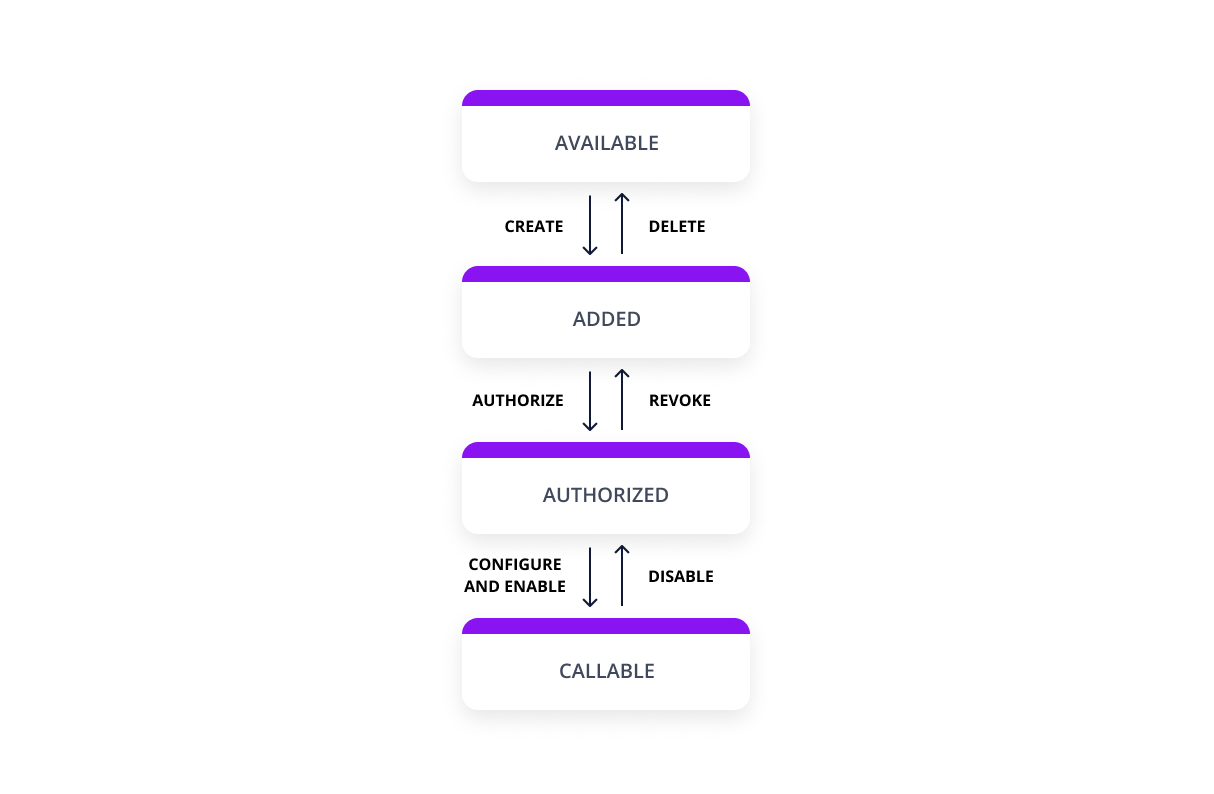 More information about the connection state can be found in the [Connection state](https://developers.apideck.com/guides/connection-states) guide. ## Unify and Proxy integration The only thing you need to use the Unify APIs and Proxy is the consumer id; thereafter, Vault will do the look-up in the background to handle the token injection before performing the API call(s). ## Headers Custom headers that are expected as part of the request. Note that [RFC7230](https://tools.ietf.org/html/rfc7230) states header names are case insensitive. | Name | Type | Required | Description | | --------------------- | ------- | -------- | -------------------------------------------------------------------------------------------------------------------------------------------------------------- | | x-apideck-app-id | String | Yes | The id of your Unify application. Available at https://app.apideck.com/api-keys. | | x-apideck-consumer-id | String | Yes | The id of the customer stored inside Apideck Vault. This can be a user id, account id, device id or whatever entity that can have integration within your app. | | x-apideck-raw | Boolean | No | Include raw response. Mostly used for debugging purposes. | ## Guides - [Get started with Apideck](https://developers.apideck.com/getting-started) - [Get started with Vault](https://developers.apideck.com/guides/vault) - [Authorize connection via Vault](https://developers.apideck.com/guides/authorize-connections) - [Vault connection status](https://developers.apideck.com/guides/connection-states) - [How to build an integrations UI with Vault](https://github.com/apideck-samples/integration-settings) ## FAQ **What purpose does Vault serve? Can I just handle the authentication and access token myself?** You can store everything yourself, but that defeats the purpose of using Apideck Unify. Handling tokens for multiple providers can quickly become very complex. ### Is my data secure? Vault employs data minimization, therefore only requesting the minimum amount of scopes needed to perform an API request. ### How do I migrate existing data? Using our migration API, you can migrate the access tokens and accounts to Apideck Vault. ### Can I use Vault in combination with existing integrations? Yes, you can. The flexibility of Unify allows you to quickly the use cases you need while keeping a gradual migration path based on your timeline and requirements. ### How does Vault work for Apideck Ecosystem customers? Once logged in, pick your ecosystem; on the left-hand side of the screen, you'll have the option to create an application underneath the Unify section. ### How to integrate Apideck Vault This section covers everything you need to know to authenticate your customers through Vault. Vault provides **three auth strategies** to use API tokens from your customers: - Vault API - Hosted Vault - Vault Widget (JS, React, Vue) You can also opt to bypass Vault and still take care of authentication flows yourself. Make sure to put the right safeguards in place to protect your customers' tokens and other sensitive data. ### What auth types does Vault support? We support all the common authentication types, including: API keys, OAuth, Basic auth, and more. #### API keys For Services supporting the API key strategy, you can use Hosted Vault will need to provide an in-app form where users can configure their API keys provided by the integration service. #### OAuth 2.0 ##### Authorization Code Grant Type Flow Vault handles the complete Authorization Code Grant Type Flow for you. This flow only supports browser-based (passive) authentication because most identity providers don't allow entering a username and password to be entered into applications that they don't own. Certain connectors require an OAuth redirect authentication flow, where the end-user is redirected to the provider's website or mobile app to authenticate. This is being handled by the `/authorize` endpoint. #### Basic auth Basic authentication is a simple authentication scheme built into the HTTP protocol. The required fields to complete basic auth are handled by Hosted Vault or by updating the connection through the Vault API below.
Veer Surendra Sai University Of Technology
/veer-surendra-sai-university-of-technologyVeer Surendra Sai University Of Technology, Odisha (http://vssut.ac.in) is issuing Degree certificates through DigiLocker. These can be pulled by students into their DigiLocker accounts. Currently, data for the year's 2014-2019 is made available by Veer Surendra Sai University Of Technology.
Vehicle Enquiry API
/vehicle-enquiry-apiInterface specification for the DVLA Vehicle Enquiry API
VirtualMachineImageTemplate
/virtualmachineimagetemplateVirtual Machine Image Template
VirtualWANAsAServiceManagementClient
/virtualwanasaservicemanagementclientREST API for Azure VirtualWAN As a Service.
Visual Studio Projects Resource Provider Client
/visual-studio-projects-resource-provider-clientUse these APIs to manage Visual Studio Team Services resources through the Azure Resource Manager. All task operations conform to the HTTP/1.1 protocol specification and each operation returns an x-ms-request-id header that can be used to obtain information about the request. You must make sure that requests made to these resources are secure. For more information, see https://docs.microsoft.com/en-us/rest/api/index.
Visual Studio Resource Provider Client
/visual-studio-resource-provider-clientUse these APIs to manage Visual Studio Team Services resources through the Azure Resource Manager. All task operations conform to the HTTP/1.1 protocol specification and each operation returns an x-ms-request-id header that can be used to obtain information about the request. You must make sure that requests made to these resources are secure. For more information, see https://docs.microsoft.com/en-us/rest/api/index.
Wayback API
/wayback-apiAPI for Internet Archive's Wayback Machine
WebApplicationFirewallManagement
/webapplicationfirewallmanagementAPIs to manage web application firewall rules
WebApps API Client
/webapps-api-clientWebSite Management Client
/website-management-clientUse these APIs to manage Azure Websites resources through the Azure Resource Manager. All task operations conform to the HTTP/1.1 protocol specification and each operation returns an x-ms-request-id header that can be used to obtain information about the request. You must make sure that requests made to these resources are secure. For more information, see https://msdn.microsoft.com/en-us/library/azure/dn790557.aspx.
Webhook API
/webhook-apiWelcome to the Webhook API. You can use this API to access all Webhook API endpoints. ## Base URL The base URL for all API requests is `https://unify.apideck.com` ## Headers Custom headers that are expected as part of the request. Note that [RFC7230](https://tools.ietf.org/html/rfc7230) states header names are case insensitive. | Name | Type | Required | Description | | --------------------- | ------- | -------- | -------------------------------------------------------------------------------------------------------------------------------------------------------------- | | x-apideck-consumer-id | String | Yes | The id of the customer stored inside Apideck Vault. This can be a user id, account id, device id or whatever entity that can have integration within your app. | | x-apideck-service-id | String | No | Describe the service you want to call (e.g., pipedrive). Only needed when a customer has activated multiple integrations for the same Unified API. | | x-apideck-raw | Boolean | No | Include raw response. Mostly used for debugging purposes. | | x-apideck-app-id | String | Yes | The application id of your Unify application. Available at https://app.apideck.com/unify/api-keys. | | Authorization | String | Yes | Bearer API KEY | ## Authorization You can interact with the API through the authorization methods below. <!-- ReDoc-Inject: <security-definitions> --> ## Pagination All API resources have support for bulk retrieval via list APIs. Apideck uses cursor-based pagination via the optional `cursor` and `limit` parameters. To fetch the first page of results, call the list API without a `cursor` parameter. Afterwards you can fetch subsequent pages by providing a cursor parameter. You will find the next cursor in the response body in `meta.cursors.next`. If `meta.cursors.next` is `null` you're at the end of the list. In the REST API you can also use the `links` from the response for added convenience. Simply call the URL in `links.next` to get the next page of results. ### Query Parameters | Name | Type | Required | Description | | ------ | ------ | -------- | ------------------------------------------------------------------------------------------------------------------ | | cursor | String | No | Cursor to start from. You can find cursors for next & previous pages in the meta.cursors property of the response. | | limit | Number | No | Number of results to return. Minimum 1, Maximum 200, Default 20 | ### Response Body | Name | Type | Description | | --------------------- | ------ | ------------------------------------------------------------------ | | meta.cursors.previous | String | Cursor to navigate to the previous page of results through the API | | meta.cursors.current | String | Cursor to navigate to the current page of results through the API | | meta.cursors.next | String | Cursor to navigate to the next page of results through the API | | meta.items_on_page | Number | Number of items returned in the data property of the response | | links.previous | String | Link to navigate to the previous page of results through the API | | links.current | String | Link to navigate to the current page of results through the API | | links.next | String | Link to navigate to the next page of results through the API | ⚠️ `meta.cursors.previous`/`links.previous` is not available for all connectors. ## SDKs and API Clients We currently offer a [Node.js](https://developers.apideck.com/sdks/node), [PHP](https://developers.apideck.com/sdks/php) and [.NET](https://developers.apideck.com/sdks/dot-net) SDK. Need another SDK? [Request the SDK of your choice](https://integrations.apideck.com/request). ## Debugging Because of the nature of the abstraction we do in Apideck Unify we still provide the option to the receive raw requests and responses being handled underlying. By including the raw flag `?raw=true` in your requests you can still receive the full request. Please note that this increases the response size and can introduce extra latency. ## Errors The API returns standard HTTP response codes to indicate success or failure of the API requests. For errors, we also return a customized error message inside the JSON response. You can see the returned HTTP status codes below. | Code | Title | Description | | ---- | -------------------- | -------------------------------------------------------------------------------------------------------------------------------------------------------------------------------------------------------- | | 200 | OK | The request message has been successfully processed, and it has produced a response. The response message varies, depending on the request method and the requested data. | | 201 | Created | The request has been fulfilled and has resulted in one or more new resources being created. | | 204 | No Content | The server has successfully fulfilled the request and that there is no additional content to send in the response payload body. | | 400 | Bad Request | The receiving server cannot understand the request because of malformed syntax. Do not repeat the request without first modifying it; check the request for errors, fix them and then retry the request. | | 401 | Unauthorized | The request has not been applied because it lacks valid authentication credentials for the target resource. | | 402 | Payment Required | Subscription data is incomplete or out of date. You'll need to provide payment details to continue. | | 403 | Forbidden | You do not have the appropriate user rights to access the request. Do not repeat the request. | | 404 | Not Found | The origin server did not find a current representation for the target resource or is not willing to disclose that one exists. | | 409 | Conflict | The request could not be completed due to a conflict with the current state of the target resource. | | 422 | Unprocessable Entity | The server understands the content type of the request entity, and the syntax of the request entity is correct but was unable to process the contained instructions. | | 429 | Too Many Requests | You sent too many requests in a given amount of time ("rate limit"). Try again later | | 5xx | Server Errors | Something went wrong with the Unify API. These errors are logged on our side. You can contact our team to resolve the issue. | ### Handling errors The Unify API and SDKs can produce errors for many reasons, such as a failed requests due to misconfigured integrations, invalid parameters, authentication errors, and network unavailability. ### Error Types #### RequestValidationError Request is not valid for the current endpoint. The response body will include details on the validation error. Check the spelling and types of your attributes, and ensure you are not passing data that is outside of the specification. #### UnsupportedFiltersError Filters in the request are valid, but not supported by the connector. Remove the unsupported filter(s) to get a successful response. #### UnsupportedSortFieldError Sort field (`sort[by]`) in the request is valid, but not supported by the connector. Replace or remove the sort field to get a successful response. #### InvalidCursorError Pagination cursor in the request is not valid for the current connector. Make sure to use a cursor returned from the API, for the same connector. #### ConnectorExecutionError A Unified API request made via one of our downstream connectors returned an unexpected error. The `status_code` returned is proxied through to error response along with their original response via the error detail. #### UnauthorizedError We were unable to authorize the request as made. This can happen for a number of reasons, from missing header params to passing an incorrect authorization token. Verify your Api Key is being set correctly in the authorization header. ie: `Authorization: 'Bearer sk_live_***'` #### ConnectorCredentialsError A request using a given connector has not been authorized. Ensure the connector you are trying to use has been configured correctly and been authorized for use. #### ConnectorDisabledError A request has been made to a connector that has since been disabled. This may be temporary - You can contact our team to resolve the issue. #### ConnectorRateLimitError You sent too many request to a connector. These rate limits vary from connector to connector. You will need to try again later. #### RequestLimitError You have reached the number of requests included in your Free Tier Subscription. You will no be able to make further requests until this limit resets at the end of the month, or talk to us about upgrading your subscription to continue immediately. #### EntityNotFoundError You've made a request for a resource or route that does not exist. Verify your path parameters or any identifiers used to fetch this resource. #### OAuthCredentialsNotFoundError When adding a connector integration that implements OAuth, both a `client_id` and `client_secret` must be provided before any authorizations can be performed. Verify the integration has been configured properly before continuing. #### IntegrationNotFoundError The requested connector integration could not be found associated to your `application_id`. Verify your `application_id` is correct, and that this connector has been added and configured for your application. #### ConnectionNotFoundError A valid connection could not be found associated to your `application_id`. Something _may_ have interrupted the authorization flow. You may need to start the connector authorization process again. #### ConnectionSettingsError The connector has required settings that were not supplied. Verify `connection.settings` contains all required settings for the connector to be callable. #### ConnectorNotFoundError A request was made for an unknown connector. Verify your `service_id` is spelled correctly, and that this connector is enabled for your provided `unified_api`. #### OAuthRedirectUriError A request was made either in a connector authorization flow, or attempting to revoke connector access without a valid `redirect_uri`. This is the url the user should be returned to on completion of process. #### OAuthInvalidStateError The state param is required and is used to ensure the outgoing authorization state has not been altered before the user is redirected back. It also contains required params needed to identify the connector being used. If this has been altered, the authorization will not succeed. #### OAuthCodeExchangeError When attempting to exchange the authorization code for an `access_token` during an OAuth flow, an error occurred. This may be temporary. You can reattempt authorization or contact our team to resolve the issue. #### OAuthConnectorError It seems something went wrong on the connector side. It's possible this connector is in `beta` or still under development. We've been notified and are working to fix this issue. #### MappingError There was an error attempting to retrieve the mapping for a given attribute. We've been notified and are working to fix this issue. #### ConnectorMappingNotFoundError It seems the implementation for this connector is incomplete. It's possible this connector is in `beta` or still under development. We've been notified and are working to fix this issue. #### ConnectorResponseMappingNotFoundError We were unable to retrieve the response mapping for this connector. It's possible this connector is in `beta` or still under development. We've been notified and are working to fix this issue. #### ConnectorOperationMappingNotFoundError Connector mapping has not been implemented for the requested operation. It's possible this connector is in `beta` or still under development. We've been notified and are working to fix this issue. #### ConnectorWorkflowMappingError The composite api calls required for this operation have not been mapped entirely. It's possible this connector is in `beta` or still under development. We've been notified and are working to fix this issue. #### ConnectorOperationUnsupportedError You're attempting a call that is not supported by the connector. It's likely this operation is supported by another connector, but we're unable to implement for this one. #### PaginationNotSupportedError Pagination is not yet supported for this connector, try removing limit and/or cursor from the query. It's possible this connector is in `beta` or still under development. We've been notified and are working to fix this issue. ## API Design ### API Styles and data formats #### REST API The API is organized around [REST](https://restfulapi.net/), providing simple and predictable URIs to access and modify objects. Requests support standard HTTP methods like GET, PUT, POST, and DELETE and standard status codes. JSON is returned by all API responses, including errors. In all API requests, you must set the content-type HTTP header to application/json. All API requests must be made over HTTPS. Calls made over HTTP will fail. ##### Available HTTP methods The Apideck API uses HTTP verbs to understand if you want to read (GET), delete (DELETE) or create (POST) an object. When your web application cannot do a POST or DELETE, we provide the ability to set the method through the query parameter \_method. ``` POST /messages GET /messages GET /messages/{messageId} PATCH /messages/{messageId} DELETE /messages/{messageId} ``` Response bodies are always UTF-8 encoded JSON objects, unless explicitly documented otherwise. For some endpoints and use cases we divert from REST to provide a better developer experience. ### Schema All API requests and response bodies adhere to a common JSON format representing individual items, collections of items, links to related items and additional meta data. ### Meta Meta data can be represented as a top level member named “meta”. Any information may be provided in the meta data. It’s most common use is to return the total number of records when requesting a collection of resources. ### Idempotence (upcoming) To prevent the creation of duplicate resources, every POST method (such as one that creates a consumer record) must specify a unique value for the X-Unique-Transaction-ID header name. Uniquely identifying each unique POST request ensures that the API processes a given request once and only once. Uniquely identifying new resource-creation POSTs is especially important when the outcome of a response is ambiguous because of a transient service interruption, such as a server-side timeout or network disruption. If a service interruption occurs, then the client application can safely retry the uniquely identified request without creating duplicate operations. (API endpoints that guarantee that every uniquely identified request is processed only once no matter how many times that uniquely identifiable request is made are described as idempotent.) ### Request IDs Each API request has an associated request identifier. You can find this value in the response headers, under Request-Id. You can also find request identifiers in the URLs of individual request logs in your Dashboard. If you need to contact us about a specific request, providing the request identifier will ensure the fastest possible resolution. ### Fixed field types #### Dates The dates returned by the API are all represented in UTC (ISO8601 format). This example `2019-11-14T00:55:31.820Z` is defined by the ISO 8601 standard. The T in the middle separates the year-month-day portion from the hour-minute-second portion. The Z on the end means UTC, that is, an offset-from-UTC of zero hours-minutes-seconds. The Z is pronounced "Zulu" per military/aviation tradition. The ISO 8601 standard is more modern. The formats are wisely designed to be easy to parse by machine as well as easy to read by humans across cultures. #### Prices and Currencies All prices returned by the API are represented as integer amounts in a currency’s smallest unit. For example, $5 USD would be returned as 500 (i.e, 500 cents). For zero-decimal currencies, amounts will still be provided as an integer but without the need to divide by 100. For example, an amount of ¥5 (JPY) would be returned as 5. All currency codes conform to [ISO 4217](https://en.wikipedia.org/wiki/ISO_4217). ## Support If you have problems or need help with your case, you can always reach out to our Support.
WorkbookClient
/workbookclientAzure client for Workbook.
Workload Monitor
/workload-monitorAPIs for workload monitoring
airportsapi
/airportsapiGet name and website-URL for airports by ICAO code. Covered airports are mostly in Germany.
api.clarify.io
/api-clarify-ioThe API to Search and Understand Audio & Video Data.
api.datumbox.com
/api-datumbox-comDatumbox offers a Machine Learning platform composed of 14 classifiers and Natural Language processing functions. Functions include sentiment analysis, topic classification, readability assessment, language detection, and much more.
api.video
/api-videoapi.video is an API that encodes on the go to facilitate immediate playback, enhancing viewer streaming experiences across multiple devices and platforms. You can stream live or on-demand online videos within minutes.
azureactivedirectory
/azureactivedirectoryAzure Active Directory Client.
balldontlie
/balldontliebrainbi
/brainbiWelcome to the official API of the brainbi platform. Using this API you can freely integrate our analytics platform with any other solution. Please refer to the following documentation and in case of any issues, please contact us at service@brainbi.net. Please note: for this API you will use your email and password from the brainbi.net platform to gather a Bearer Token for any API calls (use Login and get token). Once you are finished with your calls, please do a logout to remove your token and keep your account safe (use logout).
bridgedb webservices
/bridgedb-webservicescustomproviders
/customprovidersAllows extension of ARM control plane with custom resource providers.
departureboard.io API
/departureboard-io-apiThe departureboard.io is a high performance API written in Golang. Its goal is to provide to main functions:<br><br> (1): A JSON API interface to the legacy National Rail SOAP API: Giving developers the ability to pull live information on departures, arrivals, and services from National Rail, without having to use the legacy SOAP API provided by National Rail. Information is still pulled directly from National Rail in the background, providing the same level of real-time data without the additional complexity of having to interact with SOAP. <br><br>(2): A JSON API interface for additional National Rail information: Giving developers the ability to pull a range of information about the Rail Network, via a JSON API interface. This is not an offering that National Rail currently provide, and is custom developed. Data is sourced from periodically updated XML documents, parsed, and provided for consumption via the departureboard.io API.<br><br>This API is completely free to use for non-commercial purposes. You can explore the various sections of the documentation using the links below.<br><br> For more information please see <a href="https://api.departureboard.io">https://api.departureboard.io</a>
doqs.dev | PDF filling API
/doqs-dev-pdf-filling-apidrchrono.com
/drchrono-comThis document is intended as a detailed reference for the precise behavior of the drchrono API. If this is your first time using the API, start with our <a href="/api-docs-old/tutorial">tutorial</a>. If you are upgrading from a previous version, take a look at the changelog section. # Authorization ## Initial authorization There are three main steps in the OAuth 2.0 authentication workflow: 1. Redirect the provider to the authorization page. 2. The provider authorizes your application and is redirected back to your web application. 3. Your application exchanges the `authorization_code` that came with the redirect for an `access_token` and `refresh_token`. ### Step 1: Redirect to drchrono The first step is redirecting your user to drchrono, typically with a button labeled "Connect to drchrono" or "Login with drchrono". This is just a link that takes your user to the following URL: https://drchrono.com/o/authorize/?redirect_uri=REDIRECT_URI_ENCODED&response_type=code&client_id=CLIENT_ID_ENCODED&scope=SCOPES_ENCODED - `REDIRECT_URI_ENCODED` is the URL-encoded version of the redirect URI (as registered for your application and used in later steps). - `CLIENT_ID_ENCODED` is the URL-encoded version of your application's client ID. - `SCOPES_ENCODED` is a URL-encoded version of a space-separated list of scopes, which can be found in each endpoint or omitted to default to all scopes. The `scope` parameter consists of an optional, space-separated list of scopes your application is requesting. If omitted, all scopes will be requested. Scopes are of the form `BASE_SCOPE:[read|write]` where `BASE_SCOPE` is any of `user`, `calendar`, `patients`, `patients:summary`, `billing`, `clinical` and `labs`. You should request only the scopes you need. For instance, an application which sends "Happy Birthday!" emails to a doctor's patients on their birthdays would use the scope parameter `"patients:summary:read"`, while one that allows patients to schedule appointments online would need at least `"patients:summary:read patients:summary:write calendar:read calendar:write clinical:read clinical:write"`. ### Step 2: Provider authorization After logging in (if necessary), the provider will be presented with a screen with your application's name and the list of permissions you requested (via the `scope` parameter). When they click the "Authorize" button, they will be redirected to your redirect URI with a `code` query parameter appended, which contains an authorization code to be used in step 3. If they click the "Cancel" button, they will be redirected to your redirect URI with `error=access_denied` instead. Note: This authorization code expires extremely quickly, so you must perform step 3 immediately, ideally before rendering the resulting page for the end user. ### Step 3: Token exchange The `code` obtained from step 2 is usable exactly once to obtain an access token and refresh token. Here is an example token exchange in Python: import datetime, pytz, requests if 'error' in get_params: raise ValueError('Error authorizing application: %s' % get_params[error]) response = requests.post('https://drchrono.com/o/token/', data={ 'code': get_params['code'], 'grant_type': 'authorization_code', 'redirect_uri': 'http://mytestapp.com/redirect_uri', 'client_id': 'abcdefg12345', 'client_secret': 'abcdefg12345', }) response.raise_for_status() data = response.json() # Save these in your database associated with the user access_token = data['access_token'] refresh_token = data['refresh_token'] expires_timestamp = datetime.datetime.now(pytz.utc) + datetime.timedelta(seconds=data['expires_in']) You now have all you need to make API requests authenticated as that provider. When using this access token, you'll only be able to access the data that the user has access to and that you have been granted permissions for. ## Refreshing an access token Access tokens only last 48 hours (given in seconds in the `'expires_in'` key in the token exchange step above), so they occasionally need to be refreshed. It would be inconvenient to ask the user to re-authorize every time, so instead you can use the refresh token like the original authorization to obtain a new access token. Replace the `code` parameter with `refresh_token`, change the value `grant_type` from `authorization_code` to `refresh_token`, and omit the `redirect_uri` parameter. Example in Python: ... response = requests.post('https://drchrono.com/o/token/', data={ 'refresh_token': get_refresh_token(), 'grant_type': 'refresh_token', 'client_id': 'abcdefg12345', 'client_secret': 'abcdefg12345', }) ... # Webhooks In order to use drchrono API webhooks, you first need to have an API application on file (even if it is in Test Model). Each API webhook is associated with one API application, go to <a href="/api-management/" target="_blank">here</a> to set up both API applications and webhooks! Once you registered an API application, you will see webhook section in each saved API applications. Create a webhook and register some events there and save all the changes, then you are good to go! ## Webhooks setup All fields under webhooks section are required. **Callback URL** Callback URl is used to receive all hooks when subscribed events are triggered. This should be an URL under your control. **Secret token** Secret token is used to verify webhooks, this is very important, please set something with high entropy. Also we will talk more about this later. **Events** Events is used to register events you want to receiver notification when they happen. Currently we support following events. Event name | Event description ---------- | ----------------- `APPOINTMENT_CREATE` | We will deliver a hook any time an appointment is created `APPOINTMENT_MODIFY` | We will deliver a hook any time an appointment is modified `PATIENT_CREATE` | We will deliver a hook any time a patient is created `PATIENT_MODIFY` | We will deliver a hook any time a patient is modified `PATIENT_PROBLEM_CREATE` | We will deliver a hook any time a patient problem is created `PATIENT_PROBLEM_MODIFY` | We will deliver a hook any time a patient problem is modified `PATIENT_ALLERGY_CREATE` | We will deliver a hook any time a patient allergy is created `PATIENT_ALLERGY_MODIFY` | We will deliver a hook any time a patient allergy is modified `PATIENT_MEDICATION_CREATE` | We will deliver a hook any time a patient medication is created `PATIENT_MEDICATION_MODIFY` | We will deliver a hook any time a patient medication is modified `CLINICAL_NOTE_LOCK` | We will deliver a hook any time a clinical note is locked `CLINICAL_NOTE_UNLOCK` | We will deliver a hook any time a clinical note is unlocked `TASK_CREATE` | We will deliver a hook any time a task is created `TASK_MODIFY` | We will deliver a hook any time a task is modified and any time creation, modification and deletion of task notes, associated task item `TASK_DELETE` | We will deliver a hook any time a task is deleted ## Webhooks verification In order to make sure the callback URL in webhook is under your control, we added a verification step before we send any hooks out to you. Verification can be done by clicking "Verify webhook" button in webhooks setup page. After you click the button, we will send a `GET` request to the callback URL, along with a parameter called `msg`. Please use your webhook's secret token as hash key and SHA-256 as digest constructor, hash the `msg` value with <a href="https://tools.ietf.org/html/rfc2104.html">HMAC algorithm</a>. And we expect a `200` JSON response, in JSON response body, there should be a key called `secret_token` existing, and its value should be equal to the <strong>hashed</strong> `msg`. Otherwise, verification will fail. Here is an example webhook verification in Python: import hashlib, hmac def webhook_verify(request): secret_token = hmac.new(WEBHOOK_SECRET_TOKEN, request.GET['msg'], hashlib.sha256).hexdigest() return json_response({ 'secret_token': secret_token }) <div class="alert alert-warning"> <b>Note:</b> Verification will be needed when webhook is first created and anytime callback URl is changed. </div> ## Webhooks header and body **Header** Key | Value --- | ----- `X-drchrono-event` | Event that triggered this hook, could be any one event above or `PING` `X-drchrono-signature` | Secret token associated with this webhook `X-drchrono-delivery` | ID of this delivery **Body** Key | Value --- | ----- `receiver` | This will be an JSON representation of the webhook `object` | This will be an JSON representation of the object related to the triggered event, this would share same serializer as drchrono API ## Webhooks ping and deliveries Webhooks ping and deliveries will be sent as `POST` requests. **PING**: You can always ping your webhook to check things, by clicking the "Ping webhook" button in webhook setup page. And a hook with header `X-drchrono-event: PING` would be sent to the callback URL. **Deliveries**: You can check recent deliveries by clicking the "deliveries" link in webhook setup page. And you can resend a hook by clicking "redeliver" button after select a specific delivery. ## Webhooks delivery mechanism We will delivery a hook the moment a subscribed event is triggered. We will not record any response header or body you send back after you receive the hook. However we only consider the response status code. We will consider any `2xx` responses as successfully delivered. Any other responses, like `302` would be considered failing. And we will try to redeliver unsuccessfully delivered hooks 3 times, first redeliver happens at 1 hour after the initial event, second receliver happens 3 hours after the initial event, and the third redeliver happens 7 hours after the initial event. After these redeliveries, if the delivery is still unsuccessful, you have to redeliver it by hand. ## Webhooks security You may want to secure your webhooks to only consider requests send out from drchrono. And this is where <code>secret_token</code> is needed in request header. Try to set the <code>secret_token</code> to something with high entropy, a good example could be taking the output of <code>ruby -rsecurerandom -e 'puts SecureRandom.hex(20)'</code>. After this, you might want to verify all request headers you received on your server with this token. # iframe integration Some API apps provide additional functionality for interacting with patient data not offered by drchrono, and can benefit by being incorporated into drchrono's patient information page via iframe. We have created a simple API to make this possible. To make an existing API application accessible via an iframe on the patient page, you need to update either "Patient iframe" or "Clinical note iframe" section in API management page, to make the iframe to appear on (either the patient page or the clinical note page), with the URL that the iframe will use for each page, and the height it should have. The application will be reviewed before it is approved to ensure that it is functional and secure. ## Register a Doctor iframe applications will appear as choices on the left-hand menu of the patient page for doctors registered with your application. To register a doctor with your application, make a `POST` request to the `/api/iframe_integration` endpoint using the access token for the corresponding doctor. This endpoint does not expect any payload. To disable your iframe application for a doctor, make a `DELETE` request to the same endpoint. ## Populating the iframe There are two places where the iframe can be displayed, either within the patient detail page or the clinical note page, shown below respectively: <img src="{% asset 'public/images/iframe_patient_page.png' %}" alt="Iframe on the patient page"/> <img src="{% asset 'public/images/iframe_clinical_note.png' %}" alt="Iframe on the clinical note page"/> When requesting approval for your iframe app, you must specify a URL for one or both of these pages which will serve as the base URL for your IFrame contents. When a doctor views your iframe, the source URL will have various query parameters appended to it, for example for the patient page the `src` parameter of the IFrame will be: ``` <iframe_url>?doctor_id=<doctor_id>&patient_id=<patient_id>&practice_id=<practice_id>&iat=<iat>&jwt=<jwt> ``` The `jwt` parameter is crucial if your application transfers any sort of PHI and does not implement its own login system. It encapsulates the other parameters in a [JSON web token (JWT)](http://jwt.io) and signs them using SHA-256 HMAC with your `client_secret` as the key. This verifies that the iframe is being loaded within one of drchrono's pages by an authorized user. In production, you should validate the JWT using an approved library (which are listed on the [official site](http://jwt.io)), and only use the parameters extracted from the JWT. Using Python and Django, this might look like: import jwt CLIENT_SECRET = <client_secret> MAX_TIME_DRIFT_SECONDS = 60 def validate_parameters(request): token = request.GET['jwt'] return jwt.decode(token, CLIENT_SECRET, algorithms=['HS256'], leeway=MAX_TIME_DRIFT_SECONDS) Modern browsers' same-origin policy means that data cannot be passed between your application and drchrono's page through the iframe. Therefore, interaction must happen through the API, using information provided in JWT. # Versions and deprecation ## Stability Policy Changes to this API version will be limited to adding endpoints, or adding fields to existing endpoints, or adding optional query parameters. Any new fields which are not read-only will be optional. ## Deprecation Policy The drchrono API is versioned. Versions can be in the following states: * **Active:** This is our latest and greatest version of the API. It is actively supported by our API team and is improved upon with new features, bug fixes and optimizations that do not break backwards compatibility. * **Deprecated:** A deprecated API version is considered second best--having been surpassed by our active API version. An API version remains in this state for one year, after which time it falls to the not supported state. A deprecated API version is passively supported; while it won't be removed until becoming unsupported, it may not receive new features but will likely be subject to security updates and performance improvements. * **Unsupported:** An API version in the not supported state may be deactivated at any time. An application using an unsupported API version should migrate to an active API version. ## Version Map | Version Name | Previous Name | Start Date | Deprecation Date | |--------------|---------------|------------|------------------| | v2 | v2015_08 | 08/2015 | TBA | | v3 | v2016_06 | 06/2016 | | | v4 | N/A | 09/2018 | | If you are looking for documentation for an older version - [V4(Hunt Valley)](/api-docs-old/v4/documentation) (old V4 documentation) - [V3(Sunnyvale)](/api-docs-old/v3/documentation) - [V2(Mountain View)](/api-docs-old/v2/documentation) # Changelog Here's changelog for different versions - [V4 Changelog](/api-docs-old/v4/changelog) - [V3 changelog](/api-docs-old/v3/changelog)
dweet.io
/dweet-ioDweet.io allows users to share data from mobile, tablets, and pcs, and them to other devices and accounts across social media platforms. Dweet.io provides an API to access the different functionality of the Dweet.io service. Users can make REST calls to read and create dweets, lock and unlock things, and perform other calls. The API returns JSON and JSONP.
eBay Finances API
/ebay-finances-apiThis API is used to retrieve seller payouts and monetary transaction details related to those payouts.
eDistrict Andaman & Nicobar Islands, Andaman & Nicobar
/edistrict-andaman-nicobar-islands-andaman-nicobareDistrict Andaman (https://edistrict.andaman.gov.in/) is the online service delivery portal for Andaman & Nicobar Islands. Certain documents issued by it (e.g. Local Certificate,Income Certificate,OBC Certificate,Resident Certificate etc) can be pulled into citizens' DigiLocker accounts.
eDistrict Chandigarh, Chandigarh
/edistrict-chandigarh-chandigarheDistrict Chandigarh(http://chdservices.gov.in/) is the online service delivery portal for Chandigarh Administration. Certain documents issued by it (e.g. Senior Citizen Identity Card) can be pulled into citizens' DigiLocker accounts.
eDistrict Himachal Pradesh, Himachal Pradesh
/edistrict-himachal-pradesh-himachal-pradesheDistrict Himachal (http://edistrict.hp.gov.in/) is the online service delivery portal for Himachal Pradesh State Govt. Certain documents issued by it (e.g. Birth, Income, Caste, Agriculturist, Bonafide Himachali Certificates etc) can be pulled into citizens' DigiLocker accounts.
eDistrict Kerala, Kerala
/edistrict-kerala-keralaeDistrict Kerala (https://edistrict.kerala.gov.in/) is the online service delivery portal for Kerala State Govt. Certain documents issued by it (e.g. Residence, Income, Caste Certificates etc) are made available in citizens' DigiLocker accounts.
eDistrict Odisha ServicePlus, Odisha
/edistrict-odisha-serviceplus-odishaAPIs provided by eDistrict Odisha ServicePlus, Odisha.
eDistrict Odisha, Odisha
/edistrict-odisha-odishaeDistrict Odisha (http://edistrictodisha.gov.in/) is the online service delivery portal for Odisha State Govt. Certain documents issued by it (e.g. Income, Caste, Residence Certificates etc) are made available in citizens' DigiLocker accounts.
eDistrict Uttar Pradesh, Uttar Pradesh
/edistrict-uttar-pradesh-uttar-pradesheDistrict UP (http://edistrict.up.nic.in/) is the online service delivery portal for UP State Govt. Certain documents issued by it (e.g. Birth, Income, Caste Certificates etc) can be pulled into citizens' DigiLocker accounts.
eService (eDistrict), Arunachal Pradesh
/eservice-edistrict-arunachal-pradesheService (eDistrict), Arunachal Pradesh (http://eservice.arunachal.gov.in/) is the online service delivery portal for Arunachal Pradesh State Govt. Certain documents issued by it (e.g. Income, Caste, Domicile, Dependency, SC/ST ,Character, Residence Certificates etc) are made available in citizens' DigiLocker accounts.
hashlookup CIRCL API
/hashlookup-circl-api [CIRCL hash lookup](https://hashlookup.circl.lu/) is a public API to lookup hash values against known database of files. For more details about all the datasets included [visit the website of the project](https://www.circl.lu/services/hashlookup/). The API is accessible via HTTP ReST API and the API is also [described as an OpenAPI](https://hashlookup.circl.lu/swagger.json). A [documentation is available with](https://www.circl.lu/services/hashlookup/) with sample queries and software using hashlookup. An offline version as Bloom filter is also [available](https://circl.lu/services/hashlookup/#how-to-quickly-check-a-set-of-files-in-a-local-directory). The API can be tested live in the interface below.
iotDpsClient
/iotdpsclientAPI for using the Azure IoT Hub Device Provisioning Service features.
iotHubClient
/iothubclientUse this API to manage the IoT hubs in your Azure subscription.
portal
/portalAllows creation and deletion of Azure Shared Dashboards.
realCity Query Server API
/realcity-query-server-apiSpecification for the realCity Query Server API.
windowsesu
/windowsesuManage Multi-Access Keys (MAK) that enable Windows Extended Security Updates (ESU).